
AI Support Agent for SaaS: Setup, Docs, and Deflection
An AI support agent for SaaS answers product questions from your docs, deflects repeat tickets, guides new users, and opens a ticket when a human is needed.
Run support for a SaaS product and the pattern shows up fast. The same setup question, the same "where do I find this setting", the same billing query, over and over, while the hard problems wait in the same queue. A small team ends up triaging volume instead of solving anything, and the docs you spent weeks writing sit unread because nobody wants to dig through a help center mid-task.
This is where an AI support agent earns its place on a SaaS site. We built BestChatBot to answer from your own product knowledge, decline when a question falls outside it, and hand off to a ticket when a person really is needed. It lives as a website widget, trained on your docs, sitting in the corner of your app and your marketing site. The goal is not to replace your team. It is to take the repeat load off them so the queue holds problems worth a human.
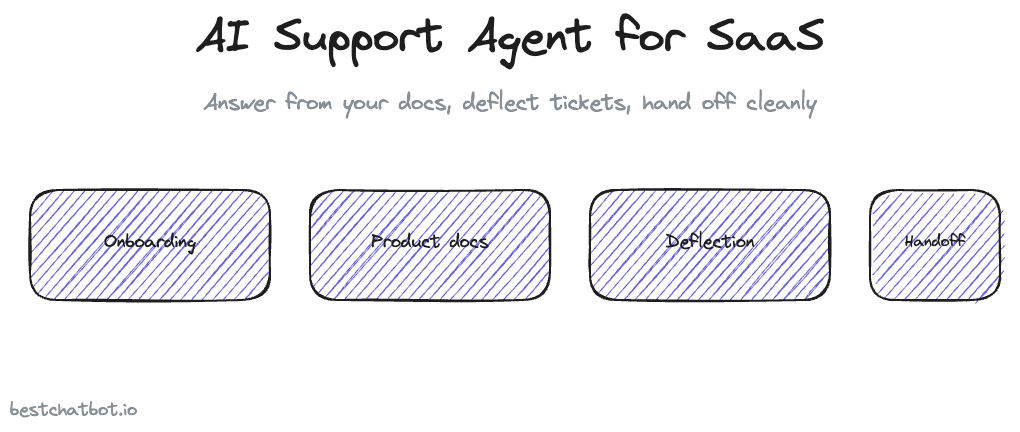
Here is how that plays out across the parts of SaaS support that actually hurt: getting new users live, product documentation, ticket deflection, and the handoff to your help desk.
Getting new users live: answer setup questions in context
The riskiest week in any SaaS relationship is the first one. A new user who cannot get the product working churns before they ever see the value. Most of that friction is not complicated, it is just unanswered. Where do I add a teammate. How do I connect my account. Why is this field greyed out.
An AI support agent sits inside the product during exactly that window. A user stuck on a setup screen asks the widget in plain language and gets the answer pulled straight from your setup docs, no tab-switching, no searching the help center. Because the agent answers from your real content, the guidance matches your current UI instead of some stale screenshot.
We think the honest framing here matters. The agent does not invent steps to sound helpful. If your docs do not cover something, it says so and points the user toward a person rather than guessing a setup flow that does not exist. That restraint is what makes it safe to put in front of brand-new users who have no way to tell a correct answer from a confident wrong one. If getting users to first value is the part you want to nail, the playbook on how startups reduce support tickets goes deeper on cutting the repeat load early.
Product documentation that people actually use
Most SaaS teams have more documentation than their users ever read. The content is fine. The retrieval is the problem. A help center with three hundred articles is a search box that returns ten near-matches and zero answers, so the user gives up and files a ticket instead.
A product documentation chatbot flips that. Instead of making people hunt, it reads the question and answers from the right doc, in conversation, with the source attached. You upload your PDFs, point it at your docs site for a full crawl, or paste a single URL, and that becomes the knowledge the agent draws from. A knowledge graph sits on top so related concepts connect, which matters for a product where one feature touches five others.
When your product ships an update, the knowledge has to keep up. There is no autolearning here, and we say that plainly: the agent does not quietly teach itself. A human stays in the loop. You re-scrape the changed pages with change detection, re-upload a revised doc, or edit an answer by hand, and the agent reflects it. That trade is deliberate. You get answers you can trust because you control exactly what the agent knows. The mechanics of grounding answers in real content are covered in the piece on a no-hallucination AI support agent, and turning existing docs into a knowledge base is walked through in building a chatbot from your docs.
Ticket deflection: take the repeat load off the queue
Deflection is the number a SaaS support lead watches. Every repeat question the agent resolves is a ticket that never reaches the queue, which means the humans spend their hours on the ten percent of issues that genuinely need them.
The mechanism is simple. A visitor asks, the agent answers from your knowledge base in seconds, and the conversation ends without a ticket. Multiply that across the password resets, the "how do I export", the plan-comparison questions, and the deflected volume adds up to real headcount-hours back. The agent runs around the clock, so a user in a different time zone at 2am gets an answer instead of waiting for your morning. This is SaaS support automation that holds its line: real self-service support, not a deflection wall.
Two things keep deflection honest rather than annoying. First, the agent declines instead of bluffing, so a deflected question is one it actually answered, not one it deflected with a wrong reply that generates an angry follow-up. Second, deflection is never a trap. The moment a question is outside its knowledge or the user clearly wants a person, the path to a human is one step away. A bot that fights to avoid escalation burns more goodwill than the tickets it saves.
Escalation: a clean handoff into your help desk
No agent resolves everything, and a SaaS product with real complexity will always have questions that need a person. What matters is what happens at that edge.
When the agent reaches its limit, it does not strand the user or fake a live chat. It creates a ticket in your help desk, Zendesk or Freshdesk, and routes it to your team's inbox with the conversation attached. Your support engineer picks it up with the full context already there, instead of starting from "hi, how can I help" for the third time. To be precise about what this is: the agent opens a ticket, it does not transfer the user into a live human chat session. The handoff is asynchronous, into the queue your team already works.
For SaaS, the connector matters because your team lives in one tool. You wire up one help desk, Zendesk or Freshdesk, not both, and the agent files into it. The same logic applies across the connector set: one of each category, kept deliberate rather than a sprawling "works with everything" promise. If you want the deeper support handoff mechanics, the Zendesk ticketing connector page covers how the ticket gets built.
Where agentic actions fit for SaaS
Answering and deflecting cover most of the volume, but SaaS support has a tier of requests that need an actual change, not an explanation. Reset my seat count. Cancel my plan. Tell me what's on my last invoice. Those are the ones that usually force a ticket even when the answer is obvious.
On the Pro and Business tiers, the agent can take those actions directly. With a billing connector wired up, a user asking about their subscription gets a real answer about their real account, and a user who wants to manage it can do so inside the chat. These actions are gated by a verified visitor identity, so the agent only ever touches the account of the person it can prove is asking. A stranger typing in someone else's email gets nothing. The walkthrough of billing and subscription self-service actions shows what that looks like end to end. Action-taking sits on the paid tiers, so the pricing guide is the place to see which plan turns it on.
FAQ
How does an AI support agent reduce SaaS tickets?
It answers repeat questions from your own docs in seconds, so they never become tickets. Password resets, setup questions, export how-tos, and plan comparisons get resolved in the widget. The queue keeps only the issues that genuinely need a person, and the agent runs around the clock so off-hours questions get answered too.
Will the agent make up answers about my product?
No. It answers only from the content you give it, your uploaded docs, your crawled help center, your manual edits. When a question falls outside that knowledge, it declines and points the user to a human rather than guessing. That restraint is the point: you control exactly what the agent knows, so the answers stay correct.
What happens when the agent cannot help?
It creates a ticket in your help desk, Zendesk or Freshdesk, and routes it to your team's inbox with the full conversation attached. Your support engineer picks it up with context already in place. This is an asynchronous support handoff into your queue, not a transfer into a live human chat.
Can the agent change a customer's plan or read their invoice?
On the Pro and Business tiers, yes. With a billing connector wired up, it can read a customer's real subscription details and let them manage it inside the chat. Every account-specific action is gated by a verified visitor identity, so the agent only acts for the person it can prove is asking.
Does it work only inside my app, or on my marketing site too?
Both. The agent is a website widget, so it drops onto any page, your in-app screens and your public marketing and docs site alike. One install covers pre-sales questions on the homepage and in-product help while a new user finds their footing.
Ready to see where it fits your stack? Start with the pricing guide to find the tier that matches your support load.
SaaS is one of several verticals we cover. See the full set in our AI support agent by industry.
Comparing vendors for your stack? See how to pick an AI support agent for SaaS.
The same grounded-answer approach also fits real estate.
The same grounded, decline-when-unsure approach also fits e-learning and education platforms.
The same recurring-revenue support playbook reaches beyond pure SaaS: subscription businesses face the same billing, renewal, and churn-deflection questions at scale.