
Post-Purchase Support Automation: Answer the Questions That Come After Checkout
Post-purchase support automation that answers where-is-my-order, returns, and refund questions, looks up real orders for verified buyers, and files tickets when a person is needed.
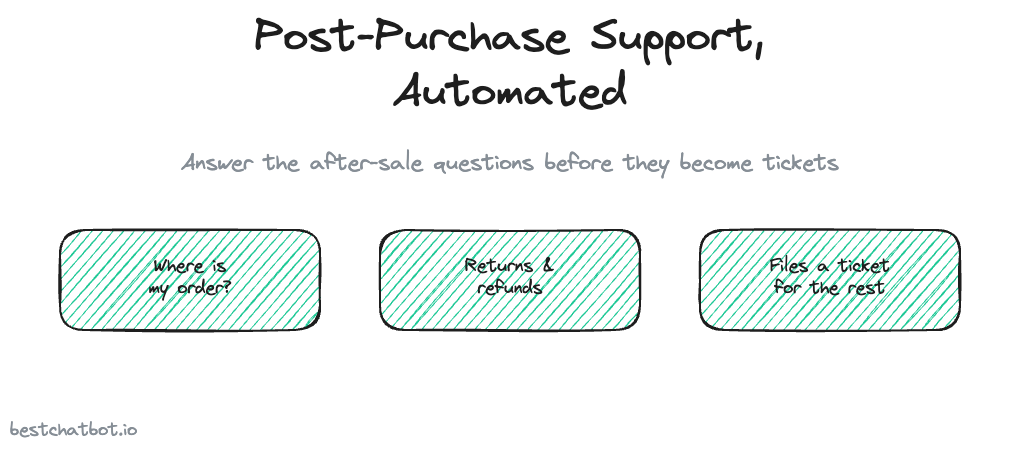
The sale closed, the confirmation email went out, and the support inbox started to fill. That is the part of ecommerce nobody puts on the homepage. A buyer who just paid wants three things: to know the package is on its way, to know they can send it back if it is wrong, and to know a refund actually landed. When those questions have no fast answer, they turn into tickets, and the same five questions repeat all day long. Post-purchase support automation is about answering those questions the moment a buyer asks, on your storefront, without a person typing the same reply for the hundredth time.
Let me set the scope before anyone pictures a giant build. The product is an ecommerce support chatbot that lives as a website widget. A buyer opens the chat on your store, asks where their order is, and gets a real answer pulled from your store, or a grounded answer from the policy you already wrote. There is no separate app, no second channel, no email sequence firing in the background. One surface on your site, aimed at the wave of questions that hits right after checkout.
The five questions that flood the inbox after a sale
After-sale support is repetitive in a way that pre-sale support is not. Before the purchase, shoppers ask wildly different things. After it, the same short list comes back over and over.
Where is my order is the loudest one. A buyer wants the tracking status, and they want it now, not after a 12-hour email reply. Then comes the returns question, usually phrased as a worry: can I send this back, how long do I have, who pays for shipping. Refund status sits close behind, because a buyer who returned something wants proof the money is coming. Exchange and size-swap questions pile on for anything wearable. Order changes round it out, the address typo or the "can I add one more" that arrives minutes after payment.
I think the honest read is that most of these are not hard questions. They are answered somewhere on your site or sitting in your store's order data. The problem was never the difficulty. The problem is that a human had to look it up and type it, one buyer at a time, and that does not scale on a busy week. When you automate order status questions and the repeat policy replies, you reduce where is my order tickets sharply, because the buyer gets the answer in chat instead of opening a case. That is the argument for automating the answer rather than hiring around the agent.
Grounded answers, not a bot that guesses your policy
Here is where an after-sale assistant earns trust or loses it. The widget answers from your real store content, not from a confident guess. We built it to read your shipping page, return policy, refund timeline, and warranty terms into a knowledge base, then answer the buyer from that material. When a question falls outside what you have written down, the bot declines instead of inventing a return window you never offered.
That restraint matters more after the sale than before it. A made-up "you have 90 days to return" or a wrong refund timeline does not lose a sale, it creates a dispute, a chargeback, or a furious follow-up when reality does not match what the bot promised. A grounded answer protects the relationship with someone who already paid you. The buyer hears the real policy, the real timeline, and the real terms. For the mechanics of why the widget refuses to fabricate, the breakdown on a no-hallucination AI support agent walks through it.
Most post-purchase policy questions are the same for everyone who asks. "What is your return window" or "how long do refunds take" needs no proof of identity, so the widget answers the second a buyer types it. A returns question that needs the specifics of your store follows the same path the AI returns support for online stores page lays out, answered from the policy you already published.
Reading a real order, gated by identity
The "where is my order" question is different, because the answer is private. It is not a policy line everyone shares, it is one buyer's shipment. This is where the widget stops answering and starts acting.
The widget connects to your store, Shopify or WooCommerce, and reads the real order status when a buyer asks about theirs. There is a hard rule around this, and the rule is identity. A policy question gets answered for anyone. An order lookup reads data tied to one person, so the widget will not run it for an unverified stranger. Your store passes a signed token that proves who the visitor is, and the lookup is pinned to that token's verified email, taken from the token and never from whatever someone types into the chat. No token means the action is blocked or runs on a safe anonymous path, so nobody fishes for another buyer's order history by typing in an email they do not own.
You connect one e-commerce platform, Shopify or WooCommerce, because a store runs on one. Order lookups, return starts, and refund-status reads belong to the action library, which lives on the paid tiers: grounded answering from your content runs on the lighter plans, while connected actions need Pro or Business. The split is drawn on the pricing guide. For the tracking flow itself, the order tracking chatbot for ecommerce page goes deeper, and the action-execution view sits on order tracking actions for your store chatbot.
When the after-sale problem needs a person
Automation handles the repetitive questions. It does not pretend to handle everything. A damaged item, a lost package the carrier swears was delivered, a refund that should have processed and did not, those need a human decision, and the widget does not fake its way through them.
When a question needs a person, the widget opens a ticket in your help desk, Zendesk or Freshdesk, and routes it to your team's inbox. There is no live agent jumping into the chat, by design. The handoff is a clean, tracked ticket, so the buyer's problem reaches a real person and nothing slips. The buyer is not left talking to a bot that loops, and your team gets a ticket with the context already attached instead of starting cold.
So the post-purchase story is not "the bot resolves every after-sale issue." It is narrower and more honest. The widget answers the answerable questions instantly, looks up the real order for a verified buyer, and files a ticket for the rest. Most of the inbox flood was the repeatable five questions, and those are exactly what automation takes off your team's plate. To see where after-sale chat fits the wider store setup, the ecommerce AI support agent pillar maps the rest.
FAQ
What does post-purchase support automation actually do?
It answers the questions buyers ask after they pay. The widget replies to policy questions like returns, refund timelines, and warranty from your real store content, and for a verified buyer it looks up the real order status from Shopify or WooCommerce. The repetitive "where is my order" and "can I return this" load gets handled in chat instead of in your inbox.
Does the widget send shipping updates or follow-up emails?
No. The widget is a reactive website assistant, not an email or notification tool. It does not send tracking updates, follow-up emails, or texts on its own. It answers when a buyer opens the chat and asks, in the moment, on your storefront.
Where do the answers come from?
From your own store content. The widget reads your shipping page, return policy, refund timeline, and warranty terms into a knowledge base and answers from that material. When a question falls outside what you have written, it declines rather than inventing a policy, which protects you from disputes and chargebacks later.
Can the bot look up a buyer's real order and refund status?
Yes, once the buyer is verified. It connects to Shopify or WooCommerce and reads the real order and refund status, pinned to a signed token's verified email. Without a token the lookup is blocked or runs anonymously, so a stranger cannot read someone else's orders. These connected lookups belong to the action library on the Pro and Business tiers.
What happens when an after-sale problem needs a human?
The widget opens a ticket in your help desk, Zendesk or Freshdesk, and routes it to your team's inbox. There is no live agent handoff inside the chat. A damaged item, a lost package, or a stuck refund becomes a tracked ticket with context attached, so it reaches a real person without getting lost.
Want to see where after-sale chat fits the bigger setup? Start with the full ecommerce support setup, then check which plan unlocks order lookups to see when connected actions turn on.