
AI Support Agent for Agencies: Support Every Client Site
An AI support agent for agencies puts one grounded widget on every client site, answers from each client's own content, and deflects the repeat tickets.
You ship the site, the campaign, the rebrand. Then the client asks the question every agency hears eventually: who answers the visitors? A marketing, creative, or dev shop does not run a support desk, yet every client site you launch quietly inherits a support load. Visitors ask where their order is, whether a feature exists, how to book a call, and someone has to reply. Staffing a person per client does not scale, and bouncing every query back to the client who hired you so they would not have to deal with it is a fast way to lose the account.
An AI support agent for agencies closes that gap without adding headcount. BestChatBot is a website widget you deploy on each client's site, each one trained on that client's own content, answering visitor questions from real material instead of a generic script. One agent template, dropped onto a roster of sites, each isolated from the next. The agency offers support as part of the deliverable, the client gets coverage they could not staff alone, and nobody on your team spends the afternoon copy-pasting the same answer across five inboxes.
The fit is structural, and it is the case the broader AI support agent by industry guide makes vertical by vertical: agencies sit on top of many sites at once, so a tool that scales across a portfolio earns its keep faster than for one business. Here is how that plays out, from deploying across the roster to the moment a question needs a human.
One agent template, deployed per client site
The agency model is many sites, not one. So the first question is not "does the widget work" but "does it work across a portfolio without becoming a second full-time job to maintain." That is the design point. You set the agent up once as a repeatable pattern, then stamp it onto each client site with that client's knowledge and brand.
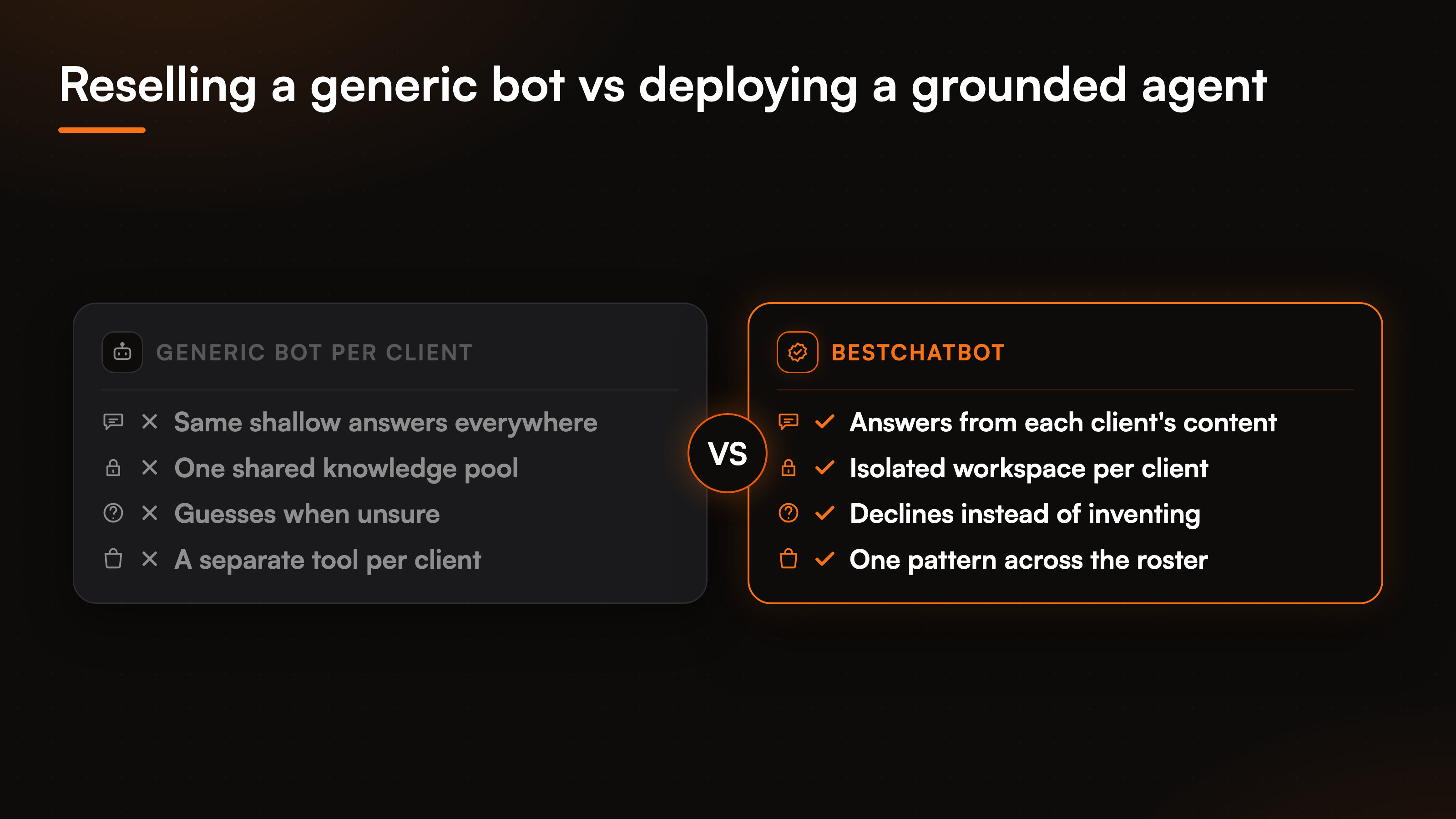
Each deployment is its own workspace. The agent on Client A's site reads Client A's content and only that. There is no leakage between accounts, which is the part that matters when you run rival brands on the same dashboard. Two clients in the same category never see a trace of each other's data, because the isolation runs at the workspace level instead of being a setting someone can forget to flip. That boundary is laid out in the piece on multi-tenant isolation for AI support, worth a read before you put two competitors on the same roster.
This is what makes a white-label support chatbot practical for an agency rather than a maintenance trap. The widget carries each client's brand tone and sits on their pages, so to a visitor it reads as the client's own support, not a third-party bolt-on. Multi-client support stops being a spreadsheet of separate tools and becomes one pattern you replicate.
Each client's agent answers from that client's knowledge
A generic chatbot reselling itself across ten sites gives ten clients the same shallow answers. That is the opposite of what an agency sells. The value of agency client support is that each client's visitors get answers specific to that client, and the only honest way to do that is to ground every agent in its own client's material.
The setup is the same on every site, which keeps it repeatable. You upload the client's PDFs, point the agent at their site for a full crawl, or paste a single URL, and that content becomes the knowledge the agent draws from. A knowledge graph sits on top so related topics connect. The crawl with change detection keeps the agent current when the client edits a page, without your team babysitting it.
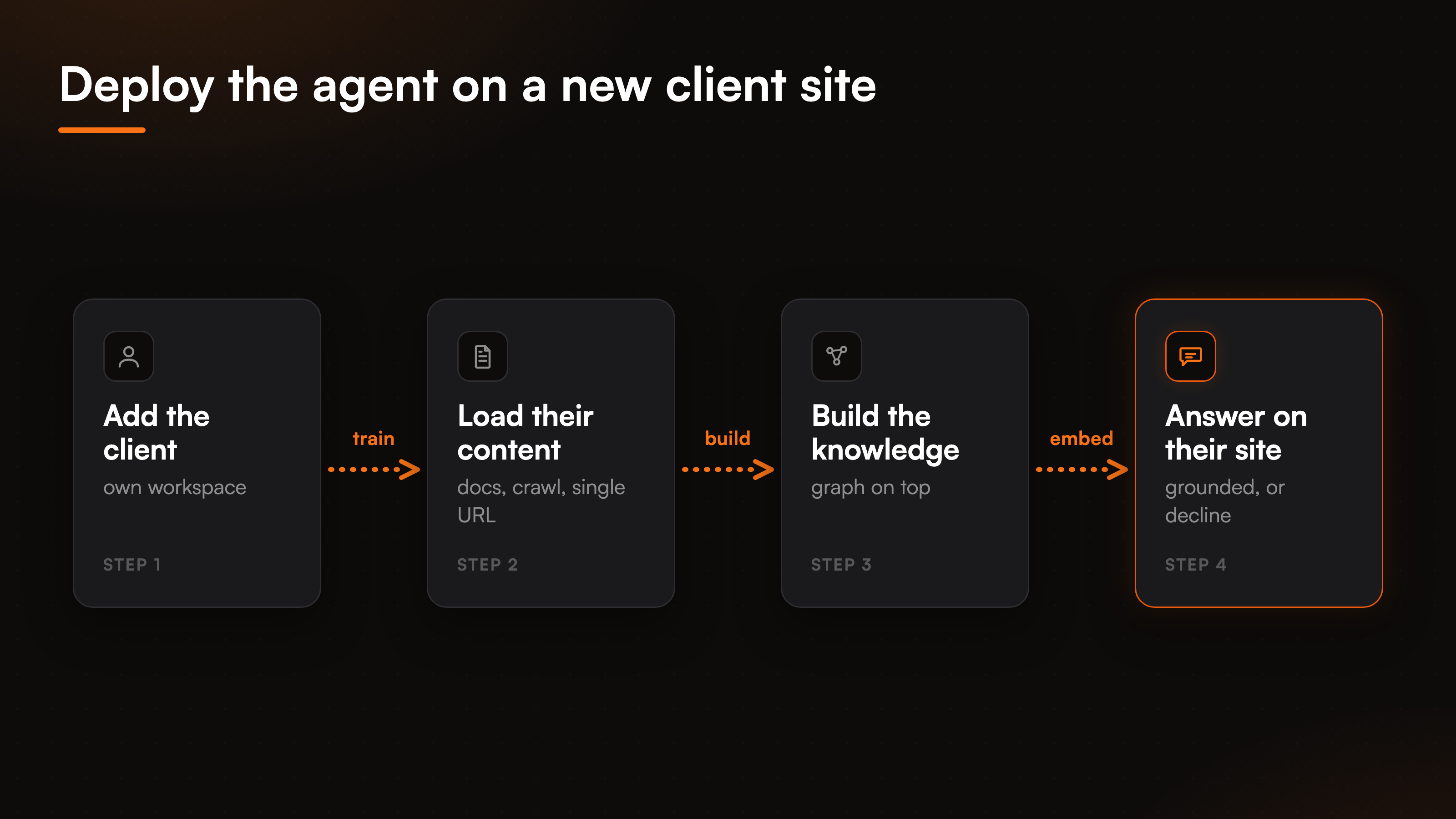
We built the agent to decline rather than guess, and for an agency that restraint is not a nicety, it is liability cover. A bot that invents a refund window or a feature that does not exist creates a problem the client routes straight back to you. So when a visitor asks something outside the client's content, the agent says it does not have that answer and points toward a person instead of fabricating a confident wrong one. The mechanics of grounding are walked through in the piece on a no-hallucination AI support agent, and the same discipline is what a SaaS support agent leans on when it answers product questions from docs.
Deflect the repeat tickets across every client at once
For a single business, ticket deflection is one queue getting lighter. For an agency it compounds. Every client site has its own pile of repeat questions, and the agent works all of them in parallel, around the clock, in whatever time zone the visitor is in. That is the real payoff of support across client sites: one tool, many queues lightened at once.
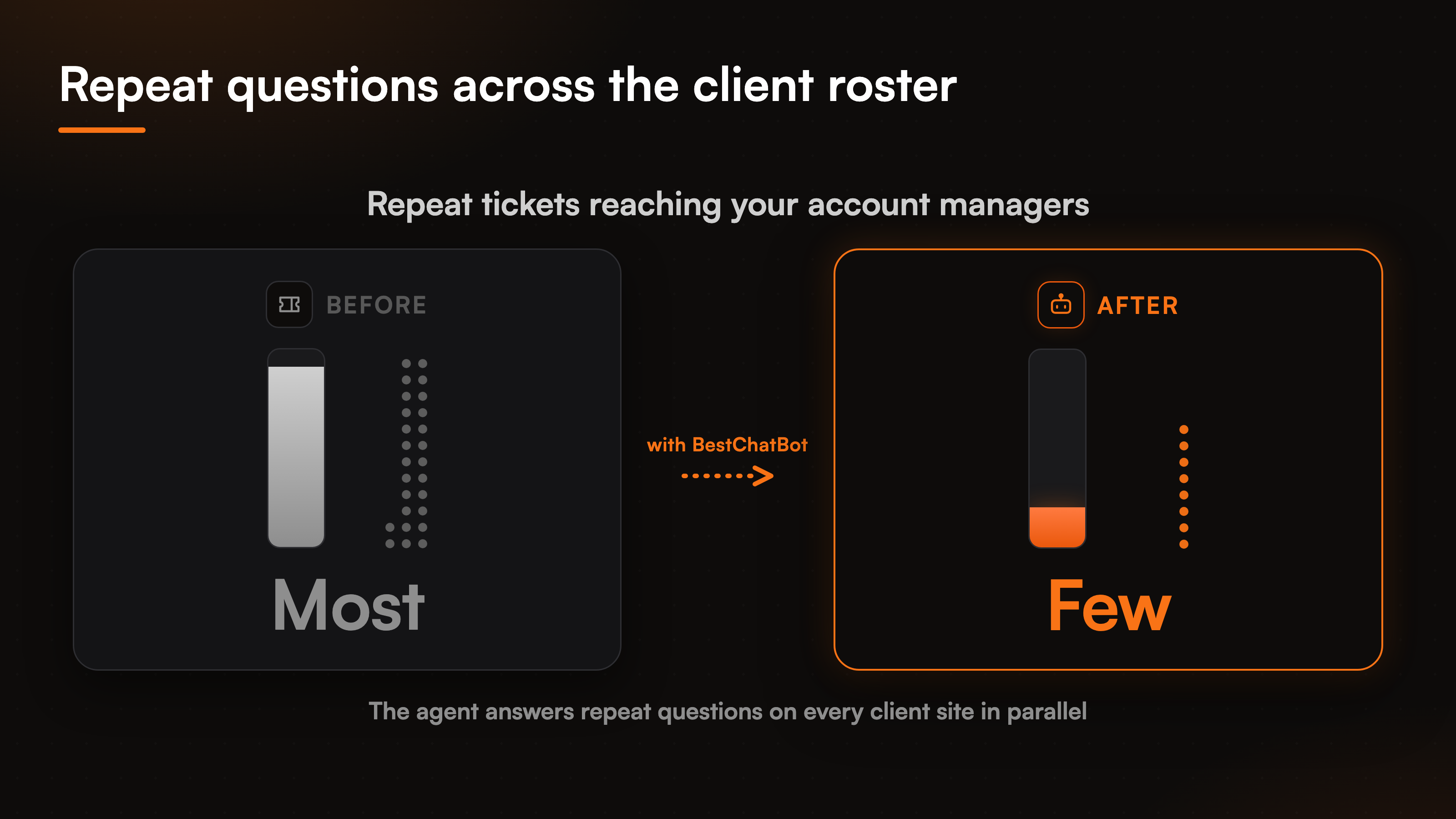
The mechanism is plain. A visitor asks, the agent answers from that client's knowledge in seconds, and the conversation ends without a ticket landing in anyone's inbox. Multiply that across a roster and the deflected volume is real time your account managers do not spend triaging. The agent does not improve by itself, and we say that plainly. A human stays in the loop: when a client ships a change, you re-crawl the updated pages, re-upload a revised document, or edit an answer by hand, and the agent reflects it. That trade is deliberate, because an agency needs to know exactly what each client's agent is allowed to say.
Deflection only earns trust if it is honest. The agent declines instead of bluffing, so a resolved question was actually answered, not deflected with a wrong reply that boomerangs as an angry follow-up. And the path to a human stays one step away, never a wall, because a bot that fights escalation costs the client more goodwill than the tickets it saved.
Escalation: route to the right team, not a live chat
No agent resolves everything, and across a portfolio the edge cases pile up: a billing dispute on one site, a damaged product on another, a question only the client's own staff can settle. What matters is where each one goes.
When the agent reaches its limit, it does not strand the visitor or fake a live chat session. It opens a ticket in the help desk, Zendesk or Freshdesk, and routes it to the right inbox with the full conversation attached. For an agency that routing is the useful part: some queries belong to your team, some to the client's, and the ticket lands where the work gets done instead of in a generic catch-all.
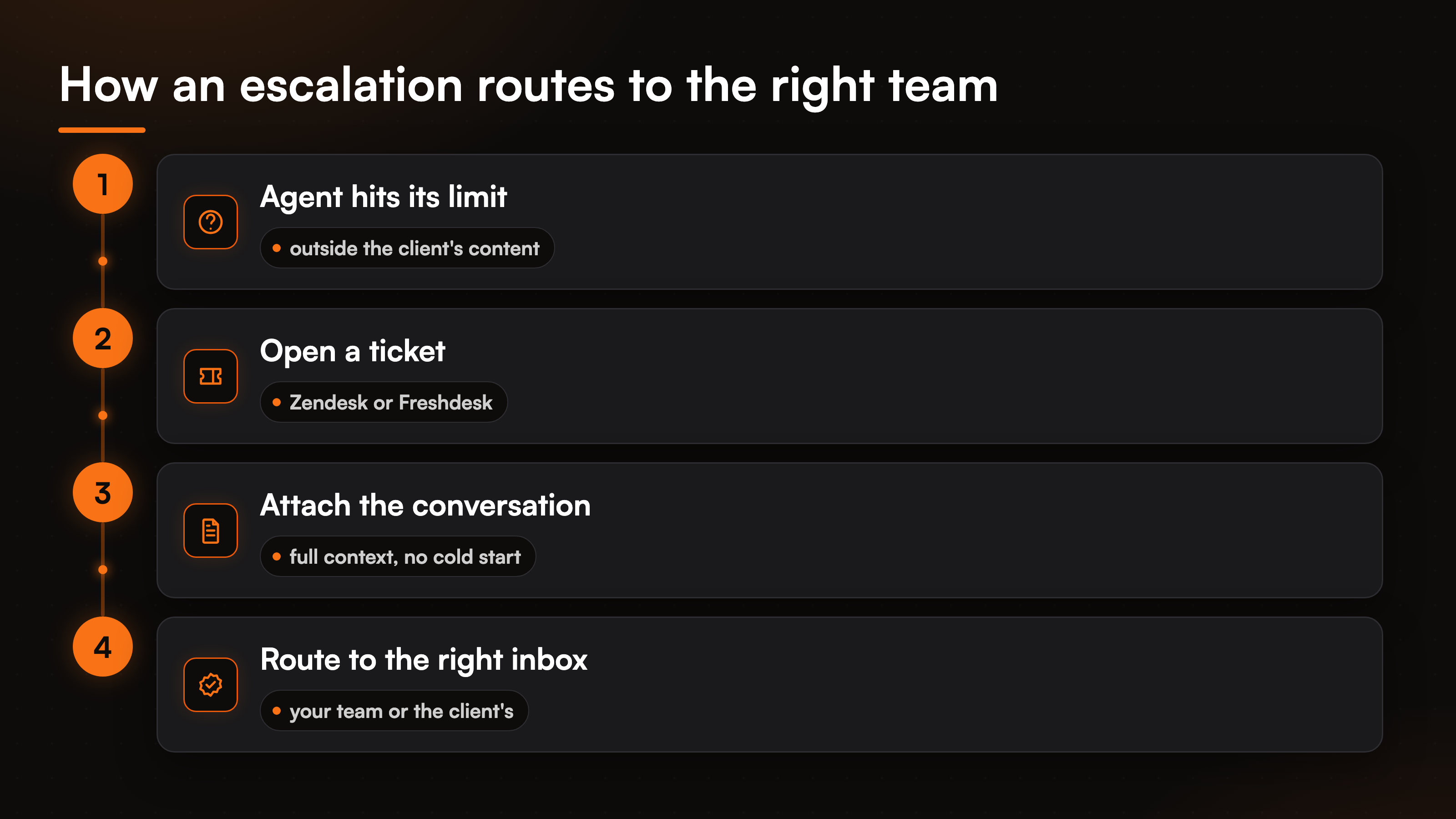
To be exact, the agent creates a ticket, it does not transfer the visitor into a live human chat. The handoff is asynchronous, into the queue the team already works. You wire up one support tool per client, Zendesk or Freshdesk, not both, and the agent files into it. The mechanics of building that ticket from a chat are covered in ticket creation actions for support handoff, and the same single-connector logic runs through every category the agent touches.
Book the calls that move a client relationship
Agency work runs on conversations: discovery calls, strategy sessions, a kickoff with a client's prospect. When a visitor on a client site wants to talk to a person, the gap between interested and booked is where momentum leaks. The agent can close it inside the chat.
With a calendar connected, Cal.com or Calendly, the agent offers real open slots and books the call without a back-and-forth email thread. A visitor who wants a demo or a consultation picks a time and it lands on the right calendar. You connect one calendar per client, the same deliberate single-connector approach as everywhere else. For an agency selling its clients' services, that turns the support widget into a quiet booking channel, not only a deflection tool.
Where agentic actions fit for an agency's clients
Answering and deflecting cover most of the volume, but some client sites have requests that need a real change, not an explanation. Look up a buyer's order. Read a subscription's status. Those force a ticket even when the answer is obvious, and on the Pro and Business tiers the agent can take them directly.
Action-taking is gated by a verified visitor identity, so the agent only ever touches the account of the person it can prove is asking. The email and name are pinned from that verified identity, not from whatever a visitor types into the chat, so a stranger cannot pull someone else's data. That guardrail is what makes it safe to offer account actions on a client's storefront. These actions sit on the paid tiers, so which clients get them is a plan decision. The pricing guide shows which tier turns action-taking on, and if you are weighing the agent against other tools for a client roster, the comparisons page lays out where it stands.
FAQ
Can one account run support for multiple client sites?
Yes. The agent is built as a repeatable pattern: you set it up once, then deploy it per client site, each in its own workspace with its own knowledge and brand. There is no data leakage between accounts, so you can run rival brands on the same dashboard without one ever seeing another's content.
Is each client's agent trained only on that client's content?
Each agent answers from the content you give that specific client's workspace: their uploaded docs, their crawled site, their manual edits. It does not borrow answers from another client. When a question falls outside a client's content, the agent declines and points to a person rather than inventing an answer.
What happens when the agent cannot help a visitor?
It opens a ticket in the help desk, Zendesk or Freshdesk, with the full conversation attached, and routes it to the right inbox, yours or the client's. This is an asynchronous handoff into the queue your team already works, not a transfer into a live human chat session.
Can visitors book a call through the widget?
Yes. With a calendar connected, Cal.com or Calendly, the agent offers real open slots and books a discovery or strategy call inside the chat. You connect one calendar per client, so the booking lands on the right team's calendar without an email thread.
Does it carry each client's branding?
The widget takes on each client's brand tone and sits on their own pages, so to a visitor it reads as the client's support rather than a third-party tool. That is what makes it usable as a white-label support chatbot across a roster of clients.
Want to see how it fits a client roster? Start with the AI support agent by industry overview, then check the comparisons page to weigh it against the alternatives.
Client-facing teams in real estate.