
AI Support Agent for Professional Services: Intake, Answers, Trust
An AI support agent for professional services qualifies new clients, books consultations, and answers from your firm's knowledge, never a guess.
A law firm, an accounting practice, a consultancy, an insurance brokerage. The work differs, the website problem does not. A prospect lands on your services page at 9pm with a real question, "do you handle commercial leases", "what would a year-end filing cost", and nobody answers until tomorrow. By then they have messaged two competitors. The ones who do reply are stuck doing unpaid triage: reading inquiries that go nowhere, quoting fees by email for the third time this week, booking calls a short screening would have caught as a poor fit.
Here is what makes this sector different from a store or a SaaS dashboard. A wrong answer is not an annoyance, it is exposure. If a chatbot invents a filing deadline, misquotes a retainer, or implies you can take a matter you cannot, that is your firm's name on a confident falsehood. So the bar is higher. The assistant has to be useful at intake and booking, and it has to refuse to guess. We built BestChatBot to do both. It is a website widget trained on your firm's own material that qualifies and books, answers only from what you gave it, and declines the rest.
The fit is structural, which is the argument the broader AI support agent by industry guide makes vertical by vertical. Here is how it holds up across the parts of a practice the front door touches: screening inquiries, answering without the liability of a guess, keeping each client's data walled off, booking the first consultation, and handing complex matters to a person.
Qualify new inquiries before they reach a partner
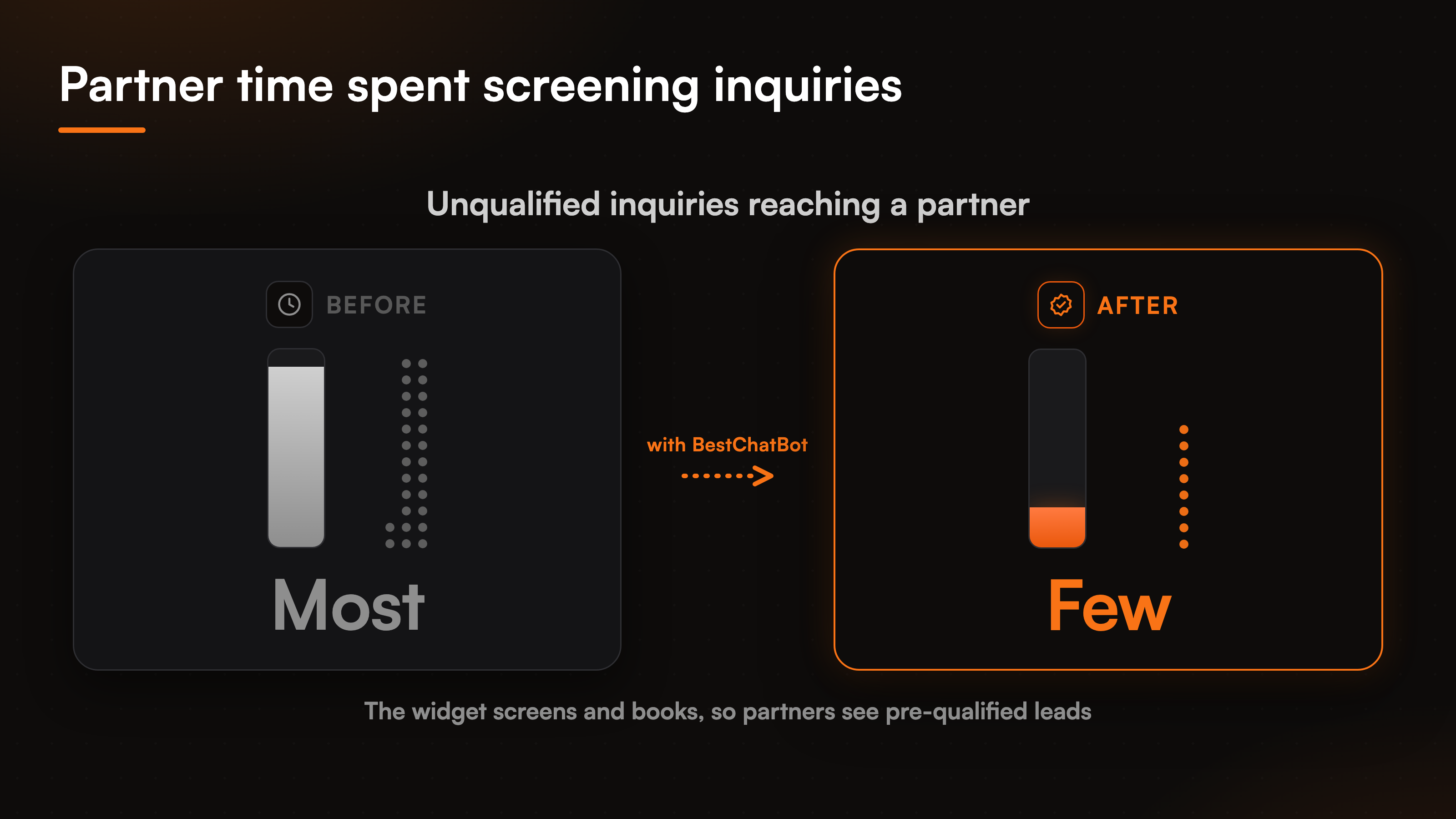
Most of what arrives through a firm's contact form is not a client yet. It is a mix: a strong fit, a wrong-practice-area question, someone shopping on price, a not-ready-this-quarter. A partner reading all of it in the morning is expensive screening, and the strong fit who messaged at 9pm has gone cold by then.
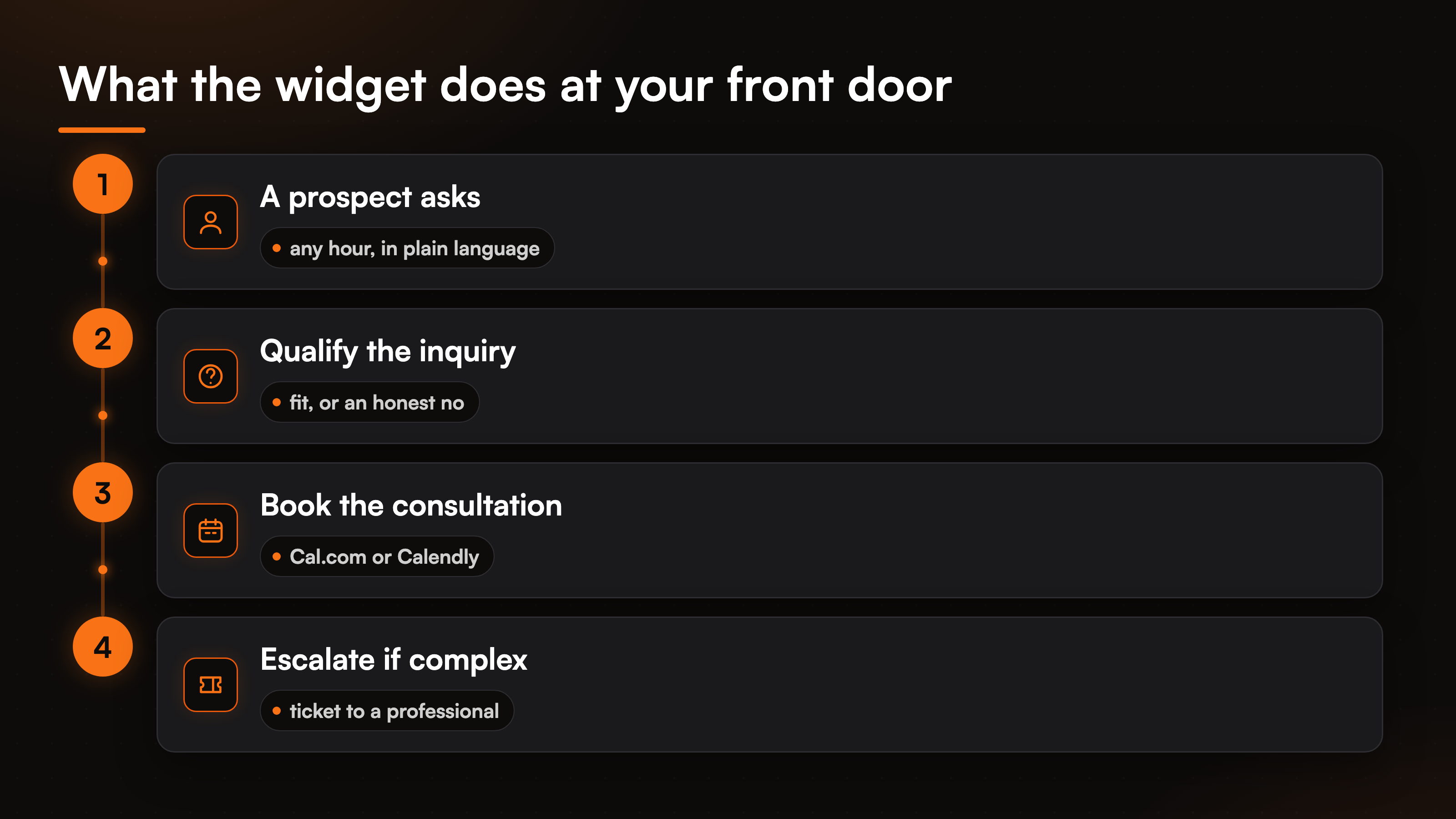
Client intake automation puts that first pass in the widget. It asks the qualifying questions your intake form would ask, in conversation, and routes on the answers. Someone describing a matter you handle gets pointed toward booking. Someone describing a service you do not offer gets told so honestly, rather than strung along into a call that wastes both sides. The firm captures the lead's details and the gist of the matter while interest is fresh, so a person who follows up opens the conversation already knowing who this is.
The honest version of intake matters more here than in most industries. The agent does not promise an outcome, quote a fee it cannot ground, or claim you can take a matter just to keep the chat alive. It screens, captures, and books. The call about whether to take the work stays with your professionals. The booking half of that flow is covered in the walkthrough on AI appointment booking.
Answer questions without the liability of a guess
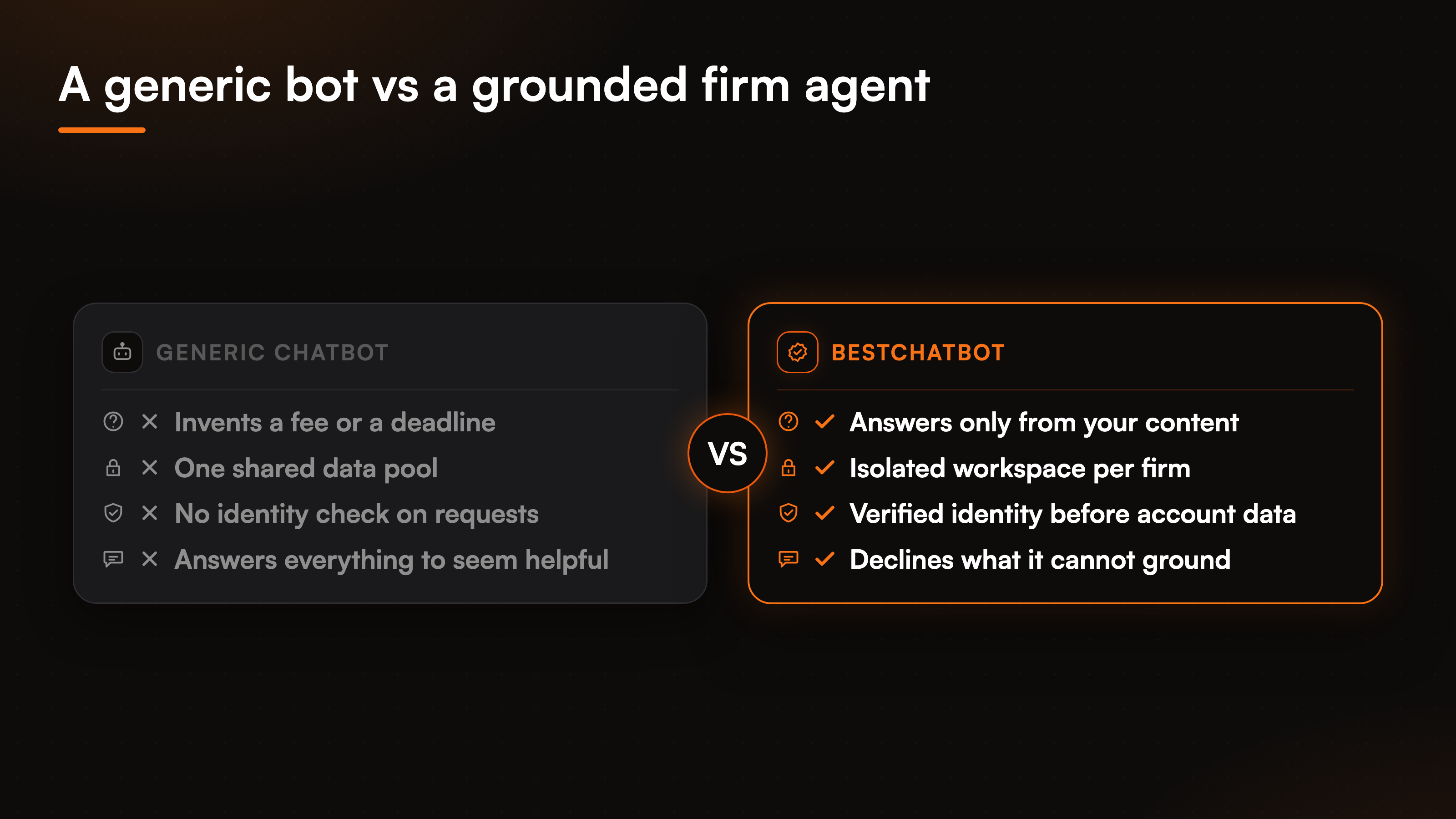
This is where most chatbots fail a professional firm. A generic bot is built to always have an answer. For an advisory business that is a defect. The wrong number on a fee, the wrong window on a statute, a service confidently described that you do not provide, each one carries your firm's name.
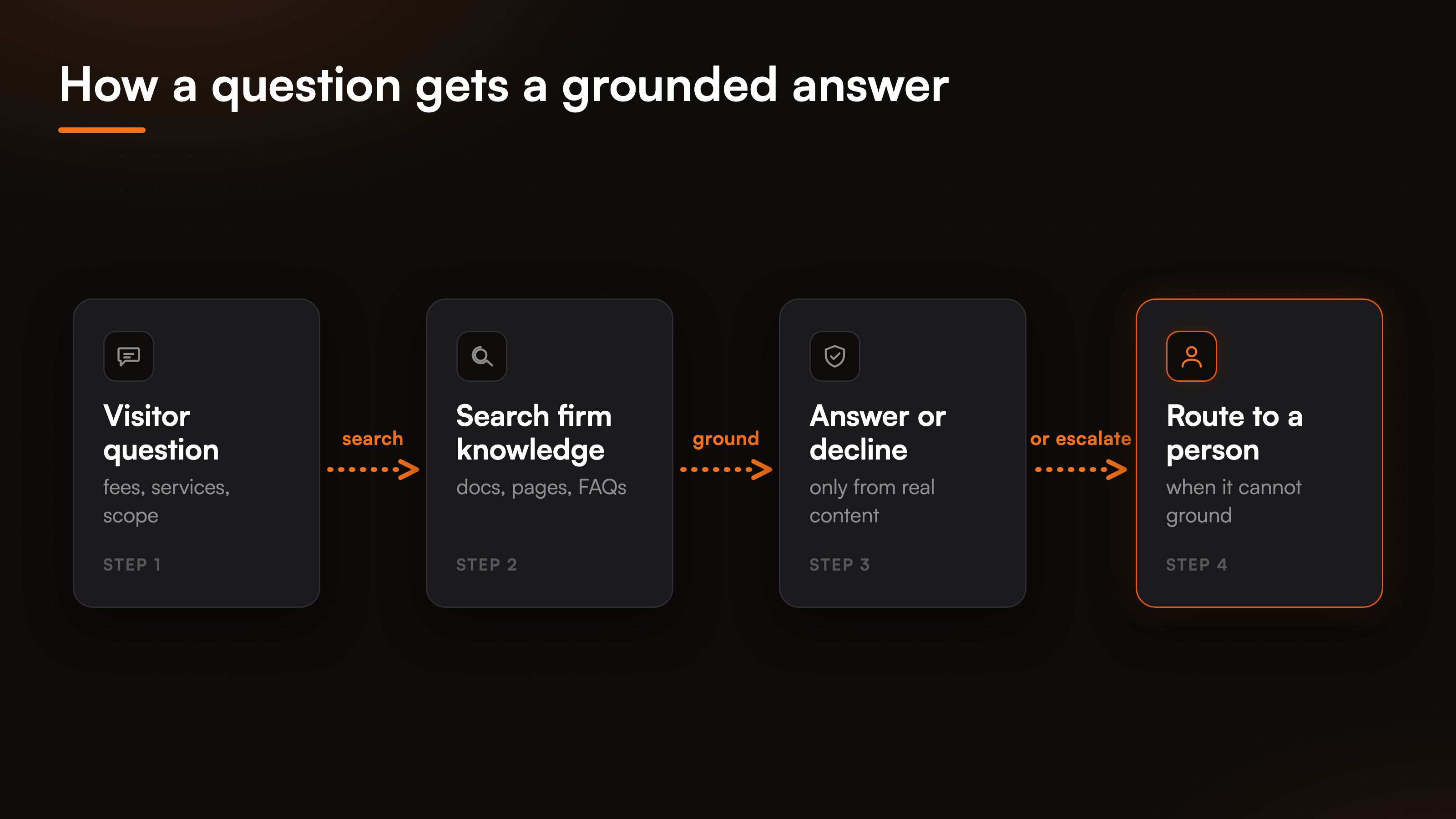
The mechanism that makes a professional services chatbot safe is grounding. The agent answers only from the content you give it, your service descriptions, practice-area pages, published fee structures, and FAQs, and when a question falls outside that material it says so and points to a person rather than filling the gap with something plausible. You upload your PDFs, point it at your site for a full crawl, or paste a single URL, and that becomes the boundary of what it will say. A knowledge graph sits on top so related topics connect, which matters when one practice area touches several others.
There is no autolearning here, and we say that plainly because in this sector it reassures rather than limits. The agent does not quietly teach itself or drift into answering things you never approved. A human stays in the loop: when fees change or a practice area shifts, you re-scrape the page with change detection, re-upload the document, or edit the answer by hand, and the agent reflects it. You control, to the word, what it says in your name. The mechanics of grounded answers and refusing the rest sit in the piece on a no-hallucination AI support agent, and the same discipline is what a SaaS support agent leans on with product docs.
Keep each client's data walled off
A practice runs on confidentiality, so a firm evaluating any tool asks the obvious question first: where does the data go, and can another client ever see it. The answer has to be structural, not a promise.
Each firm's assistant runs in its own isolated workspace. It reads only the material loaded there and answers only from it, with no path to another tenant's content. That boundary is enforced at the workspace level rather than left as a setting someone could forget to flip. When a returning client wants information about their own matter, the agent acts only after the visitor's identity is verified through a signed token, with the email and name pinned from that identity, not from whatever gets typed into the chat. Client confidentiality stops being a policy line and becomes how the system is built.
A note on what this is and is not, because the sector invites it. The framing is privacy, identity verification, encryption, and isolation between tenants. It is not a certification badge, and we will not pretend otherwise. Credentials for any connected system are never stored by the assistant directly, a specialized provider holds them encrypted and refreshes the tokens. The deeper boundary is laid out in the piece on multi-tenant isolation, worth a read before you trust any tool with client files.
Book the consultation while interest is live
For a professional firm the first paid conversation is the consultation, and the distance between an interested prospect and a booked one is where inquiries leak away. An email thread to find a time loses people. The widget closes that gap in the chat.
With a calendar connected, Cal.com or Calendly, the agent offers your real open slots and handles consultation booking without a back-and-forth. A prospect just qualified as a fit picks a time and it lands on the right professional's calendar, with the matter summary attached so the call does not start from a blank page. You connect one calendar, the same deliberate single-connector approach the platform takes everywhere. The front-door widget becomes a booking channel for the conversations that start the relationship, not only a question box.
Hand the complex matters to a person
No agent should resolve everything for a practice, and the matters that genuinely need judgment are the ones it must not try to. A nuanced fact pattern, a sensitive dispute, anything that crosses from information into advice, those belong with a person. What matters is that the handoff is clean.
When a matter is beyond what the agent can ground, or the visitor clearly wants a professional, it does not stall or fake a live chat. It opens a ticket in your help desk, Zendesk or Freshdesk, and routes it to the right inbox with the full conversation attached, so whoever picks it up has the context in place. To be precise: the agent creates a ticket, it does not transfer the visitor into a live human chat session. The handoff is asynchronous, into the queue your team already works. You wire up one support tool, Zendesk or Freshdesk, not both. The mechanics of building that ticket from a chat live on the Zendesk ticketing page.
Where agentic actions fit for a firm
Answering, qualifying, and booking cover most of the front-door volume. A smaller tier of requests needs a real change in a connected system rather than an explanation, and on the Pro and Business plans the agent takes those directly. Booking a consultation is one. Reading back the status of an existing engagement to a verified client is another.
Every account-specific action is gated by a verified visitor identity, so the agent only ever touches the record of the person it can prove is asking. The platform ships eight connectors and twenty-nine actions across scheduling, support, CRM, and billing, kept to one tool per category rather than a vague promise of any app. Because action-taking sits on the paid plans, which one a firm needs is a plan decision, and the pricing guide shows where that line falls.
FAQ
Will the agent give legal, tax, or financial advice?
No. It answers only from the material your firm loads, your service descriptions, practice-area pages, published fees, and FAQs, and it is built to decline rather than guess. When a question crosses into advice or falls outside your content, it says so and routes the person to a professional. The judgment calls stay with your team.
How does it qualify a new inquiry?
It asks the screening questions your intake form would ask, in conversation, and routes on the answers: a fit gets pointed toward booking, a wrong-practice-area question gets an honest no, and the lead's details and matter summary are captured while interest is fresh. This is client intake automation that hands a person a warm, pre-screened lead.
Can another client ever see my clients' information?
No. Each firm's assistant runs in its own isolated workspace and answers only from that workspace's content, with no path to another tenant's data. Client confidentiality is enforced at the workspace level, and information about a returning client is released only after the visitor's identity is verified through a signed token.
Does it book consultations on its own?
With a calendar connected, Cal.com or Calendly, yes. The agent offers your real open slots and handles consultation booking inside the chat, landing it on the right professional's calendar with the matter summary attached, so the booking happens without an email thread.
What happens when a matter needs a real professional?
The agent opens a ticket in your help desk, Zendesk or Freshdesk, with the full conversation attached, and routes it to the right inbox. This is an asynchronous handoff into the queue your team already works, not a transfer into a live human chat session, so the matter reaches a person with its context in place.
Choosing a tool for an advisory business comes down to whether you can trust what it says. Start with how grounded answers keep it from guessing, then check the pricing guide to find the plan that matches your front-door volume.
Booking-heavy service businesses share this pattern with real estate agencies.
The same reschedule-and-cancel flow also carries over to local service businesses that book by appointment.
Institutions with the same grounding-and-booking needs show up in education.