
Ticket Creation Actions for Support Handoff
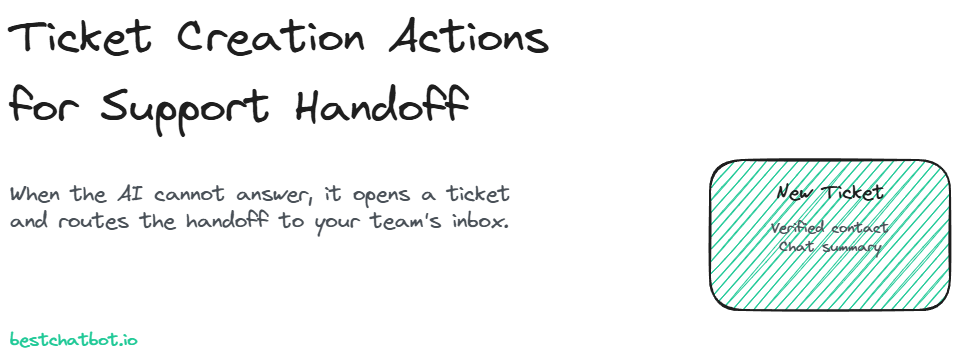
Ticket creation actions let the AI widget open a Zendesk or Freshdesk ticket when it cannot resolve a question, routing the handoff to your team's inbox.
Most AI widgets hit a wall the moment they cannot answer. The visitor types a real problem, the bot shrugs with "I'm not sure", and the conversation dies there. No record, no follow-up, no team aware that someone needed help. That dead end is where trust leaks out of an otherwise good support experience.
Ticket creation actions close that gap. When the widget cannot resolve a question from your knowledge, it does not pretend, and it does not strand the visitor. It opens a ticket in your support tool, attaches the conversation, and routes the support handoff to your team's inbox. We built this as the honest fallback: answer what you can, and when you cannot, hand the work off cleanly instead of guessing.
Here is how the action works, when it fires, and why a ticket beats a fake "live agent" promise.
What a ticket creation action actually does
A ticket creation action is one of the agentic actions in BestChatBot. When the conversation reaches a point the widget cannot close, it calls a single tool and opens an escalation ticket in your connected support tool. Depending on what you connected, that is a Zendesk ticket or a Freshdesk ticket, and it lands in the same inbox your agents already work from, so nothing new has to be learned on your side.
The action carries the context your team needs to pick it up cold:
- The visitor's question and the relevant back-and-forth from the chat.
- The verified email and name, pinned from the visitor's identity (never typed in by hand and never spoofable).
- A short summary so an agent reads one line, not a transcript, before deciding what to do.
One detail matters for accuracy. BestChatBot connects to exactly one support tool per account: Zendesk or Freshdesk, not both. You pick the one your team lives in, connect it once, and every ticket the widget opens flows there. There is no generic "works with any helpdesk" claim here, because a vague promise is worse than a specific one that holds.
When the handoff fires (and when it does not)
The widget does not reach for a ticket on every hard question. It tries to resolve first. Answers come from your own knowledge base, and the agent is built to decline rather than invent when a question falls outside what it knows. You can read more about that behavior in our write-up on the no-hallucination AI support agent. Grounding is the first line of defense; the escalation ticket is the second.
A handoff fires when one of these is true:
- The answer is not in your knowledge and the widget would otherwise have to guess.
- The visitor explicitly asks for a human, a refund decision, or anything outside the agent's scope.
- The request needs a judgment call your team should own, not the bot.
When none of those hold, the widget just answers and the visitor moves on. That restraint is the point. A ticket for every conversation would bury your team in noise and undo the ticket deflection the widget is there to provide. The goal is to keep tickets for the moments that genuinely need a person.
Why a ticket, not a "live agent handoff"
Plenty of vendors sell a "live agent handoff" where the chat supposedly hops to a human in real time. BestChatBot does not do that, on purpose. The widget is a single web surface, and it creates a ticket rather than paging a person mid-chat.
We think the ticket is the more honest model, and here is the reasoning. A live transfer only works if an agent is sitting idle and watching the queue at that exact second. Outside business hours, or during a spike, the visitor stares at a spinner that never resolves. A ticket has no such failure mode. It is created instantly, it lands in your inbox, and your team works it on their own cadence with full context already attached. The visitor gets a real promise ("your team has this") instead of a hopeful one.
This pairs naturally with a graceful in-chat message. The widget tells the visitor a ticket was opened and what happens next, the same calm tone you would want from a chatbot with a clean human handoff path. No dead air, no false "an agent will be right with you" that may never come true.
Identity, scope, and what gets attached
A ticket is only useful if your team can act on it, and acting on a customer's account means knowing who the customer is. Ticket creation runs through the same identity gate as every other agentic action. If the visitor is verified through a signed token, the widget pins their email and name from that identity and stamps them on the ticket. Your agent never has to chase "what was your email again?" because it is already there, and it cannot be faked by a visitor typing someone else's address.
If the visitor is anonymous, the widget can still capture the question and open a ticket, but it will ask for a contact detail rather than assume one. That is the same discipline behind our lead capture actions, where an unverified visitor turns into a real contact only with the details they actually provide. No silent guessing, no mismatched records.
Scope stays tight too. The action does one thing, create a ticket, and it cannot reach into anything it was not granted. The support tool's credentials are held encrypted by a specialized provider, refreshed automatically, and never stored by us directly. So the widget that opens a ticket has exactly the access to do that and nothing more.
Turning dead ends into tracked work
Step back and look at the before and after. Without ticket creation, an unresolved chat is a loss: the visitor leaves frustrated, and your team never learns it happened. With it, every unresolved chat becomes a tracked item in your queue, with the question, the verified contact, and a summary already filled in. Nothing falls through.
That changes the math on what an AI widget is worth. It is not only the tickets it deflects by answering well. Real ticket deflection is part of the story, and the clean capture of the questions it cannot answer is the rest, so your agents spend their time resolving instead of reconstructing. If you want to see where action execution sits across plans, our pricing guide lays out which tier turns on the agentic connectors.
FAQ
Does the widget transfer me to a live agent?
No. The widget creates a ticket in your connected support tool and routes it to your team's inbox. It does not page a human into the chat in real time, which means the support handoff works even outside business hours.
Which support tools can it open tickets in?
One per account: Zendesk or Freshdesk. You connect the tool your team already uses, and every Zendesk ticket or Freshdesk ticket the widget creates flows into that same inbox. The two are mutually exclusive by design.
What information ends up on the ticket?
The visitor's question, the relevant chat context, a short summary, and the verified email and name pinned from the visitor's identity. Your agent can pick up the escalation ticket without asking the customer to repeat anything.
Will it open a ticket for every conversation?
No. The widget resolves what it can from your knowledge base first and only creates a ticket when a question falls outside its scope or the visitor asks for a person. That keeps your queue focused and protects the ticket deflection you set out to gain.
Do ticket creation actions need a paid plan?
Yes. Agentic actions, including ticket creation, run on the Pro and Business tiers. The pricing guide shows exactly which plan turns the connectors on.
Ticket creation is the part of an agentic widget that earns trust on the hard days. Explore the rest of what the agent can do across the agentic actions library, and decide where a clean handoff fits your support flow.
Creating a ticket is often the start of the human side of AI support.