
Lead Capture Actions: Turn a Visitor Into a CRM Contact
Lead capture actions let the chat agent collect a visitor's details and write them straight into your CRM as a contact, no form, no copy-paste. Here is how it works.
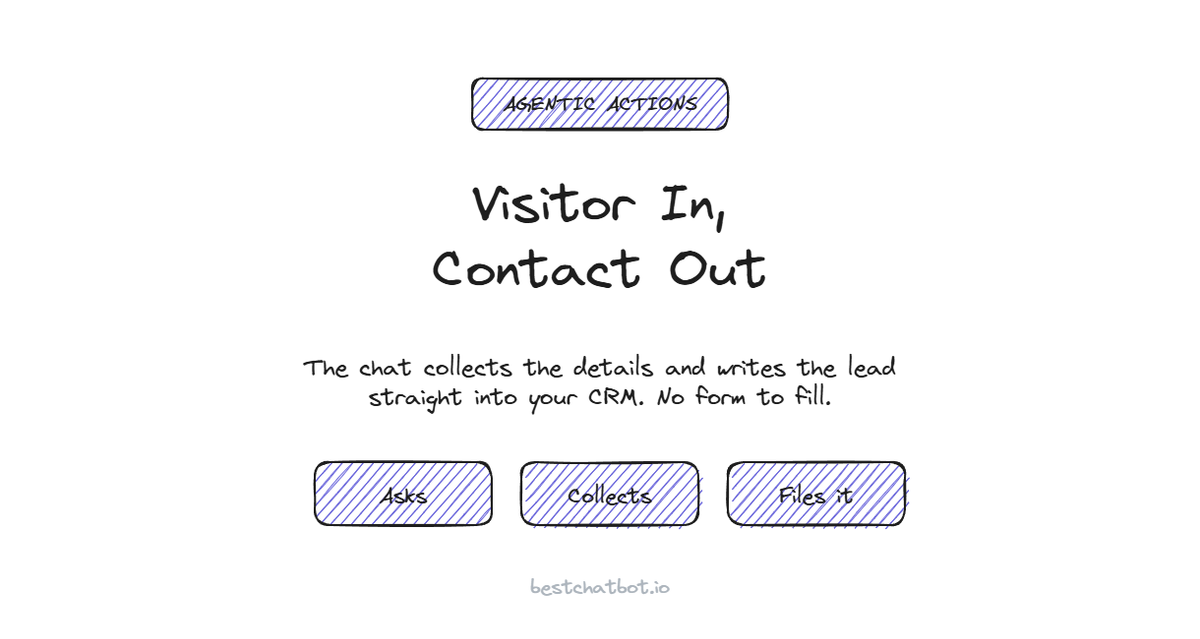
Someone reads three of your pages, opens the chat, and asks a buying question. That is the moment a lead is born, and it is also the moment most sites let it die. The visitor gets an answer, closes the tab, and your team never knew they were there. Lead capture actions close that gap. Instead of pointing the visitor at a contact form and hoping they fill it in, the agent collects the details inside the conversation and writes them straight into your CRM as a real contact. We built BestChatBot so the handoff from "interested visitor" to "named contact your sales team can follow up" happens in the chat, not in a form nobody fills out.
What lead capture actions actually do
A lead capture chatbot does one job and finishes it: it turns an anonymous visitor into a contact record your team can act on.
Here is the shape of it. The visitor shows buying intent, the agent asks for the details that matter (name, email, maybe what they are after), and then it runs a real action: create or update a contact in your CRM. No tab switch, no form, no someone-on-our-team-will-copy-this-into-the-system later. The record lands in your CRM the moment the conversation ends, tagged and ready for follow-up.
This is the line we keep drawing between a chatbot and an agent that takes real action. Answering "sure, leave your email and we will get back to you" is information, and it leans on the visitor to do the work. Writing the contact into the CRM is a finished task. The visitor leaves having done nothing extra, and your team wakes up to a new lead already in the system.
Why a form loses leads the agent keeps
Forms ask the visitor to stop the conversation, find the contact page, and type the same details a chat already half-collected. Every one of those steps is a place to bounce.
The agent removes the steps. It is already talking to the visitor, so it asks for the detail it needs at the moment intent is highest, then files it. A visitor who would never go hunting for a form will answer one question in a chat they are already in. The agent also fills gaps a form cannot: if the same person comes back later, AI lead capture can update the existing contact instead of creating a duplicate, so your CRM stays clean.
We think the contact form had a good run and is now the weakest link in most funnels. A form is a wall you put between an interested person and your sales team. The agent is a doorway. That is not a small wording change, it is the difference between a lead captured and a lead lost.
The CRM connector: one place the contacts land
Lead capture runs through a CRM connector, and the CRM is HubSpot. The agent creates or updates the contact there, so every lead the chat captures lands in the same place your team already works.
The connection itself goes through a secure provider that stores the credentials encrypted and refreshes the tokens, so BestChatBot never holds your raw CRM password. You connect it once with OAuth or an API key, and from then on the agent writes contacts to your CRM without you thinking about it again. One destination for every captured lead means no second list to reconcile and no leads stranded in a chat log nobody reads.
Because the contact write is grounded in real fields, the agent does not invent data it does not have. If the visitor never gave a company name, the record does not get a guessed one. The agent works from what the visitor actually said, not from plausible blanks, and that same discipline is what keeps the rest of the assistant honest.
How the agent knows whose details it is writing
Capturing a brand-new lead is open by design, since the whole point is to meet someone you do not know yet. Updating an existing contact, or attaching details to a known account, is not open. So before the agent writes to a record tied to a specific person, it checks who is asking.
That check rides on a verified identity your site signs with a token. When the token is valid, the email and name are pinned from that signed identity, so the agent writes the lead under the right person and nobody attaches their details to someone else's record by simply typing a different address. When there is no token, fresh lead capture still runs on a safe path using only what the visitor types, because creating a new contact does not touch anyone else's data. When an action would update a known account, an invalid token blocks it rather than guessing.
We treat identity as a hard rule, not a toggle. An assistant that can edit a contact record without checking who is asking is a problem waiting to happen, and we would rather block a write than attach a stranger's details to your best customer.
When lead capture actions pay off
If your chat is mostly people checking hours and reading policies, plain answers cover it. The math shifts when visitors keep showing buying intent: asking about plans, comparing options, wanting a quote. Every one of those the agent captures is a contact your sales team did not have to chase, and a lead that did not vanish because a form was one step too many. When a visitor is ready to talk to someone, the same conversation can book a meeting before they leave, so a hot lead turns into a scheduled call instead of a record that sits and cools.
Lead capture is an agentic action, so it sits on the Pro and Business plans rather than the free tier, since writing to a live CRM is heavier than answering from text. If you want the agent to score and route those leads as well as capture them, that pairs naturally with an AI lead qualification flow for your sales team. A fair way to judge the fit: count how many daily chats end with someone clearly interested but unnamed. That number is the leads you are losing today, and it tells you whether capture earns its place. The full breakdown lives in the pricing guide.
FAQ
What are lead capture actions?
They turn the chat into a way to collect a visitor's details and write them into your CRM as a contact. Instead of sending the visitor to a separate form, the agent asks for the details inside the conversation and creates or updates the contact record directly, so the lead is in your system the moment the chat ends.
Which CRM does lead capture work with?
HubSpot. The agent creates or updates the contact in HubSpot, so every lead the chat captures lands in the CRM your team already uses, with no second list to reconcile.
Does the visitor have to log in to be captured?
No for a brand-new lead. Creating a fresh contact runs on a safe path using only what the visitor types, since it does not touch anyone else's data. Updating an existing contact tied to a known person needs a verified identity that your site signs, so details get attached to the right record and not to someone else's.
Will it create duplicate contacts in my CRM?
It is built to avoid that. When a returning visitor is recognized, the agent updates the existing contact instead of creating a second one, so your CRM stays clean rather than filling up with duplicates of the same person.
Is lead capture included on the free plan?
No. Lead capture is an agentic action that writes to a live CRM, so it is part of the Pro and Business plans rather than the free or starter tier.
Ready to stop losing interested visitors to a form? See which plan includes capture actions in the pricing guide.