
Identity-Verified Actions With JWT
How identity-verified actions work: a JWT signed by your site proves who the visitor is before the chatbot touches their order, booking, or account.
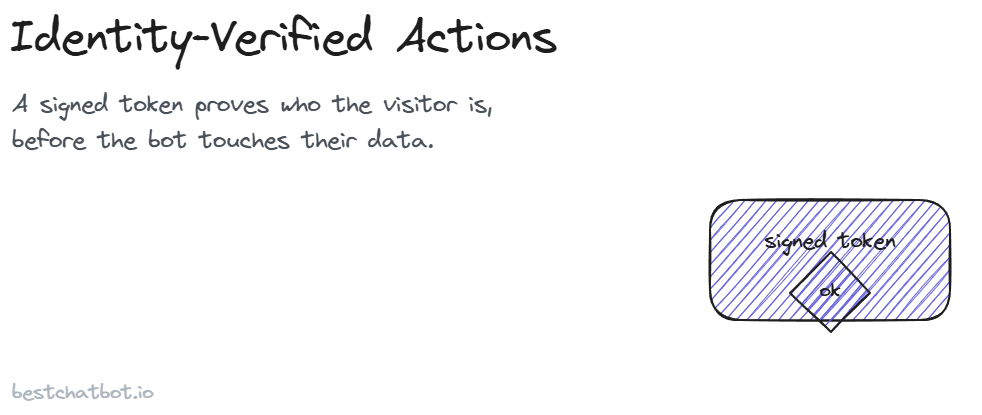
A visitor opens the chat and types "cancel my subscription." The bot could answer a generic question about how cancellation works. But this person is asking it to do something to their account, and the bot has no idea who they are. Should it go ahead? Of course not. That single gap, acting on a customer-specific request without proving who is asking, is where most "agentic" chatbots quietly get dangerous.
Identity-verified actions close that gap. Before the assistant reads an order, reschedules a booking, or changes a plan, it requires proof that the visitor is the account holder. That proof is a short, signed token your website hands to the widget. No proof, no customer-specific action. We treat this as a hard wall, not a nice-to-have, because the alternative is letting a stranger read someone else's data by typing the right sentence. It is one of the controls behind our wider trust posture.
What "identity-verified" actually means here
There are two very different kinds of requests a support assistant handles. The first is informational and applies to everyone: "what is your return window?", "do you ship to Canada?", "how do refunds work?". Those answers come from your knowledge base and need no identity at all. The bot grounds the reply in your real content and declines when the question falls outside it.
The second kind is personal: "where is my order?", "move my appointment to Friday", "pause my subscription." These touch one specific customer's records. A generic answer is useless here, and a wrong answer is worse than useless, because it might expose data that belongs to someone else. So the line we draw is simple. Anything that reads or changes a single customer's data sits behind an identity check, while everything else stays open. We call these identity-gated actions: the gate is the identity, and the gate decides whether the assistant acts.
"Identity-verified" means the assistant has a trustworthy answer to one question before it acts: who is this visitor, and did a system I trust vouch for them? Not the visitor's word for it. Not an email they typed into the chat. A token, signed by your own backend, that the assistant can verify and cannot be faked.
Why a typed-in email is not identity
It is tempting to just ask. The bot says "what's your order number and email?", the visitor types them, and the bot looks up the order. Plenty of chatbots work exactly like that. The problem is that anyone can type anyone's email. If knowing an email address and an order number is enough to pull up a full order, including the shipping address and the items, then your support chat is a lookup tool for anybody who can guess or find those two strings. That is the classic IDOR weakness: insecure direct object reference, where the system trusts an identifier the user supplied instead of a verified visitor identity it checked for itself.
A signed token chatbot fixes this by moving the trust. The visitor never asserts who they are to the bot. Your website does, on their behalf, after they have already logged in. The assistant only trusts a claim that carries your signature. We think that is the only honest way to gate personal data in a chat surface, and it happens to be the same model banks and dashboards have used for years.
How the JWT flow works, step by step
The mechanism is a JSON Web Token, a JWT. It is a compact, signed string that carries a few facts (claims) about the signed-in visitor. Here is the flow from login to action that produces a JWT verified visitor identity.
- The visitor signs in on your site. This is your normal authentication. The widget is not involved yet. Your customer logs into their account the way they always do.
- Your backend mints a JWT. Once the person is authenticated, your server creates a short-lived token that states who they are: their customer email, maybe their name, maybe an account ID. Your server signs that token with a secret only it holds.
- Your site hands the token to the widget. When the widget loads for a logged-in visitor, your page passes it that signed token. The visitor sees nothing different, the chat just looks like chat.
- The backend verifies the signature. When the visitor asks for a personal action, the assistant's backend checks the token against the signing key it shares with you. A valid signature proves the token came from you and was not altered. An invalid or missing token means no verified identity.
- The identity gets pinned to the action. The email and name the backend will use are taken from the verified token, not from anything the visitor typed in the chat. The lookup runs against that identity.
The token is short-lived on purpose. A signed claim that lives forever is a liability, so these tokens expire quickly and your site re-issues them as needed. The signing happens on your side because you are the one who knows your customer logged in. The verifying happens on our side because we are the one about to touch their data. Both halves have to hold for the action to run.
Pinning: the email is fixed, the visitor cannot override it
This is the part that quietly does the most security work, and it has a name: anti-IDOR pinning. Once the backend has a verified identity, it pins the customer's email and name from the token and uses those values for every action in that conversation. The visitor cannot talk their way past it.
Picture a verified visitor, signed in as alex@example.com, who then types "actually, look up the order for jordan@example.com." A naive bot might happily do it. A pinned one will not. The identity that drives every lookup is the one in the signed token, full stop. Asking the assistant to act as someone else does nothing, because the email feeding the connector was set from your signature, not from the chat box. That single rule, pin from the verified identity and ignore any identity the visitor asserts later, is what stops a logged-in customer from fishing for other people's records. It applies to all tools, every action, not just the first one.
No identity, no silent guessing
What happens when there is no valid token? The honest answer is the assistant refuses the personal action and says so. There is no quiet fallback where it serves up a "best guess" based on whatever the visitor typed. Silent degradation is how data leaks: the gate looks like it is there, but under load or for anonymous traffic it just waves things through.
So an unverified visitor gets one of two clean outcomes. Either the assistant stays on the anonymous path, answering general questions from your knowledge base and helping with anything that does not touch a specific account, or, for a personal request, it explains that it needs them to sign in first and points them to do so. The bot never pretends to verify someone it could not verify. A blocked action is a feature, not a failure, and it is the same instinct behind a no-hallucination support agent that declines instead of inventing an answer. Refusing cleanly beats guessing dangerously.
Where credentials live (and where they do not)
Verifying who the visitor is solves only half the trust problem. The other half is the connection to your systems, the one that actually reads the order or moves the booking. Running an action means talking to your store, your scheduler, or your CRM, and that requires credentials.
BestChatBot does not store those credentials directly. A specialized connection provider holds them encrypted and refreshes the access tokens behind the scenes, so the assistant can act through a secure connection without us keeping a copy of your keys. Both OAuth and API-key connections are supported, depending on what the system on the other end offers. The visitor's identity token and the system credentials are two separate layers: one proves who is asking, the other proves the assistant is allowed to ask. Personal, customer-specific actions live in the Pro and Business tiers, since they depend on these secure connections being in place. For more on what the widget touches, see how we handle your data.
A concrete walk-through
Tie it together with one request. A signed-in customer types "reschedule my appointment to next Tuesday."
The widget already holds a JWT your site issued at login. The backend verifies the signature, confirms it is unexpired, and reads the customer's email from the token. It pins that email. The booking action runs against the verified customer's record, finds their existing appointment, and moves it, all without ever asking the visitor to assert who they are. Had the token been missing or expired, the assistant would have stopped and asked them to sign in, rather than guessing which appointment "mine" referred to.
That is the whole point of identity-verified actions. The convenience of "just tell the bot what you want" stays intact for the customer, while the data behind it stays bound to the one person allowed to touch it. If you want to see which personal actions this gate unlocks, the appointment booking actions and order tracking actions both ride on exactly this check.
FAQ
Does the visitor have to log in to use the chat?
No. Anyone can use the assistant for general questions with no sign-in at all. Identity is only required for actions that read or change a single customer's data. Anonymous visitors get full answers from your knowledge base and a clean prompt to sign in if they ask for something personal.
Who signs the JWT, your site or BestChatBot?
Your site does. Your backend mints and signs the token after your customer authenticates, using a key you hold. Our backend only verifies that signature. We never assert a visitor's identity ourselves, we trust the claim your server vouched for.
What stops a logged-in user from pulling someone else's order?
Anti-IDOR pinning. Once the identity is verified, the email and name used for every action come from the signed token, not from anything typed in the chat. Asking the bot to act as a different person has no effect, because the lookup always runs against the pinned identity.
Are my customers' credentials stored by BestChatBot?
No. A specialized provider stores the connection credentials encrypted and refreshes the tokens. The assistant acts through a secure connection without us keeping your keys. The visitor's identity token and these system credentials are separate layers.
What happens if the token is expired or missing?
The personal action is blocked, cleanly. The assistant either stays on the anonymous path for general help or asks the visitor to sign in again. It never falls back to a guess based on whatever the visitor typed.
To see how this gate fits the wider set of things the assistant can do, start with the agentic actions overview, and check which tier you need on the pricing guide.