
Shopify AI Support Chatbot
A Shopify AI support chatbot answers order, product, and returns questions with live store data. See what it resolves and how it connects to your store.
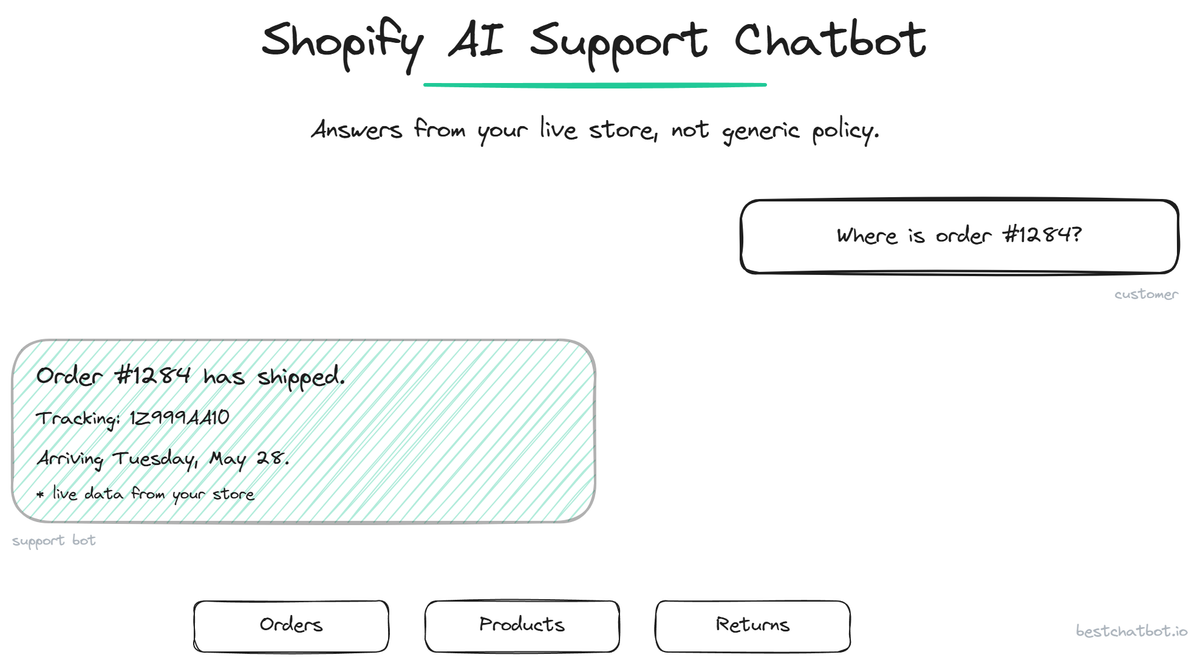
A Shopify AI support chatbot is a support agent that connects to your Shopify store and answers customer questions with real order and catalog data, not generic policy. For a Shopify merchant, the support load is predictable: where is my order, can I return this, is this in stock, what size. A Shopify chatbot that reads from your store resolves those questions outright instead of deflecting them to email. This page covers what the chatbot does on a Shopify store specifically, the questions it handles, and how it connects.
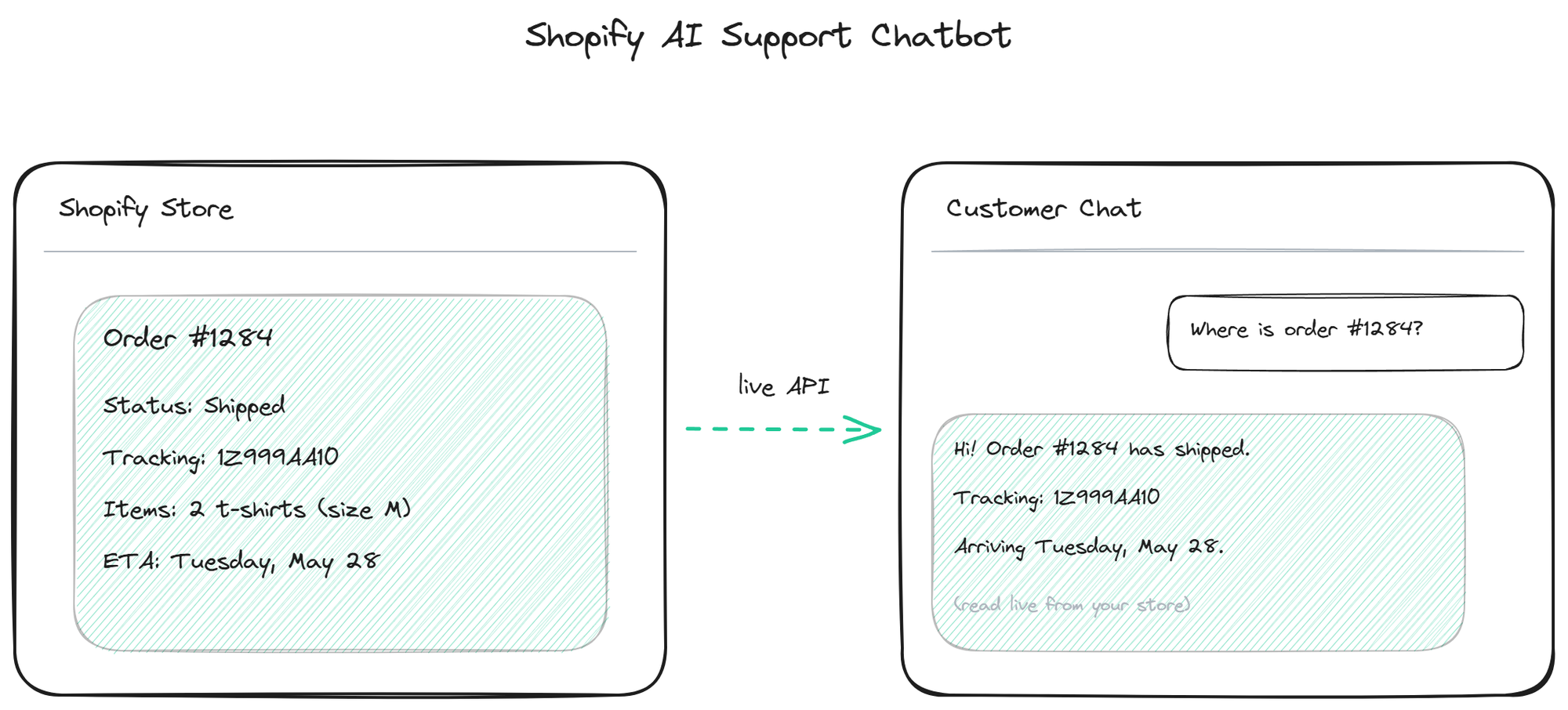
What a Shopify chatbot resolves
A Shopify support bot draws on two sources at once. For general questions (shipping policy, return window, store info) it answers from your knowledge base. For anything specific to an order or product, it reads live from your Shopify store.
Order status is the highest-volume question. The bot looks up the order, reads fulfillment and tracking, and tells the customer where their package is, in real time. Product information comes from your live catalog: availability, variants, sizing, price, so the answer reflects current stock rather than a stale doc. Returns get checked against your window and policy, and the bot starts eligible returns inside the chat. Order history gives the bot context about repeat customers.
The throughline is that the answers are real because they come from the live store connection. The bot does not guess an order status or invent a stock level; it reads them. For the cross-platform view of how this works across ecommerce generally, the ecommerce support pillar covers the broader picture.
How the Shopify connection works
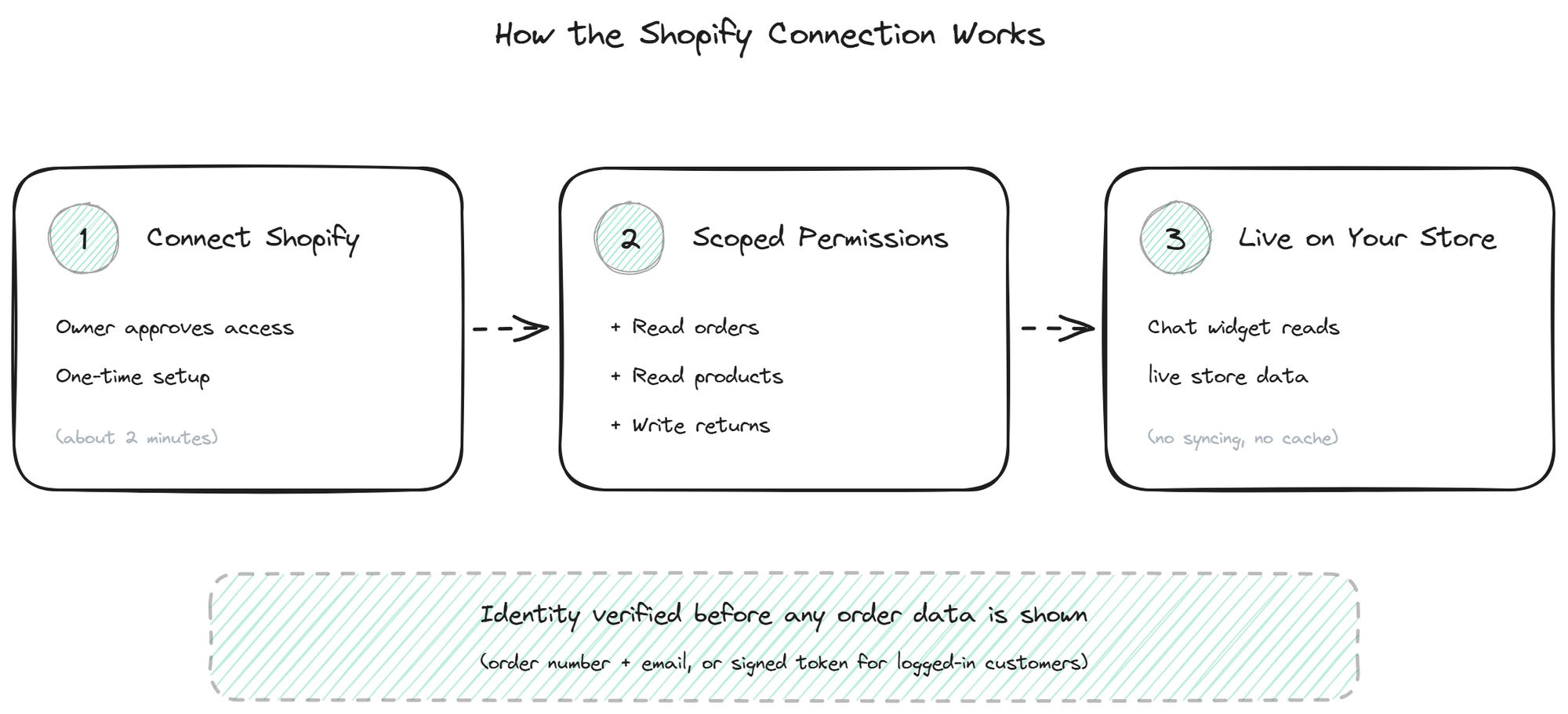
The bot connects to Shopify through an OAuth flow that grants scoped access: read orders, read products, and optionally write returns. It never requests payment details or store settings, because it does not need them. The technical setup, including the OAuth steps and the supported operations, is covered on the Shopify integration page.
Before showing any order-specific data, the bot verifies who the customer is, either by matching an order number with the email on the order, or through a signed token for logged-in customers. This prevents one customer from seeing another's orders. Order data is read live at the moment of the question, so the status is always current.
For the highest-volume use case specifically, the order tracking page covers how the bot handles "where is my order" at scale, including the WISMO patterns that dominate Shopify support inboxes.
BestChatBot connects to Shopify with this scoped, identity-verified setup, grounds general answers in your knowledge base, and refuses honestly on anything it cannot confirm from the store or the docs.
Still choosing a platform-ready tool? Compare AI agents for ecommerce before you commit.
FAQ
- Does it work with all Shopify plans? Yes, including Shopify Plus. Plus-specific features like custom checkout extensions may need extra configuration, but the core order, product, and returns operations work across plans.
- Can it handle returns automatically? With the returns action enabled, it starts returns for eligible orders inside the chat, checking against your window and policy. Returns outside the window or above a value threshold route to a human for review.
- How current is the order data? Real-time. The bot queries Shopify at the moment of the question, so the status it reports is the current status, not a synced or cached copy.
- Is customer order data kept private? Yes. The bot only returns order data after verifying the requester owns the order, through order-number-plus-email matching or a signed token for logged-in customers. Read access is scoped to orders and products; it never sees payment details.
- What happens if Shopify is temporarily down? The bot detects the failure and falls back, telling the customer order lookups are briefly unavailable and offering a fallback such as a support ticket or their account page. General questions from the knowledge base keep working. For pricing details, see plans.
For pricing details, see plans.
Explore our ecommerce AI support agent.
On another platform? Read the WooCommerce equivalent for the same setup on WooCommerce.
Beyond live order lookups, a Shopify store can automate the entire after-sale conversation. See how with post-purchase support flows.
Comparing Shopify-ready tools? Compare the best Shopify AI chatbots side by side before you commit.