
WooCommerce AI Support Chatbot: Answer and Act on Orders
A WooCommerce AI support chatbot that answers product questions from your real content and looks up real orders, with a connection that keeps your store keys safe.
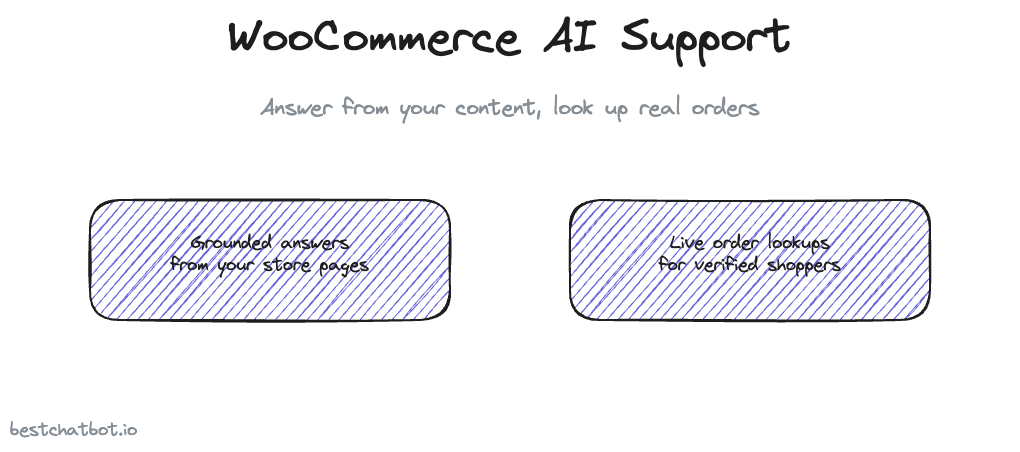
Run a WooCommerce store long enough and the support inbox starts to look the same every week. Where is my order. Does this come in a larger size. What is your return window. The questions repeat, the answers already live on your site, and your team still types them out one by one. A WooCommerce AI support chatbot exists to take that load off, but only if it does two jobs well: answer from your real content instead of guessing, and look up a real order when a shopper asks about theirs.
We built the widget around that split on purpose. It reads from the product pages, policy pages, and docs you already wrote, and it declines when a question falls outside them rather than inventing a refund window that does not exist. For the order side, it connects to your WooCommerce store and pulls the actual status, so a buyer gets the truth, not a canned "please check your email" reply. This page walks through what that looks like on a live store, how the connection stays safe, and where the line sits between answering and acting.
A quick scope note up front. The product is a website widget and nothing else. No app to install on a phone, no chat platform bolted on. One surface on your storefront, done properly.
What a WooCommerce chatbot actually resolves
Most store questions sort into two buckets, and the widget handles each one differently.
The first bucket is content. Shipping times, sizing, materials, return policy, whether a product ships to a given country. Those answers are already written somewhere on your store. The AI support for WooCommerce reads that content into a knowledge base and answers from it. When a shopper asks something the content does not cover, the bot says it does not have that detail instead of making one up. Grounded answering matters more on a store than almost anywhere else, because a wrong return window or a made-up shipping promise turns into a chargeback later. If you want the mechanics of why the bot declines rather than guesses, the write-up on a no-hallucination AI support agent covers it.
The second bucket is account-specific. Where is order 4821, did my refund go through, when does my subscription renew. No amount of reading your policy pages answers those, because the answer lives in your WooCommerce store, tied to one shopper. That is where the connection earns its place. The widget looks up the real order and reports the real status. The companion piece on an order tracking chatbot for ecommerce goes deeper on that flow.
Splitting the two buckets is what separates a useful store assistant from a glorified FAQ box. One half answers from your words. The other half reads your store.
How the WooCommerce connection works
WooCommerce is one of eight connectors the widget supports, and it is the e-commerce option alongside Shopify. You pick one storefront, not both, because a single store runs on a single platform. If you are on Shopify instead, the Shopify AI support chatbot page covers the same ground for that side.
To connect your store, you generate a WooCommerce REST API key from your WordPress admin and paste it into the dashboard. From there the widget can call your store directly over HTTPS to read order data when a verified shopper asks. The key is stored encrypted, never in plain text, and your store and the widget talk over a private connection rather than anything public.
Here is the part security-minded owners care about. Your API key does not float around inside the answering layer. It sits in encrypted storage and gets used only when an action needs it, so the blast radius of the system stays small. The broader picture of how connected actions are wired sits in the secure connections write-up.
Setup is a paste-and-go job, not a developer project. Generate the key, drop it in, point the widget at your storefront, and the order-lookup actions light up.
Where answering ends and acting begins
There is a hard line between a question the bot answers from text and an action that touches a real person's order, and that line is identity.
A general question gets answered for anyone. "What is your return policy" needs no proof of who is asking, so the widget replies from your content the moment a shopper types it. An account-specific action is different. "Where is my order" reads private data tied to one buyer, so the widget will not run it for an unverified stranger. Your store passes the widget a signed token that proves who the visitor is, and the order lookup is pinned to that token's verified email, set from the token and not from whatever someone typed into the chat. No token means the action is blocked or runs on a safe anonymous path. A shopper cannot fish for someone else's order history by typing in a known email.
That single rule closes the most common data-leak path on a support bot. It is also why the action half of the product sits on the paid tiers. Order lookups and the rest of the connected actions need Pro or Business, while grounded answering from your content runs on the lighter plans. The line between the two is drawn on the pricing guide.
When a question genuinely needs a person, the widget does not pretend to be one. It opens a support ticket in your help desk and routes it to your team's inbox, so nothing falls through. There is no live agent takeover inside the chat, by design, the handoff is a clean ticket rather than a transfer.
FAQ
How does the widget connect to my WooCommerce store?
You generate a WooCommerce REST API key in your WordPress admin and paste it into the dashboard. The widget then calls your store directly over HTTPS to read order data. The key is held in encrypted storage and used only when an action needs it, never sitting in plain text inside the answering layer.
Can the WooCommerce AI support chatbot look up a customer's order?
Yes, once the shopper is verified. Your store passes a signed token that proves who the visitor is, and the lookup is pinned to that token's verified email. Without a token the action is blocked or runs anonymously, so a stranger cannot read another buyer's order by typing their email into the chat.
Do I need both Shopify and WooCommerce connected?
No. The e-commerce slot holds one storefront. You connect WooCommerce or Shopify, matching whatever your store actually runs on, not both at once.
What happens when a question needs a human?
The widget opens a ticket in your help desk and routes it to your team's inbox. There is no live agent handoff inside the chat. The escalation is a tracked ticket, so the request reaches a person without getting lost.
Which plan turns on order lookups?
Grounded answering from your store content runs on the lighter plans. The connected actions, order lookups included, need Pro or Business. The pricing guide lays out which tier unlocks the action library.
Want to see where a WooCommerce assistant fits the bigger picture? Start with the ecommerce AI support agent overview, then check which tier turns on the connected actions. You can also see how the widget helps recover abandoned WooCommerce carts.