
AI Support Data Security: Encryption and Credential Handling
AI support data security explained: encryption in transit and at rest, credential handling without storing your logins, and per-tenant data isolation.
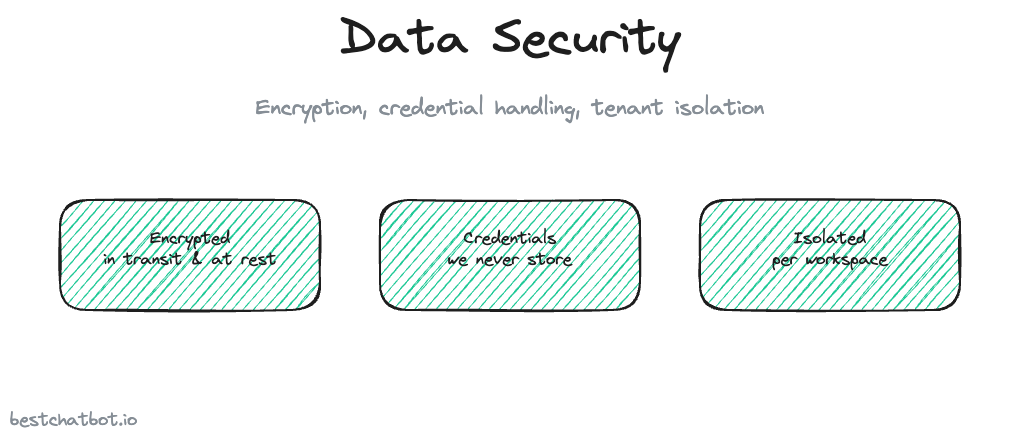
Before any team puts an AI widget on a live site, someone on the security side asks the same two questions. Where does our data go, and who can read it. Those are the right questions to ask. A support agent that answers from your private docs and connects to your order system or help desk is touching real customer data and real account credentials, so the bar for how that data is stored and moved has to be high.
We think the honest way to talk about AI support data security is to describe what the system actually does, not to wave a badge around. So this page walks through three concrete things: how data is encrypted while it travels and while it sits at rest, how connections to your other tools work without us holding your passwords, and how one customer's data stays walled off from every other customer's. No certification theater, just the mechanics.
A quick note on scope. The product is a website widget and nothing else. There is no mobile app pulling data to a phone, no third-party chat platform in the loop, no extra surface to secure. One channel, locked down, is easier to reason about than five.
Encryption in transit and at rest
Data security splits into two states, and each gets handled differently. Strong encryption covers both.
Data in transit is anything moving between the visitor's browser, the widget, and our backend. Every one of those hops runs over HTTPS with modern TLS, the same encryption a bank login uses. A message a customer types, the answer the widget sends back, the token your site passes to verify a visitor: all of it is encrypted on the wire. Nobody sitting on the network in between can read it.
Data at rest is anything stored after the conversation ends. Your uploaded documents, the knowledge the bot draws from, the chat history, and the connection details for your other tools all live in encrypted storage. If someone somehow got a copy of the raw disk, they would not get readable content out of it.
Here is the part worth sitting with. Grounded answering already shrinks how much sensitive data the bot ever handles. The widget answers from the content you uploaded and declines when a question falls outside it, so it is not silently hoovering up and storing random personal details to "get smarter" later. There is no autolearning loop quietly retaining conversations. Less data retained is less data to protect, and that design choice does more for data security for chatbots than any single setting. If you want the full picture of how grounding bounds what the agent says, the write-up on a no-hallucination AI support agent covers it.
Credential handling: we never hold your logins
This is the question security teams care about most, so let's be direct about it.
When you connect the widget to your store, your help desk, or your CRM, you are granting it permission to act on those systems. That permission needs a credential, an OAuth token or an API key. The natural worry is that those credentials end up sitting in our database, one breach away from exposure.
They do not. BestChatBot does not store your credentials directly. A specialized credential provider holds every connection encrypted, isolated from our application, and refreshes the access token when it expires so the link keeps working without anyone re-entering a password. When the widget needs to perform an action, it asks that provider to make the authenticated call on its behalf. Your raw secret never sits in plain text inside our system, and our app never needs to see it. That OAuth token storage lives with the provider, not with us.
Both connection styles run through the same protected path. OAuth flows, where you click to approve a connection, and API-key flows, where you paste a key, both land in that encrypted vault rather than our database. These encrypted connections are how every connector is wired, and the piece on secure connections with OAuth and API-key goes deeper on the handshake itself.
The practical upshot for your security review: the blast radius of our system is smaller than it looks. We orchestrate actions, but the keys to your other tools are not ours to lose.
Tenant isolation: your data is not mixed with anyone else's
A shared SaaS platform serves many businesses from the same infrastructure, which raises a fair concern. Could another customer's bot ever surface your knowledge, or could a query leak across accounts.
The architecture answers that by giving each workspace its own isolated store. Your documents, your knowledge graph, your chat history, and your connections sit in a partition that belongs to your workspace alone. A retrieval for your bot only ever reads from your partition. There is no shared pool of knowledge that another tenant could query into, by accident or on purpose.
We treat that boundary as load-bearing, not a nice-to-have. It is the difference between a multi-tenant product you can actually trust with private business content and one you cannot. The deeper mechanics of how that wall is built are in the multi-tenant isolation write-up, and they pair closely with how the whole trust and security story fits together.
Identity gating keeps actions from leaking data
Encryption protects data from outsiders. Identity gating protects it from the wrong insider, meaning a visitor who tries to read data that is not theirs.
Any action that touches a specific person's record, an order lookup, a ticket status check, a subscription change, requires a verified visitor identity. Your site passes the widget a signed token that proves who the visitor is. With that token, the lookup is pinned to that person's verified email, set from the token claim and not from whatever they typed into the chat. No token means the action is blocked or runs on a safe anonymous path. There is no silent degradation where a stranger types in a known customer's email and walks away with their order history.
That single rule closes the most common data-leak path in a support bot. The widget will happily answer a general question for anyone, but it will not read one person's private records for someone else. How the privacy side of that is governed lives in the data privacy page, which sits next to this one in the trust silo.
FAQ
Is my data encrypted both in transit and at rest?
Yes. Everything moving between the browser, the widget, and the backend travels over HTTPS with modern TLS. Everything stored afterward, your documents, the knowledge base, chat history, and connection details, sits in encrypted storage. A copy of the raw disk would not yield readable content.
Does BestChatBot store my OAuth tokens or API keys?
No. We do not hold your credentials directly. A specialized provider keeps every connection encrypted and isolated from our application, and refreshes expired tokens on its own. When the widget acts on your tools, that provider makes the authenticated call, so your raw secret never sits in plain text inside our system.
Can another business using the platform see my data?
No. Each workspace gets its own isolated store for documents, knowledge, chat history, and connections. A retrieval for your bot only reads from your partition, and there is no shared knowledge pool another tenant could query into.
What stops a visitor from pulling someone else's records?
Any action tied to a specific person needs a verified visitor identity. Your site passes a signed token, and the lookup is pinned to that token's verified email rather than free text. Without a token the action is blocked or runs anonymously, so a stranger cannot fish for another customer's data by typing their email.
Do you claim HIPAA, PCI, or SOC 2 certification?
We do not advertise certifications we do not hold. What the product gives you is concrete: encryption in transit and at rest, credentials we never store directly, isolation between tenants, identity-gated actions, and a record of what the agent answered and did. The trust pages describe each of those in detail.
Want to see where data security fits the bigger picture? Start with the trust and security overview, then check the pricing guide to see which tier turns on the connected actions.