
Best Shopify AI Chatbot: What Actually Works on a Store
The best Shopify AI chatbot answers from your real data, runs real order actions, and verifies identity. See the checklist and where BestChatBot fits.
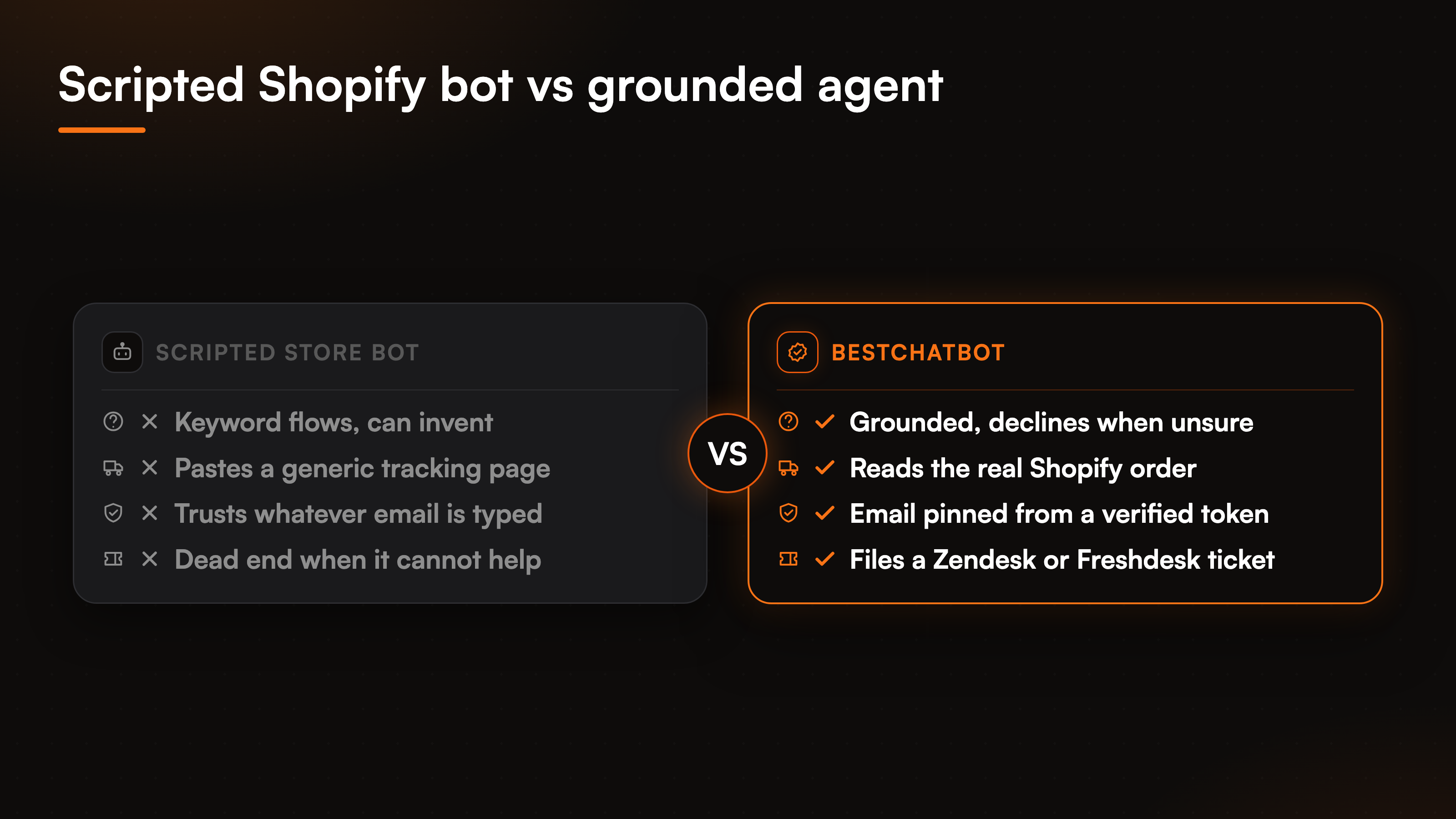
Search the Shopify App Store for an AI chatbot and you get a wall of them. Most look identical in a screenshot: a rounded bubble, a friendly greeting, a promise to "answer 24/7". The differences that matter to a store owner do not show up in that screenshot. They show up two weeks later, when a shopper asks where their order is and the bot pastes a generic tracking page, or when someone asks about your return window and the bot invents one you never wrote.
So the question is not which Shopify AI chatbot has the nicest bubble. It is which one answers from your real data, runs real order actions, and refuses to guess when it does not know. Good Shopify AI support lives or dies on that behavior. This page lays out the checklist we would use to judge any candidate, then shows where BestChatBot lands against it. We will stay honest about the trade-offs and only claim what the product actually does.
What a Shopify AI chatbot has to get right
A storefront throws a narrow, repeating set of questions at chat: order status, returns, product fit, stock, and the occasional "can you help me check out". Every one of them points at a real record, so the winning trait is grounding, not chattiness. Rank any Shopify AI chatbot on the six criteria below before you look at anything else.
- Grounded answers. It replies from your product pages and policies, and declines when the answer is not there instead of filling the blank.
- Real order actions. It reads the actual order for a status, rather than handing over a link the shopper already had.
- Safe identity. Before it touches a specific customer's order, it verifies who is asking.
- One clean store connection. It wires to your Shopify catalog and orders through a secure connection, not a brittle scrape.
- Honest escalation. When it cannot resolve something, it files a real ticket instead of faking a live transfer.
- Trivial install. A widget snippet on your theme, not a multi-week setup project.
A scripted flow-builder bot can look busy on all six and ground on none of them. That single gap, guessing versus grounding, decides whether you can safely put it in front of paying shoppers.
Grounded answers, then real Shopify actions
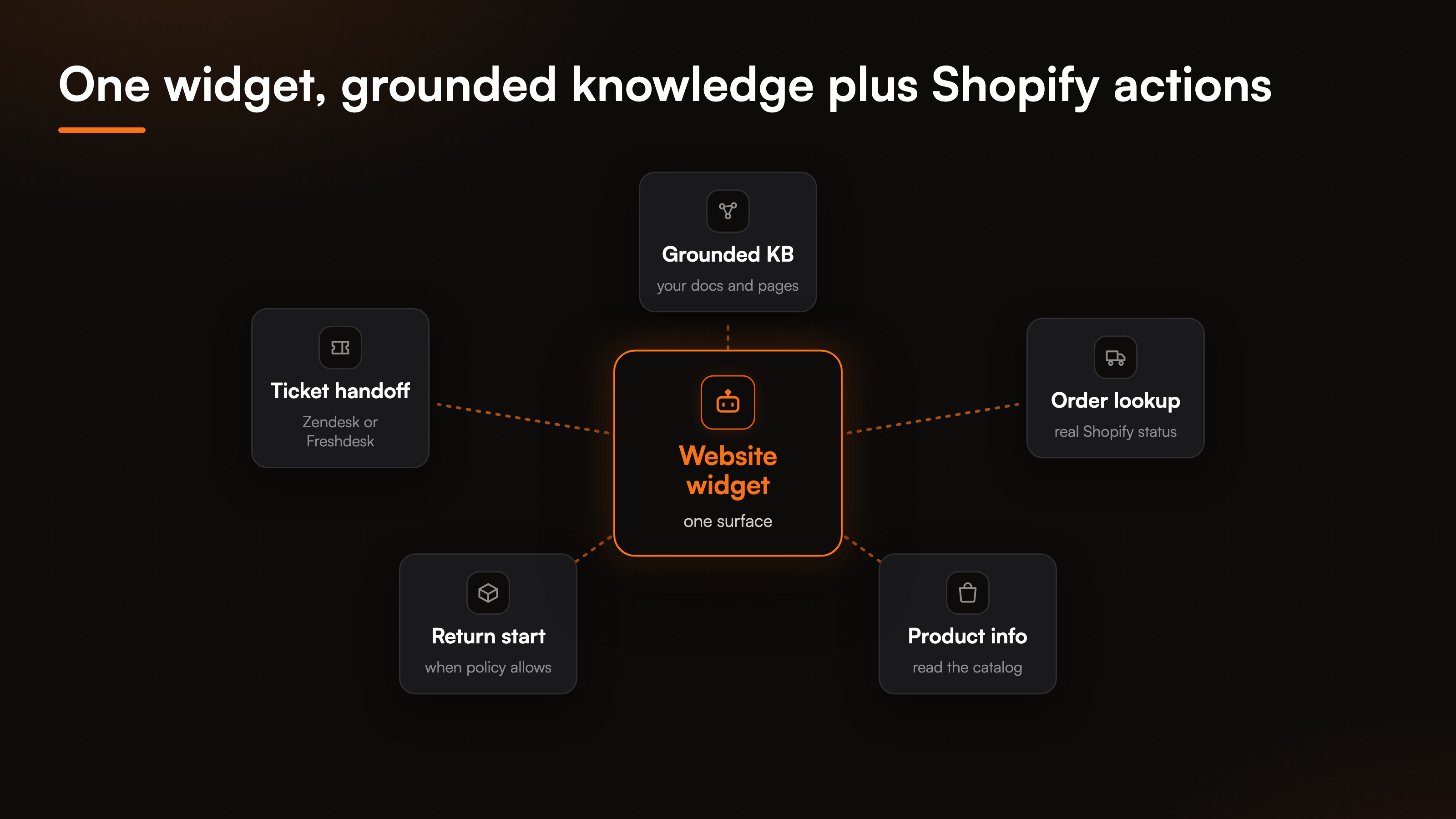
BestChatBot is a website AI support agent you train on your own content. Upload product docs, shipping and return policies, or crawl your store by full domain, sitemap, or single URL, and it answers from that knowledge. Ask it something outside what it was given and it declines rather than inventing, and it can cite the source behind an answer. That decline behavior is the entire reason a grounded setup beats a clever prompt, and we cover the mechanics in our no-hallucination breakdown.
Answering is only half the job on a store. The same widget also runs actions through a secure Shopify connection. When a shopper asks for a status, the agent confirms who they are, queries Shopify, and replies with the real order state. When they ask about a product, it reads the catalog rather than imagining a spec. One widget sits at the center, and the grounded knowledge base plus the Shopify connector feed it. Across all categories there are 8 connectors and 29 prebuilt actions covering scheduling, support tickets, CRM, payments, and e-commerce, so the store actions are one slice of a wider library.
How the chatbot keeps order lookups safe
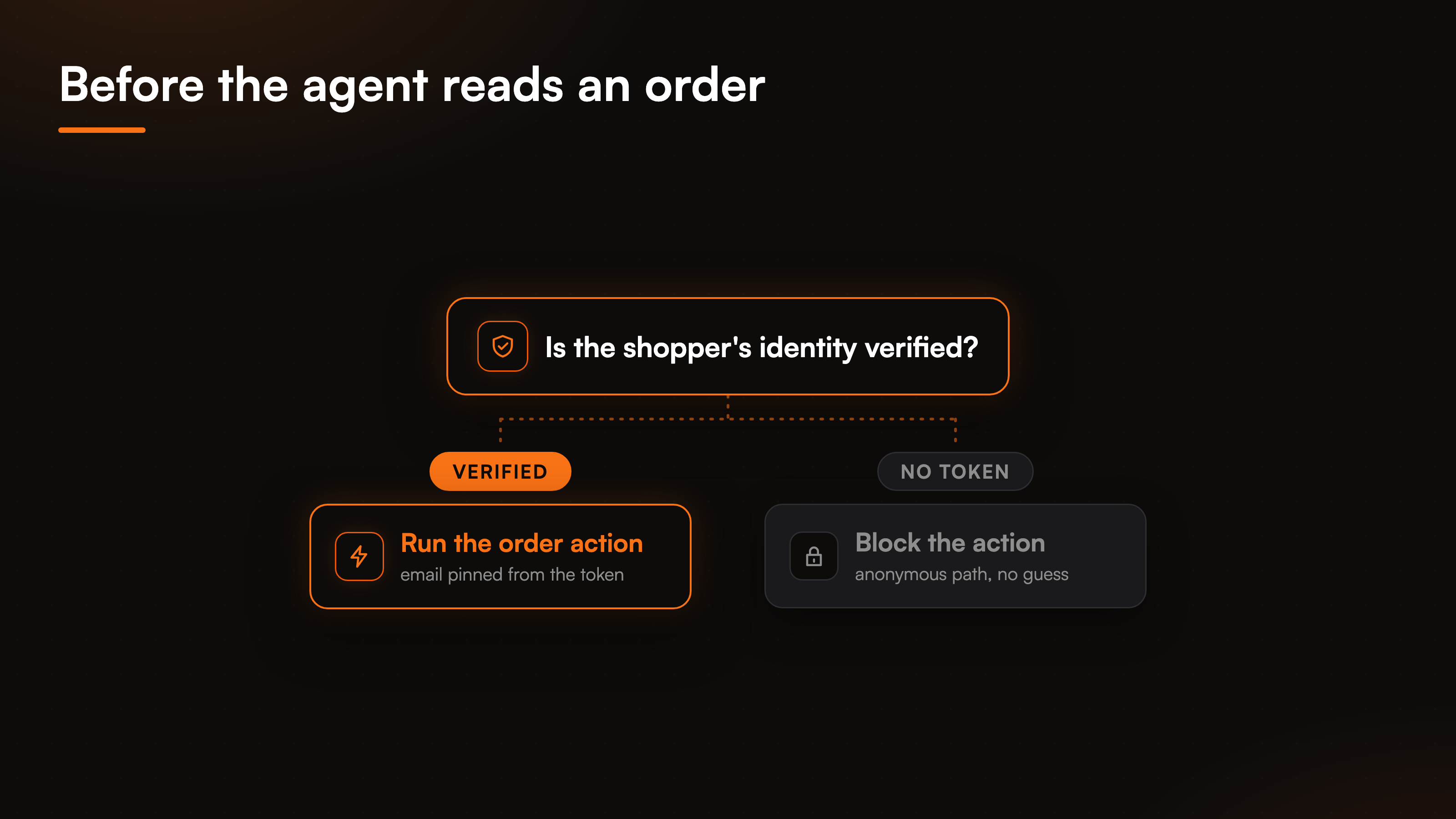
Reading a customer's order is exactly the kind of action you do not want a bot handing out on trust. Type a stranger's email into a naive bot and it might read their order back to you. BestChatBot closes that door by gating customer-specific actions behind a verified identity.
Here is the mechanism. Before the agent pulls an order, it requires a signed identity token (a JWT) for the shopper. The email and name come from that verified token, not from whatever text a visitor typed into the chat box. No verified identity means the action is blocked or stays on an anonymous path, never a silent guess. So one shopper cannot pull another shopper's order by swapping in a different address. If you want the full picture of how that pinning works, the identity verification guide walks through an order lookup end to end.
Shopify or WooCommerce, one store per category
The connectors are exclusive by category on purpose. You wire one calendar, one support desk, and one store, so the agent runs the stack you already use instead of a sprawl of overlapping apps. For a storefront that means Shopify or WooCommerce, never both at once. Point BestChatBot at your Shopify store and the order and product actions light up on that platform.
Escalation stays honest in the same spirit. When the agent cannot resolve something, it does not fake a live transfer. It creates a ticket in Zendesk or Freshdesk and routes it to your team's inbox with the conversation attached. Grounded answering starts on the free tier, and the agentic connectors, including the Shopify actions, run on the Pro and Business plans.
| What to compare | Scripted Shopify bot | BestChatBot |
|---|---|---|
| Answering | Keyword flows, can invent | Grounded in your data, declines when unsure |
| Order status | Pastes a tracking page | Reads the real Shopify order, states the status |
| Identity for actions | Trusts typed input | Email pinned from a verified token |
| Store connection | Scrape or read-only feed | Native Shopify connection via OAuth or API key |
| Escalation | Dead end or vague promise | Ticket in Zendesk or Freshdesk |
| Install | Varies, sometimes an app | Paste one widget snippet |
For a fuller storefront comparison beyond Shopify, our best AI agent for ecommerce guide ranks the field, and if you are weighing a support-desk-first tool, the Gorgias alternative breakdown covers that angle for stores.
Install it on your Shopify store
The setup is lighter than an app-store install because the agent lives in a widget, not in your theme's code path. Here is the path we hand Shopify teams.
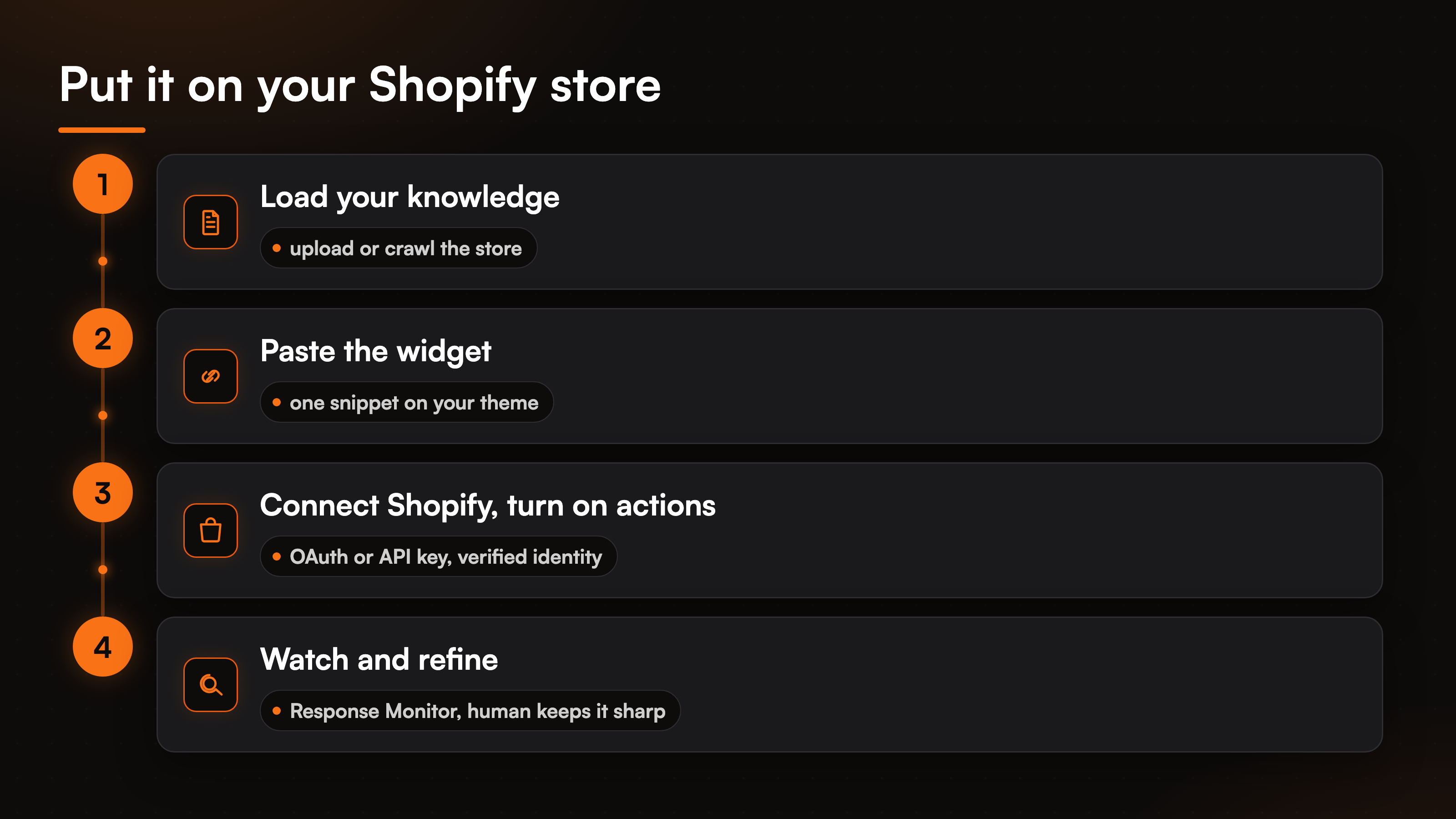
- Load your knowledge. Upload return and shipping policies and product docs, or crawl the store. Change detection keeps content current as pages and prices move.
- Paste the widget snippet on your storefront theme. The agent starts answering from your knowledge right away and declines anything outside it.
- Connect Shopify. Add the store through a secure connection using OAuth or an API key. Credentials are stored encrypted by a specialized provider, never by us directly.
- Turn on actions and identity. On Pro or Business, enable order tracking and product lookups, and require a verified identity for anything customer-specific.
- Watch and refine. Review answers in the Response Monitor and update the knowledge when you spot a gap. The bot does not learn on its own, a human keeps it sharp.
If you are still mapping options before you commit, the compare hub collects every head-to-head we publish.
FAQ
What is the best Shopify AI chatbot for order tracking?
The best Shopify AI chatbot for order tracking reads the real order from Shopify and states the status, rather than pasting a generic tracking page. BestChatBot does that behind a verified identity, so the reply carries the actual order state and no shopper can pull another shopper's order by typing a different email.
Does the Shopify AI chatbot make up answers?
No. A grounded AI chatbot for Shopify answers only from the knowledge you give it, your product pages, policies, and docs, and declines when a question falls outside that. It can also cite the source behind an answer. Grounding is the point: a wrong shipping date on a store turns into a refund dispute, so declining beats guessing.
Can it connect to Shopify and WooCommerce at the same time?
No, and that is deliberate. The store connector is exclusive by category, so you run one platform. Point BestChatBot at Shopify or connect it for WooCommerce support, whichever your store already uses. The order and product actions run against that single platform.
Which plan do the Shopify actions need?
Grounded answering starts on the free tier, so the agent can handle product and policy questions right away. The agentic connectors, including the Shopify order and product actions, run on the Pro and Business plans. The pricing guide lays the tiers out against your monthly volume.
How does it hand off when it cannot help?
It escalates by creating a ticket in Zendesk or Freshdesk and routing it to your team with the full conversation attached. There is no invented answer and no fake live transfer. The shopper gets a real handoff and your team gets the context.
Ready to match a plan to your store's volume? Start by comparing the plans.