
AI Customer Service Software That Takes Action, Not Just Answers
How to evaluate ai customer service software by whether it takes real action and answers grounded, instead of ranking another list of chat widgets.
Sit through five demos of ai customer service software and they blur together. Every one shows a tidy chat window, a friendly reply, a claim about resolution rates. The scripts are near identical. So buyers end up choosing on price, or on whichever logo they recognized, and then wonder six weeks later why the support queue barely moved.
Here is the split that actually predicts whether a tool will earn its keep: does it only answer, or can it take action? A bot that answers can tell a customer where to check an order. An agent that acts checks the order for them and reports the status back in the same breath. This guide is not another ranked list of chat widgets. It is a way to evaluate ai customer service that takes action, judging the category by the one line that separates a talking FAQ from a support agent that closes the loop.
The line that splits the category
Most tools sold as ai customer service software sit on the answering side. They retrieve a passage, phrase it nicely, and hand the customer a link or an instruction. Useful, up to a point. The trouble is that the hardest, most repeated support requests are not questions at all. They are tasks. Where is my order, cancel my plan, reschedule my appointment, start my return. An answer to those is a dead end dressed up as help.
An agentic tool treats those as work to be done. It verifies who is asking, calls the right system, and comes back with a result: a live tracking status, a cancelled subscription, a booked slot. We built our widget around that difference because it is the part customers actually feel. The figure below lays the two behaviors side by side so the gap is hard to unsee.
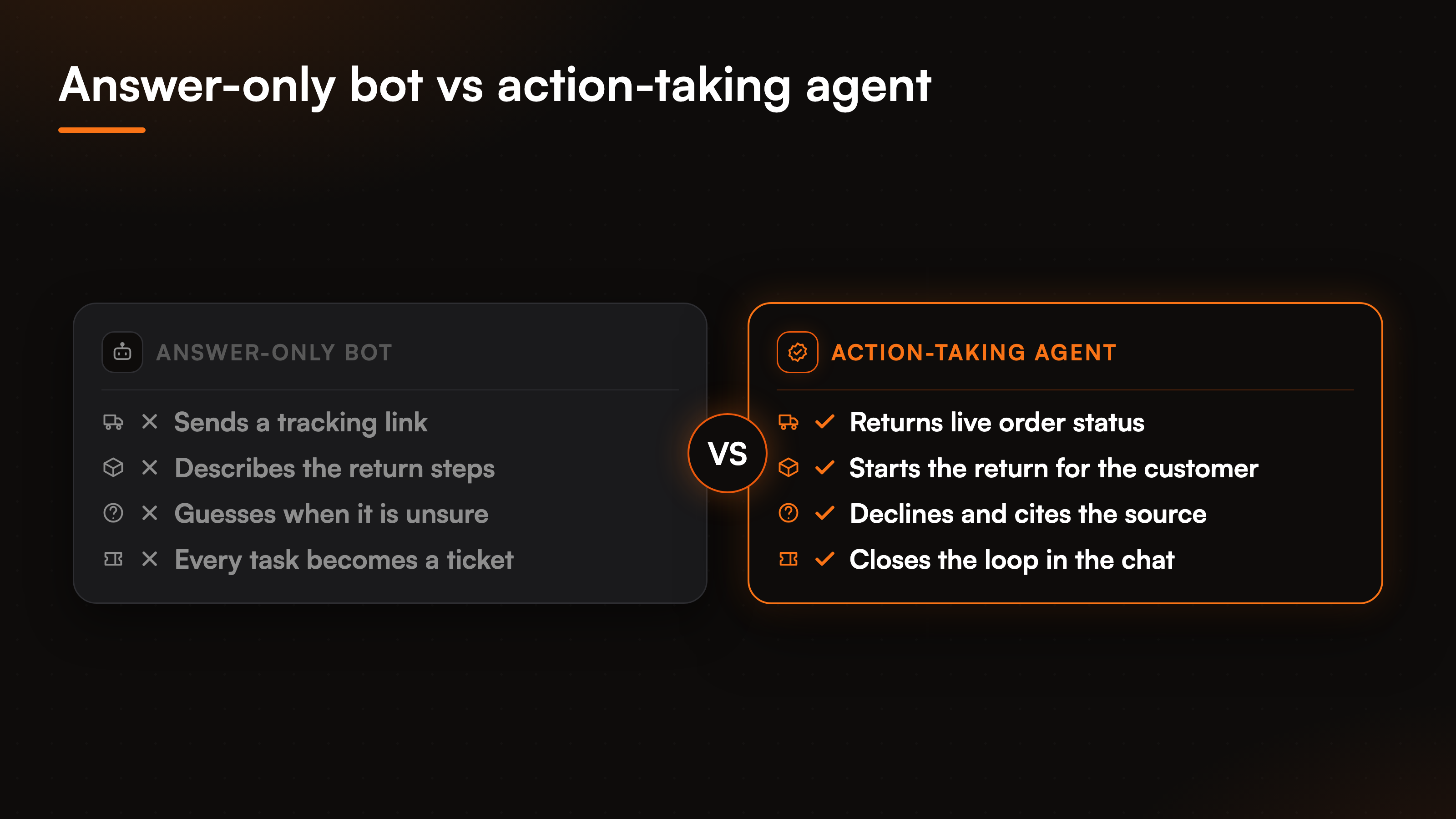
Read any demo through that lens and it sorts fast. When the tool hits a real task, watch whether it does the thing or just describes it.
Why answers alone stall at the hard part
Picture the most common ecommerce question there is: "where is my order?" An answer-only bot replies with a link to the tracking page and a cheerful note to check the carrier site. The customer already tried that. They came to the chat because the page confused them. So the "answer" bounces them back to the exact spot that failed, and the ticket lands on your team anyway.
A support agent that takes action handles it differently. It confirms the customer's identity, looks the order up through the store connection, and returns the current shipping status inside the conversation. No link, no bounce, no ticket. That is the whole argument for agentic customer service in one exchange. The same logic covers refunds, subscription changes, and bookings. When a tool can only talk, every task-shaped request quietly becomes human work, and your customer service automation numbers stay flat no matter how good the phrasing is.
Scheduling is the clearest case: when a visitor asks to book appointments, an answering bot hands over a calendar link while an agent confirms the slot in the conversation, and the roundup of dedicated booking tools shows how far apart they land.
The five criteria that actually matter
Score any tool against these five before you look at pricing. They are the bars we hold our own product to, and most competitors clear one or two, not all.
- Grounded or it declines. Answers come from the customer's own content, and when a question falls outside that knowledge the tool says so instead of inventing a plausible lie. This is what makes it safe to run in front of buyers.
- Real action, not just retrieval. It executes tasks against live systems, so "where is my order" returns a status, not a link.
- Identity before anything account specific. A verified token proves who is asking, and the email and name are pinned from that token, never from what the visitor types.
- Named connectors, not a vague promise of every app under the sun. Depth on the tools you actually run beats a long menu you will never finish wiring.
- A clean escalation. When the agent cannot close it, the request becomes a ticket in your support tool with the full conversation attached, so a rep starts with context.
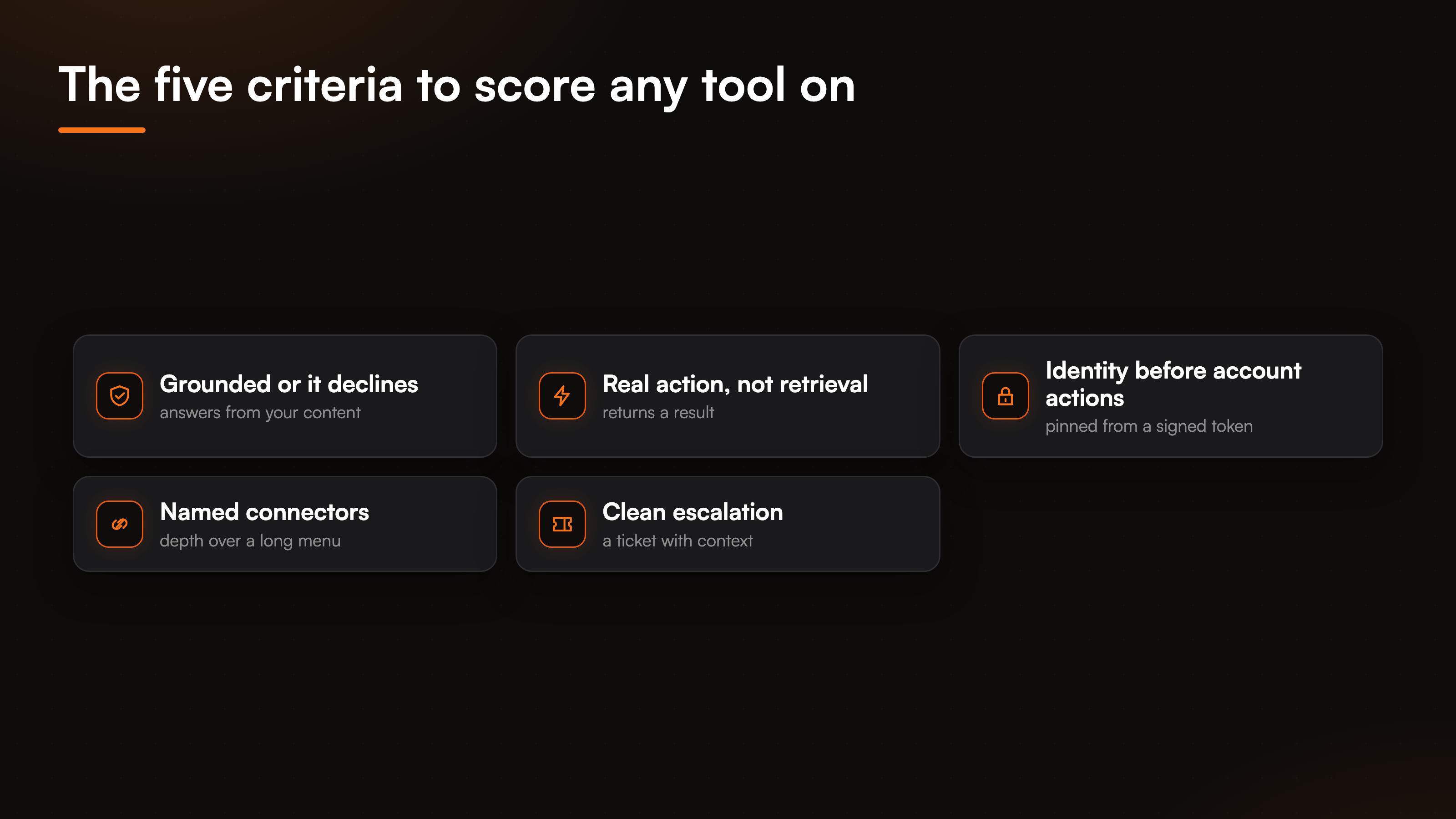
Notice what is missing: a promise that the bot teaches itself, and a headline connector count in the hundreds. We are skeptical of both. Self learning drifts in ways nobody catches until a customer does, and a giant app list usually means shallow support for each one.
What "taking action" looks like under the hood
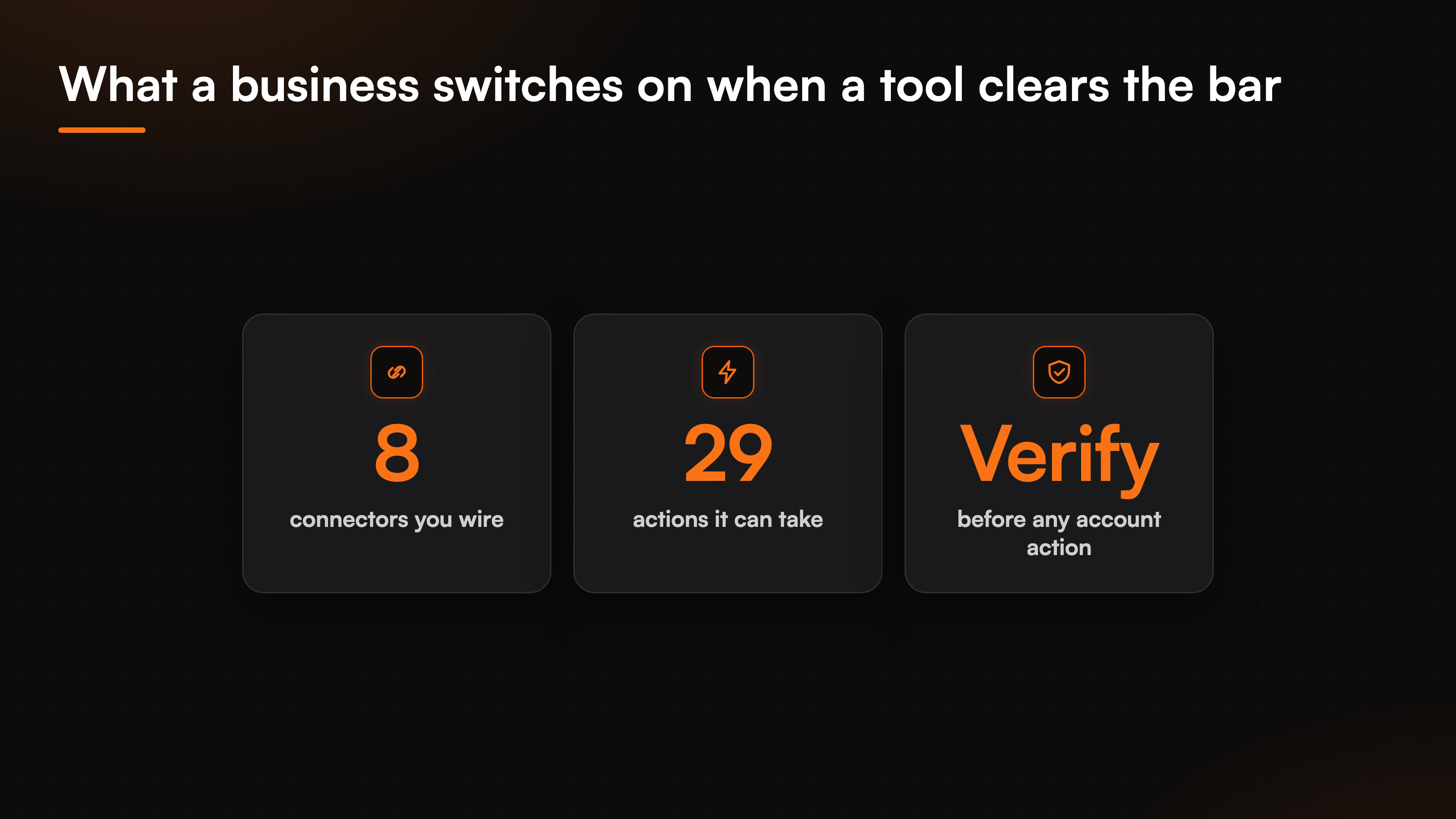
The word agentic gets thrown around loosely, so pin it to something concrete. In our product it means 8 connectors and 29 prebuilt actions across scheduling, support tickets, CRM, payments, and ecommerce. One widget fans out to the systems a business already runs, and the connectors are exclusive by category: one calendar (Cal.com or Calendly), one support desk (Freshdesk or Zendesk), one store (Shopify or WooCommerce). You wire your stack, not a generic everything.
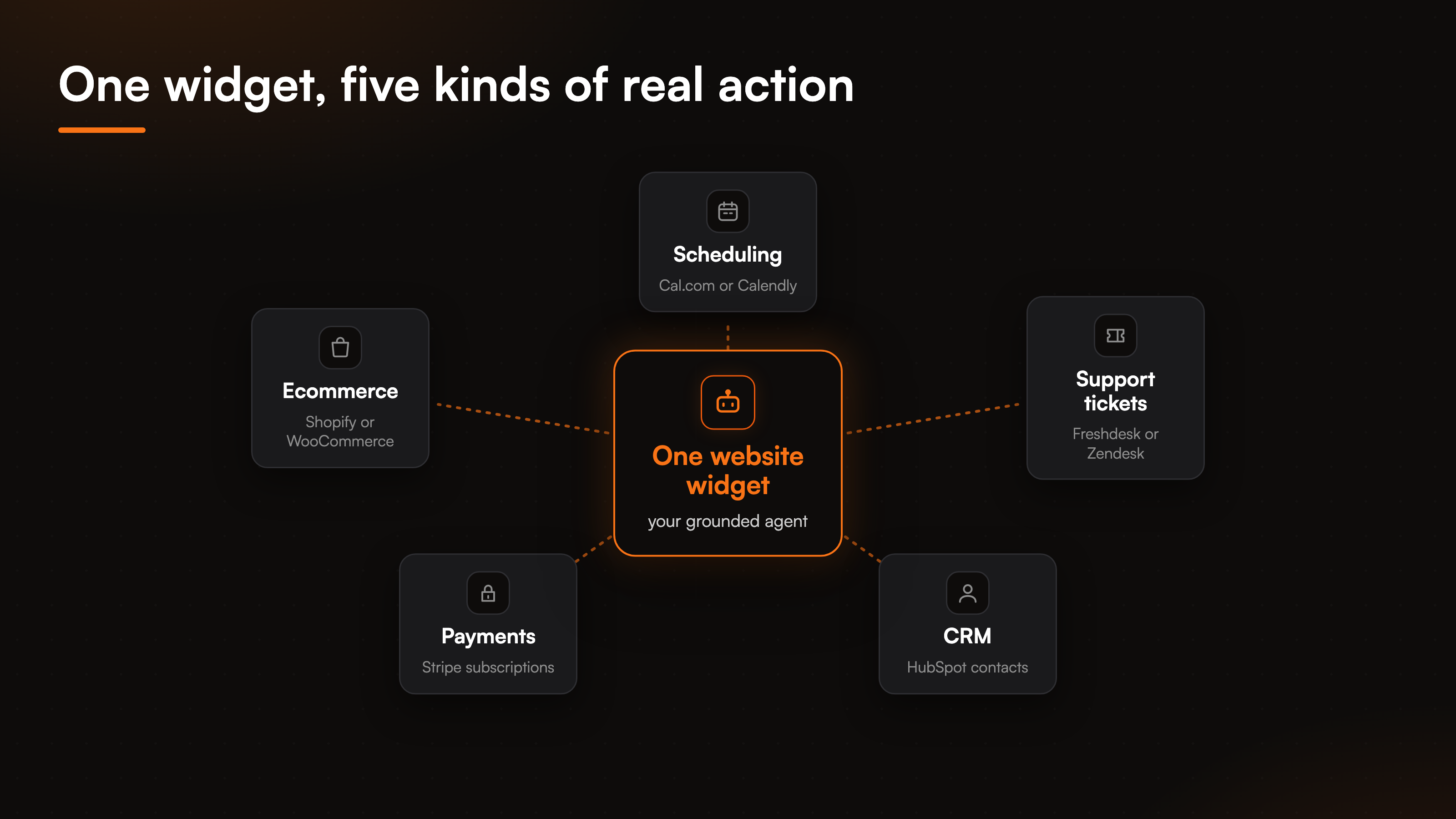
The rule that keeps this from being reckless is identity gating. Anything tied to a specific account, a cancellation, a refund, a subscription change, requires a verified visitor first. The agent pins the customer's email from a signed token your app issues, so it acts on the right record every time. No identity means the sensitive action is blocked, not fudged. That pairing, real execution on top of grounded AI support, is what most tools are missing. If you want the mechanics of that gate, the agentic actions pillar walks through how a request turns into a checked, executed task. And the reason we can let it act at all is that the answering layer stays grounded and declines when it is unsure, rather than guessing its way into a wrong action.
How this compares to a plain tool roundup
A criteria guide is only half the picture, so it is fair to point at the roundups too. If you want the full field of options, the breakdown of chatbot tools for customer support and the wider look at AI support tools for websites and communities both survey the field by name. Read them alongside this one: the roundups tell you who exists, this guide tells you what to test each of them against.
Run every tool through the same three questions. Does it stay grounded, can it act, and does it verify who is asking before it touches an account. The headline numbers below are what a business switches on once a tool clears all three.
FAQ
What is the difference between a chatbot and ai customer service software that takes action?
A chatbot answers questions from text. Action-taking software also executes tasks against live systems: it checks an order, cancels a plan, or books a slot inside the chat. The first hands the customer a link, the second returns a result. That is the line that decides whether your ticket volume actually drops.
How do I know if a tool is grounded or just guessing?
Ask it something your documentation does not cover and watch what happens. A grounded tool declines and offers to escalate. A guessing one produces a confident, wrong answer. Grounded software answers only from the content you loaded, and it can cite the source behind a reply so your team can trust it.
Does taking action mean the AI can do anything a customer asks?
No, and it should not. Actions are limited to the connectors you wire, and anything account specific is blocked until the visitor's identity is verified through a signed token. The agent acts on a real, confirmed record or it does not act at all. Action execution also sits on the paid tiers, not the free plan.
What happens when the agent cannot resolve a request?
It creates a ticket in Zendesk or Freshdesk and routes it to your team with the conversation attached. There is no fake live handoff. The request moves to a person who already has the full context, instead of a cold start.
How many systems can it connect to?
8 connectors covering scheduling, support desks, CRM, payments, and ecommerce, with 29 actions across them. The connectors are exclusive by category, so you run one calendar, one support tool, and one store, chosen to match the stack you already have.
Weighing tools against these criteria and want to see where grounded answers end and paid actions begin? The pricing guide lays out the tiers next to the compare hub at /compare/.