
Best AI Appointment Booking Bot: One That Books, Not Just Chats
The best AI appointment booking bot answers from your real data, verifies the visitor, then books the slot in Cal.com or Calendly. See the checklist.
A visitor lands on a clinic page at 11pm, ready to book a Thursday slot. The chat bubble greets them, asks a few friendly questions, then drops a link to a scheduling page and disappears. The visitor now has to open the link, re-read the same questions, pick a time, and hope it lines up with what they already told the chat. Half of them close the tab first. That gap between a bot that talks about booking and a bot that actually books is where most appointment tools quietly lose the visitor.
So the search for the best AI appointment booking bot is really a search for one behavior: does it finish the job inside the conversation, or does it hand off a link and call that a booking? This page sits in our AI support agent comparisons and lays out the checklist we would use to judge any candidate, then shows where BestChatBot lands against it. We will keep the trade-offs honest and only claim what the product actually does.
What an AI appointment booking bot has to get right
Booking looks simple until a real visitor asks a real question first. They want to know if you handle their case, what a session costs, whether Thursday morning is open, and then they want the slot held. A scheduling widget answers none of the first three. A chatty bot answers them badly, sometimes inventing a price or a policy you never wrote. The winner does both: it grounds its answers in your content, then runs the booking as a real action.
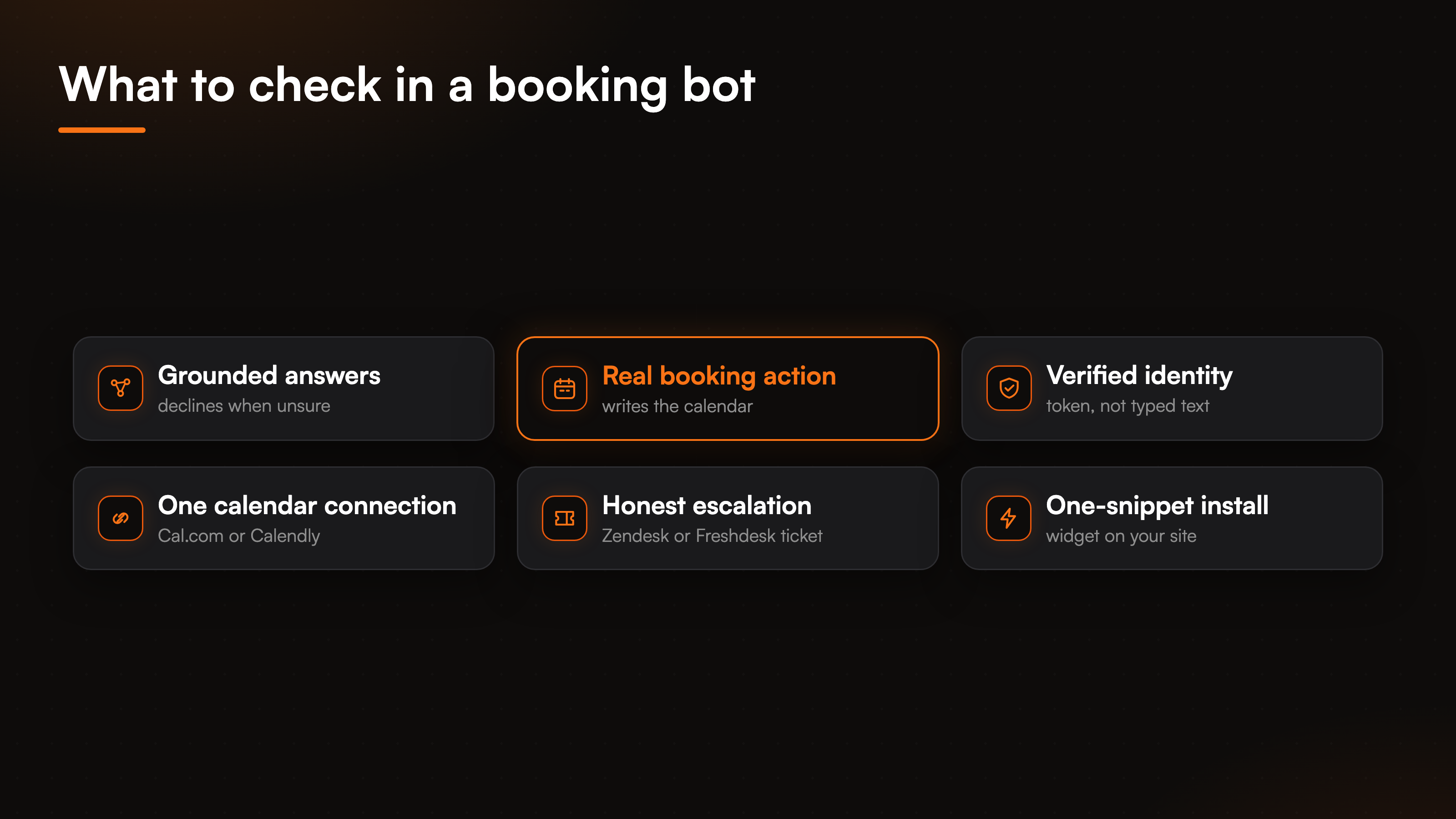
Rank any appointment booking chatbot on these six traits before anything else:
- Grounded answers. It replies from your service pages and policies, and declines when the answer is not there instead of guessing.
- A real booking action. It writes the appointment to your calendar and confirms it, rather than pasting a scheduling link.
- Verified identity. Before it books or cancels under someone's name, it confirms who is asking.
- One clean calendar connection. It wires to your real scheduling tool through a secure connection, not a fragile workaround.
- Honest escalation. When it hits something it cannot resolve, it files a ticket instead of faking a live transfer.
- Trivial install. A widget snippet on your site, not a multi-week project.
A flow-builder bot can look busy on all six and deliver on none. It scripts a path, collects an email, and still ends on a link. The difference that matters is whether the slot is actually held when the conversation ends.
Scheduling link versus an agent that books
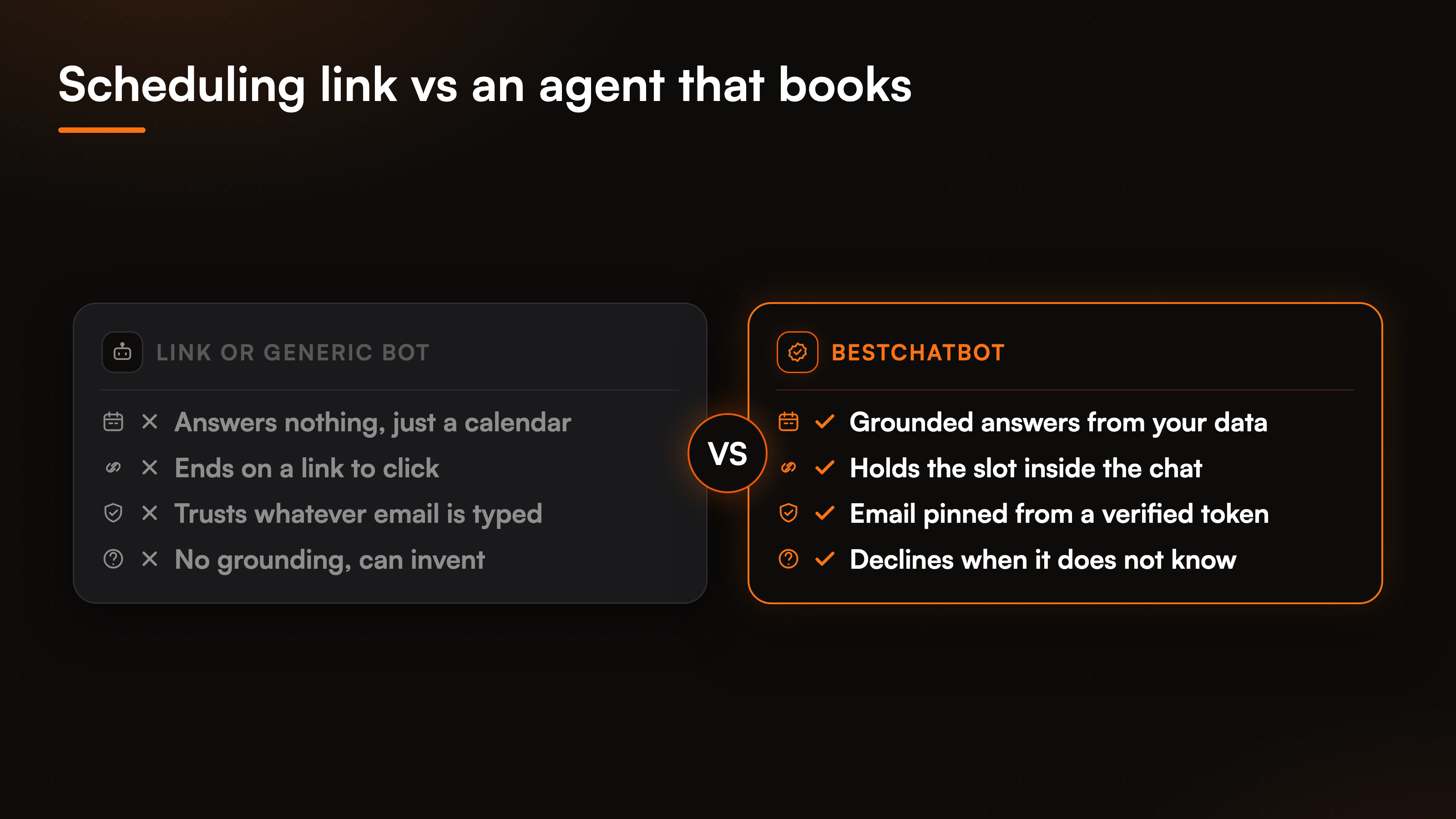
Here is the split we keep coming back to. A scheduling tool like a bare Cal.com or Calendly page is very good at one thing: showing open times and taking a pick. It does not answer the questions that come before the pick, and it does not know your refund policy or your service list. A generic AI scheduling bot chats fluently but often makes things up and still ends by handing over a link.
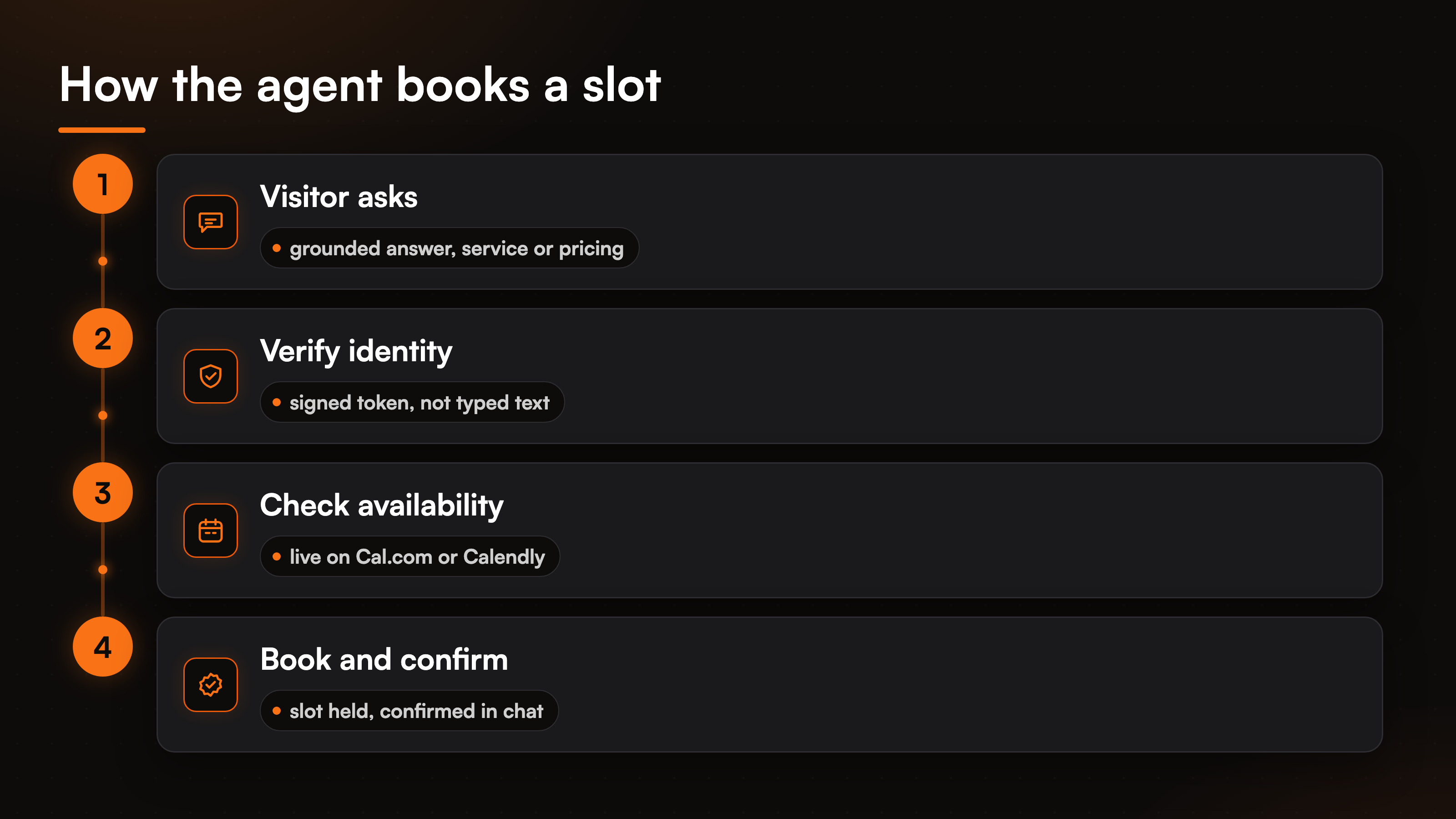
BestChatBot sits in a different spot. It is a website AI support agent you train on your own content, and it runs real actions through secure connections. A visitor can ask what a first consultation includes, get a grounded answer pulled from your pages, then say "book me Thursday at 10" and have the agent hold that exact slot. One widget does the answering and the booking, so the visitor never leaves the thread. That is the whole reason to book appointments with AI inside the chat instead of bouncing to a separate page. It is the same shift we cover in AI customer service that takes action: an agent that resolves the request, not one that just answers and links out.
The calendar itself is a real connection, not a scrape. BestChatBot connects to Cal.com or Calendly, one calendar per account, and the booking action reads live availability and writes the appointment. Used this way it behaves like a proper Cal.com booking bot: the agent checks the open times on your actual calendar and confirms the slot back to the visitor in plain language. Across every category the product ships 8 connectors and 29 prebuilt actions covering scheduling, support tickets, CRM, payments, and e-commerce, so booking is one slice of a wider action library rather than a standalone gadget.
How the bot keeps a booking safe
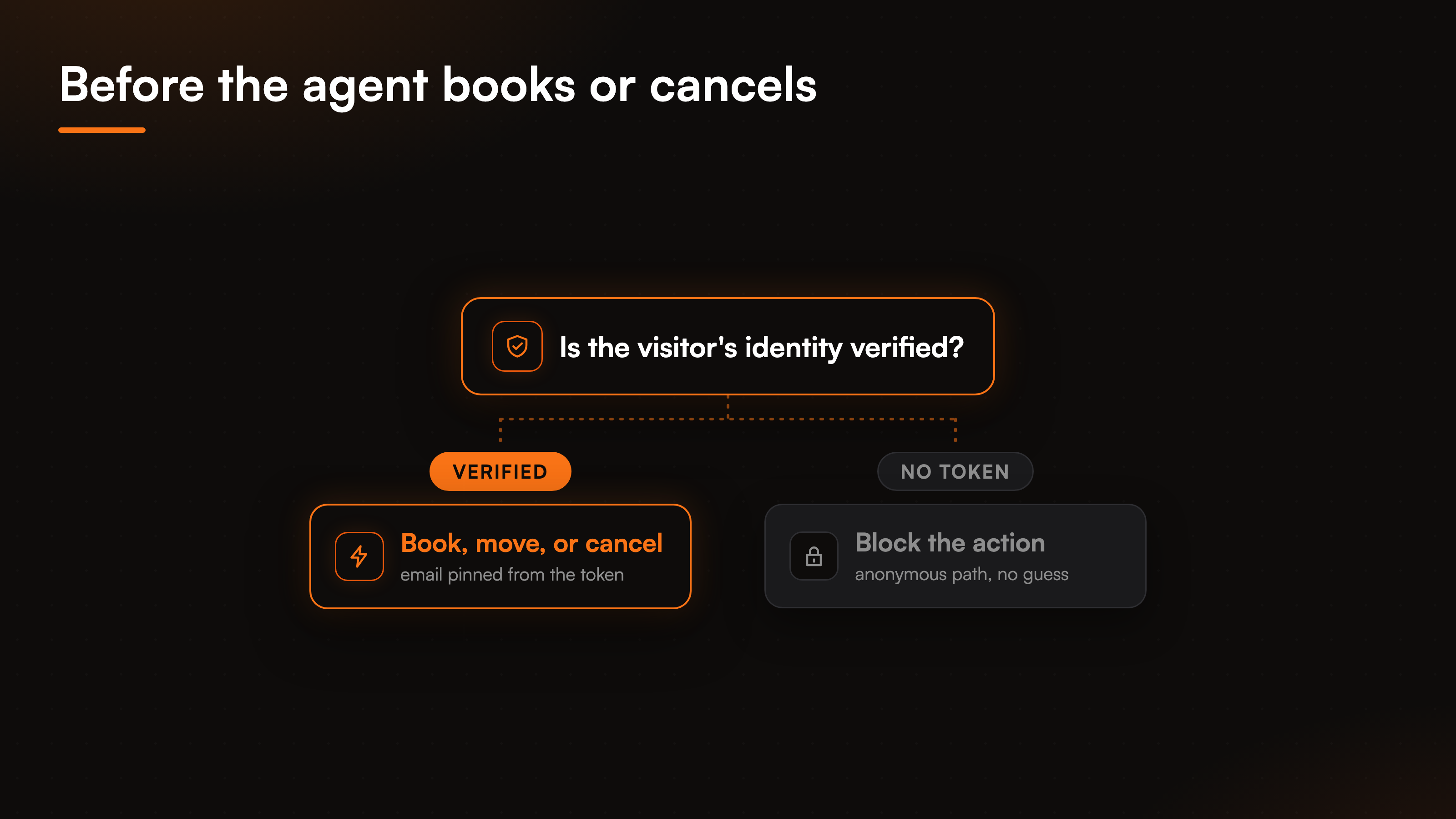
Booking under someone's name is exactly the kind of action you do not want a bot doing on trust. Cancel a stranger's appointment because they typed a different email, and you have a support incident, not a feature. BestChatBot closes that door by gating customer-specific actions behind a verified identity.
Here is the mechanism, step by step. Before the agent books, moves, or cancels an appointment tied to a person, it requires a signed identity token, a JWT, for that visitor. The email and name come from that verified token, not from whatever text someone types into the chat box. No verified identity means the action is blocked or stays on an anonymous path, never a silent guess. So one visitor cannot cancel another visitor's slot by swapping in a different address. The identity verification guide walks through how that pinning works if you want the full picture.
Grounding backs this up on the answer side. Ask the agent something outside what you gave it, a service you do not offer or a price you never published, and it declines rather than inventing. That decline behavior is the point of a grounded setup, and it is the same reason the agent will not confirm a booking it cannot actually place.
The checklist, side by side
Booking is one job inside a support agent, so the question is not "which calendar app is best" but "which bot answers, verifies, and books without dropping the visitor". The table below is the short version of the six traits above.
| What to compare | Scheduling widget | Generic chat bot | BestChatBot |
|---|---|---|---|
| Answers first | No, just a calendar | Chats, can invent | Grounded in your data, declines when unsure |
| Books the slot | Yes, on its own page | Hands over a link | Holds the slot inside the chat |
| Identity for actions | None | Trusts typed input | Email pinned from a verified token |
| Calendar connection | Native to itself | Usually none | Cal.com or Calendly via secure connection |
| Escalation | None | Dead end | Ticket in Zendesk or Freshdesk |
| Install | Embed or link | Varies | Paste one widget snippet |
Escalation stays honest in the same spirit. When the agent cannot resolve a request, it does not fake a live transfer. It creates a ticket in Zendesk or Freshdesk and routes it to your team with the conversation attached. The calendar connectors are exclusive by category, so you wire one scheduling tool, one support desk, and one store, and the agent runs the stack you already use.
Grounded answering starts on the free tier, so the agent can handle service and pricing questions right away. The booking actions, like every agentic connector, run on the Pro and Business plans. If you are weighing the wider action set, our appointment booking breakdown covers check, book, and cancel end to end.
FAQ
What is the best AI appointment booking bot for a small service business?
The best AI appointment booking bot for a small service business answers questions from your real content, verifies the visitor, then writes the slot to your calendar inside the chat. BestChatBot does that against Cal.com or Calendly behind a verified identity, so the appointment is real and no one can book or cancel under another person's name.
Does the booking bot connect to my real calendar?
Yes. BestChatBot connects to Cal.com or Calendly, one calendar per account, through a secure connection. The booking action reads live availability and writes the appointment, so it behaves like a proper Cal.com booking bot rather than a static scheduling link.
Can the bot book without checking who the visitor is?
No, and that is on purpose. Any action tied to a specific person, booking, moving, or cancelling, needs a verified identity token first. The email and name come from that token, not from typed text, so one visitor cannot touch another visitor's appointment.
Which plan do the booking actions need?
Grounded answering starts on the free tier, so the agent can field service and pricing questions immediately. The booking actions run on the Pro and Business plans. The pricing guide lays the tiers out against your monthly volume.
What happens when the bot cannot handle a request?
It escalates by creating a ticket in Zendesk or Freshdesk and routing it to your team with the full conversation attached. There is no invented answer and no fake live transfer, so the visitor gets a real handoff and your team gets the context.
Still weighing tools? Browse the full set of head-to-heads on the compare hub to see how a booking agent stacks up against every other option.