
Build vs Buy an AI Support Agent
Build vs buy an AI support agent: the real cost of building grounding, connectors, and identity in-house versus buying an installable grounded widget.
Somewhere in every growing support team there is a moment when someone says: we could just build this ourselves. The tools exist. The models are public. A couple of engineers, a few weeks, and you own the whole thing. It is a fair instinct, and sometimes it is the right call. But the estimate that gets typed into the planning doc almost always prices the wrong thing. It prices the demo, not the product.
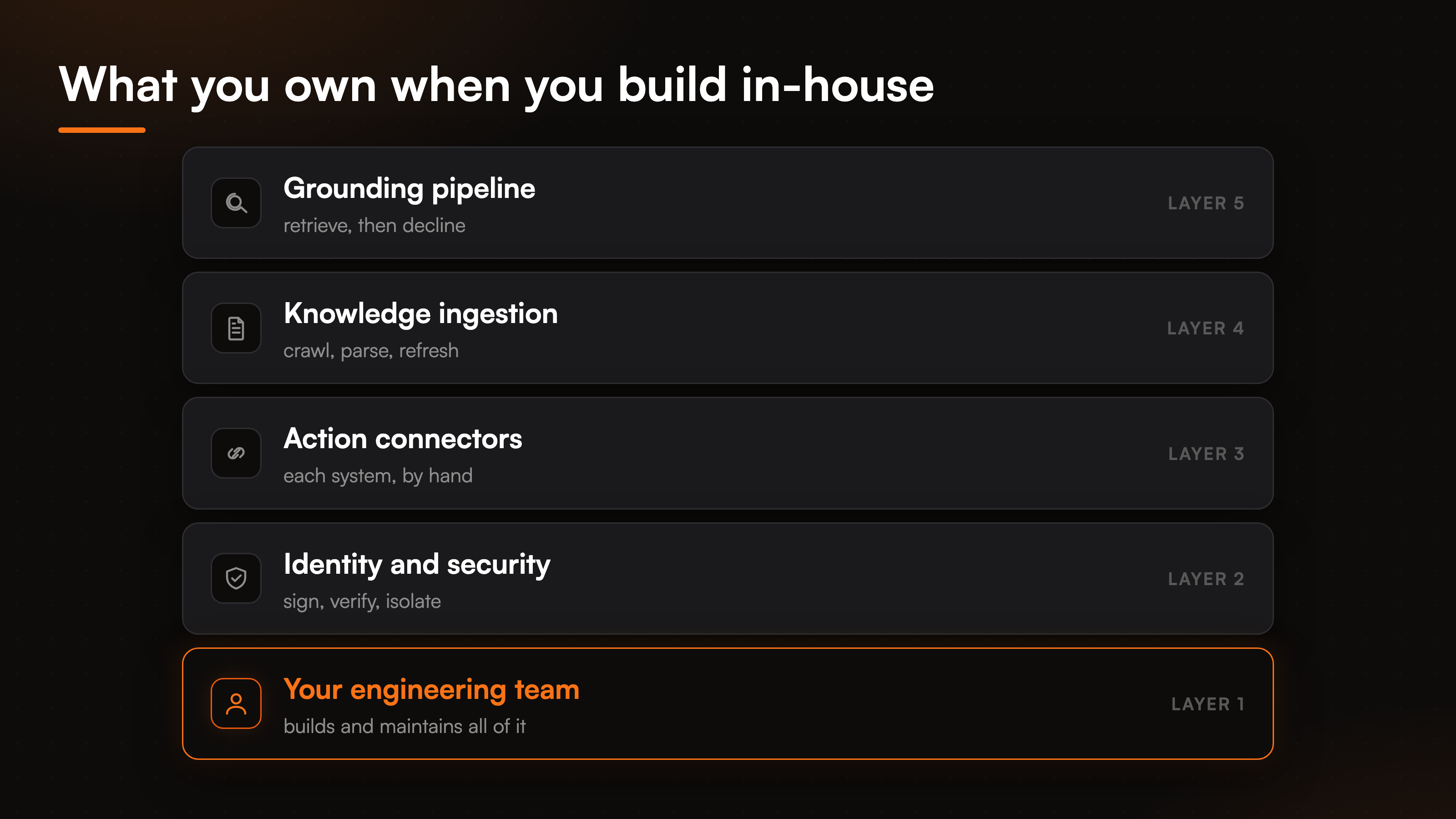
An AI support agent that holds up in front of real customers is not one feature. It is a grounding pipeline, a knowledge base that stays current, a set of connectors to your real systems, a way to verify who a visitor is before it acts, and a place to host all of it that does not fall over during a launch. This is the build vs buy an AI support agent decision, and it turns on the parts that never make it into the first estimate. Here is what building really costs, what buying gives you on day one, and when each one wins.
What building an AI support agent really involves
The demo is easy. Wire a model to a vector store, paste in some docs, and you have something that answers questions in an afternoon. That afternoon is what fools the estimate. The distance between that afternoon and a support agent your customers rely on is where the real cost lives.
Start with grounding. A model that answers from your content has to retrieve the right passage, decide whether the answer is actually in there, and decline when it is not. Getting it to answer is easy. Getting it to say "I do not have that" instead of inventing a refund policy is the hard part, and it is what keeps a wrong answer from turning into a ticket or a chargeback. Behind that, the knowledge has to stay current: someone has to crawl the site, parse the documents, detect what changed, and rebuild. Then come the connectors. An agent that only talks is a search box with manners. To check an order or book a slot it has to reach your store, your calendar, your help desk, one system at a time, each with its own auth and its own edge cases. On top of that sits identity. The moment the agent does anything tied to a specific customer, it has to know that customer is who they claim to be, which means signing and verifying tokens, pinning the email and name from that identity, and blocking the action when the proof is missing.
Every one of those is a project on its own, and none of them is the model.
The maintenance bill nobody puts in the estimate
The build estimate is a one-time number. The real cost is a subscription you pay in engineering time, and it never stops.
Models change. A provider ships a new version, deprecates the old one, and your prompts behave differently overnight. Your product changes, so the knowledge base drifts out of date and quietly starts answering with last quarter's pricing. A connector's API updates and the return flow breaks on a Saturday. None of this shows up in the first sprint. All of it shows up in month four, and it lands on the same engineers you hired to build features. The cost to build an AI agent is a one-time line. The cost to run it is not. A home-built, in-house AI support agent does not get cheaper after launch. It gets more expensive, because now it is load-bearing and someone has to be on call for it.
This is why the honest comparison is never build cost versus subscription price. It is the total cost of building and running versus the price of buying. If you want raw dollar figures for the buy side, our breakdown of what it costs to buy an AI support agent covers that in detail.
What you get on day one when you buy
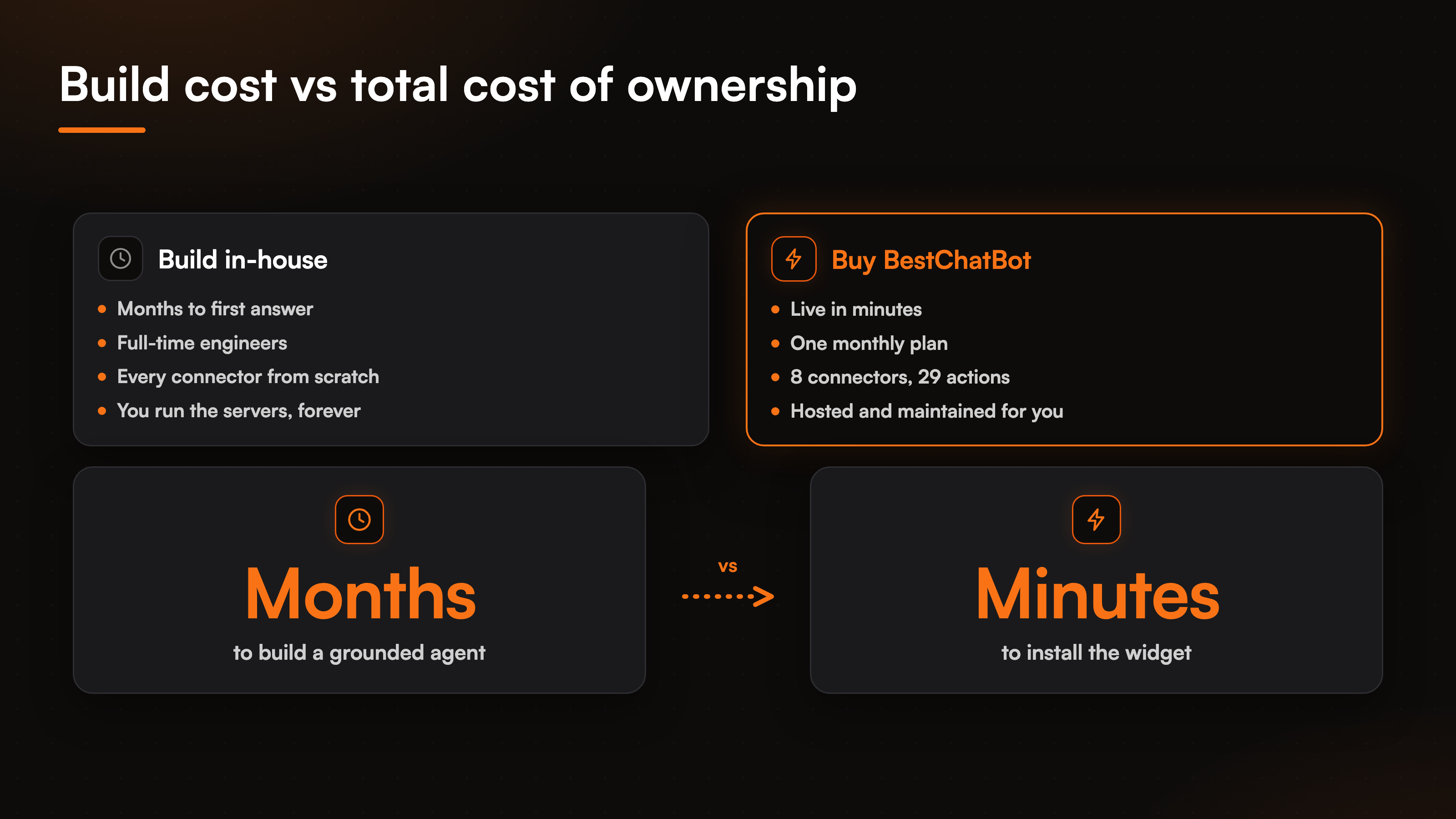
BestChatBot is the buy side of this decision, and the whole point is that the parts you would spend months building are already wired.
You install a widget with one line of embed, point it at your content, and it answers from that content while declining when a question falls outside it. The grounding, the crawling, the change detection, and the hosting are ours to run, not yours. On the action side there are 8 connectors and 29 prebuilt actions across scheduling, support, CRM, payments, and e-commerce, so the agent can check an order, book an appointment, start a return, or file a ticket without you writing a single connector. Those actions are identity-gated: anything tied to a specific customer needs a verified visitor identity, and the email and name are pinned from that token before the action runs, so the agent cannot act for someone who has not proven who they are. When it cannot resolve a question, it files a ticket in Zendesk or Freshdesk and routes it to your team's inbox.
The connectors are one per category on purpose. One calendar, one help desk, one store, chosen from the eight, rather than a promise of a hundred half-working ones. Action execution runs on the Pro and Business plans, while grounded answering is available from the free tier up. If the action layer is what you care about, our page on agentic actions walks through the full library.
Build vs buy, side by side
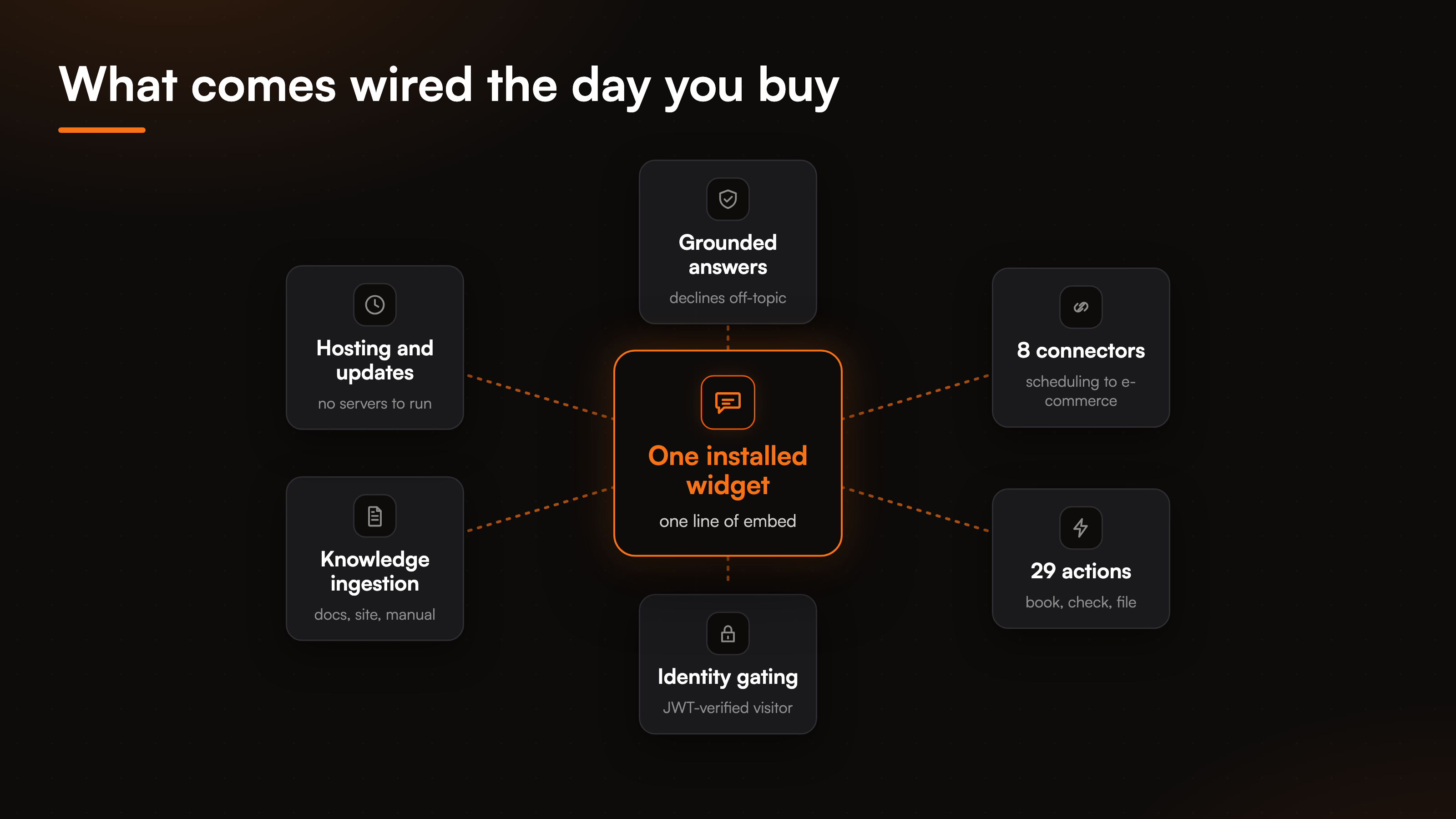
The build vs buy chatbot debate usually stops at sticker price. The more useful view lines up the two paths row by row, because the difference is not only what you pay, it is who carries each piece.
| Dimension | Build in-house | Buy BestChatBot |
|---|---|---|
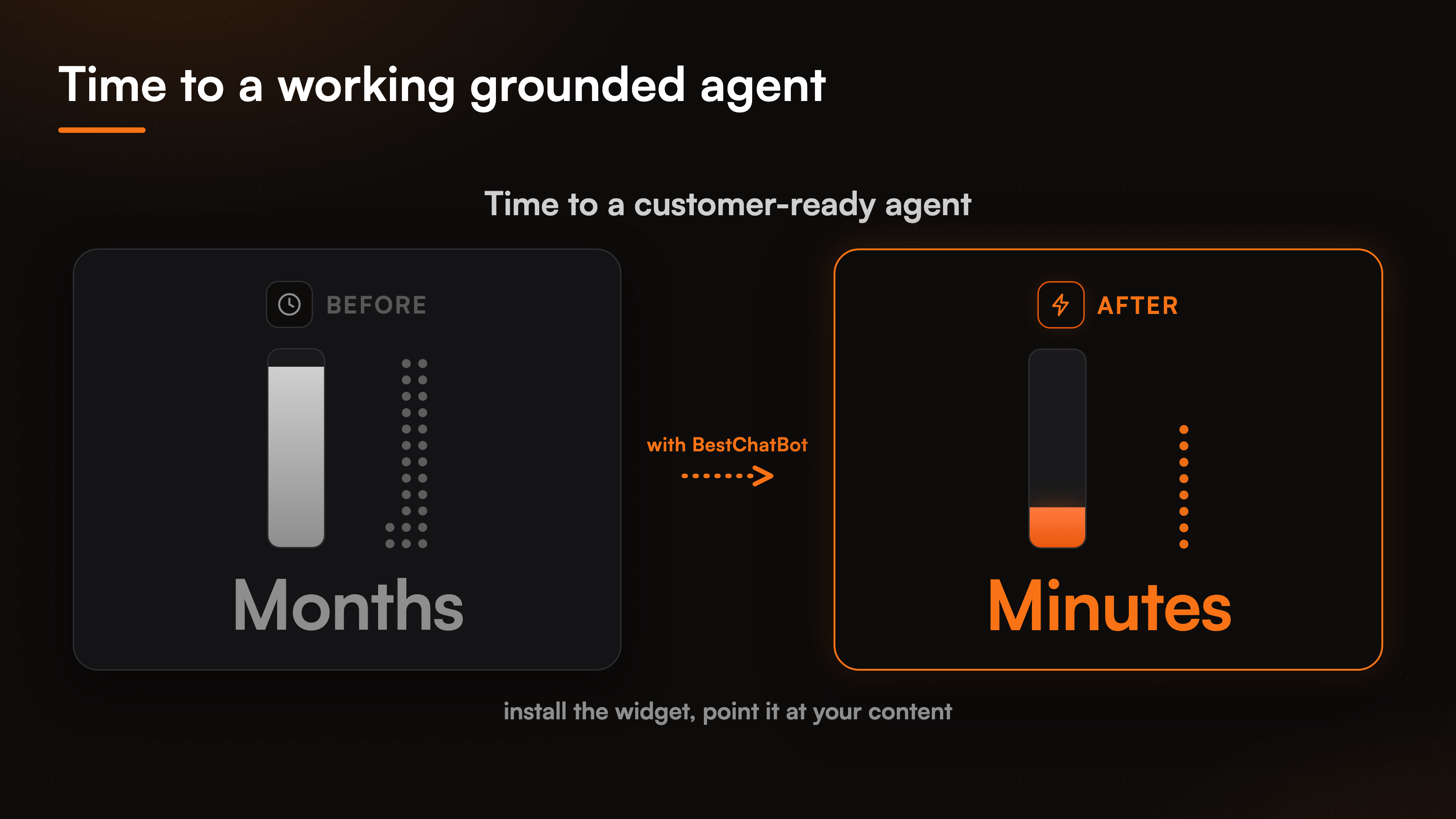
| Time to a customer-ready answer | Months | Minutes to install |
| Upfront cost | Engineering salaries | A monthly plan |
| Grounding and decline logic | You design and tune it | Built in |
| Connectors to your systems | One at a time | 8 ready, 29 actions |
| Identity and security | You sign and verify tokens | JWT gating included |
| Ongoing maintenance | Your on-call rotation | Handled for you |
| Hosting | Your servers | Hosted for you |
The two columns do not only differ in price, they differ in who answers when something breaks. Build, and every row is a thing your team owns and maintains. Buy, and those rows become someone else's job while you keep the one that matters: your knowledge and your customers. The starkest row is the first one, the gap between months of work and a widget you install before lunch.
When building still makes sense
Buying is not always right, and pretending otherwise would be a sales pitch rather than advice.
Building your own makes sense when the agent is the product rather than a support function. If conversational answers are the thing customers pay you for, that logic belongs in-house where you can shape every detail. It makes sense when you have a hard requirement no vendor can meet, or a data residency rule that rules out a hosted tool. And it makes sense when you already run a machine learning team with the time to maintain a pipeline, so the ongoing cost is a rounding error against work you do anyway.
For most teams, none of those hold. The agent is support, not the product, the requirements are ordinary, and the engineers are already busy. In that case the build estimate is real but the maintenance estimate is the one that decides it, and buying wins on the second number even when it loses on the first. To put actual figures against your own case, our guide to custom support bot cost breaks the build side down line by line, and the AI support ROI calculator turns those variables into a monthly number.
FAQ
Is it cheaper to build or buy an AI support agent?
It depends on which number you compare. A build looks cheaper if you only count the first version, since a demo comes together fast. Buying tends to win once you add the maintenance a home-built agent needs every month after launch: model updates, knowledge refreshes, and connectors that break. Compare total cost of building and running against the subscription, not build cost against price.
What does building an AI support agent actually require?
More than a model. You need a grounding pipeline that retrieves the right content and declines when the answer is not there, a knowledge base that crawls and refreshes on its own, connectors to each system the agent acts on, and identity verification so it only acts for a proven visitor. Each of those is a project, and each keeps costing after it ships.
What do you get on day one that you would otherwise build?
An installed widget that answers from your content and declines out-of-scope questions, plus 8 connectors and 29 prebuilt actions across scheduling, support, CRM, payments, and e-commerce. Identity gating, hosting, crawling, and change detection are all included, so the parts a build spends months on are wired before you start.
When does building your own support agent make sense?
When the agent is the product itself, when a hard requirement or data rule rules out any hosted tool, or when you already run a team that can maintain the pipeline without pulling engineers off other work. If the agent is a support function and your engineers are busy, the maintenance load usually tips the decision toward buying.
Do the agentic actions come with every plan?
No. Grounded answering, where the agent replies from your knowledge base and declines when a question falls outside it, is available from the free tier. The agentic actions, the 8 connectors and 29 actions that let the agent book, check, and file tickets, run on the Pro and Business plans.
To match a plan to your own volume and see where the paid tiers sit, start with the AI support pricing guide.
The lowest-risk way to test the buy path is to try it free first and only move up a tier once the volume justifies it.