
Free AI Chatbot for Your Website
A free AI chatbot for your website: what the free plan actually includes, where paid begins, and how to set up grounded answers without a credit card.
Type "free AI chatbot" into a search bar and you get a wall of promises. Most of them mean one of two things: a rule-based bot with a decision tree from 2015, or a 14-day trial that turns into a paywall the moment a real customer asks a real question. Neither is what you actually want. You want an assistant that reads your own content, answers from it, and does not cost anything to try on your live site.
That version exists, and it is worth being precise about what it does and does not do. A genuinely free AI chatbot for your website should answer from your knowledge, decline when a question falls outside it, and install without a sales call. What it will not do on a free plan is take actions on your other systems, and any honest page should say so up front. Here is exactly what the free tier covers, where the paid line sits, and how to get a grounded widget running on your site today, no credit card required.
What most "free AI chatbot" offers really are
Before the good news, the fine print. Free chatbots tend to fall into a few buckets, and knowing which one you are looking at saves a lot of wasted setup time.
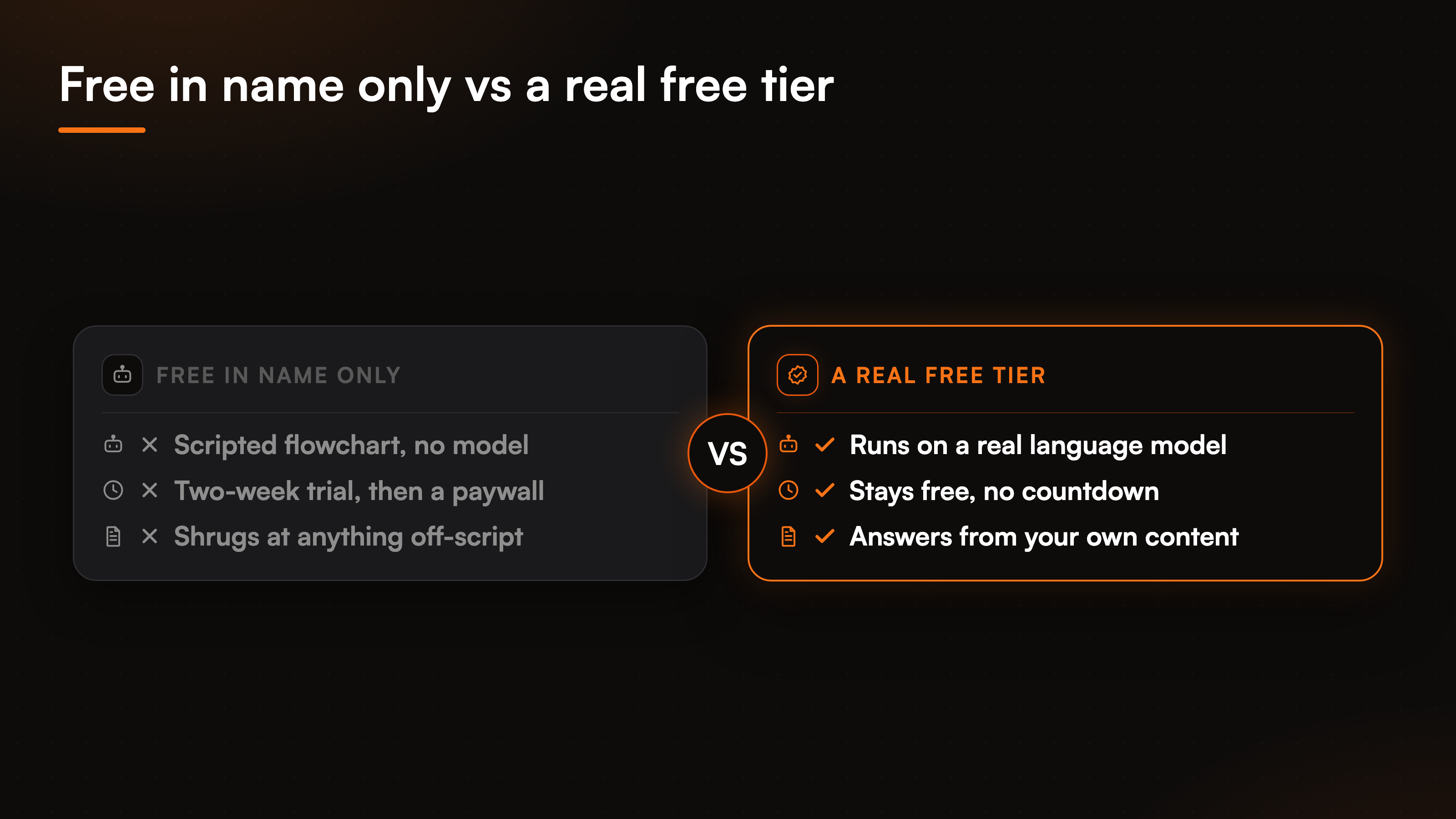
The first bucket is the scripted bot. It is free because it does not use a model at all: you build a flowchart of buttons, and anything off the script gets a shrug. The second is the loss-leader trial, which is really a paid product wearing a free badge for two weeks. The third, and the one worth having, is a real free tier: a plan that stays free, runs on an actual language model, and answers from content you upload. We built the free plan to be the third kind. It does not learn on its own, and it does not pretend to. You give it your docs and your site, and it answers from those, which is the honest version of "trained on your business."
What the free plan actually includes
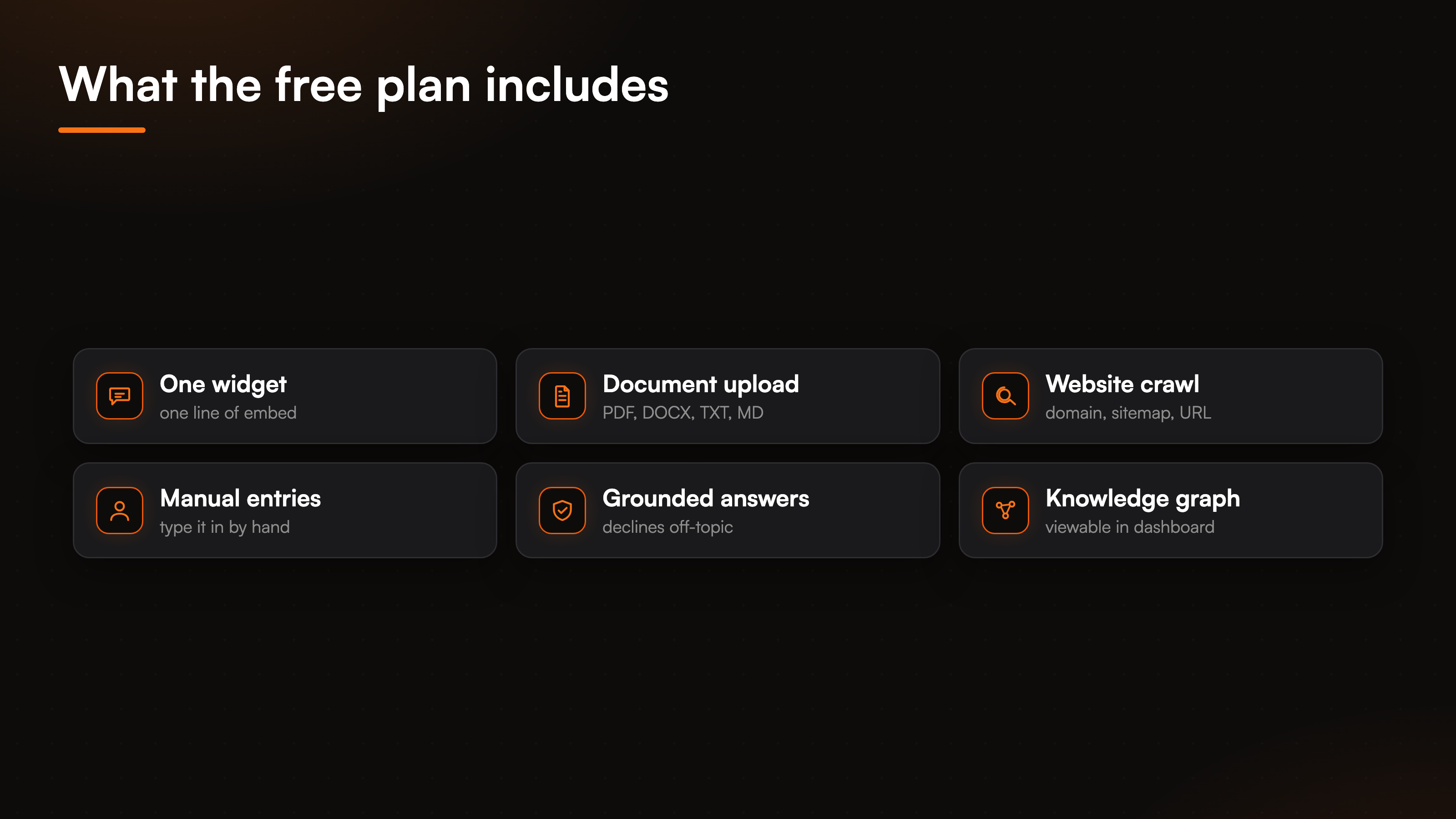
The free plan is the grounded answering engine, installed as a website widget, with no credit card to start. That is the whole surface, and each piece is real.
You install one widget on your site. You feed it knowledge from three kinds of sources: documents you upload (PDF, DOCX, TXT, or Markdown), your website (a full-domain crawl, a sitemap, or a single URL, with public pages only), and manual entries you type in yourself. The widget then answers visitor questions from that content and declines when the answer is not there, instead of inventing a policy or a price. It can show its sources so a visitor can check the answer. A knowledge graph sits on top of everything you add, and you can view it in the dashboard. When you change your content, you update the knowledge yourself: re-upload a file, re-crawl the site with change detection, or edit an entry by hand. Nothing about the free plan is a countdown to a bill.
The limits are on volume, not capability. Plans differ by how many responses you get per month, how many active workspaces you run, how large the knowledge base can be, how many URLs you can train on, and how often you can rebuild. The free tier gives you a real, working assistant inside those limits, which is enough to prove the thing answers correctly before you pay for scale. If you want the raw numbers behind each tier, the AI support pricing guide lays them out.
Where free ends and paid begins
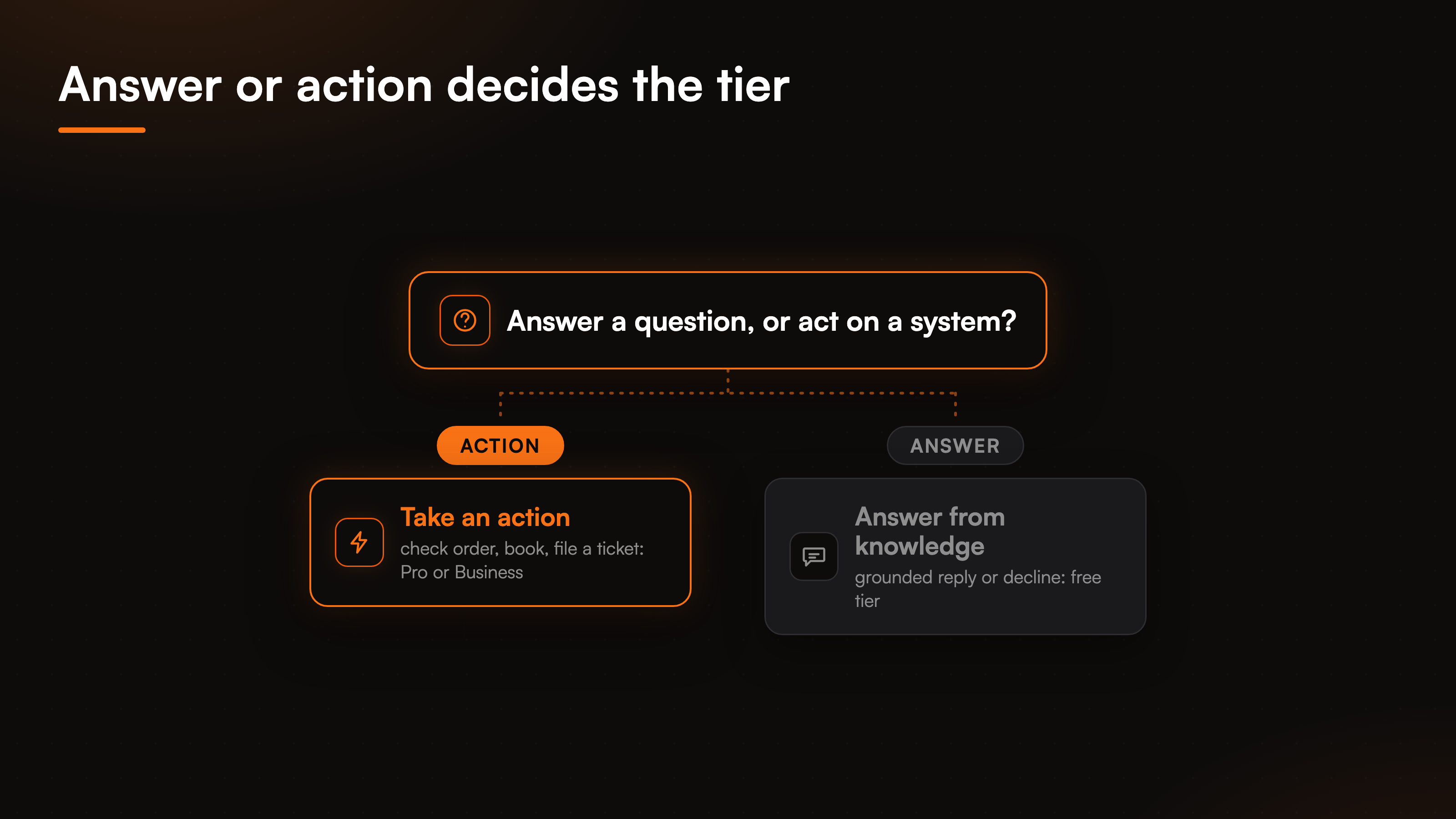
This is the part other pages leave vague, so here it is plainly: the free plan answers, it does not act.
Grounded answering, where the assistant replies from your knowledge base and declines out-of-scope questions, is available from the free tier up. The agentic actions are not. Those are the 8 connectors and 29 prebuilt actions that let the assistant check an order, book an appointment, start a return, look up a subscription, or file a support ticket in Zendesk or Freshdesk. Action execution runs on the Pro and Business plans, because each action reaches into a real system and needs identity checks, connector infrastructure, and guardrails behind it. A free plan cannot open a return in your store, and we would rather say that than let you find out mid-launch. If the action layer is the reason you are here, the agentic actions page walks through the full library and which tiers include it.
The grounding itself is the same engine on every plan. A free answer declines an out-of-scope question exactly the way a paid one does, because refusing to guess is not a premium feature, it is the point. Our write-up on grounded, no-hallucination answers explains how the widget decides when it does not know.
Set up your free chatbot in four steps
None of this needs an engineer. The free plan is designed so a support lead or a founder can have a working widget by the end of an afternoon.
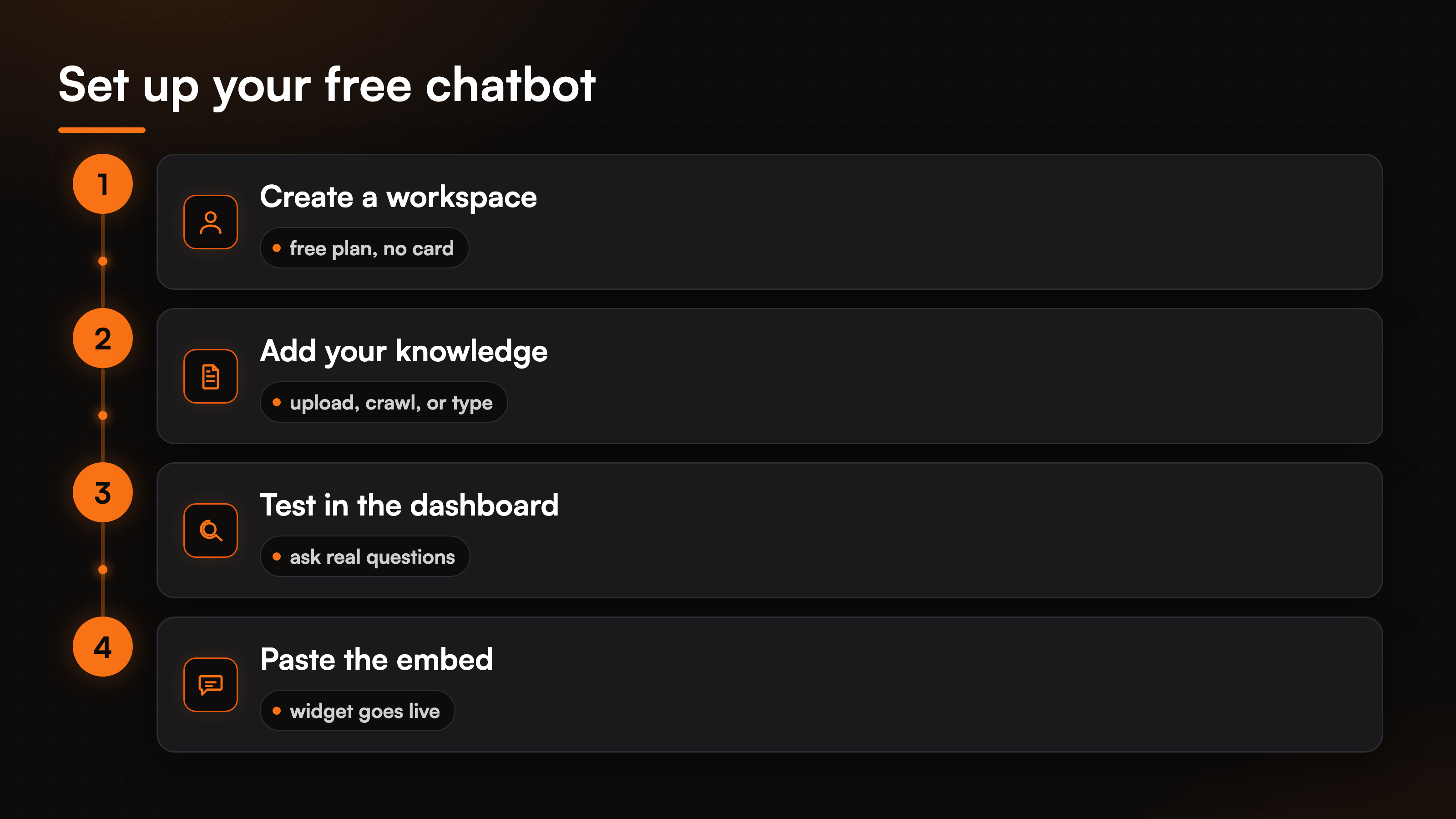
Create a workspace and start on the free plan, no card required. Add your knowledge: upload a few core documents, point the crawler at your site or drop in a sitemap, and type in anything that only lives in someone's head. Test it in the dashboard by asking the questions your customers actually ask, and watch where it answers well and where it declines, then patch the gaps by adding or editing knowledge. When it holds up, copy the one-line embed and paste it into your site's HTML or your CMS, and the widget goes live. That is the loop: add knowledge, test, install, refine.
When it makes sense to upgrade
Free is a real plan, not a trap, so plenty of small sites live on it happily. The signals that it is time to move up are concrete, not a vague nudge.
This is the free vs paid chatbot line in one sentence. The first signal is volume. If you run past the monthly response limit, answers stop until the window resets, and that is the point where a paid tier pays for itself. The second is actions. The moment "answer my question" turns into "check my order" or "book me a slot," you need the agentic layer, and that starts on Pro. The third is ticketing: if you want the assistant to file an escalation in Zendesk or Freshdesk instead of just declining, that routing is an action, so it lives on the paid tiers too. To size a plan against your own traffic and see where the paid tiers land, the AI support cost breakdown and the pricing models guide do the math for you.
FAQ
Is the free AI chatbot actually free, or a trial?
It is a real free plan, not a countdown. You create a workspace, add your knowledge, and run a grounded widget on your live site with no credit card. The limits are on volume, active workspaces, knowledge base size, trainable URLs, and rebuild frequency, not on a two-week timer. You move to a paid tier when you outgrow those numbers or need the assistant to take actions, not because a trial expired.
What can the free chatbot do that a scripted bot cannot?
It answers from your own content with a language model instead of following a fixed flowchart. Upload your docs, crawl your site, and it responds in natural language, citing sources when you want, and declines when a question falls outside what you gave it. A scripted bot can only follow the branches you drew; this one reads your knowledge and answers questions you never explicitly mapped.
Does the free plan include the agentic actions?
No. Grounded answering is on the free tier, but the 8 connectors and 29 actions, checking orders, booking appointments, starting returns, filing tickets, run on the Pro and Business plans. Each action reaches into a real system and needs identity verification and guardrails, which is why action execution sits behind the paid tiers.
How do I add knowledge to the free chatbot?
Three ways, and you can mix them. Upload documents in PDF, DOCX, TXT, or Markdown. Point the widget at your website with a full-domain crawl, a sitemap, or a single URL, using public pages only. Or type entries in by hand for anything not written down elsewhere. The assistant does not learn on its own, so you keep it current by re-uploading, re-crawling with change detection, or editing entries directly.
Can I put the free chatbot on my website without a developer?
Yes. Once your knowledge is in and you have tested the answers in the dashboard, you copy a single line of embed code and paste it into your site's HTML or your CMS. No SDK, no backend work. The widget is the only surface, which keeps the install to one step.
To match a plan to your own volume and see where free ends, start with the AI support pricing guide.