
AI Support Pricing Models: Per-Resolution vs Subscription
AI support pricing models explained: how per-resolution and per-conversation billing compare to a flat subscription by volume, and where BestChatBot fits.
You are shortlisting AI support tools, and every pricing page reads like a different language. One charges per resolution. One charges per conversation. A third quotes a flat monthly fee tied to a bucket of responses. Same category, three ways of counting, and no clean way to line them up. The question that matters is not "which tool looks cheapest on the page" but "which billing model matches how my traffic actually behaves".
This guide walks through the two families of AI support pricing models. On one side sits usage-based billing, where you pay per resolution or per conversation. On the other sits a flat subscription tied to volume. We will cover what each one bills you for, where each one bites, and how BestChatBot's own plans are built. If you want dollar figures rather than the logic behind them, our breakdown of what an AI support agent costs covers that side. This page is about the models themselves.
The two pricing models behind most AI support tools
Almost every AI support vendor prices in one of two ways. Whatever the marketing calls it, most AI chatbot pricing reduces to these two families, and the difference decides whether your invoice stays flat or moves with your traffic.
The first family is usage-based. You pay for each unit of work the agent does. In per-resolution pricing, a unit is a conversation the agent is judged to have solved. In per-conversation pricing, a unit is any chat that opens, solved or not. Either way, the meter runs on activity. Send more chats through it, the number climbs.
The second family is a subscription tied to volume. You pick a plan with a set allowance, usually a number of monthly responses, and you pay the same amount whether you land at the bottom of that allowance or brush the top. The meter still exists, but it lives inside a tier instead of billing each event one by one.
We think the usage-based versus subscription split is the real fork in the road, more than any feature checklist. A team that reads three pricing pages and only compares headline rates is comparing numbers that do not mean the same thing.
How per-resolution and per-conversation billing actually work
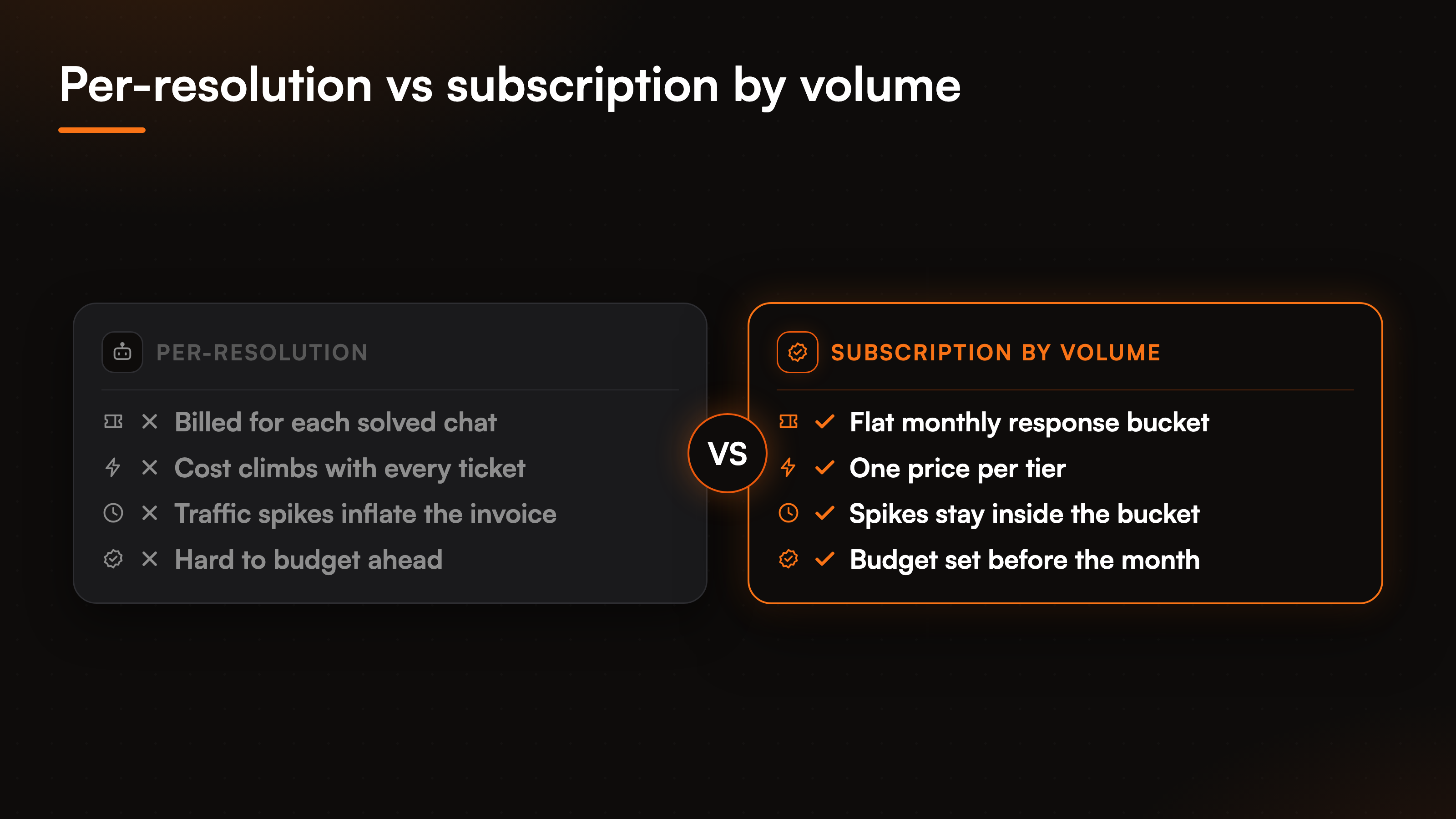
Usage-based pricing sounds fair on the surface. You pay for what you use, nothing more. The catch is in the definition of a unit, and in what happens when traffic is not flat.
Start with the unit. Per-conversation billing is the cleaner of the two to reason about, since a chat either opened or it did not. Per-resolution billing adds a judgment call: what counts as solved? If a shopper asks one question, gets an answer, and leaves happy, most people would call that a resolution. If the same shopper asks three follow-ups across two sessions, is that one resolution or three? Different vendors answer differently, and the answer changes your bill.
Now add traffic that is not flat. Support volume spikes around launches, sales, seasonal peaks, and the occasional outage. Under usage-based pricing, those spikes flow straight into the invoice. The month you most need the agent to absorb load is the month it costs the most. That is not a bug in their billing, it is the model working as designed, but it makes budgeting harder because your worst weeks and your biggest bills arrive together.
Subscription by volume: what a flat plan meters
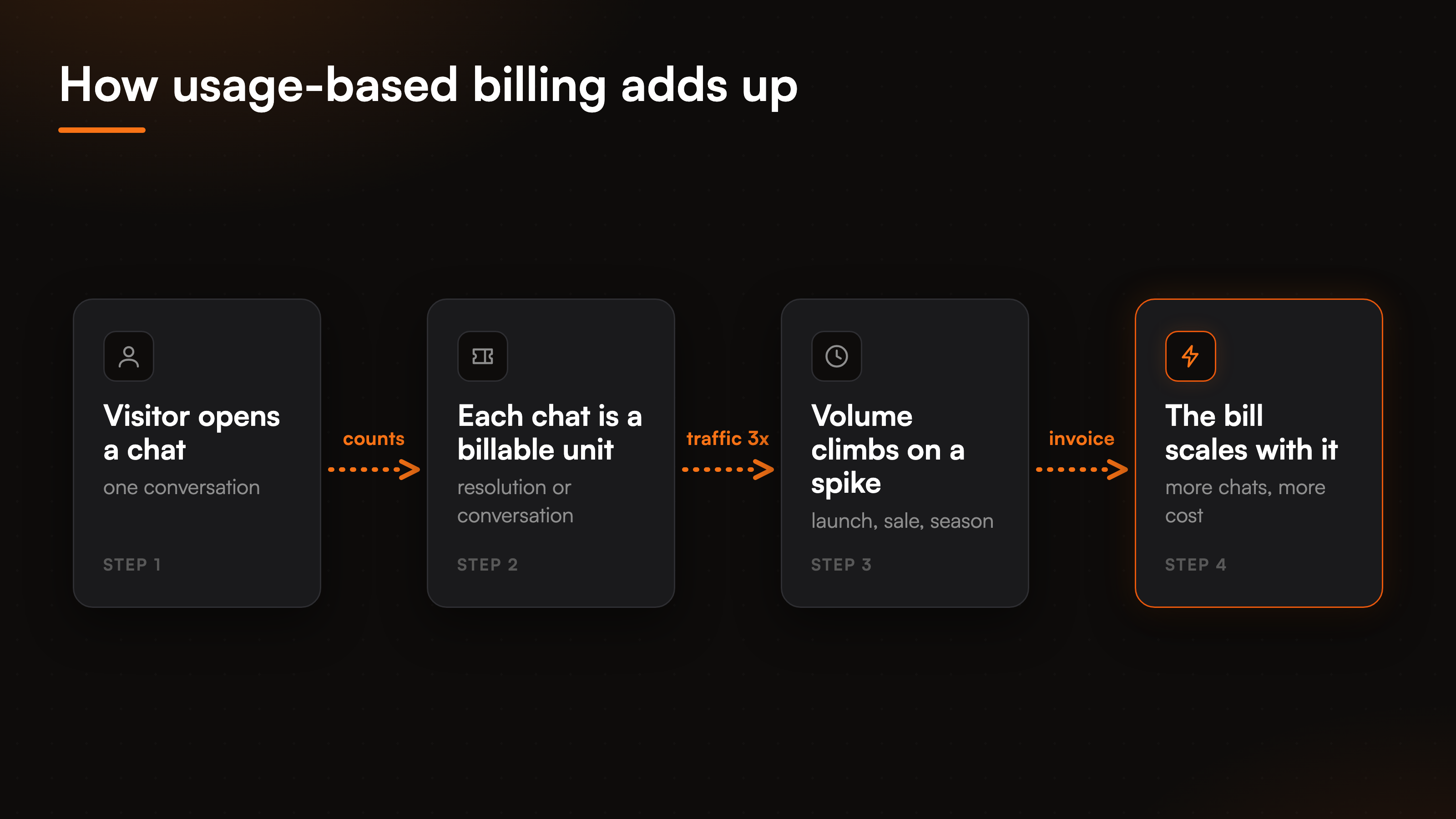
A subscription tied to volume flips the risk. You commit to a tier up front, and the price holds steady across the month. A traffic spike still consumes your allowance faster, but it does not rewrite the invoice mid-cycle. You budget once, at the start, from a number you chose.
The trade-off is that a flat plan asks you to estimate. Pick a tier too small and you run into the ceiling. Pick one too large and you pay for headroom you never touch. That estimation is easier than it looks, because most support volume is fairly steady month to month with known peaks, and you can move tiers as you grow.
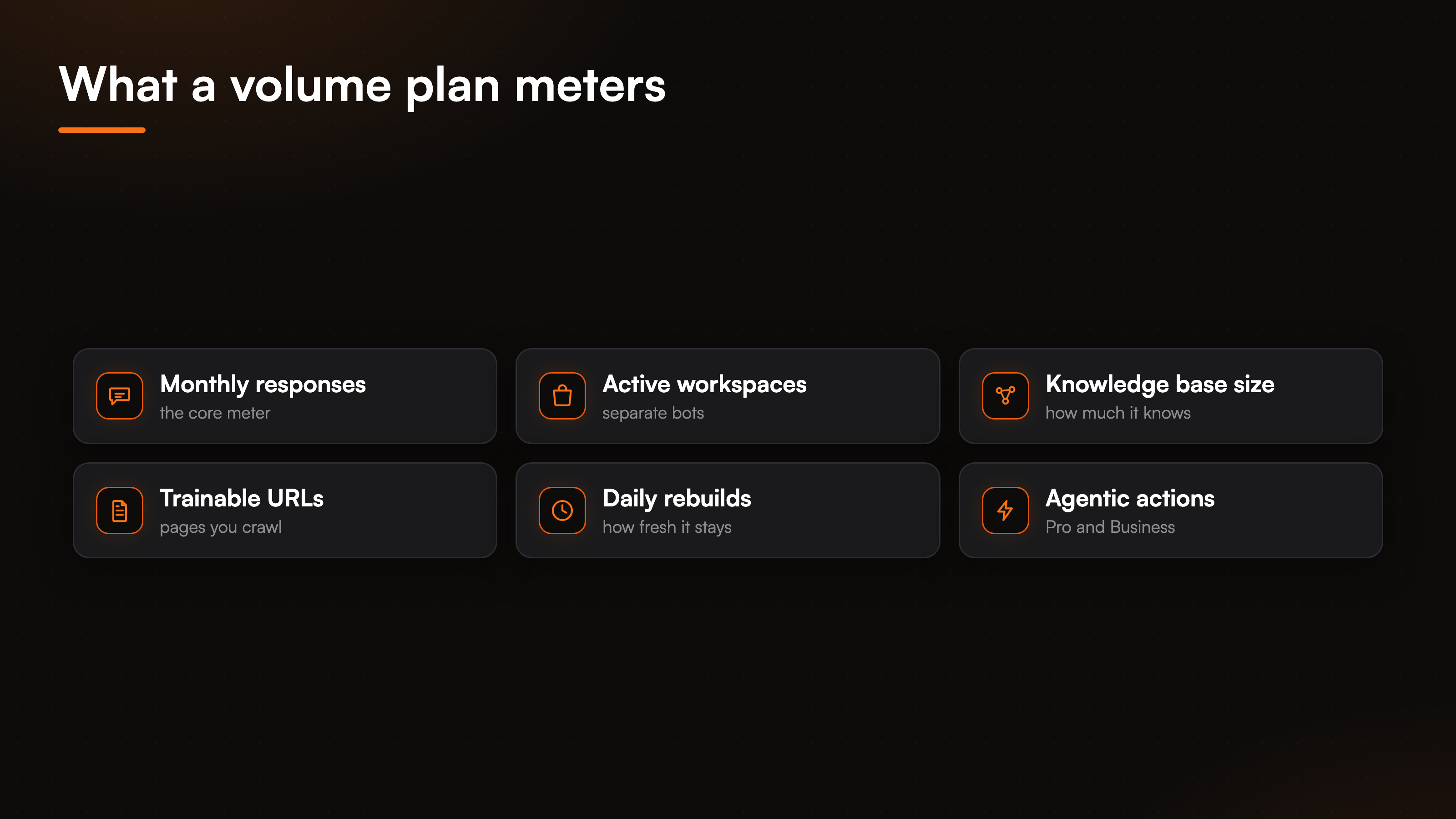
A subscription model also tends to meter more than raw response count. A single monthly-responses number rarely captures what a support agent does for a business, so plans usually gate several dimensions at once. How much the agent is allowed to know, how many separate bots you run, how fresh the knowledge stays. Those are the levers a volume plan pulls, and they matter as much as the response cap.
Where BestChatBot fits (and where the agentic tier changes the math)
BestChatBot uses the subscription-by-volume model, and it meters more than one number. Plans differ by monthly responses, active workspaces, knowledge base size, trainable URLs, and daily rebuilds. The ladder runs Free, then Starter, then Pro, then Business, and each step lifts those limits together rather than charging you per chat.
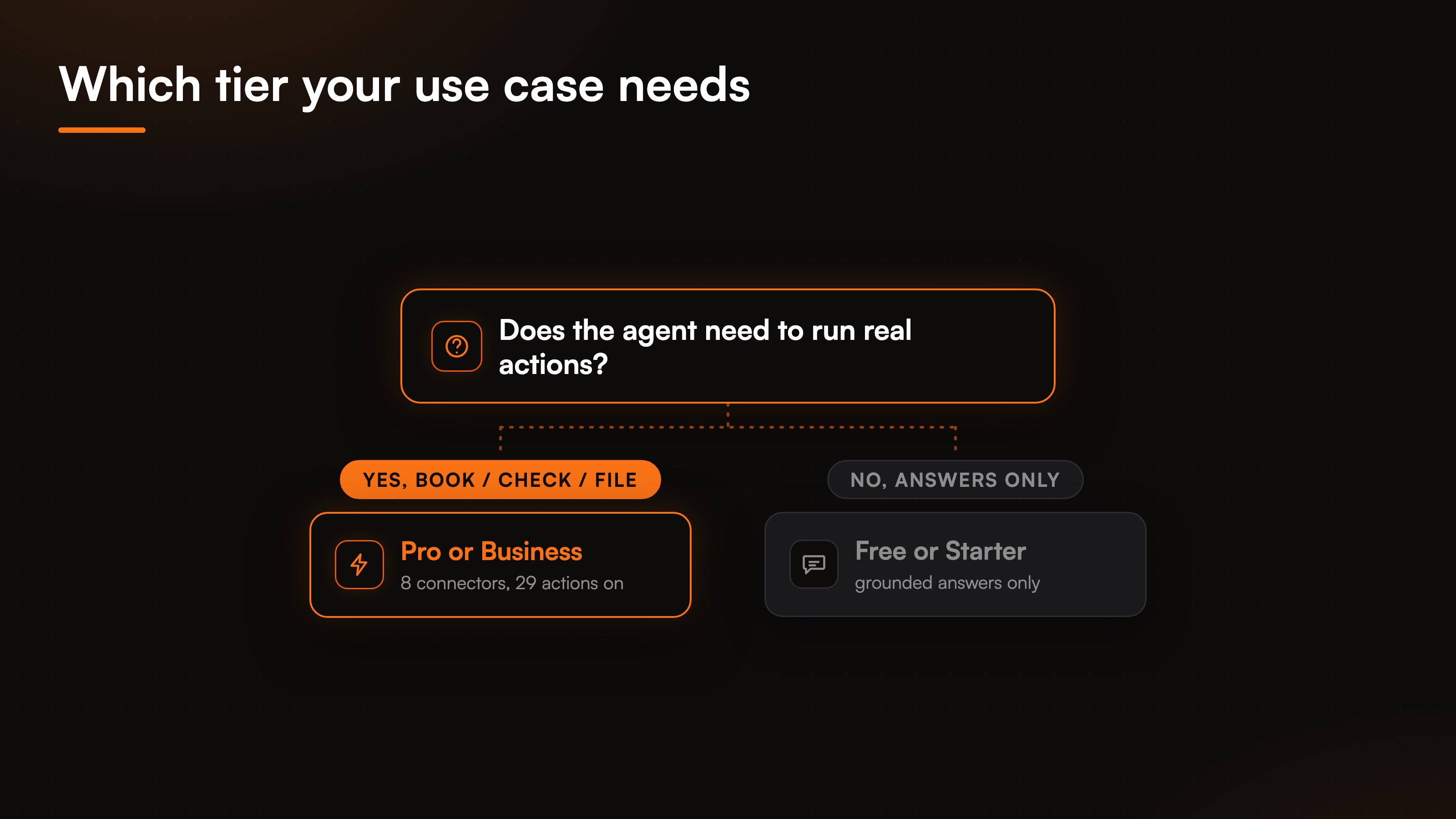
Here is the part that changes the calculation. BestChatBot does two different jobs. It answers questions from your own content, and it runs real actions on your behalf. Grounded answering, where the agent replies from your knowledge base and declines when a question falls outside it, is available from the free tier up. The action side, where the agent books an appointment, checks an order, starts a return, or files a ticket, is gated behind the Pro and Business plans. There are 8 connectors and 29 prebuilt actions across scheduling, support, CRM, payments, and e-commerce, and those live on the paid tiers.
So the pricing decision is not one axis, it is two. First, how much volume do you need. Second, do you need the agent to act or only to answer. A team that just wants a grounded FAQ agent can sit on a lower tier. A team that wants the agent to run those agentic actions needs Pro or Business, and it needs a verified visitor identity for anything tied to a specific customer, since the email and name get pinned from that identity token before any customer-specific action runs. When the agent cannot resolve something, escalation creates a ticket in Zendesk or Freshdesk and routes it to your team's inbox, rather than promising a live handoff the product does not do.
How to pick the model that fits your traffic
The choice comes down to two honest questions about your own numbers.
First, how spiky is your support volume? If it is steady, usage-based and subscription land close together, and the headline rate does most of the talking. If it swings hard around launches or seasons, a flat subscription protects you from paying the most exactly when load is highest. Predictable billing has real value when the finance team wants a number they can commit to.
Second, what do you actually need the agent to do? If answering is enough, almost any model works and you compare on cost per answer. If you need real actions, price the capability tier, not just the volume, because the action layer is where the moat and the paid line both sit. To turn these variables into a real monthly figure for your own traffic, run them through our AI support ROI calculator, and see the full plan structure in the AI support pricing guide.
FAQ
What is per-resolution pricing for AI support?
Per-resolution pricing charges you for each conversation the agent is judged to have solved. It reads as pay-for-what-you-use, but two things vary between vendors: how they define a resolution, and how your bill behaves when traffic spikes. Both push the invoice around in ways a flat plan does not.
Is subscription pricing cheaper than per-resolution?
Not always, and that is the wrong way to frame it. A flat subscription is more predictable, since the price holds across the month even during a spike. Usage-based pricing can be cheaper in a quiet month and more expensive in a busy one. Which wins depends on how steady your support volume is, not on the headline rate alone.
How does BestChatBot's pricing model work?
BestChatBot uses a subscription tied to volume. Plans differ by monthly responses, active workspaces, knowledge base size, trainable URLs, and daily rebuilds, across Free, Starter, Pro, and Business. Grounded answering starts on the free tier, and the agentic actions run on Pro and Business.
Do agentic actions cost extra?
They sit on the higher tiers rather than as a separate add-on. Answering from your knowledge base is available from the free tier, while the 8 connectors and 29 actions that let the agent book, check, and file tickets require Pro or Business. So the cost of actions is the cost of moving up a tier, not a per-action charge.
Which pricing model is more predictable?
A flat subscription by volume is the more predictable model, because you set the number at the start of the month and it does not move with traffic. Usage-based pricing trades that predictability for a bill that tracks activity, which helps in slow months and hurts in spikes.
Ready to match a plan to your own volume? Start with the AI support pricing guide to see how the tiers line up.
Since grounded answering starts at no cost, it is worth seeing what a free plan actually includes before you match a paid tier to your volume.