
Identity Verification for AI Support (JWT)
How identity verification for AI support works with a signed JWT: the host-to-widget handshake, backend verification, anti-IDOR pinning, and what a verified identity unlocks.
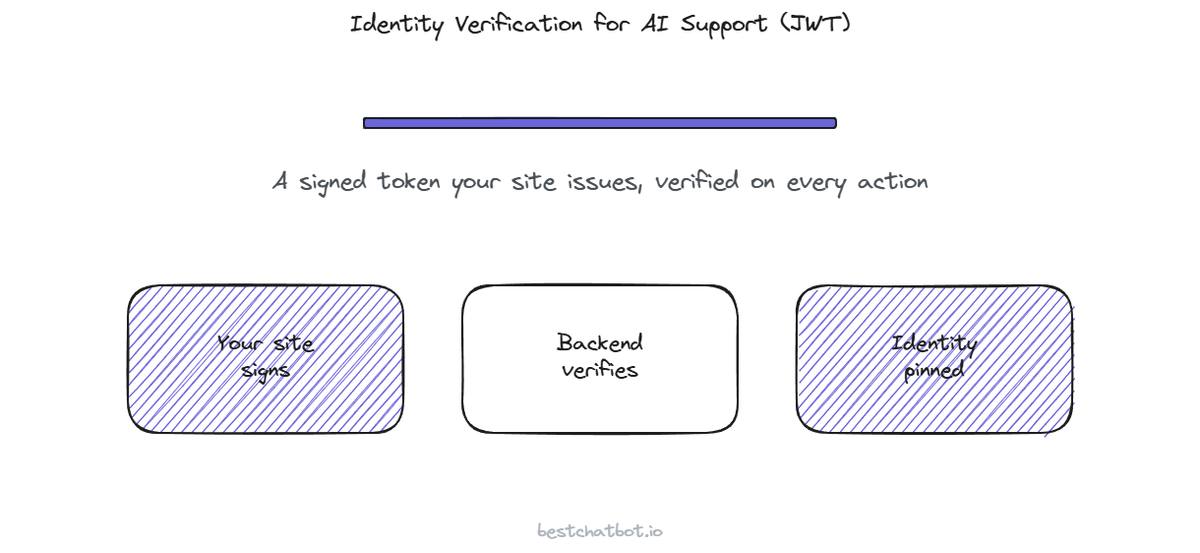
A support widget that answers "where is my order" is harmless until it tries to actually fetch the order. The moment an AI agent reaches into a real account, one question decides whether the whole thing is safe or a leak waiting to happen: how does the agent know who it is talking to? Not who they say they are in the chat box, but who they really are.
This is the mechanism most teams never see, and the one a security reviewer asks about first. Identity verification for AI support is the handshake that turns an anonymous chat into a trusted session, so the agent can read one person's data without ever risking another's. We built our widget around a signed token, a JWT, that your own site issues for a logged-in user. This post walks through exactly how that token travels from your site into the agent, how the backend checks it, and what it stops. No certification claims, because we do not hold any. Just the wiring.
The trust problem, before any token
Picture the naive version first. A visitor types "show me my last invoice." A bot that simply trusts the chat would parse the message, find an account, and read the invoice back. Now picture the visitor typing "show me Sarah's last invoice." The same naive bot does the same thing. That is the gap identity verification closes.
The chat box is not a source of truth about identity. Anyone can type any name, any email, any order number. So we treat everything a visitor says as a request, never as proof. Proof has to come from somewhere the visitor cannot forge. On a website, that somewhere already exists: your own login. If a person is signed into your site, your site already knows who they are. The job of identity verification for AI support is to carry that fact, the one your site already verified, into the agent in a way that cannot be tampered with on the way.
A signed identity token does that. It carries a verified visitor identity from your login into the agent, and the next sections break the handshake into its real steps.
Step one: your site signs the identity
The token is a JWT, a small signed packet that holds a few claims about the visitor: typically their email and their name, and nothing the agent does not need. The word that matters is signed. Your site holds a secret key. When a logged-in user opens the widget, your backend builds the token, stamps it with that key, and hands it to the widget. Anyone can read what is inside a JWT, but only the holder of the secret can produce a valid signature. Tamper with one character of the email and the signature breaks. A JWT signed token is, in plain terms, a claim plus a tamper-evident seal.
Here is the part teams get wrong, so I will be blunt about it. The token must be minted on your server, never in the browser. If you sign it in client-side code, the secret sits where any visitor can grab it, and then anyone can forge any identity. We expect the token from your backend, for exactly this reason. The widget receives a finished token; it never sees the key that made it.
What you put in the claims is deliberately small. Email and name are usually enough to look up the right customer and to act on their behalf. We do not ask you to stuff a session with permissions or roles the agent has no business reading. A narrow token is easier to reason about and leaks less if anything ever goes wrong.
Step two: the widget carries it, the backend verifies it
The widget itself is not the security boundary. It is just the courier. When the widget starts a session, it passes the signed token along, and the real check happens on our side, on the backend, where the visitor's browser cannot interfere.
Verification is a single, strict gate. The backend recomputes the signature using the shared key and compares. A match means the claims are authentic and untouched since your site signed them, so the session now holds a verified visitor identity. A mismatch, an expired token, or no token at all means the request does not get a verified identity, full stop. There is no "probably fine, let it through." The agent either holds a verified identity for this session or it does not.
That binary is the whole point. A verified session unlocks account-specific work. An unverified session stays on the general path, where the agent answers from your public knowledge and declines anything that would touch a specific person's record. Crucially, there is no silent downgrade where a missing token quietly turns into "read this account anyway." The gate fails closed.
Step three: the identity pins every action
Verifying the token is half the job. The other half is making sure the agent acts on the verified identity and not on whatever the visitor typed. This is where most homegrown bots quietly break, and it is the protection a reviewer will probe hardest.
We call it pinning, and it is the core of our anti-IDOR protection. IDOR, insecure direct object reference, is the classic flaw where an interface lets one user reach another user's records by swapping an identifier. In a chatbot, that flaw looks like "show me account 7741's order" or "look up sarah@example.com." Our widget refuses to honor it. When the agent runs any action that reads or changes a customer's record, the email and name come from the verified token, not from the message text. Every tool inherits the pinned identity. A visitor can type someone else's email all day; the lookup still runs against the identity your site signed.
So the visitor cannot ask for another person's data and receive it, because the agent is not listening to the chat for who. It listens to the chat for what (track my order, change my plan) and takes who from the token alone. That separation, intent from the chat, identity from the signed token, is the line that keeps one customer's session from ever reaching into another's account. If you want to see how this plays out across the full set of things the agent can do, we wrote a companion piece on identity-verified actions that follows the pinned identity through booking, billing, and lookups.
What a verified identity unlocks (and what stays open)
Identity verification is not a wall around the whole widget. It is a gate on one path. It helps to see both sides.
The anonymous path stays fully open. Anyone, signed in or not, can ask general questions and get grounded answers from your knowledge base. The agent answers from content you uploaded or crawled, and it declines when a question falls outside that content rather than inventing one. No login required to be useful.
The verified path is where the identity-gated actions live: reading an order, changing a subscription, creating a support ticket tied to the right person. These are the agentic actions, and worth being clear, they are a paid capability on the Pro and Business plans. The identity gate sits in front of all of them. A visitor without a verified token gets the helpful general agent; a visitor with one gets the agent that can act on their account, and only their own.
One honest caveat. Identity verification depends on you issuing the token correctly from your server. We verify and pin what you sign, but we cannot vouch for an identity your own login did not establish. The strength of the gate is a shared responsibility: your site proves who the person is, our backend enforces that proof on every action.
FAQ
What is a JWT and why use it for identity verification?
A JWT is a small signed token that carries a few claims, usually the visitor's email and name. Your site signs it with a secret key, so the claims cannot be altered without breaking the signature. For identity verification in AI support, a JWT signed token is a clean way to carry an identity your login already established into the agent, without the agent having to run its own login flow. The agent trusts the signature, not the chat box.
Can a visitor fake their identity by typing someone else's email?
No. The agent never takes identity from the chat text. When it runs an action that touches a customer's record, the email and name come from the verified token your server signed, not from the message. This is the anti-IDOR protection: a visitor can type any name they want, but the lookup runs against the signed identity only. Typing "show me Sarah's order" does not get them Sarah's order.
What happens if there is no token or it is invalid?
The session does not get a verified visitor identity, and the gate fails closed. The agent stays on the anonymous path: it answers general questions from your knowledge base and declines anything that would read or change a specific account. There is no silent fallback that reads account data without a valid token. No identity means no account access, by design.
Do all visitors need to sign in to use the widget?
No. The anonymous path is fully open for general questions, so visitors get grounded answers without logging in. Identity verification only gates the identity-gated actions (reading orders, changing subscriptions, creating tickets for the right person). Those agentic actions are a paid capability on the Pro and Business plans, and they sit behind the verified identity.
Where is the token signed, on my server or in the browser?
On your server, always. The secret signing key must stay on your backend; if you mint the token in browser code, the key is exposed and anyone could forge an identity. The widget receives a finished token and forwards it; the verification and the key live on our backend. This split is what keeps the signature trustworthy.
Identity verification is one piece of how trust is built into the widget, alongside isolation and data handling. The wider picture lives on the trust hub, the data privacy breakdown goes deeper into who can touch what, and if you are weighing the agentic tier that the verified path unlocks, the pricing guide lays it out.
Related on trust: read about GDPR compliance for an AI support agent and the guardrails that bound the agent.
More on trust: read about the audit trail that logs every answer and action and how each tenant's data stays isolated.