
AI Guardrails: Bounding What the Agent Can Do
AI guardrails are the limits that bound what an AI support agent can do. Here are the real guardrails our widget enforces and the guarantees each one buys you.
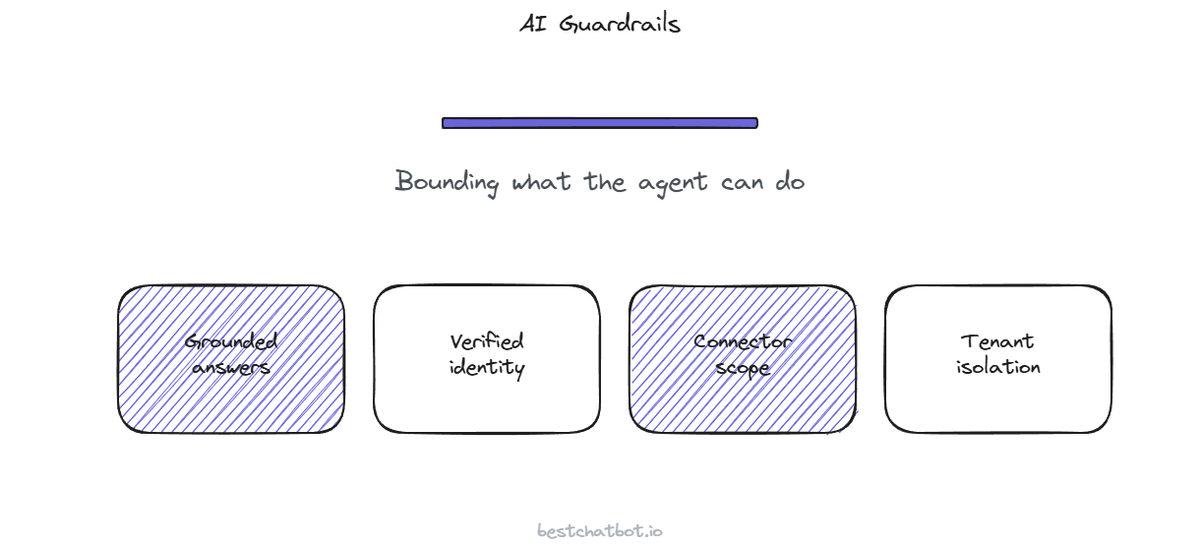
Most conversations about AI support agents focus on what the agent can do. Answer faster, look up an order, book a meeting, file a ticket. The question that actually decides whether you can trust one in front of customers is the opposite: what can it not do, and who decided that?
AI agent guardrails are the answer to that question. A guardrail is a hard limit on the agent's behavior, a boundary it cannot cross no matter how a visitor phrases a request. We built our widget so the interesting guarantees come from what we refuse to let the agent do, not from clever prompting that asks it nicely. A prompt is a suggestion. A guardrail is a wall. This post walks through the walls our widget puts up and the guarantee each one buys you. If you want the operational how-to of configuring a specific blocked action, that lives in action guardrails; here we stay on the trust question, the why and the what-you-get.
Grounding is a guardrail, not a style choice
The first limit is on what the agent is allowed to say. Our widget gives grounded answers, drawn from the customer's own knowledge base, the content a business uploaded or let us crawl from its public pages. When a question falls outside that content, the agent declines instead of inventing an answer. People call this grounding, and it is easy to read it as a quality feature. It is really a guardrail.
Here is the difference. A generic chatbot will happily produce a confident, fluent paragraph about your refund policy even when it has never seen your refund policy, because the model can always generate text. That is the failure mode that gets businesses burned: an answer that sounds right and is wrong. Grounding draws a wall around the agent's mouth. It can speak from your documents, and outside of them it says it does not know and points the visitor somewhere useful. The agent cannot promise a 90-day return window your policy never offered, because the words are not in the source it is bound to.
That bound is what makes the rest of the trust story possible. If you cannot trust what the agent says, there is no point talking about what it does. We think grounding beats clever prompting precisely because it is enforced at the retrieval layer rather than requested in an instruction the model is free to ignore. For the deeper mechanics of why a grounded agent declines rather than guesses, the data privacy breakdown covers the data surface this sits on.
Identity is a guardrail on customer data
Answering from documents is one thing. Reading a specific person's order, address, or subscription is a different class of risk, and it needs a different wall.
The guardrail here is identity, and it makes account work into identity gated actions. Any action that touches a customer's own record requires a verified visitor identity, carried as a signed token the host site issues for a logged-in user. No verified identity means no account lookup. The agent either declines the account-specific request or stays on the anonymous path where it can only answer general questions. There is no quiet fallback that reads someone's data because a token happened to be missing. The wall holds when the credential is absent, which is exactly when a weaker design would leak.
The identity does more than open the gate. It pins the request. When the agent looks up an order or files a ticket, the customer's email and name come from the verified token, not from whatever the visitor typed into the chat box. A visitor cannot type "show me John's last order" and receive John's order, because the agent acts on the identity it verified, not on a name in free text. That pinning is the guardrail against one account reading another, the kind of flaw that turns a helpful agent into a data exposure. The full mechanics of how that token flows through every action sit in our identity-verified actions write-up.
Scope is a guardrail on what the agent can reach
Even with a verified visitor, the agent should only be able to touch the systems you deliberately connected, in the ways you allowed. That is the scope guardrail, and it has a few concrete edges.
The agent acts through a fixed set of connectors, not an open door to "any tool". Eight connectors exist across scheduling, support, CRM, payments, and e-commerce. There is no generic bridge to arbitrary software, which means the blast radius of a connected agent is knowable: you can list every external system it can reach on one hand. A smaller surface is a smaller thing to reason about when a security reviewer asks what the agent can do.
The connectors are also mutually exclusive by category, and that exclusivity is itself a guardrail. You connect one calendar, one support tool, one e-commerce platform, never two of the same kind racing each other. The agent cannot file the same ticket into two help desks or book a slot in two calendars, because the category only ever resolves to the one tool you picked. That keeps the agent's behavior single-valued and auditable rather than ambiguous.
One more scope limit worth naming plainly: action execution is a paid capability. The agentic connectors run on the Pro and Business tiers. On the lower tiers the agent answers from knowledge and does not reach into a connected system at all, so the action surface is simply absent until you turn it on. The tier is a guardrail too, in the boring but useful sense that you cannot accidentally have actions running before you meant to.
Isolation is the guardrail between tenants
The guardrails above bound one agent's behavior. The next one bounds what one customer's agent can ever see of another's.
The platform is multi-tenant, and each business's data sits in its own isolated store. Another business on the same platform cannot read your visitors' messages, your knowledge base, or the records your agent touched. That separation is not a policy promise stapled on top, it is how the storage is partitioned per account. A query in one tenant has no path to another tenant's data, which is the guardrail you actually want underneath everything else: it does not matter how clever a prompt is if there is no route to the data in the first place.
Credentials get the same treatment from a different angle. We never store your connected tools' secrets directly. A specialist provider holds them encrypted and refreshes the tokens, so the most sensitive keys are not piled up in our application database waiting to be the single thing that goes wrong. OAuth and API-key connections both work this way. The guarantee is structural: the credential the agent uses to act is not sitting in our store to be exposed.
What guardrails do not replace
A guardrail bounds behavior, it does not run your support operation, so a few honest limits belong here.
Guardrails are not a certification. We frame trust as the controls the product actually enforces (grounding, identity gating, connector scope, tenant isolation, encrypted credential handling) and not as a badge we do not hold. If a question genuinely needs a person, the agent does not improvise a human; escalation creates a ticket in your connected help desk so a real teammate picks it up from your inbox. And the agent does not quietly teach itself from conversations. It answers from a knowledge base you control, which you update by re-uploading, re-crawling with change detection, or editing by hand. A bounded agent is a predictable agent, and predictable is what you can put your name behind.
FAQ
What are AI guardrails for a support agent?
AI guardrails are hard limits on what the agent is allowed to do, enforced by the system rather than requested in a prompt. In our widget the main ones are grounding (it answers only from your knowledge base and declines outside it), identity gating (account actions need a verified visitor), connector scope (a fixed set of eight mutually exclusive connectors), and multi-tenant isolation (one business cannot reach another's data). Each is a wall the agent cannot talk its way around.
How are guardrails different from prompt instructions?
A prompt instruction asks the model to behave, and the model is free to ignore it under pressure or a clever rephrasing. A guardrail is enforced outside the model: grounding happens at the retrieval layer, identity is checked before any account action runs, and tenant isolation is how the storage is partitioned. The agent cannot cross those boundaries even if a visitor phrases a request to try, because there is no code path that lets it.
What can the AI agent not do?
It cannot answer from knowledge it was never given; outside your content it declines rather than inventing. It cannot read or change a customer's record without a verified identity. It cannot reach tools you did not connect, and it cannot use two connectors of the same category at once. It cannot see another business's data on the platform. And it cannot hand a conversation to a live human; when a person is needed it files a ticket to your help desk instead.
Do guardrails apply on every plan?
Grounding, identity gating, and multi-tenant isolation apply across the board because they are how the product is built. Action execution through the connectors is a paid capability on the Pro and Business tiers, so on lower tiers the action surface is simply absent. You can find the tier breakdown in the pricing guide.
Does grounding mean the agent refuses a lot of questions?
No more than it should. The agent answers anything covered by the content you gave it, and it only declines when a question falls outside that content. If it declines more than you expect, the fix is usually a knowledge gap, not an over-tight guardrail: add the missing source and rebuild. The decline is the guardrail doing its job, telling you the truth instead of guessing.
Guardrails are what let you trust an agent in front of real customers, because they are limits you can point at rather than hope for. The wider picture of how privacy, identity, and isolation fit together lives on the trust hub, and if you want to see which tier turns on the agentic actions these guardrails protect, the pricing guide lays it out.
Related on trust: read about GDPR compliance for an AI support agent and how the widget verifies a visitor identity.
More on trust: read about the record of what the agent said and did and how grounding reduces hallucination liability.