
SaaS Onboarding Chatbot for Startups
A SaaS onboarding chatbot guides new users to first value, answers setup questions in-product, and reduces early churn. How guided activation works for startups.
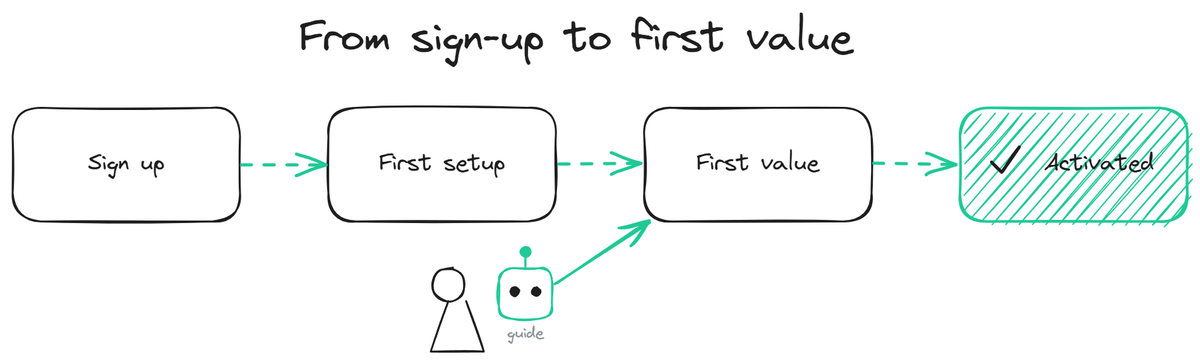
A SaaS onboarding chatbot helps a new user get from sign-up to first value without getting stuck, by answering their setup questions in the moment and guiding them through the early steps. The first session is where SaaS products win or lose users: a new user who gets stuck, cannot find how to do the thing they signed up for, and gives up rarely comes back. For a startup, where every activated user matters and there is no team to hand-hold each one, a chatbot that guides the first-run experience protects activation at the exact point where it is most fragile. This page covers why the first session decides retention, what a guided-start chatbot does, and how it differs from a generic support bot.
Why the first session decides retention
The early user journey has a make-or-break moment that product teams call activation: the point where a new user first experiences the core value of the product. A user who reaches it tends to stick; a user who gives up before reaching it tends to churn and never return. The gap between sign-up and that first value is where most early churn happens, and it is usually caused by friction that feels small but stops the user cold.
The friction is specific and predictable. The user cannot find the setting they need. They do not understand a concept the product assumes. They hit an error and do not know how to get past it. They are not sure what to do next. Each of these is a moment where the user is one unanswered question away from giving up, and for a startup with no team to watch every new account, those moments pass unnoticed and the user quietly leaves.
The cost is high because acquiring that user was expensive and the value of activating them is large. A startup that loses users in the first session is leaking the most expensive thing it has: hard-won new signups. Closing that leak has outsized impact compared to acquiring more users to pour into the same leaky funnel.
What a guided-start chatbot does
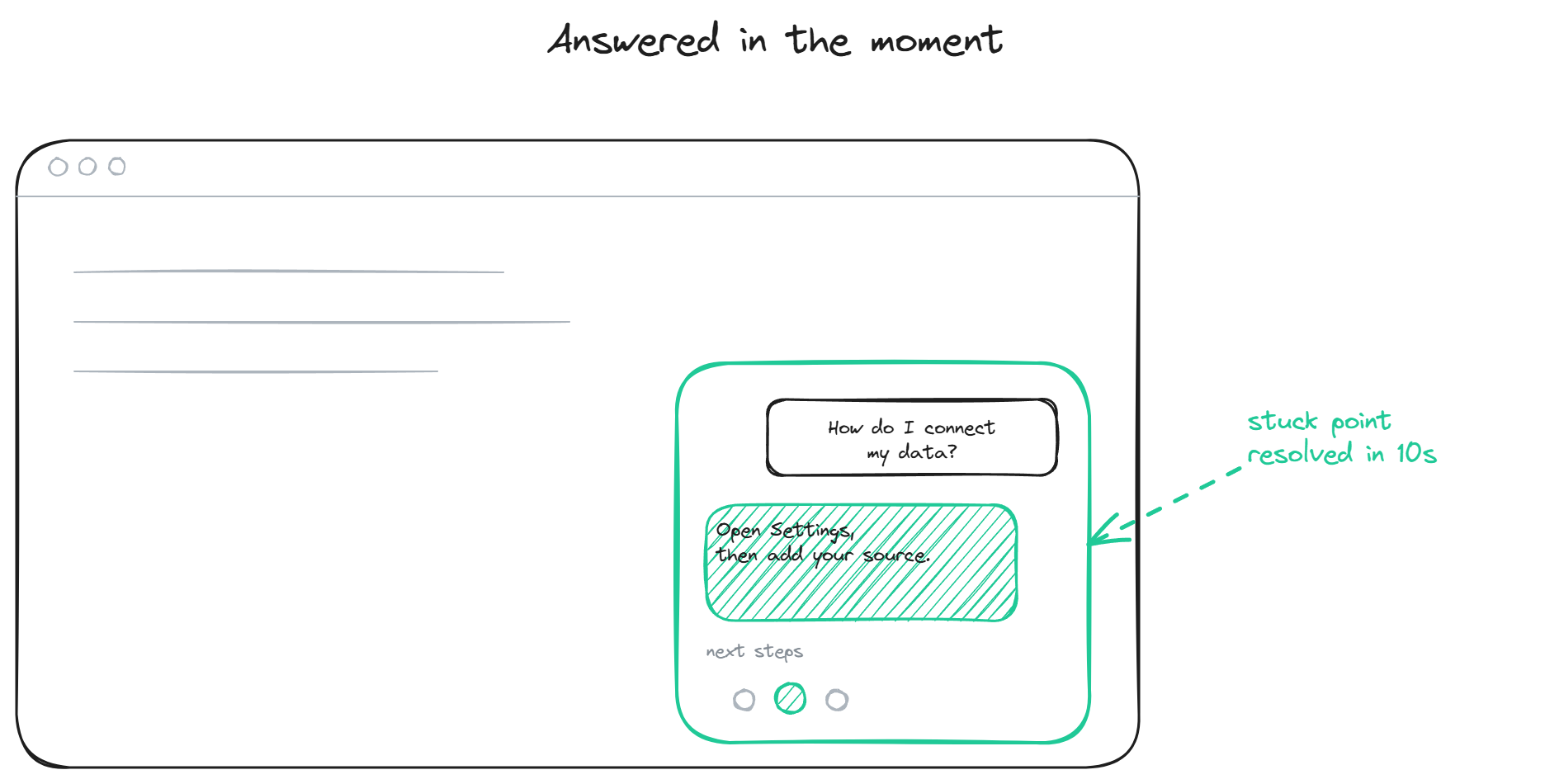
A guided-start chatbot works inside the product during the early sessions, answering the questions that cause users to get stuck and pointing them toward the next step. It is the always-available guide that a startup cannot staff with humans for every new account.
The core job is answering setup questions in context. A new user trying to connect their data, configure a setting, or complete the first task has a question, and getting it answered instantly (instead of digging through docs or filing a ticket and waiting) keeps them moving. The bot grounds these answers in your product documentation, so it explains your product accurately rather than guessing.
Beyond reactive answers, a guided-start bot can be proactive about the path. When a user seems stuck or idle at a known friction point, it can offer the relevant next step. The line to walk is helpful-not-annoying: a bot that interrupts constantly is worse than no bot, while one that appears at the genuine stuck points feels like a guide. Triggering on real signals (idle time at a known friction step, a repeated failed action) works better than firing on a timer.
The setup side is the same grounded-bot setup used elsewhere on the site. You point the bot at your product docs and getting-started content, which the train the chatbot page covers, and install it in-product through the website widget so it is present during the sessions that matter.
How it differs from a generic support bot
A guided-start chatbot is a support bot pointed at a specific job, and the difference is in framing and content rather than architecture. A generic support bot waits for any question and answers it. A guided-start bot is tuned for the early-session context: it knows the new-user friction points, it has the getting-started content prioritized, and it can be proactive about the activation path rather than purely reactive.
The content focus is what makes it work. The bot should be strong on the questions that come up in the first session specifically: setup, configuration, first-task completion, the concepts a new user needs. This content overlaps with general support but is prioritized differently, because a stuck new user and a stuck existing user need different emphasis.
The measurement is different too. A generic support bot is measured on deflection; a guided-start bot is measured on activation, the share of new users who reach first value. A bot that deflects setup tickets but does not move activation is not doing the guided-start job, even if its deflection number looks good.
BestChatBot serves the guided-start job from the same widget that handles the rest of support: grounded answers from your product docs, in-product presence during early sessions, honest refusal when it does not know, and a supervised autolearning loop that captures the new-user questions it could not answer and feeds them into the knowledge base. For pricing details, see plans.
FAQ
- Is a guided-start chatbot different software from a support chatbot? No, it is the same widget tuned for the early-session job: getting-started content prioritized, new-user friction points covered, optional proactive prompts at known stuck points. The architecture is identical; the content focus and measurement differ.
- Will proactive prompts annoy new users? They can, if overused. The effective pattern triggers on genuine signals (idle time at a known friction step, a repeated failed action) rather than on a timer or on every page. A bot that appears at real stuck points feels like a guide; one that interrupts constantly feels like a popup.
- How does it reduce early churn? By resolving the small friction points that cause new users to give up before reaching first value. A user who gets unstuck in 10 seconds keeps going; a user who gets stuck and cannot find help often leaves and does not return. Closing that gap protects activation.
- What content does it need? Your getting-started documentation, setup guides, and answers to the common first-session questions. It does not need a complete help center to start; it needs strong coverage of the early-user path, and the autolearning loop fills gaps from real questions over time.
- How do I measure if it is working? Track activation (the share of new users reaching first value), not just deflection. A guided-start bot should move activation up and early churn down. Setup-ticket deflection is a secondary signal. For pricing details, see plans.
For pricing details, see plans.
See our startup support guide.
Onboarding is one slice of SaaS support. The full view is the support agent built for SaaS.