
Customer Support Automation Guide
A practical guide to automating customer support: what to automate, what to leave to humans, the maturity levels, and how to avoid over-automating.
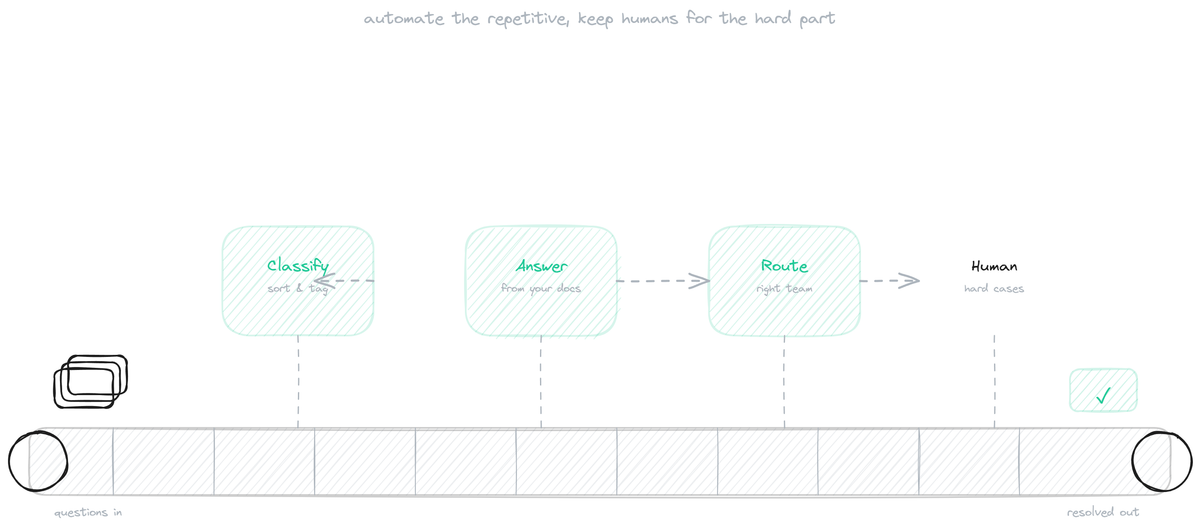
Customer support automation is the practice of using software to handle support work that does not need a human, so the human team focuses on the work that does. Done well, it makes support faster and cheaper while improving the experience for customers who get instant answers. Done badly, it frustrates customers with rigid bots and walls between them and the help they need. The difference is in what you choose to automate and how. This guide covers what to automate and what to leave to humans, the maturity levels most teams move through, and how to avoid the over-automation that gives the practice a bad name.
What to automate and what not to
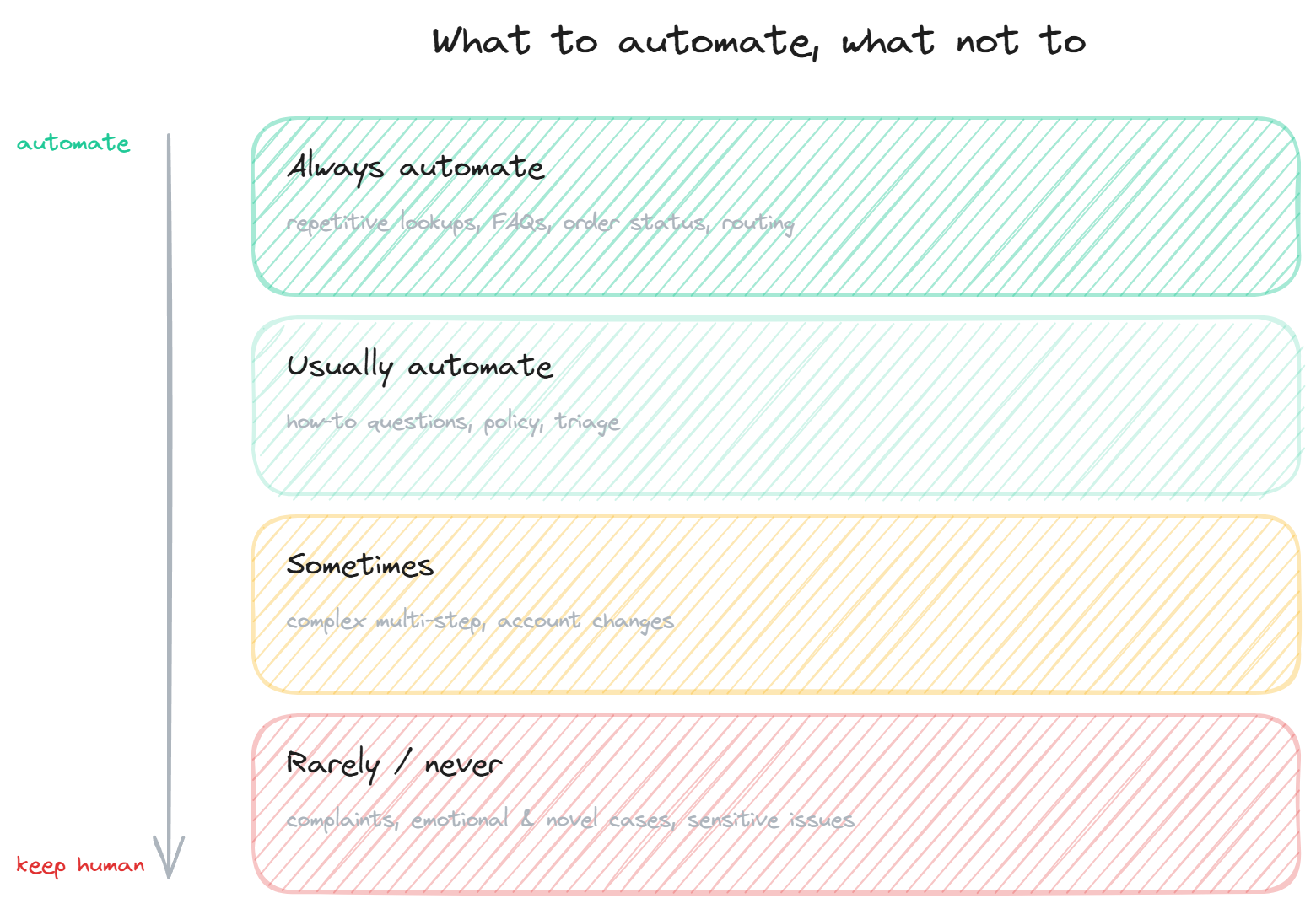
The first decision in support automation is what belongs on the automated side of the line, and the answer follows a clear pattern: automate by repetition and simplicity, keep humans for complexity and emotion.
Always automate the high-volume, factual, repetitive work. Order-status lookups, password resets, common FAQs, ticket routing: these have clear answers, happen constantly, and gain nothing from a human doing them. Automating them is pure benefit, freeing human time and giving customers instant answers.
Usually automate the documented how-to and policy questions. "How do I do X", "what is your return policy", "does the product support Y": a grounded bot answers these from your content accurately, and automating them deflects a large share of volume.
Sometimes automate the more complex but still structured work, like multi-step processes or certain account changes, depending on how well-defined they are and how much risk a mistake carries. These need judgment about whether automation is reliable enough.
Rarely or never automate the complex, emotional, sensitive, and novel. Complaints, frustrated customers, billing disputes, anything requiring empathy or judgment, anything no one has seen before. Automating these does damage, because it applies a rigid tool to work that needs a human, and it is the main source of the "I just want to talk to a person" frustration.
The line is not about difficulty for the AI; it is about whether the work benefits from a human. A complex lookup the AI can do reliably should be automated; a simple complaint that needs empathy should not.
The maturity levels
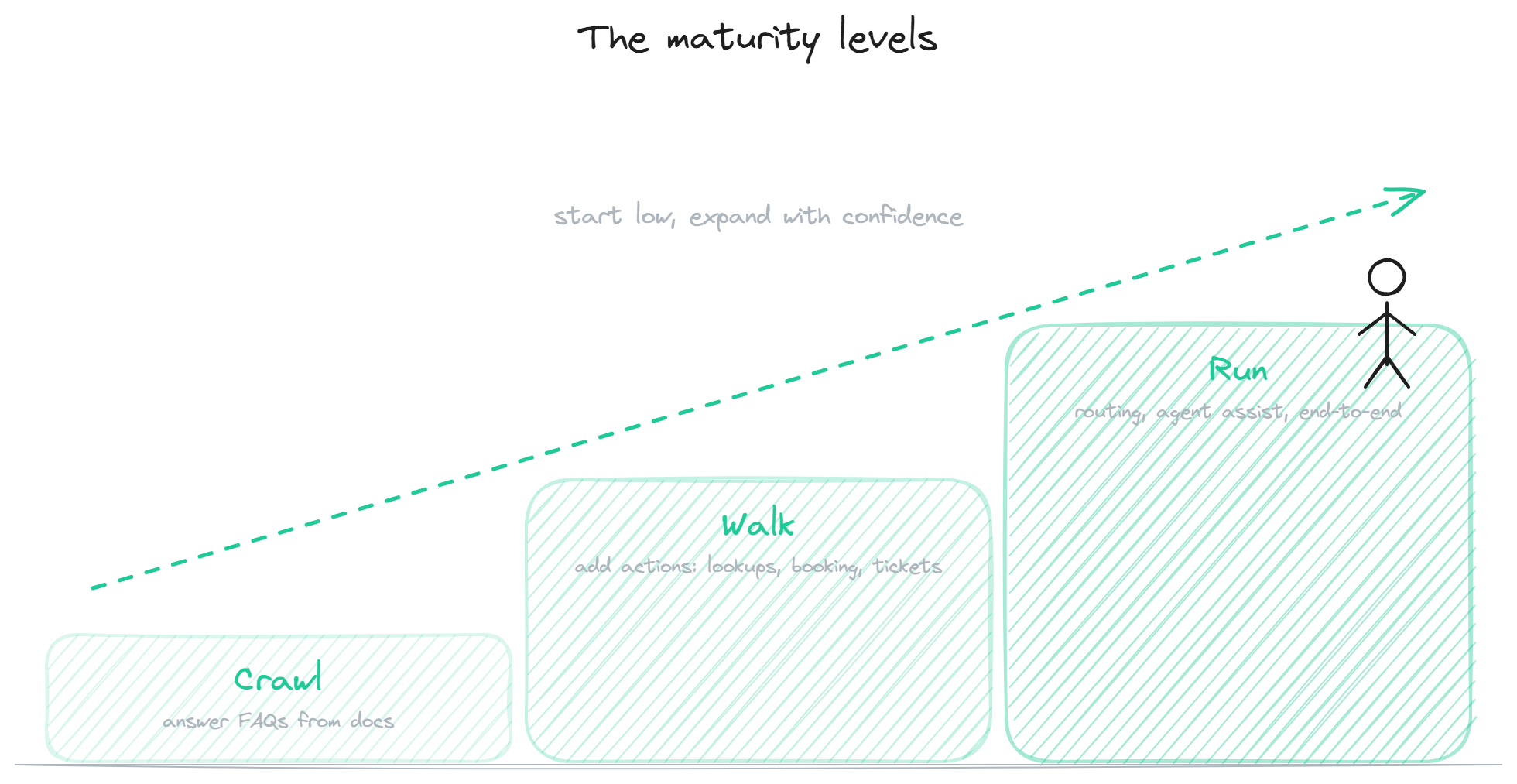
Most teams move through levels of automation rather than jumping to the end, and starting low is the right call.
The first level is automated answers: a grounded bot answering documented questions from your knowledge base. This is the foundation, it deflects the largest share of volume for the least risk, and the docs-based support silo covers how to build it. Most teams start here and get substantial value before going further.
The second level adds actions: the bot does things, not just answers. Order lookups, booking, ticket creation, returns. This is where automation moves from deflecting questions to resolving requests end to end, and it is where the agent capabilities matter.
The third level adds the behind-the-scenes automation: intelligent routing, ticket classification, agent assist for the human team, and end-to-end automation of whole categories. This is the mature state, where automation runs across the operation rather than just the customer-facing chat.
The reason to move through these in order is that each level builds on the previous one and each carries more risk if rushed. A team that nails automated answers before adding actions, and adds actions before automating routing, builds confidence and catches problems at each stage. Jumping to the end without the foundation is how automation projects fail.
How to avoid over-automating
Over-automation is the failure mode that gives support automation its bad reputation, and avoiding it is mostly about respecting the line and the exit.
Respect the line: do not automate the work that needs a human just because you can. The temptation, once automation is working, is to push it into the complex and emotional cases to squeeze more savings. This backfires, because those cases need a person, and automating them frustrates customers and damages trust. The reduce tickets page covers measuring deflection honestly so you do not chase a number into over-automation.
Always provide the exit: a clear, easy path to a human. Nothing causes more frustration than a customer who needs a person and cannot find the way to one. A good automated system makes reaching a human easy, which paradoxically makes customers more willing to use the automation, because they know they are not trapped.
Default the bot toward honesty: refusing and routing when it is not confident, rather than guessing. A bot that says "let me get someone" when it should is far better than one that confidently gives a wrong answer to a question it should have escalated. This is the difference between automation that helps and automation that creates new problems.
BestChatBot supports this measured approach: grounded answers as the foundation, actions when you are ready for them, honest refusal over guessing, and a clean route to your human team for everything that should not be automated. When you are ready to build the foundation, the knowledge base chatbot silo is the place to start.
FAQ
- What should I automate first? Automated answers from your documentation: the high-volume, factual, repetitive questions. This deflects the largest share of volume for the least risk and is the foundation everything else builds on. Start here before adding actions or behind-the-scenes automation.
- What should never be automated? The complex, emotional, sensitive, and novel: complaints, frustrated customers, disputes, anything needing empathy or judgment, anything no one has seen before. Automating these frustrates customers and damages trust, because they need a human.
- How do I know if I am over-automating? Watch for rising frustration, customers struggling to reach a human, and a re-contact rate that suggests the bot is giving answers that do not resolve. If customers are fighting the automation to reach a person, you have automated too far or hidden the exit.
- Do I have to automate everything at once? No, and you should not. Move through the levels: automated answers first, then actions, then behind-the-scenes automation. Each builds on the previous and carries more risk if rushed. Starting low and expanding with confidence is how automation succeeds.
- What is the most important safeguard? A clear, easy path to a human, combined with a bot that refuses rather than guesses. Together these mean customers are never trapped and never confidently misled, which is what separates helpful automation from the frustrating kind.
A core lever of automation is ticket deflection.
Automation works best when blending AI with human agents.
Measure the impact by knowing which support metrics to track.