
Knowledge Refresh With Change Detection
Knowledge refresh with change detection keeps your support bot current. Re-scrape only what moved, re-upload changed files, edit by hand. No autolearning.
Your pricing page changed last week. Your returns window went from 30 days to 14. The shipping cutoff moved. None of that is unusual, a business updates its content all the time. The problem starts the moment your support bot is still answering from the old version, telling a customer they have 30 days to return something when the real answer is 14.
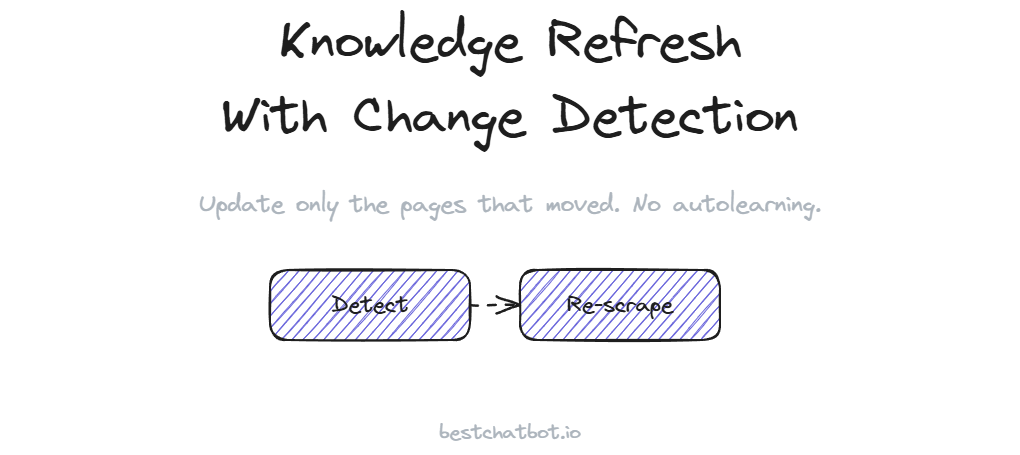
That gap between what your site says today and what your bot learned last month is where stale chatbot answers come from. A knowledge refresh with change detection closes it. The bot does not quietly re-read your site and fix itself, that is the part people get wrong. Instead, you re-scrape your pages and change detection flags exactly what moved, so a refresh updates only the pages that changed rather than re-ingesting your whole site every time.
We built the refresh around a simple honesty: the work to keep chatbot knowledge current is a human job, and the tooling exists to make that job small instead of painful. This guide covers what goes stale, how change detection narrows a refresh to just the moved pages, the three ways to push an update, and how the Response Monitor tells you when a refresh is overdue.
Why a chatbot's answers go stale
A trained bot is a snapshot. It answers from the content it ingested at training time, and that content was true the day you imported it.
The trouble is your business does not freeze. A team edits the refund policy, swaps a product spec, rewrites the shipping FAQ, retires an old plan. Every one of those edits opens a small gap between the live site and what the bot knows. A visitor asks about the return window, the bot answers confidently from a page that no longer exists in its current form, and now your support queue has a complaint that should never have happened.
Here is the honest framing. The bot does not learn on its own, and we would rather say that plainly than imply some background magic keeps it fresh. There is no autolearning step. When your content moves, the knowledge in the bot stays exactly where it was until a person refreshes it. That sounds like a drawback until you see the alternative, a bot that silently rewrites its own answers is a bot you cannot trust to decline when it should. Grounded answers and a manual refresh are two sides of the same design, the same one described in the write-up on the no-hallucination approach.
How change detection narrows the refresh
The naive way to keep a bot current is to re-ingest everything on a schedule. Crawl the whole domain again, re-read every page, rebuild the entire knowledge base. That works, but it is wasteful and slow, and on a large site it burns through your rebuild budget for no reason.
Change detection does the opposite. Change detection re-scrape works on a simple comparison: when you re-scrape a page or your full domain, the system checks what it just read against what it ingested before. Pages that did not move are skipped. Only the pages that actually changed get re-ingested. So a refresh on a hundred-page site where you edited two pages updates those two pages, not all hundred.
This matters for two reasons. First, it is fast, a targeted refresh finishes in a fraction of the time a full re-crawl would take. Second, it keeps the rest of your knowledge stable. The pages you did not touch keep the answers they already had, so a refresh never risks disturbing content that was already correct. Change detection runs on public pages only, the same boundary as the original crawl, it reads what a visitor can read and nothing behind a login. If you are setting up the website source for the first time, the guide on training your chatbot from your website covers the crawl, the sitemap, and the single-URL options that a refresh later re-checks.
Three ways to push a refresh
Content does not all live in one place, so a refresh is not one button. There are three ways to update what the bot knows, and you pick the one that fits where the change actually happened.
The first is a re-scrape. When your website changes, you re-run the crawl, or point it at a single updated URL, and change detection pulls in only what moved. A new pricing page, an edited returns policy, a rewritten FAQ, the bot picks up the current version and drops the stale one.
The second is a re-upload. Some answers live in files, a PDF policy, a spec sheet, a setup walkthrough in a document. When the file changes, you upload the new version and it replaces the old one in the knowledge base. The companion guide on building a chatbot from your docs walks through that document path in detail.
The third is a manual edit. Sometimes the fix is a single line, and nobody wants to re-crawl a whole site to change one sentence. So you edit the knowledge by hand in the dashboard, type the correct answer, and it takes effect right away. All three refresh chatbot knowledge base content from a different angle, and all three feed the same body of knowledge the bot answers from. A re-scraped page, a re-uploaded file, and a hand-edited note sit side by side, and the bot does not care which path an answer arrived through. When you correct the source, the knowledge graph that sits on top of your content rebuilds around the updated pages, so the connections stay in step with what you just changed.
Spotting a stale answer before your customers do
A refresh only helps if you know what to refresh. The way you catch a stale answer is the Response Monitor.
You review what the bot actually said. You see the questions where it declined because the knowledge had a hole, and the questions where it answered from content that has since moved. That review is where a refresh starts, a real conversation that exposed a gap, not a guess about what might be out of date. We think this closes the loop in the right order, you read the live answers, you find the stale or missing ones, then you update the knowledge to fix them.
The loop is deliberate and it stays human. Read the real conversations, find the holes, then update AI support knowledge through a re-scrape, a re-upload, or a hand edit. There is no autolearning step buried in the middle that quietly patches things for you. The bot answers from your knowledge base, the knowledge base reflects what a person put there, and a refresh is how a person keeps it honest.
How often a refresh runs, and what your plan allows
A refresh is not a project, it is a few minutes when something changes. But how much you can re-scrape and how often you can rebuild depend on your plan.
The free tier is enough to keep a small site current and watch change detection skip the pages that did not move. Larger sites, with more pages and more frequent edits, sit on higher tiers that allow bigger knowledge bases and more daily rebuilds. The cadence is yours to set, some teams refresh the moment they publish a change, others batch a weekly pass after a content sprint. Either way the trainable-URL limits and rebuild frequency per plan are laid out in the pricing guide.
FAQ
What is a knowledge refresh with change detection?
It is the process of updating your bot's knowledge when your content changes, where the system compares a re-scrape against what was ingested before and updates only the pages that actually moved. Pages that did not change are skipped, so a refresh is fast and leaves correct content untouched.
Does the chatbot refresh its knowledge automatically?
No. There is no autolearning. The bot answers from the content it was trained on until a person refreshes it. When your content changes, you push a refresh yourself through a re-scrape, a re-upload, or a manual edit. The manual step is deliberate, it keeps you in control of what the bot can say.
What does change detection skip during a refresh?
It skips every page that did not move since the last ingestion. If you re-scrape a hundred-page site and edited two pages, change detection updates those two and leaves the other ninety-eight as they were. That keeps the refresh quick and protects the answers that were already correct.
How do I know when a refresh is needed?
You review the Response Monitor. It shows what the bot actually answered, including the questions where it declined or replied from content that has since changed. Those conversations tell you which pages or documents are stale, so you refresh the specific knowledge that needs it.
Can I refresh a single page instead of my whole site?
Yes. You can re-scrape a single updated URL, re-upload one changed document, or edit one note by hand. A refresh scales down to a single page when that is all that moved, you do not have to re-crawl the whole domain to fix one answer.
Ready to keep your bot current? Start in the knowledge base to re-scrape your pages, then check the pricing guide for the rebuild frequency on each plan.