
Knowledge Graph for AI Support
A knowledge graph for AI support links your documents, pages, and notes into connected facts, so the bot answers from how your content relates.
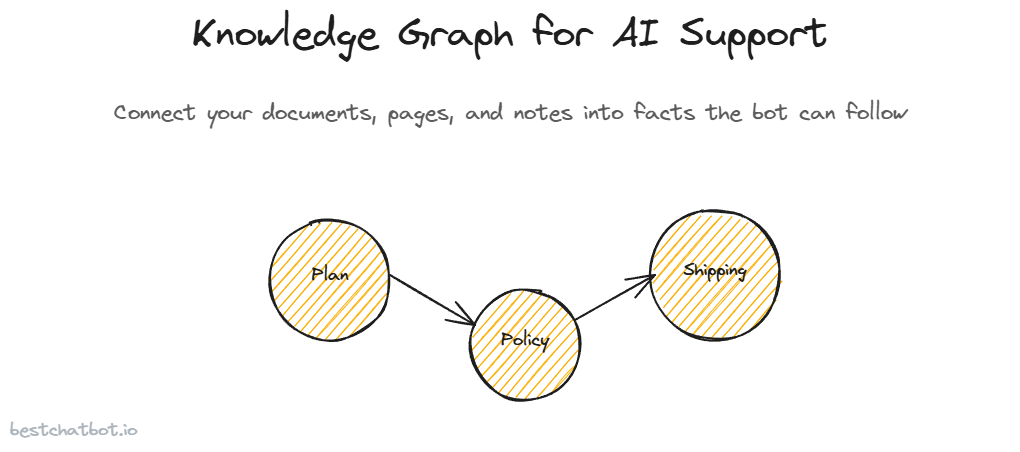
A support bot that reads one page at a time misses the answer that lives across three. A visitor asks whether the Pro plan covers same-day shipping, and the truth is split: the shipping policy says same-day for orders before noon, the plan page lists Pro features, and a separate note says shipping rules apply to every paid tier. No single page answers the question. The connection between them does.
That connection is what a knowledge graph for AI support is built to hold. It does not replace your documents or your crawled pages. It sits on top of them, mapping how the facts inside your content relate to each other, so the bot can follow a thread from one source to another instead of treating every page as an island. We built it because grounding an answer in a single passage is fine until the real answer needs two.
This piece covers what the knowledge graph actually is in this product, how it gets built from the sources you already feed the bot, why connected facts make for better grounded answers, and the part most tools hide: you can open it and look.
What a knowledge graph actually is here
Strip the jargon and an AI support knowledge graph is a map of things and how they connect. The things are entities pulled from your content: a plan name, a product, a policy, a shipping window, a feature. The connections are the relationships between them: Pro includes same-day shipping, the returns policy applies to every order, this product belongs to that collection.
A plain search index treats your knowledge as a pile of text. Ask it a question and it hands back the passages that look most similar to the words you used. That works for a question whose answer sits in one place. It struggles the moment the answer is a relationship, because a relationship is not a passage you can match on keywords. It is a link between two facts that may live pages apart.
The graph closes that gap. When your content gets ingested, the system reads it for entities and the relationships between them and stores those as connected nodes. A node for the Pro plan. A node for same-day shipping. An edge that ties them together because your content said so. The bot can then walk that edge when a question needs it, rather than hoping both facts happened to land in the same chunk of text. That is the difference a knowledge graph chatbot has over one that only matches keywords.
To be clear about scope, this is not the bot inventing connections. Every node and every edge traces back to something you actually wrote or uploaded. The graph organizes your real content. It does not author new claims about it.
How the graph gets built from your sources
The graph does not need its own feeding routine. It is built from the same three sources that already make up your knowledge base, so there is nothing extra to maintain.
You feed the bot the way you always would. Start by uploading documents directly, the PDFs, Word files, text, and markdown that hold your real answers. Crawl your website with a full-domain crawl, a sitemap, or a single URL, the path covered in the guide on training a chatbot from your website. Write knowledge by hand when an answer is not written down anywhere yet. Those three streams form your knowledge base, and they are exactly what the graph reads.
As each source comes in, the system extracts the entities and relationships from it and folds them into one shared graph. A fact from an uploaded policy doc and a fact from a crawled pricing page do not sit in separate silos. If they relate, they connect, no matter which source each one arrived from. The graph can connect documents and web pages into one structure, because in your business the truth often crosses that line too.
The companion path here is building a bot from your docs, and the graph treats those documents the same way it treats your site. Upload a returns policy as a file and a shipping FAQ as a web page, and the graph can still link the return window to the shipping rule if your content draws that line. One body of knowledge, one graph over it.
Why connected facts make better answers
Here is where the graph earns its place. The bot's whole job is to answer from your content and decline when the answer is not there. A graph makes the first half sharper without loosening the second.
Take the shipping question from the top. A search-only bot finds the shipping policy, sees same-day before noon, and might stop there, missing that the policy only applies to paid tiers and that Pro is one of them. The graph carries those links, so the bot can assemble the full answer: yes, Pro includes same-day shipping, for orders placed before noon. Same source content, but the connections let the bot reason across it instead of quoting one fragment.
We think this is the quiet difference between a bot that sounds right and one that is right. A confident half-answer is worse than a decline, because it ships a wrong promise your team has to walk back later. Knowledge graph grounding does not loosen the line on invention, the same no-hallucination approach that makes the bot decline when nothing in your content supports a reply. It gives the bot more of your real content to stand on before it has to decline.
And when the answer is solid, the bot can still cite where it came from, so a visitor sees which pages backed the reply. Connected facts do not mean a murky answer with no provenance. The trail back to your sources stays intact.
You can open it and look
Most tools that mention a knowledge graph keep it behind the curtain. You are told it exists and asked to trust that it works. We took the opposite call: the knowledge graph dashboard is something you can open and explore, not a hidden index you take on faith.
That matters for a practical reason. When the bot gives an answer you did not expect, the graph shows you why. You can see which entities it pulled together and which relationships it followed, and that turns a vague "the bot said something weird" into a concrete "these two facts got linked and they should not have been." A black box leaves you guessing. A graph you can read points straight at the spot to fix.
Fixing it runs through the same loop you already use. There is no autolearning here, the bot does not quietly rewire its own graph overnight. When the connections are off because the underlying content is off, you update the content. Re-upload a document, edit a manual note by hand, or run a knowledge refresh with change detection so a re-scraped page rebuilds only what changed. The graph rebuilds from the corrected source either way. You catch what needs fixing in the Response Monitor, the same place you review what the bot actually answered. The graph reflects your knowledge, so you steer it by steering your knowledge.
How large the graph can grow and how often it rebuilds tracks your plan, the same way crawl size and knowledge-base limits do. The pricing guide lays out the knowledge-base size and rebuild frequency on each tier.
FAQ
What is a knowledge graph for AI support?
It is a map of the entities in your content and how they relate: plans, products, policies, and the links between them. The bot uses those connections to answer questions whose real answer spans more than one page, instead of matching a single passage on keywords.
Do I have to build the knowledge graph separately?
No. The graph is built automatically from the same sources that make up your knowledge base: uploaded documents, crawled website pages, and manual notes. As each source is ingested, the system extracts its entities and relationships and folds them into one shared graph.
Can the knowledge graph invent facts about my business?
No. Every node and connection traces back to content you uploaded, crawled, or wrote by hand. The graph organizes your real content and the relationships your content states. It does not author new claims, and the bot still declines when nothing in your content supports an answer.
Can I see the knowledge graph?
Yes. The graph is visible in your dashboard and you can explore it. When an answer surprises you, you can see which entities the bot pulled together and which relationships it followed, which makes it clear where to correct the underlying content.
How do I fix a wrong connection in the graph?
You fix the source, not the graph directly. Re-scrape a page, re-upload a document, or edit a manual note, and the graph rebuilds from the corrected content. There is no autolearning step, so the graph stays a reflection of the knowledge you maintain.
Want the bot to reason across your content instead of one page at a time? Start in the knowledge base to feed it your sources, then check the pricing guide for knowledge-base size and rebuild limits per plan.