
AI Product Questions Chatbot
A product questions chatbot answers sizing, availability, and compatibility from your live catalog, before and after purchase. How it lifts conversion and cuts returns.
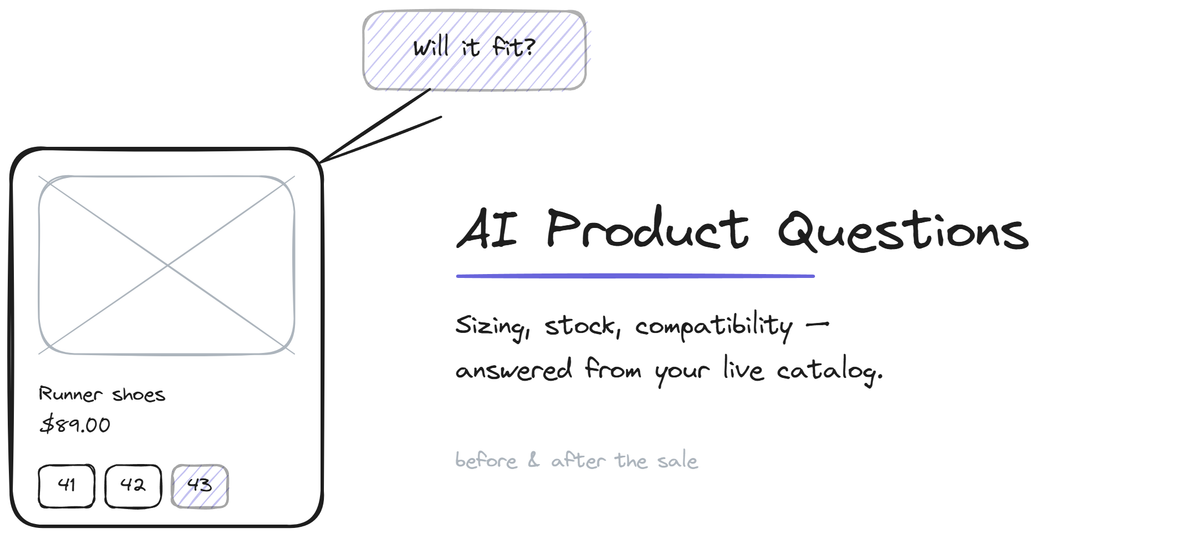
A product questions chatbot answers the questions customers ask before and after they buy: is this in stock, what size should I get, does this work with that, what is the material, when will it ship. These questions sit at two high-value moments. Before purchase, a fast accurate answer is the difference between a sale and an abandoned cart. After purchase, the same answers reduce the returns that come from mismatched expectations. A product questions chatbot reads from your live catalog and your product content to answer both, which is why it earns its place on both the conversion side and the support side. This page covers what it answers, where the value lands, and how it connects to your catalog.
The two moments product questions matter
Product questions cluster around two moments, and the chatbot serves a different goal at each.
Before purchase, the customer is on a product page weighing a decision. They have a specific question (sizing, compatibility, availability, shipping time) and the answer determines whether they buy. The traditional options are bad: search the product description and hope it is covered, leave to email and probably not come back, or guess and risk a return. A chatbot that answers the specific question at that moment removes the friction at the exact point of hesitation. This is conversion work disguised as support.
After purchase, the customer has the product and a question about using it (setup, care, compatibility, what is included). A fast accurate answer here prevents the frustration that turns into a return or a bad review. The same chatbot, the same catalog data, a different goal: keeping the customer satisfied with a purchase they already made.
The chatbot is unusual among support tools in that it touches revenue directly, not just cost. Most support automation is about handling questions cheaply. Product questions automation also closes sales that hesitation would have lost.
What it answers and where the data comes from
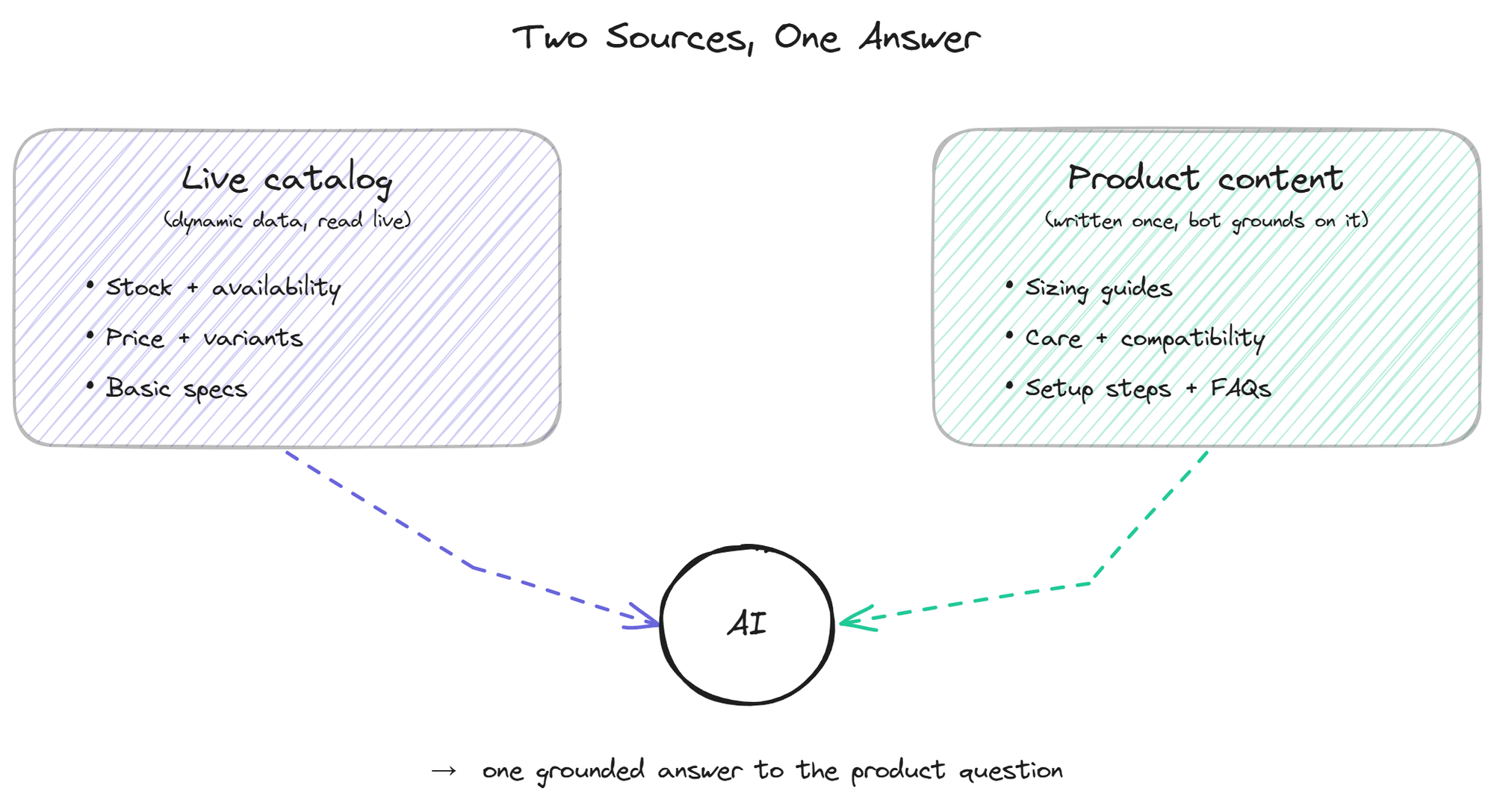
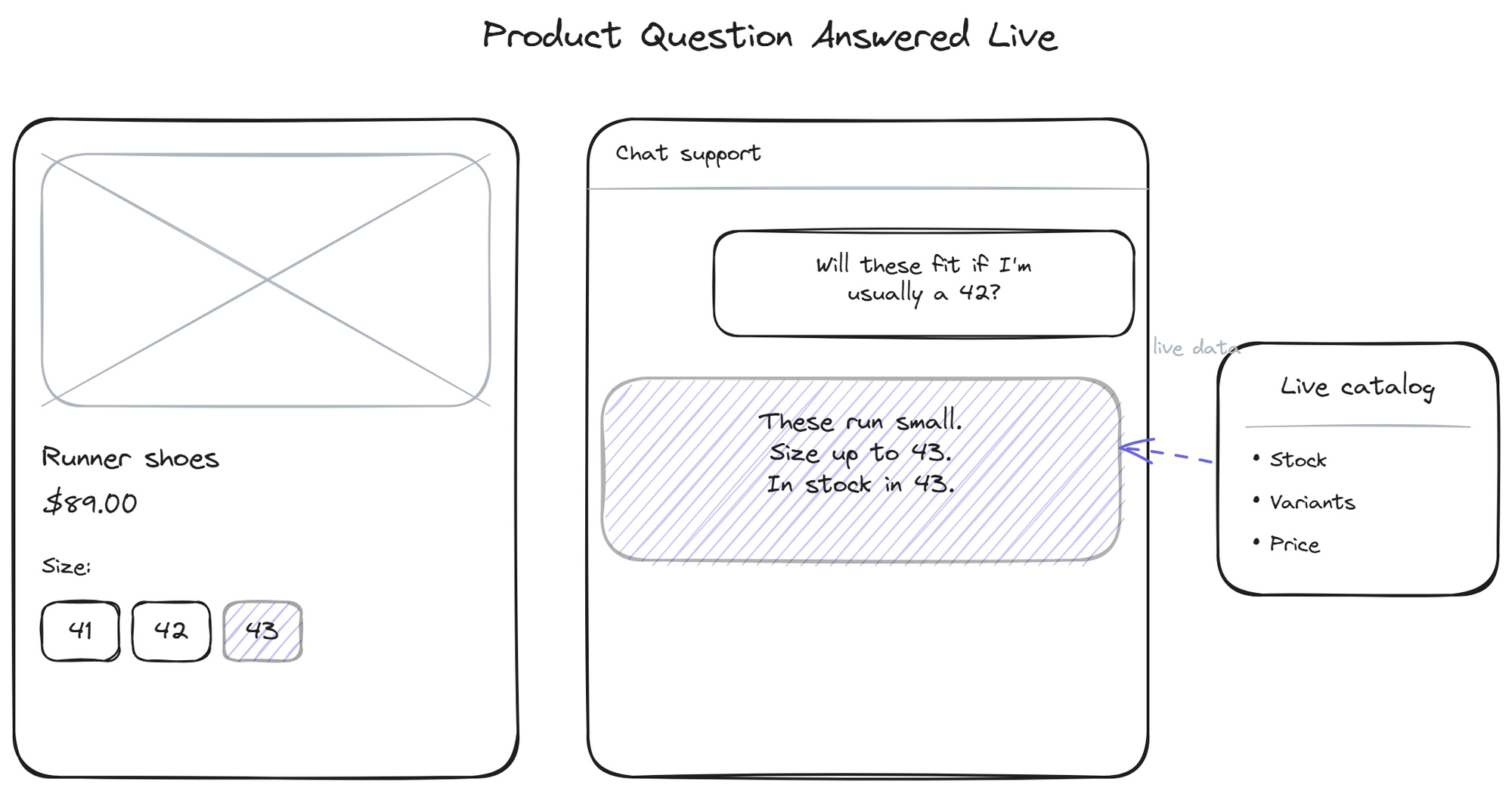
The chatbot draws on two sources. The live catalog (through the Shopify or WooCommerce connection) provides the dynamic data: current stock, price, available variants, basic specs. This is the data that changes and must be current, so reading it live matters. A "yes, in stock in size 43" answer is only useful if it reflects the actual inventory at that moment.
The product content (in the knowledge base) provides the richer information: sizing guides, care instructions, compatibility notes, material details, setup steps, FAQs. This is the content you write once and the bot grounds on. A "these run small, size up" answer comes from a sizing guide you authored, not from the catalog.
The two together let the bot answer a question like "will these fit if I'm usually a 42 and do you have them" by combining the sizing guide (content) with the live stock (catalog). Neither source alone answers it; the combination does. For the upstream connection that makes the catalog data available, the knowledge base side covers how product content becomes bot-ready answers.
Where it fits in the store's flow
The product questions chatbot lives on product pages and in the general chat, available at the moment of hesitation. On the conversion side, it should be configured to answer fast and to surface the information that closes the sale: availability, shipping time, the reassurance a hesitant buyer needs. Some stores trigger it proactively on product pages after a customer has lingered, with a contextual prompt like "questions about sizing?" rather than a generic greeting.
On the support side, it overlaps with pre-sales questions in the sales silo and with the returns flow. A good pre-purchase answer about sizing or compatibility reduces the return that a bad guess would have caused, which connects directly to the returns support flow: the best way to handle a return is to prevent it with an accurate answer upstream. For the broader pre-sales angle that spans beyond ecommerce, the pre-sales FAQ page covers buyer questions in a sales context.
BestChatBot answers product questions by combining live catalog data from Shopify or WooCommerce with the product content in your knowledge base, and refuses honestly when a spec is not in either source rather than guessing at a dimension or compatibility it cannot confirm.
FAQ
- Can the chatbot check live stock? Yes, through the store connection. It reads current inventory at the moment of the question, so an "in stock" answer reflects actual availability rather than a stale or synced number.
- How does it answer sizing questions? By grounding on the sizing guides and product content you provide in the knowledge base, combined with the live variant data from the catalog. If you have a sizing guide that says a product runs small, the bot uses it. Without that content, the bot can report the available sizes but not advise on fit.
- Does it help with conversion or just support? Both. Pre-purchase questions answered at the moment of hesitation close sales that friction would have lost, which is conversion work. Post-purchase questions reduce frustration and returns, which is support. The same chatbot serves both depending on when the question is asked.
- What if a product spec is not in my content? A well-configured bot refuses honestly ("I don't have that detail") rather than inventing a dimension or compatibility claim. Inventing product specs is dangerous because customers act on them, so the bot should only state what it can confirm from the catalog or your content.
- Can it reduce my return rate? Indirectly, yes. Many returns come from mismatched expectations (wrong size, wrong fit, incompatible). Accurate pre-purchase answers about sizing and compatibility reduce those mismatches, which reduces the returns they cause. For pricing details, see plans.
For pricing details, see plans.
Visit the ecommerce support hub.