
AI Support Agent API
The AI support agent API lets developers query the bot, manage the knowledge base, and wire support into custom workflows. Auth, endpoints, limits, and examples.
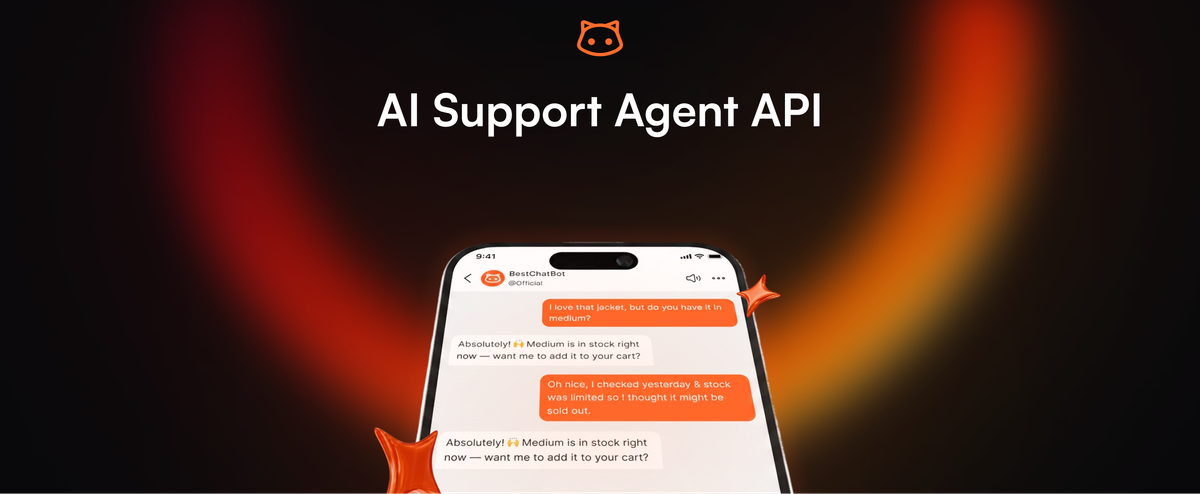
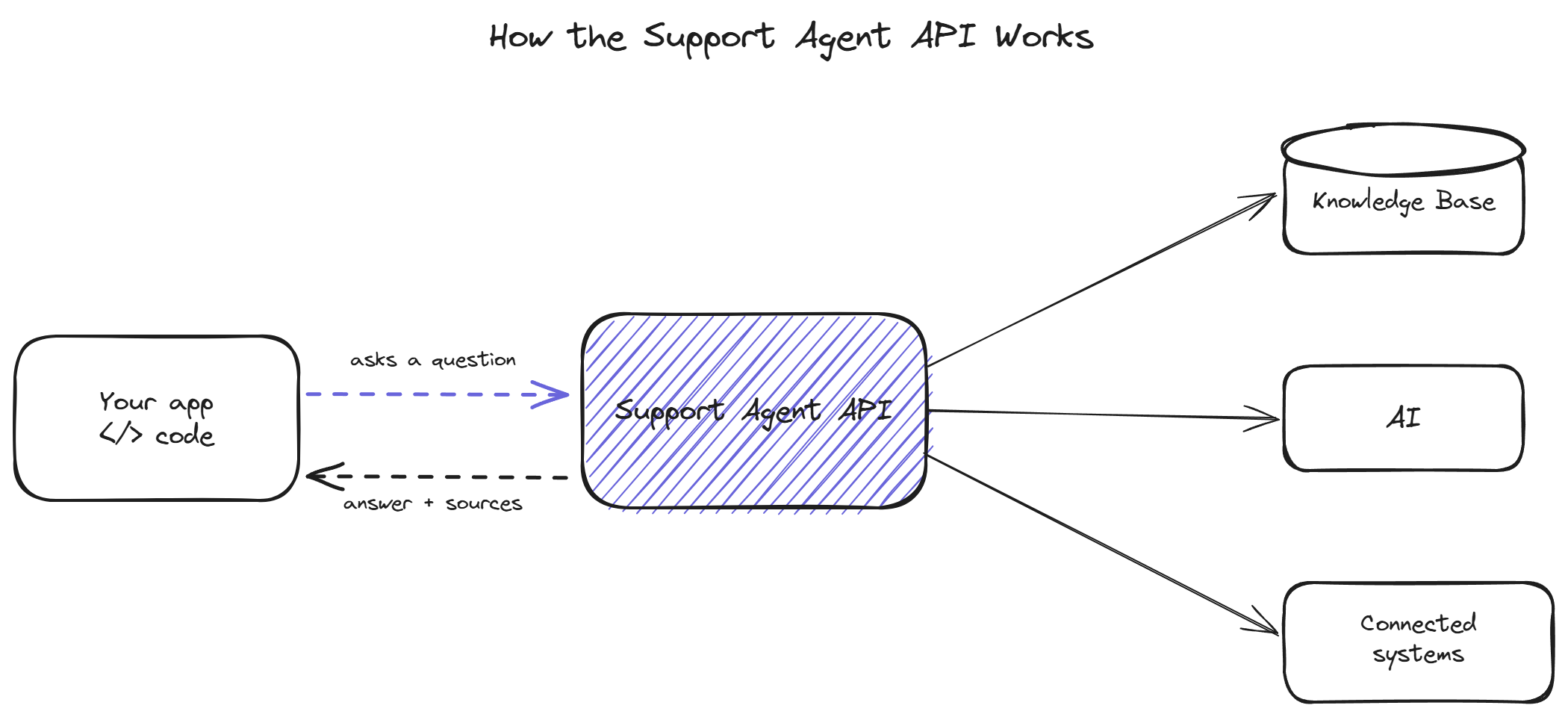
The AI support agent API is the developer-facing layer that lets you do programmatically what the dashboard does through clicks: send a question to the bot and get an answer, add or update knowledge base content, pull conversation logs, and trigger actions in connected systems. It exists for teams whose support needs do not fit the standard widget install: custom frontends, internal tools, mobile apps, or automated pipelines that need to call the bot directly. This page covers authentication, the core endpoints, rate limits, and a few example calls.
When to use the API instead of the widget
The standard widget covers most use cases: paste a snippet, the bot appears on your site, done. The API is for the cases the widget does not cover.
Custom frontends are the most common reason. If your support surface is not a standard web page (a mobile app, a desktop application, an in-product help panel rendered by your own code), the widget snippet does not apply. The API lets you build your own interface and call the bot behind it.
Automated pipelines are the second reason. A team might want to run incoming support emails through the bot before they reach a human, or auto-suggest answers inside an existing help desk, or batch-test the bot against a corpus of questions on a schedule. These are server-to-server uses with no human typing into a widget, and the API is the only way to reach the bot in those contexts.
Knowledge base automation is the third. Teams with documentation in a system that does not have a native connection can push content into the knowledge base through the API on their own schedule, build their own sync logic, or programmatically manage which content is active.
If none of these apply, the widget is the simpler path. The API exists for the teams that have outgrown the standard install or never fit it in the first place.
Authentication
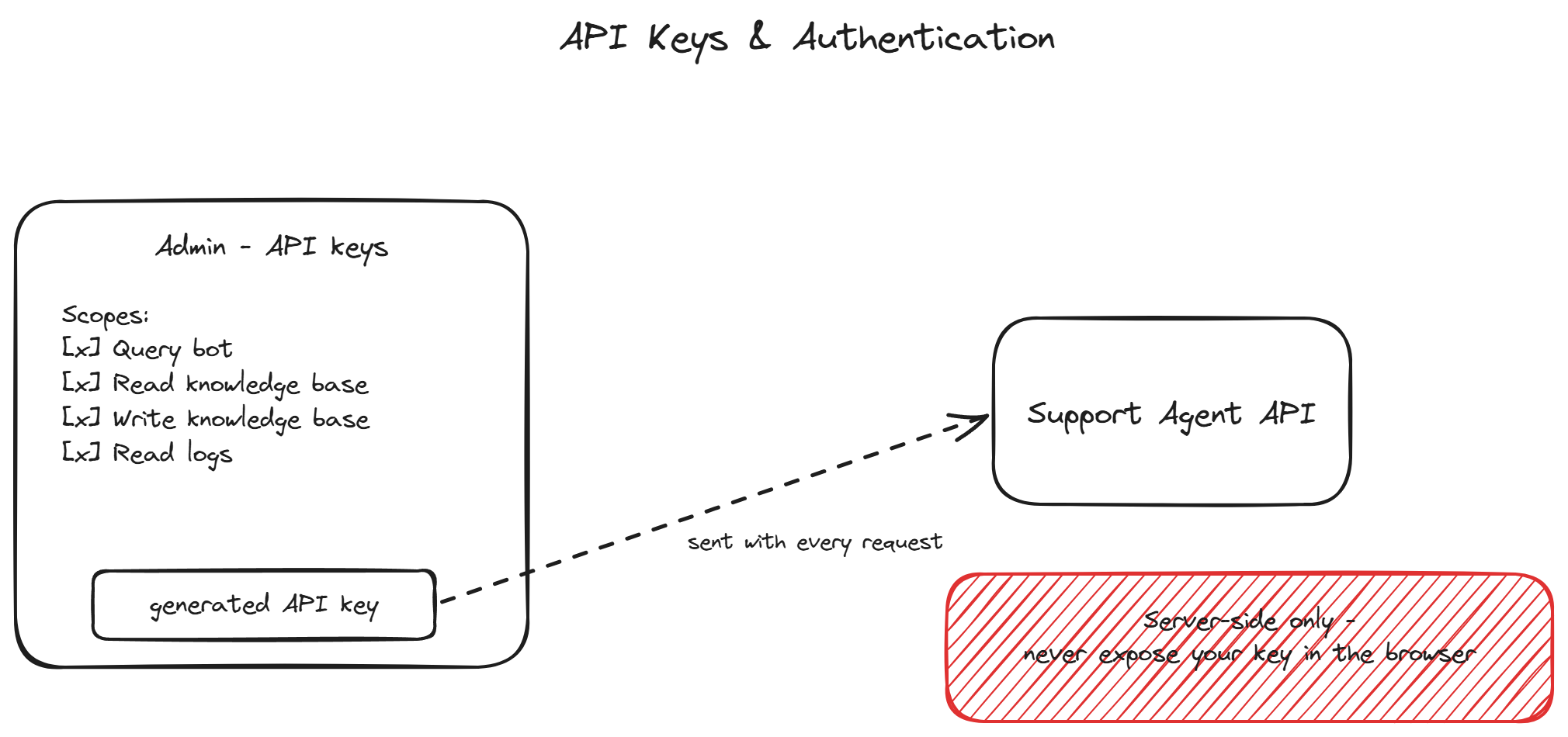
The API uses bearer token authentication. Generate an API key in the admin panel under the API section. Each key carries a set of scopes that limit what it can do: query the bot, read the knowledge base, write to the knowledge base, read conversation logs. Grant each key the minimum scopes its use case requires.
Include the key in the Authorization header on every request:
Authorization: Bearer sk_live_your_key_hereAPI keys are server-side credentials. Never embed them in browser-side JavaScript, mobile app binaries, or anywhere a user could extract them. For browser-based custom frontends, proxy the API calls through your own backend so the key stays server-side. A key exposed in client code can be used by anyone who finds it, against your quota and your data.
Keys can be rotated and revoked in the admin at any time. Rotate keys on a schedule and immediately if one is exposed.
Core endpoints
The API surface centers on four groups of endpoints.
The query endpoint is the one most teams use. Send a question and optional context (the user's identity for personalized lookups, the conversation history for multi-turn exchanges), and receive the bot's answer along with the source passages it used. This is the programmatic equivalent of a visitor typing into the widget.
POST /v1/query
{
  "message": "When does my subscription renew?",
  "conversation_id": "conv_abc123",
  "user_token": "jwt_for_authenticated_user"
}
The response returns the answer text, the source references, and a confidence indicator the system used internally.
The knowledge base endpoints let you manage source content programmatically: create, update, and delete documents, trigger a re-index, and list what is currently indexed. Useful for teams building custom sync logic from a documentation system without a native connection.
The conversations endpoints expose the logs: list conversations, fetch a specific conversation's full transcript, and pull the gap log of questions the bot could not answer. Teams use these to feed their own analytics or to run the weekly review described in the knowledge setup workflow programmatically.
The actions endpoints let you trigger or inspect the connected-system actions (the Shopify, Stripe, Calendly operations) outside the chat flow, for teams wiring those capabilities into their own interfaces.
Rate limits and quotas
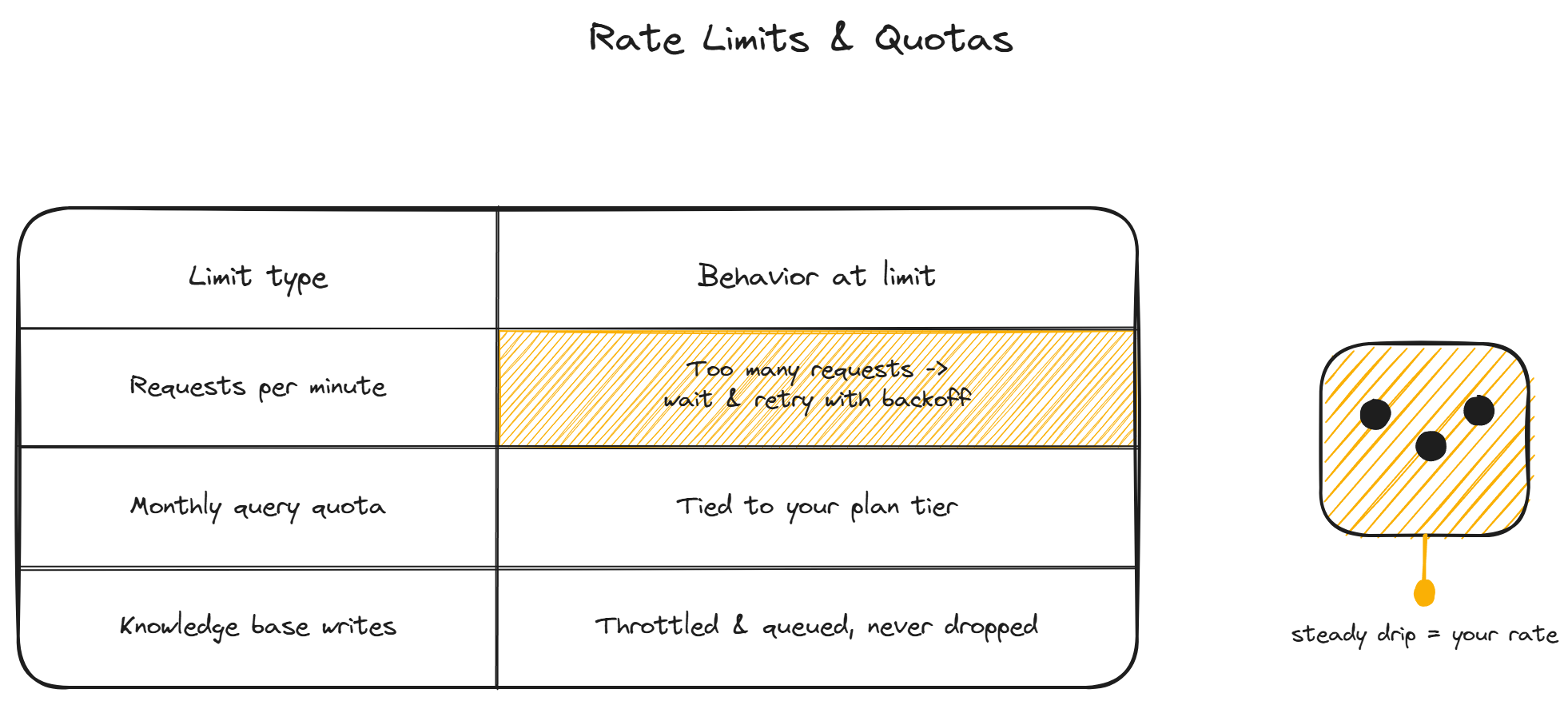
The API enforces two kinds of limits. Per-minute rate limits prevent bursts from overwhelming the system; exceeding them returns a 429 Too Many Requests with a Retry-After header indicating how long to wait. Build exponential backoff into any client that might hit the per-minute limit.
Monthly quotas are tied to your plan tier and cap total query volume, knowledge base size, and connected actions per month. The current consumption is visible in the admin and through a usage endpoint. When a quota is approaching, the API returns a warning header before it starts rejecting requests, so you can react before hitting a hard stop.
Knowledge base write operations are throttled separately and queued rather than rejected, because content updates are less latency-sensitive than queries. A large batch of document updates processes in the background rather than blocking.
For developer or enterprise teams who need higher limits or custom quotas, the pricing tiers cover the options, and custom arrangements are available for high-volume cases. The custom bot cost page covers the build-versus-buy math for teams considering the API as the foundation of a heavily customized deployment.
FAQ
- Is the API available on all plans? API access is typically available on higher plan tiers, with the rate limits and quotas scaling by tier. Check the pricing page for which tiers include API access and what the limits are on each.
- Can I build a fully custom chat interface on the API? Yes. The query endpoint returns everything needed to render a custom chat: the answer, the sources, the confidence indicator, and conversation continuity through the conversation ID. Many teams use the widget for their website and the API for their mobile app or in-product help panel, both pointing at the same knowledge base.
- How do I handle authenticated users through the API? Pass a signed JWT identifying the user in the query request. The bot uses it the same way the widget does: to scope personalized lookups (orders, subscriptions) to the correct user. Your backend signs the JWT; never let the client mint its own.
- What format are the responses? JSON. The query endpoint returns the answer text, an array of source references with document IDs and passage excerpts, and metadata including the confidence indicator and conversation ID for continuity.
- Does the API count against the same quota as the widget? Usage from the API and the widget both draw from your plan's monthly query quota. The admin shows combined usage. If you run heavy API traffic alongside a widget, size your plan tier for the combined volume.
For pricing details on the tiers that include API access, see plans.