
AI Support Integrations
AI support integrations connect your widget to Shopify, Calendly, HubSpot, Stripe, and your knowledge base. See the connection types and how each one works.
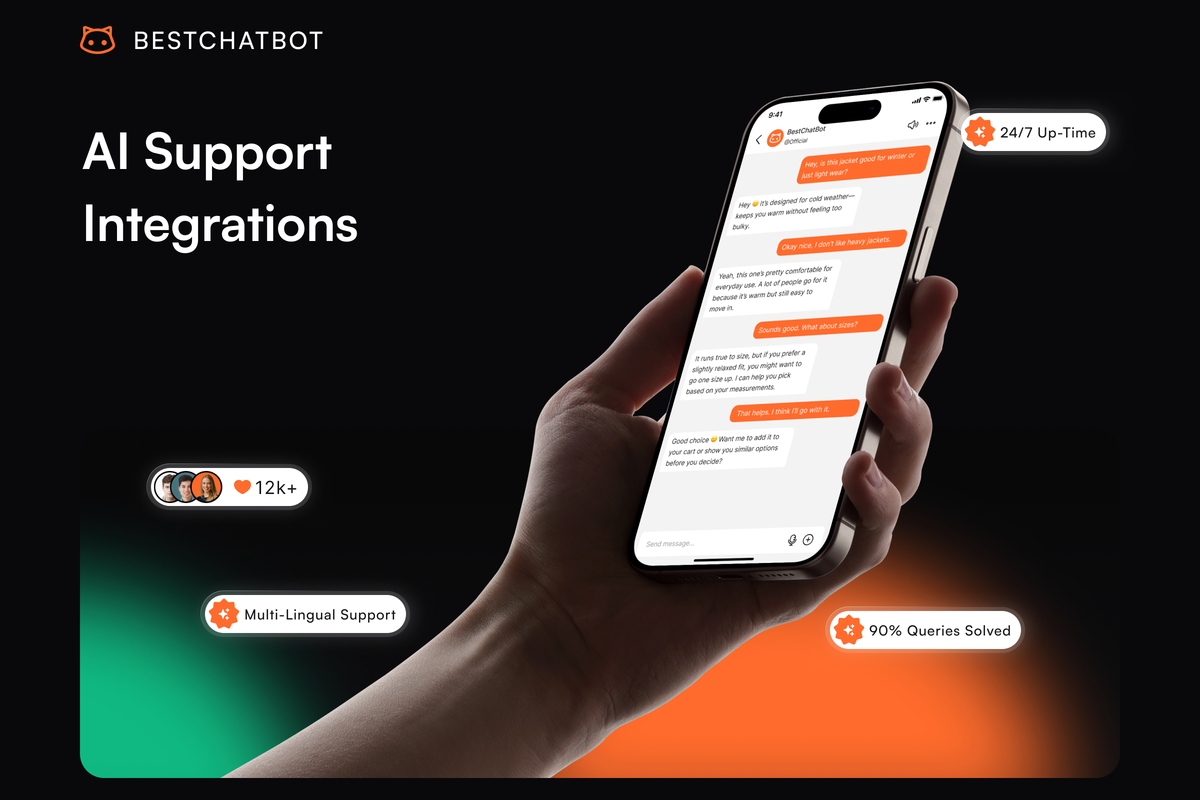
AI support integrations are what turn a chatbot from "answers questions about your docs" into "answers questions and does things on the customer's behalf." A widget connected to Shopify can look up an order. A widget connected to Calendly can book a demo. A widget connected to Stripe can read a subscription's renewal date. Without these connections, the bot can only talk; with them, the bot can act. This page covers the categories of connections available, what each one enables, and how to set them up.
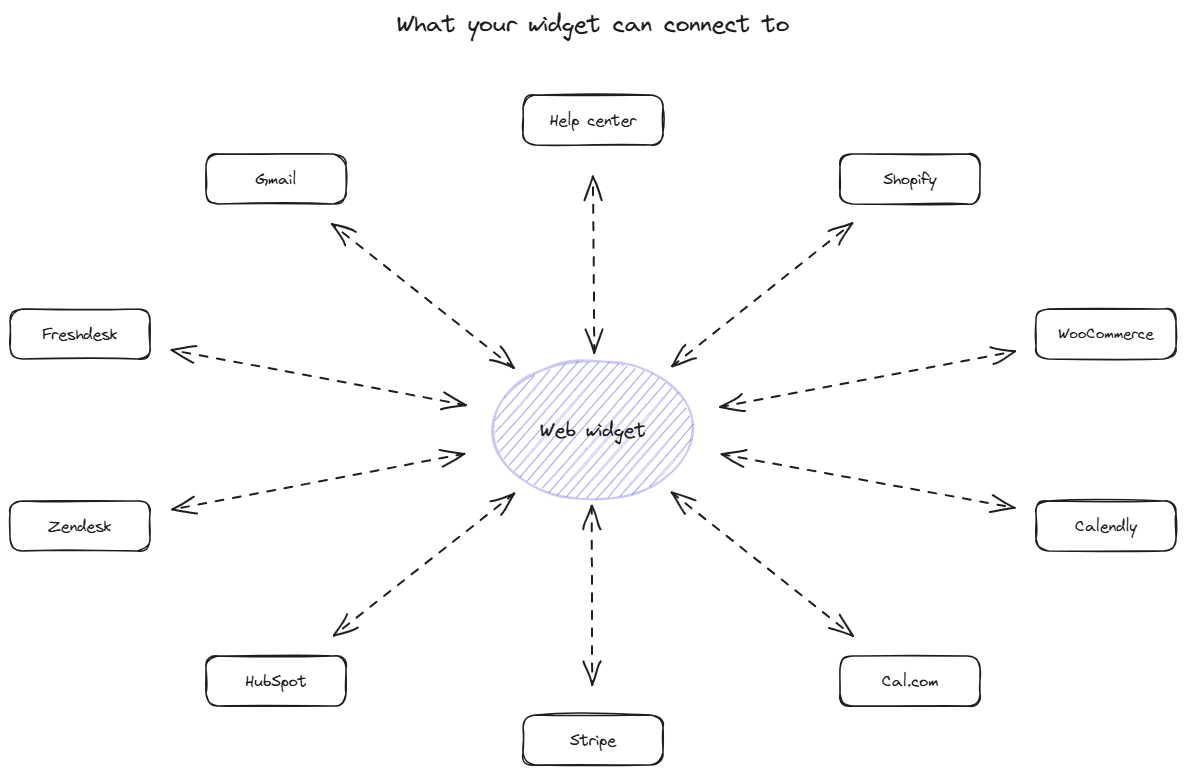
What the connections actually do
The widget runs in your visitor's browser and the connections extend its reach into the systems that hold the data and the actions the visitor cares about. Three categories cover almost every case.
The first category is knowledge sources. Help center platforms, documentation sites, and FAQ databases feed content into the widget's knowledge base. The widget reads from these sources when generating answers. Setup is one-time for each source and the content stays in sync through scheduled refresh or webhook updates.
The second category is action systems. Shopify, WooCommerce, Calendly, Cal.com, HubSpot, Stripe, Zendesk, Freshdesk, Gmail. The widget calls these on behalf of the visitor: look up an order, book a demo, create a contact, fetch a billing date, open a ticket. Each connection requires authentication (usually OAuth or API key) and exposes a specific set of read and write operations.
The third category is deployment platforms. WordPress, Shopify, Webflow, Wix, Ghost, custom sites. The widget needs to be installed on the platform where your site runs. Most platforms support 1-click install through their app marketplace or a copy-paste snippet for custom sites.
The combination of these 3 categories is what makes a support widget actually useful for transactional questions. A bot connected only to docs answers "what's your refund policy?" A bot connected to docs and Shopify also answers "when will my order arrive?" with the actual answer for that specific order.
The connection types in detail
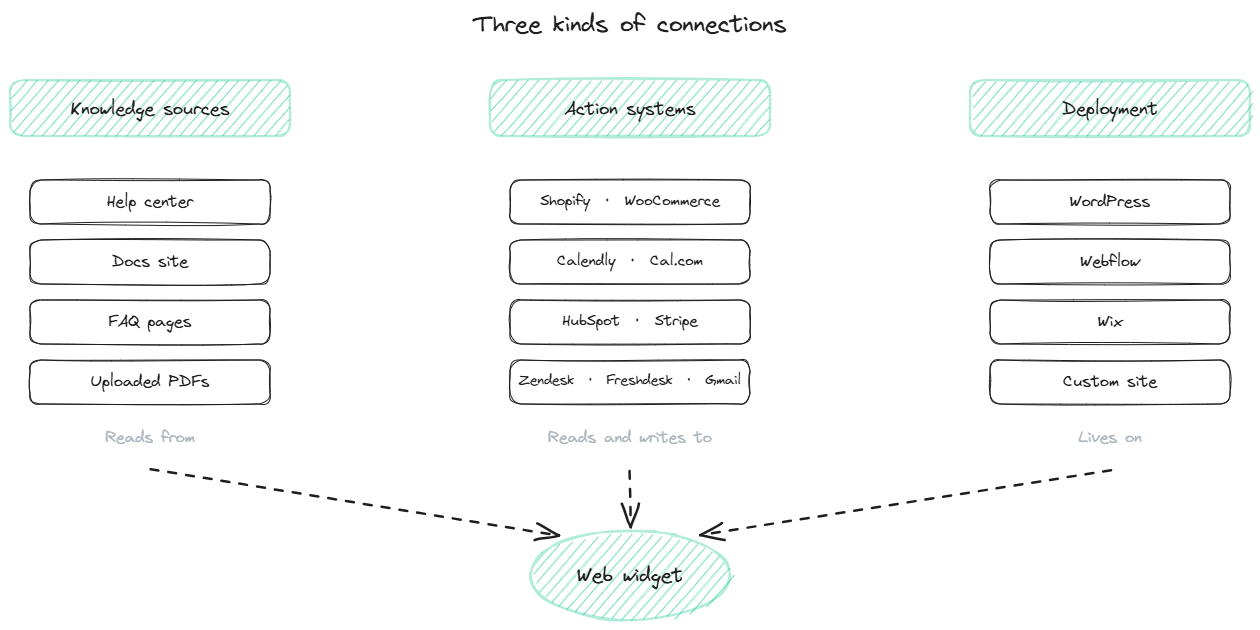
Knowledge source connections are read-only. The widget pulls content from your help center, your documentation site, your FAQ pages, and any PDFs you upload. The knowledge sync page covers the help center side specifically; for a broader picture of how source content becomes bot-ready, the knowledge base pillar describes the architecture.
Help center platforms supported through native sync include Zendesk Guide, Intercom Articles, HelpScout Docs, and any documentation site exposed through a sitemap. Sync runs on a schedule (daily for fast-moving content, weekly for stable content) and updates propagate within minutes of an article being edited.
Action system connections are read and write. The widget can fetch data from these systems and trigger actions in them on the visitor's behalf. The 8 main action systems supported as of November 2026:
Shopify and WooCommerce for ecommerce stores. Order status lookup, return initiation, product information retrieval, customer order history.
Calendly and Cal.com for scheduling. Slot availability lookup, meeting booking, rescheduling, cancellation.
HubSpot for CRM. Contact creation, contact lookup, deal updates, activity logging.
Stripe for billing. Subscription status, renewal dates, plan information, payment history.
Zendesk and Freshdesk for help desk. Ticket creation with conversation transcript attached, ticket status lookup. Note: this is asynchronous ticket creation, not live mid-chat human transfer; the visitor gets a ticket reference and a reply through normal support channels.
Gmail for transactional emails. Templated email sends on behalf of the user for cases the bot fully resolves but where a written record is useful.
Each action system connection uses OAuth where supported and API keys otherwise. Auth credentials are stored encrypted and scoped to the minimum permissions required.
Deployment platform connections are install-only. The widget runs on your site, so it needs to be present on the platform your site uses. The site install page covers the technical install in detail; for the feature side of what the widget does once installed, the AI web widget page goes into product depth.
How to add a connection
The basic flow is the same across connection types. Open the admin panel. Find the connection in the available list. Click "Connect." Authenticate with the target system (OAuth pop-up or API key paste). Configure the scope (which orders, which calendar, which CRM list). Save.
The whole flow takes 2 to 5 minutes per connection. The slower step is usually deciding the scope: which specific calendar in Calendly, which Shopify store if you run multiple, which HubSpot list should new contacts go into. These decisions are reversible but worth thinking through before saving, because misconfiguration produces silent failures.
BestChatBot's admin walks through each connection setup with platform-specific prompts and confirms the connection works before saving. For developers who need finer control, the Discord integration and other platform-specific install paths can also be configured via the underlying API.
FAQ
- Do I need every connection to launch? No. Most teams launch with the knowledge source connection (help center or docs) and 1 or 2 action systems most relevant to their support load. Add more over time as you identify which categories of customer questions would benefit from action capability.
- Can I disable a connection without uninstalling it? Yes. Most platforms support a temporary disable that keeps the auth credentials but stops the widget from using the connection. Useful for testing or for cases where a third-party service is temporarily down.
- What happens if the connected service is down? The widget detects the failure and falls back gracefully. For action systems, the bot tells the visitor that the lookup is temporarily unavailable and offers a fallback (usually opening a support ticket or providing a direct contact). For knowledge sources, the bot continues to serve cached content from the last successful sync.
- How is authentication kept secure? OAuth tokens and API keys are stored encrypted at rest. Scope is limited to the specific operations the widget needs (read order status, write ticket, etc.) rather than broad account access. Audit logs record every action the widget takes through a connection.
- Can the widget call a custom API not in the standard list? Yes, through the developer API. Custom endpoints can be configured for any HTTP service the widget should be able to call. This requires more setup than the prebuilt connections but covers any system not in the standard catalog.
For pricing details on plans that include the various connection categories, see pricing.