
Website Chatbot for Customer Support
A website chatbot for support that answers from your docs, hands off to humans, and works in any language. See how it works and how to deploy it.
A website chatbot for support is the difference between a customer who finds an answer at 2am and a customer who closes the tab. The math is simple: one bot can handle thousands of repetitive questions in parallel while your team focuses on cases that actually need a human. The catch is that most teams ship a bot that misfires, misquotes the docs, or traps people in loops they cannot exit. This page covers what a good one looks like, how it plugs into your existing stack, and where most projects go wrong before they even launch.
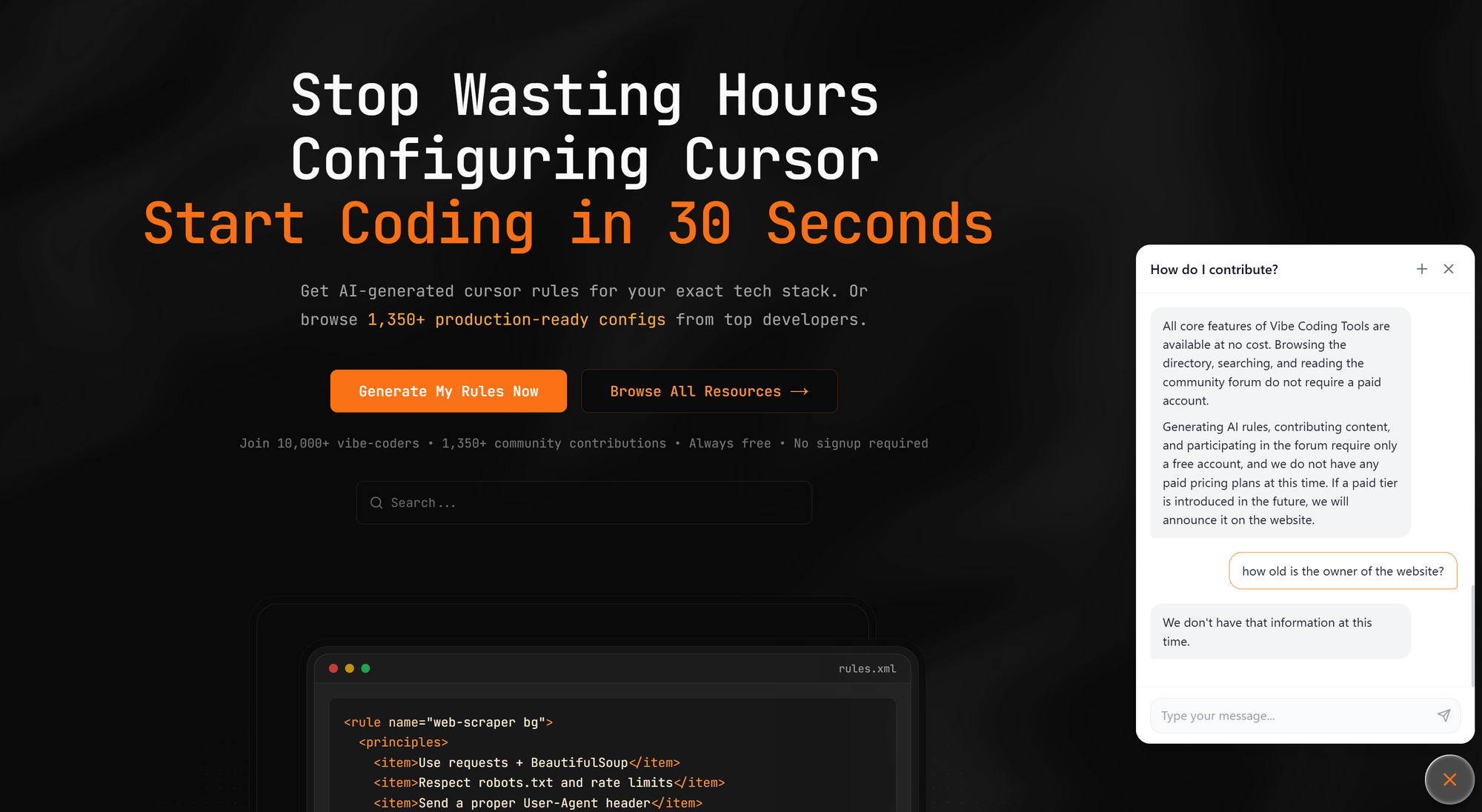
What a website chatbot for support actually does
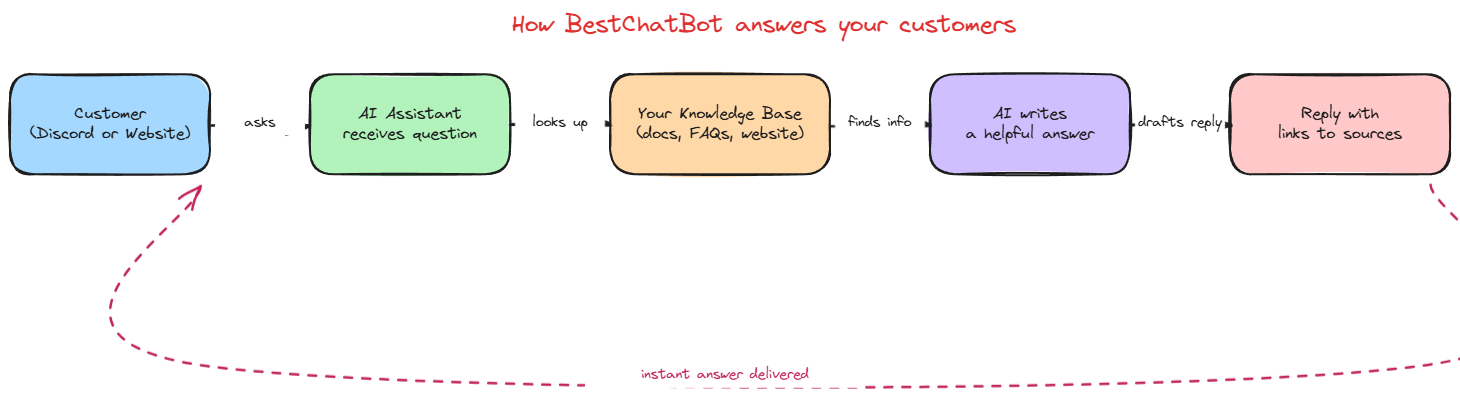
A modern website chatbot is an embedded conversational interface that answers visitor questions using your own content. It reads your help center, product documentation, FAQ pages, and any uploaded files, then generates a reply that points back to the source material. The widget sits in the bottom-right corner of every page, opens on click or on intent, and stays out of the way until needed.
That description hides an important shift. Five years ago, "support chatbot" meant a decision tree built in a flow editor. You wrote the question, you wrote the answer, you mapped every branch by hand. Today, an AI website chatbot pairs a language model with a retrieval layer that pulls passages from your knowledge base on the fly. The model writes the response in natural language, but the facts come from your documents, not from its memory.
The website widget is the visible part. Underneath, three things matter: the quality of the source content, the retrieval logic that picks the right passage, and the guardrails that stop the bot from inventing things. If any of those three is weak, the customer support bot will sound confident while being wrong, which is worse than not having a bot at all.
Why most teams ship one that does not work
I have seen the same launch pattern in dozens of projects. The team picks a vendor, drops the embed code on the site, points the bot at a mix of stale help center articles, and goes live the same week. Two weeks later, the support inbox is fuller than before because users now have to re-explain everything the bot got wrong.
Three failure modes account for most of this. First, the bot hallucinates because the source content is thin or contradicts itself, so the model fills the gaps from its training data. Second, the bot has no clean path to a human, which turns a 30-second question into a 10-message dead end. Third, the bot fires aggressive popups within three seconds of the visitor landing on the page, which raises bounce rates instead of resolution rates.
The data backs this up. Zendesk's 2025 CX Trends Report cites Vagaro, where their team resolved 44% of incoming requests with AI and reduced resolution time by 87%, but those numbers come from teams that prepared the content, set up escalation, and measured weekly. Teams that skip those steps land closer to 10-20% resolution and end up reverting to live chat within a quarter. Zendesk
Features that separate a useful website chatbot from a frustrating one
Pick the lightest tool that covers the following. If you are evaluating vendors, treat this as a checklist:
- Knowledge base grounding. The bot must answer from your documents, not from generic training data. Look for retrieval-augmented generation, source citations under each reply, and the option to mark certain documents as canonical when two sources disagree.
- FAQ coverage with fallback. A good FAQ flow handles the top 50 repetitive questions on autopilot. When a question falls outside that set, the bot should say "I do not have that answer" and route to a human, not guess.
- Human handoff that retains context. When the bot escalates, the agent picks up the conversation with the full transcript, the customer's email if available, and any links the bot already shared. Cold handoffs that force the customer to repeat themselves are the single biggest cause of CSAT drops in chat support.
- Multilingual support without a separate setup. If your store ships internationally, the bot should detect the language from the first message and reply in kind, drawing from the same knowledge base. Maintaining one English KB and translating answers on the fly is faster than maintaining 12 parallel knowledge bases.
- A widget that does not get in the way. Customizable colors, position, opening behavior, and proactive triggers are baseline. Anything that auto-opens within five seconds of page load on every page is going in the wrong direction.
For teams ready to look at the front-end side specifically, the AI widget page covers placement, customization, and the embed flow in detail.
How a support chatbot fits into your workflow
Think of the bot as tier 0. It catches the questions that have a documented answer somewhere on your site. The rest goes to tier 1 with full context. The teams that get the most out of this model treat the bot as a content audit tool: every question the bot cannot answer is a gap in the docs, not a failure of the AI.
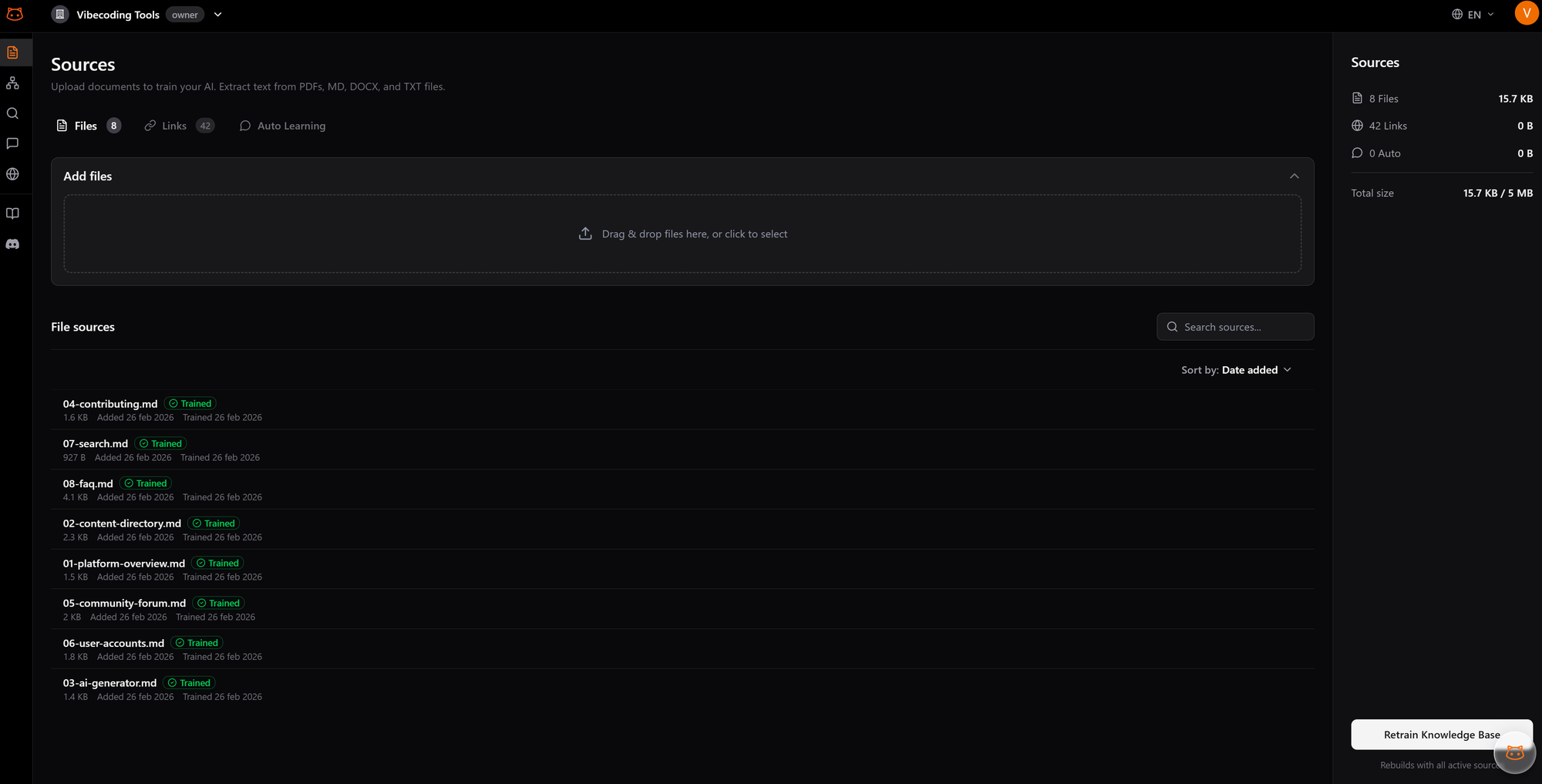
This is also where the choice of vendor matters most. BestChatBot.io captures every question a moderator answers manually, validates the new Q-and-A pair against the existing knowledge base, and adds it back to the bot automatically. The bot improves week over week without anyone manually retraining it. That kind of feedback loop is what turns a 25% resolution rate at launch into 70% by month three, instead of letting the same gaps repeat for a year.
The handoff side is the other half. A site chatbot that cannot escalate is a site chatbot that creates more tickets than it deflects. Configure clear escalation rules: refunds above a threshold, account changes, anything tagged as urgent. Everything else stays in the bot.
What deployment looks like in practice
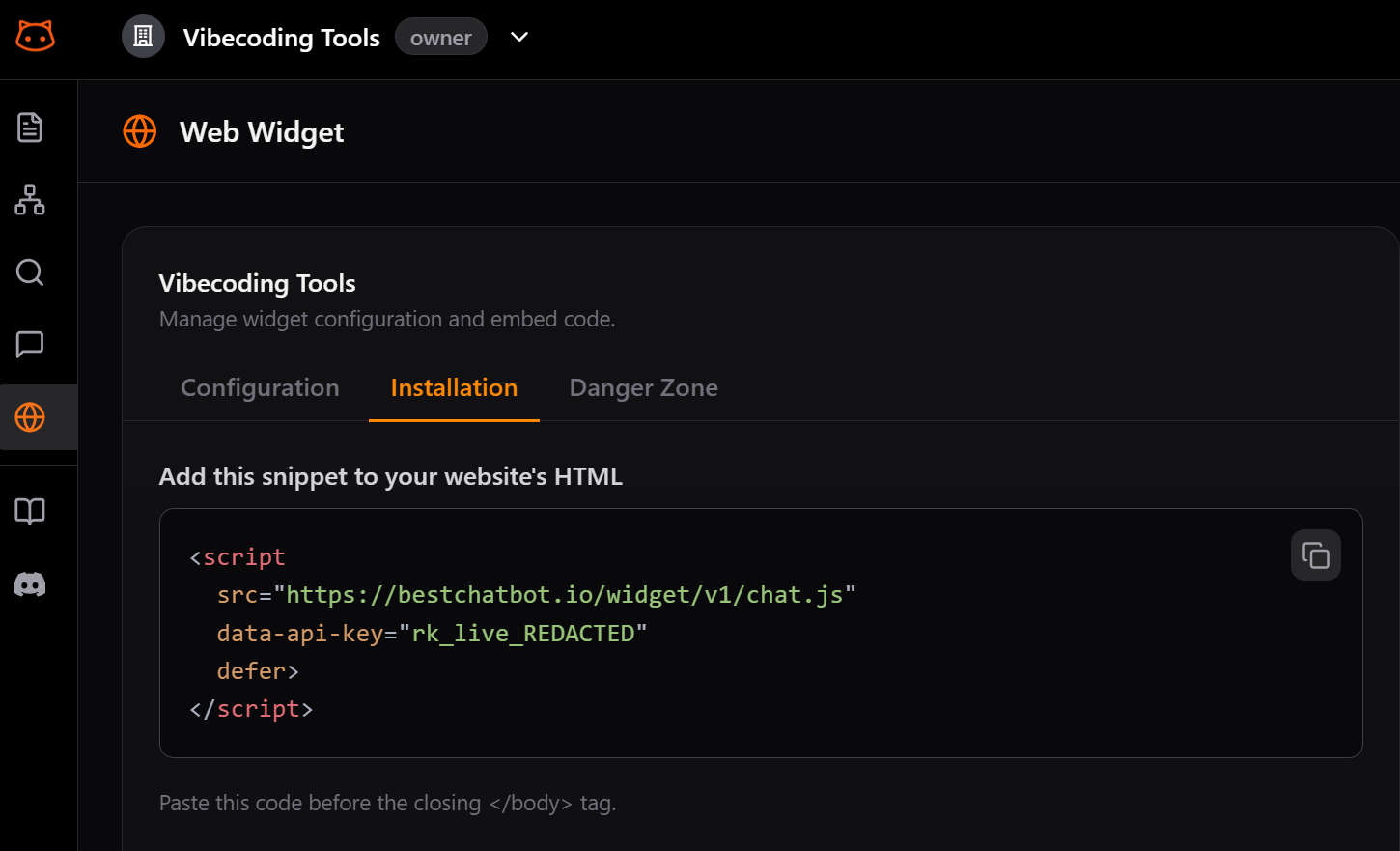
For a SaaS team with reasonable docs, a sane rollout takes one to two weeks, not months. Day one is the content audit: pull your help center articles, kill duplicates, fix outdated pricing pages. Day two and three are knowledge base ingestion and chunking. Day four is the embed and visual customization. Day five is internal testing with the support team firing real past tickets at the bot. Week two is a soft launch on a single page (often the pricing or contact page), then a full rollout once you trust the resolution numbers.
If you want a step-by-step version of this rollout, the website chatbot setup guide walks through each phase with the common gotchas. For teams comparing options before committing, the best support chatbot tools page lays out the main vendors side by side. And if you already know what you need and want to look at plans, the website chatbot pricing page is the next stop.
FAQ
- How long does it take to launch a website chatbot? For a SaaS team with existing documentation, one to two weeks is realistic. The slow part is rarely the tool. It is the content audit, fixing inconsistencies in the docs, and aligning the support team on which cases the bot should escalate.
- Can a website chatbot replace human agents? No, and any vendor that promises this is overselling. The realistic outcome is that the bot handles 40-70% of repetitive questions on autopilot and routes the rest to humans with full context. Your team handles fewer tickets, but each one they touch is a case that genuinely needs them.
- What happens when the bot does not know the answer? A well-configured bot says so explicitly, captures the question, and either routes the customer to a human or invites them to leave their email for a follow-up. The captured question becomes an input for improving the knowledge base. A bot that guesses instead of saying "I do not know" is a bot that creates liability.
- Does it work in languages other than English? Modern bots detect the visitor's language from the first message and reply in kind. The knowledge base can stay in your primary language, and the bot translates answers on the way out. Quality varies by language, so test the top three or four your customers actually use.
- How is customer data handled? Look for vendors that store conversation data with proper isolation per tenant, do not train on your customers' messages by default, and let you set retention windows. If you operate in the EU, ask specifically about GDPR-compliant data residency and the option to delete conversations on request.
A website chatbot for support is one of the few support investments where the value compounds. Every conversation makes the next one better, every gap surfaces a doc that should be fixed, and every resolved question saves time your team can spend on harder problems. If you have a knowledge base worth pointing at, the rest is execution. Take a look at our pricing when you are ready to see what fits your traffic.
Explore our AI support resources and guides for setup walkthroughs and templates.
The right configuration depends on your sector. See how the widget changes shape as an AI support agent by industry.
To make the widget match your brand, explore the widget styling and placement options.