
Multilingual Website Support Chatbot
A multilingual support chatbot that detects the visitor's language and answers from one knowledge base. Covers 50+ languages without 50 separate setups.
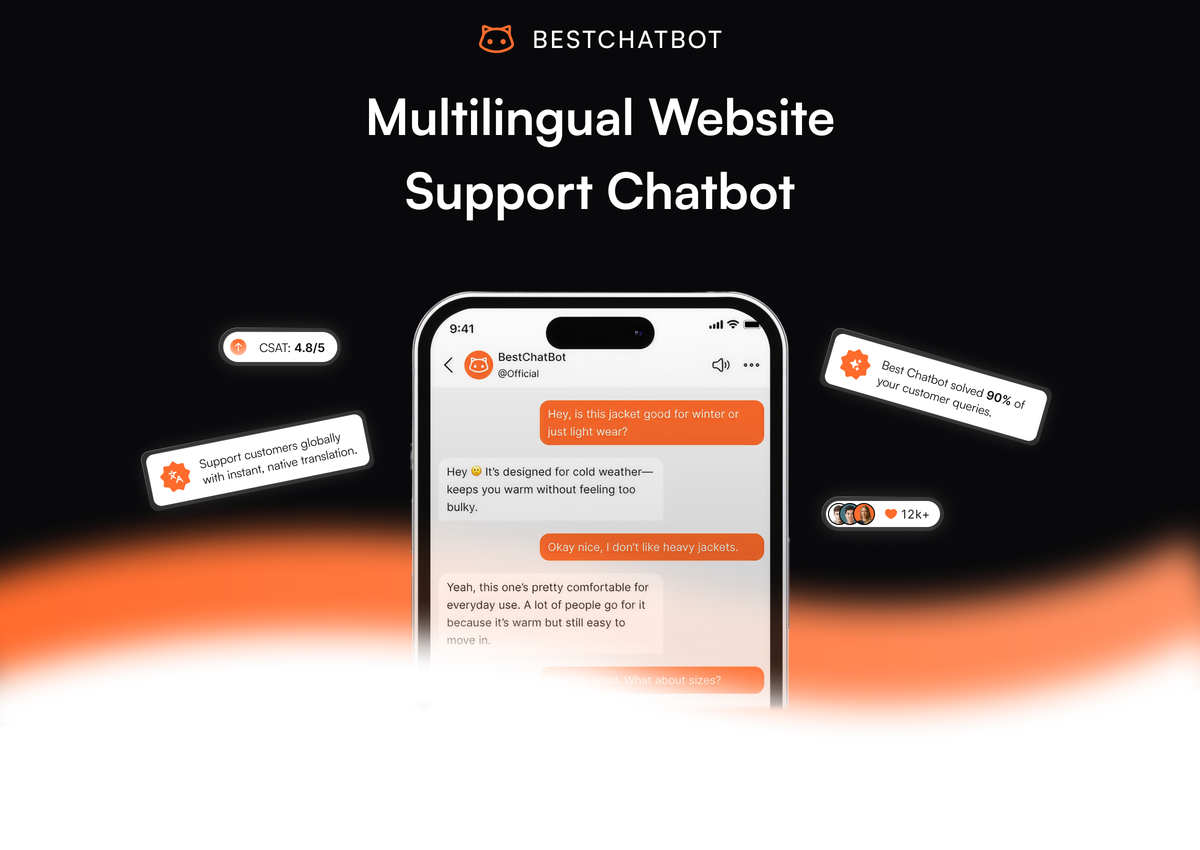
A multilingual support chatbot solves a problem that grows with every market you open. Your help center is in English. Your customers are in Spain, Germany, Japan, and Brazil. Your support team speaks two of those four languages on a good day. The traditional fix is to maintain four parallel knowledge bases, four FAQ pages, and four support inboxes, which is slow, expensive, and goes stale within a month. The modern fix is one knowledge base in your primary language and a bot that handles the rest at the moment of answering.
What multilingual support actually requires
The instinct when someone says "multilingual support" is to think of translation. That is part of the answer, but not the whole one. A working multilingual setup needs four pieces:
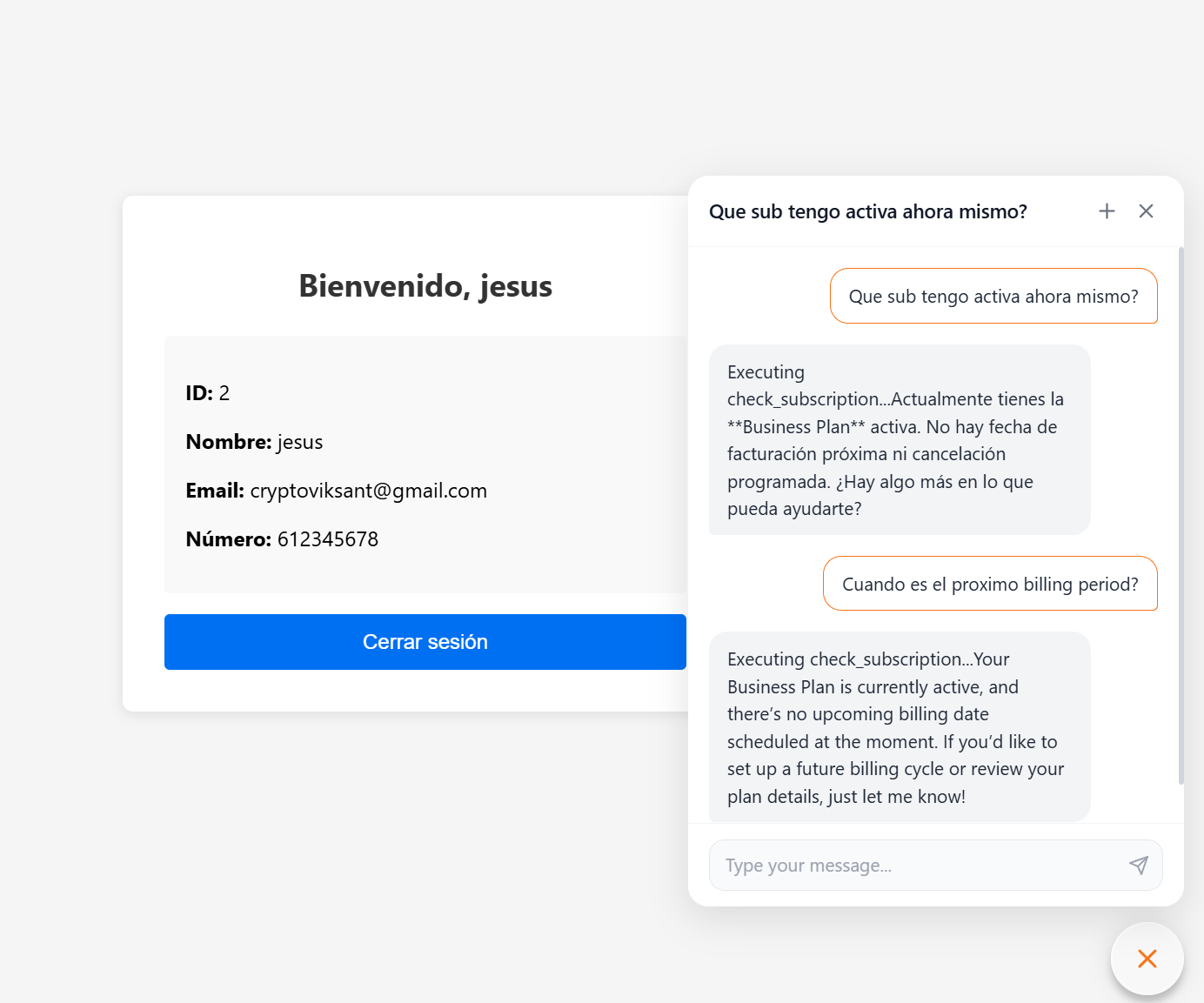
- Language detection. When a visitor types in Portuguese, the bot recognizes Portuguese from the first message, not from a flag clicked at the top of the page. Most users do not look for the flag. They just type in their language and expect the reply to match.
- Knowledge retrieval that works across languages. The bot's source content is usually in one language (English, for most teams). The retrieval layer needs to match a Spanish question to an English passage in the knowledge base, then generate the answer in Spanish. This is where naive translation-on-top approaches break down.
- Output in the visitor's language. The reply comes back fluent, idiomatic, and consistent in tone with the rest of your site. Machine-translated English-shaped sentences read as foreign even when they are grammatically correct.
- Brand and policy preservation. Product names, legal terms, and currency formats stay correct across languages. "$29/month" should render as "29 $/mes" in Spanish, not "$29 cada mes" or any other mistranslation that confuses pricing.
A bot that does three of these four creates more problems than it solves.
Why translation is not the whole story
The lazy version of multilingual support is to run every reply through Google Translate after the bot generates it in English. This works on simple questions and fails on the ones that matter. Product names get translated unnecessarily ("Stripe" becomes "Banda" in some pipelines). Idiomatic English ("Let me check on that") translates to something flat and robotic. Cultural conventions around formality (German "Sie" vs "du", Japanese keigo) get flattened to whatever the translator picks by default.
A modern multi language chatbot side-steps this by generating the reply directly in the visitor's language, not translating after the fact. The language model handles both retrieval and generation natively in 50+ languages, and the result reads like content written by a fluent speaker rather than a translation. The cost is that you have to trust the model with the output, which means testing in each language you actively serve before going live.
According to CSA Research's widely cited 2020 study, 76% of consumers prefer to buy in their own language and 40% will not buy from sites in other languages at all. Those numbers have not moved much since. For any team selling internationally, the multilingual question is not whether to support other languages; it is how cheaply you can do it well.
How a knowledge-grounded bot handles languages well
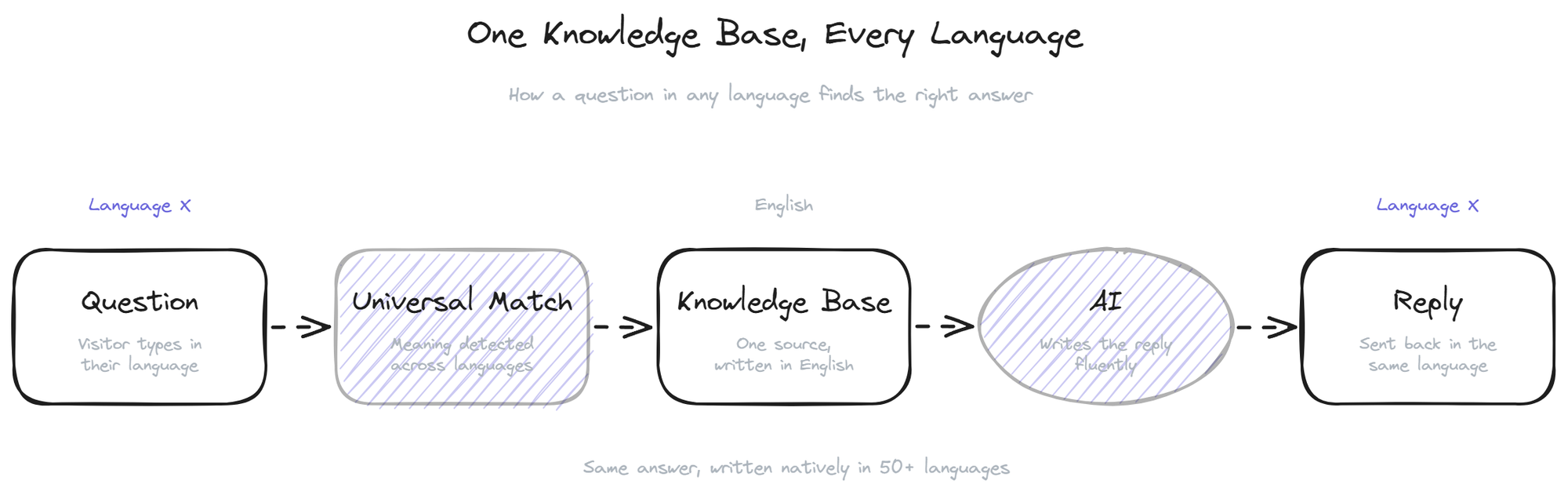
The architecture that makes this work has three parts. The knowledge base sits in your primary language, indexed once. When a visitor asks a question in Portuguese, the retrieval layer matches the Portuguese question against the English passages using a multilingual embedding model that maps both languages into the same vector space. The matched English passage and the original Portuguese question both go into the language model, which generates a Portuguese reply grounded in the English source.
This is more reliable than the "translate everything" approach because the source content stays canonical. Update an article in English, and the bot picks up the change for every language on the next retrieval. You are maintaining one knowledge base, not 12.
The catch is that this architecture only works as well as the multilingual model behind it. Stronger models handle nuance, idiom, and tone better. Weaker ones produce passable text in major languages and noticeably stiff text in less common ones. For a global ecommerce site or any team running an international store chatbot, the model choice matters more than any other configuration decision.
Practical setup for a multilingual rollout
If you are adding multilingual support to an existing bot, the setup is shorter than it looks. The decisions to make:
- Which languages to actively support. Active means you have tested the bot's quality in that language and committed to monitoring it. Passive means the bot will still respond if someone writes in it, but you have not verified the quality. Start with active support for your top 3-5 markets and let the rest run as passive.
- What stays in English (or your primary language). Product names, brand terms, technical IDs, error codes. These should not be translated. Configure a glossary in the bot if the platform supports it, otherwise wrap them in markers your model can preserve.
- Currency, dates, and units. Decide whether the bot localizes these or keeps them in the source format. For ecommerce, localizing currency is non-negotiable. For B2B SaaS, often the original format is fine.
- Source content language. Your knowledge base can stay in English even if you have customers in 12 other languages. The retrieval handles the cross-language matching. Only translate the source content if you have a market large enough to justify a dedicated team maintaining it.
- Testing per language. Before turning on a new language, pull 30-50 real questions from that market (from support emails, social, anywhere). Run them through the bot. Read the answers. Flag anything that sounds translated rather than written.
BestChatBot supports 50+ languages out of the box on a single knowledge base, with language detection happening automatically on the first message and no flag selector required from the visitor.
What to monitor after launch
Three signals matter once the multilingual layer is live. Volume per language tells you which markets are actually using the chat. Resolution rate per language tells you whether the bot is performing equally well across them. CSAT per language catches the subtle quality drops that volume and resolution miss.
If resolution holds steady but CSAT drops in one language, the bot is technically answering but the answers sound off. This usually points to a content gap (the source article exists but does not cover the market-specific case) or a tone mismatch (the bot is too formal or too casual for that culture). Both are fixable; neither shows up unless you look.
For teams running a global support chatbot across very different markets, the help center side and the chat side need to stay in sync. If you also rely on a public help center, make sure the chatbot pulls from the same source as the public articles, so customers do not get one answer from the bot and a different one from the docs.
FAQ
- How many languages does a modern multilingual chatbot support? Most language-model-based bots handle 50-100 languages with varying quality. The major European languages, Chinese, Japanese, Arabic, and Portuguese tend to be strong. Less common languages (Welsh, Icelandic, regional African languages) are passable but worth testing before relying on them.
- Do I need to translate my help center to support multilingual chat? No. A modern translate support setup matches questions in any language against your source content in one language, then generates the reply in the visitor's language. You maintain the help center once, in whichever language you write best.
- How does the bot decide which language to reply in? Most bots detect the language from the visitor's first message and continue in that language for the rest of the conversation. If the visitor switches mid-chat (sometimes intentionally, sometimes by quoting an English error message), good bots follow the switch.
- What about right-to-left languages like Arabic or Hebrew? Both the chat UI and the answer formatting need to support RTL. Check the widget's behavior in Arabic specifically before launching there; a few products still ship LTR-only layouts that look broken to Arabic readers.
- Will my data be processed differently in different regions? Depends on the vendor. If you operate in the EU, ask specifically about EU data residency for chat data, regardless of which language the conversation is in. The language of the conversation does not change the regulatory regime; the location of the customer and the location of the data center do.
A multilingual support chatbot is one of the cheapest ways to grow a support operation internationally. The economics are hard to beat: one knowledge base, one team, coverage across every market your product reaches. When you are ready to add languages to your widget, get started with the tier that matches your traffic.