
Discord Moderation Help With AI
A Discord moderation bot with AI helps moderators handle repeat support work without replacing their judgment. See where the line should be drawn.
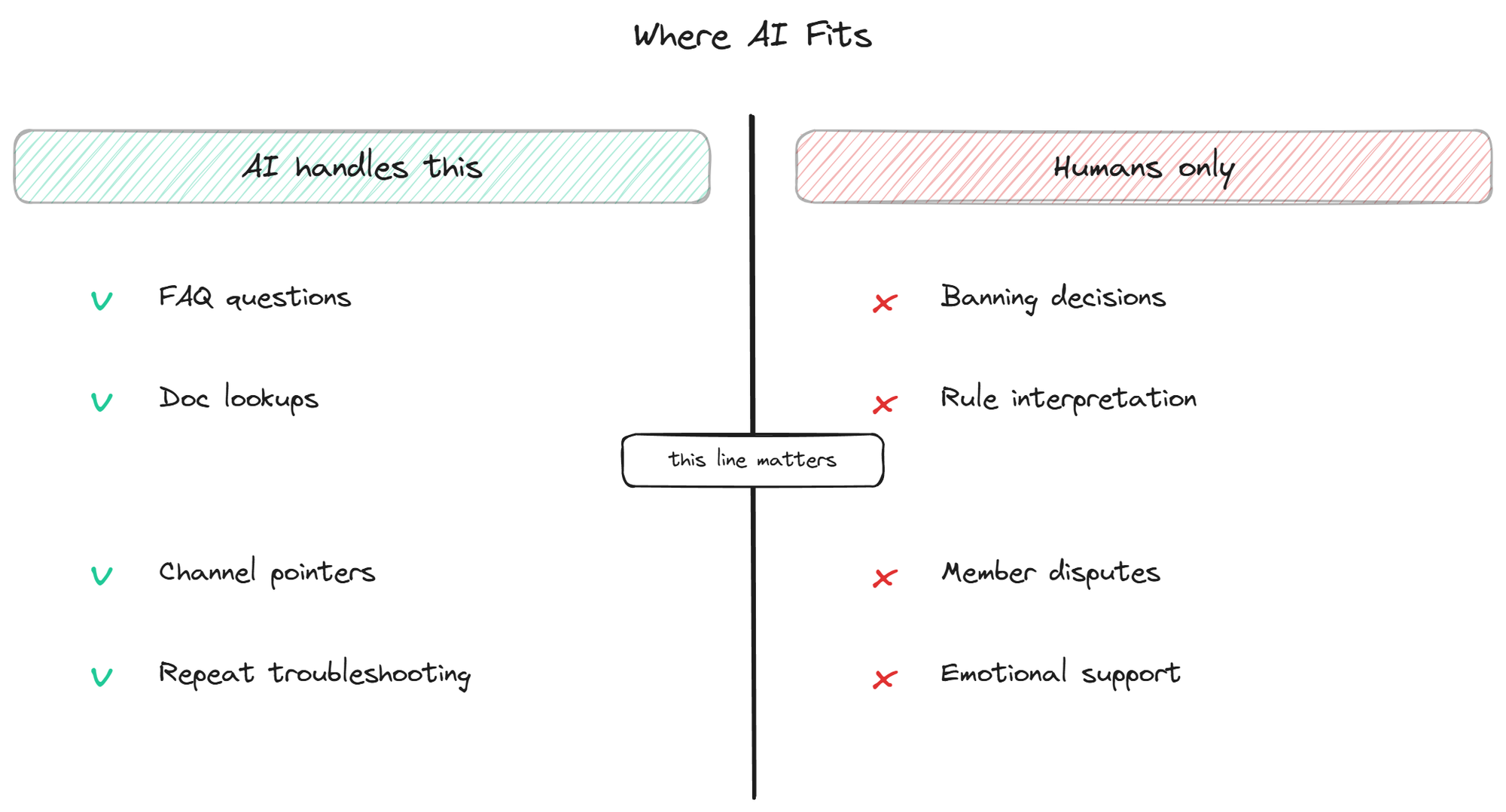
A Discord moderation bot with AI is often misunderstood as a replacement for the moderators themselves. It is not, and any vendor pitching it as one is overselling. The honest version of this product category is much more useful and much narrower: a tool that lifts the repetitive support load off moderators so they can spend their energy on the work that genuinely needs human judgment. Banning bad actors, settling arguments between members, deciding when a rule needs to change, recognizing when someone is in distress and not just confused. None of this is going away, and none of it should be handed to an AI.
What can be handed to an AI is the layer underneath: the dozens of repeat questions every active server gets, dressed up as moderation work because the moderators are the ones answering them. This page is about where AI fits inside the moderator's day and where it does not.
What "moderation help with AI" actually means
The phrase covers a narrow but real category of tool. It is not the same as automod (the rules-based system that auto-deletes messages with certain keywords, mutes users for spam, or enforces character-length limits). Automod has existed for years and continues to do its job well; nothing about AI changes that layer. What AI moderation support adds is a second layer, sitting on top of automod, focused on the support-shaped work that consumes most of a moderator's time in any community past a thousand members.
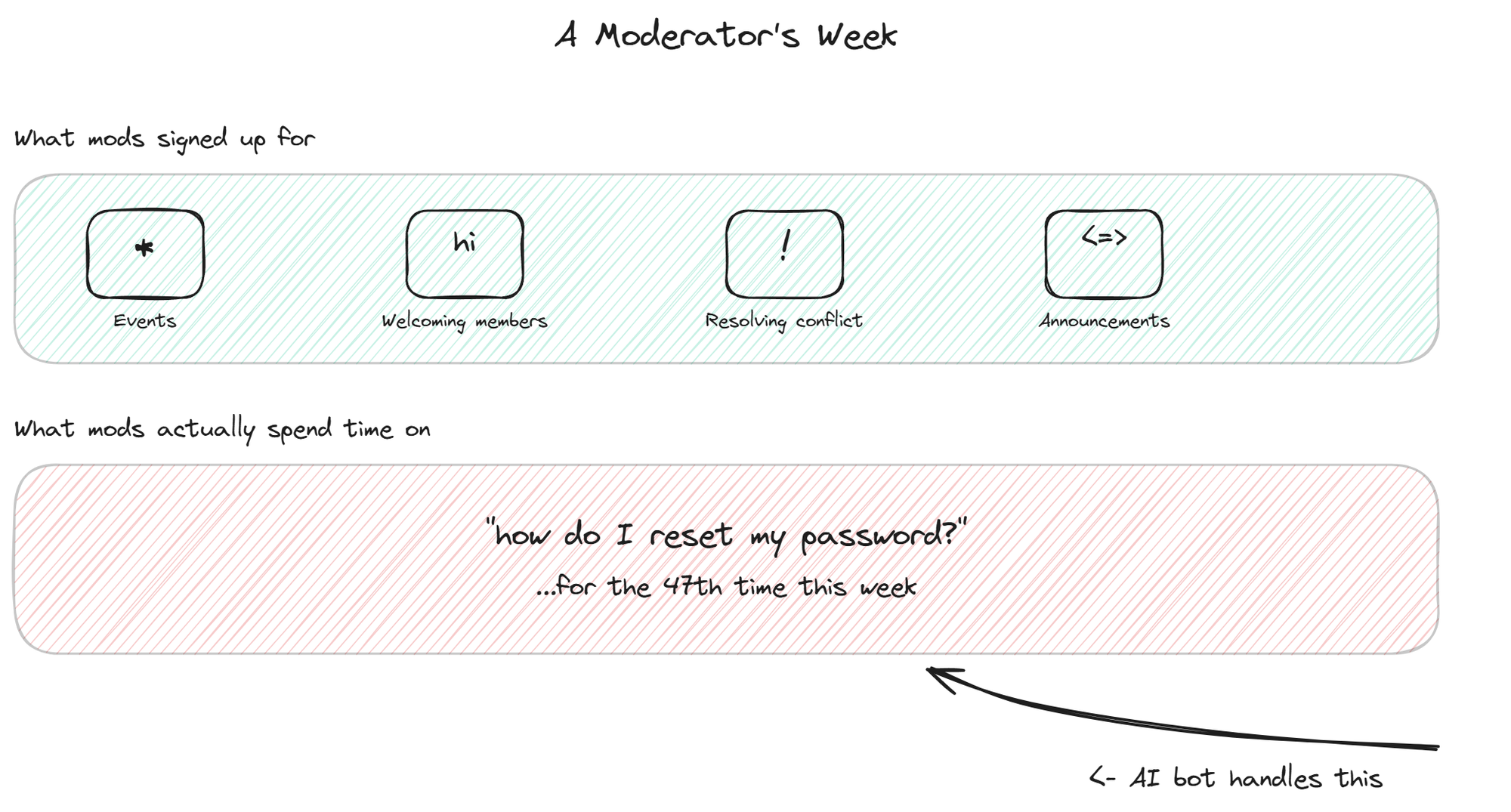
That work is what most moderators describe as "I keep answering the same questions over and over." It is technically support, not moderation in the policing sense, but moderators end up doing it because there is nobody else around at 2am when a confused new member asks how to claim a role. An AI moderator helper bot reads those questions, recognizes them as factual and answerable from the existing documentation, and replies with the answer and a source link. The moderator's queue shrinks. The actual moderation work, the judgment-heavy stuff that AI cannot do, gets the attention it deserves.
This framing matters because the alternative framing, where AI replaces moderation entirely, leads to terrible decisions. Communities that try to fully automate moderation end up with bots that ban the wrong people, miss the actual bad actors, and break trust faster than any human moderator ever would. The realistic, useful framing is narrower and more honest: AI handles the repetitive informational layer, humans handle everything else.
The hidden cost: support work disguised as moderation
If you ask volunteer moderators of an active Discord what they actually do with their time, the answers tend to surprise. The community policing part, breaking up arguments, enforcing rules, handling reports of bad behavior, takes up maybe a quarter of their hours. The other three quarters is some mix of welcoming new members, answering questions about the product or community, pointing people to channels, and explaining things that are already in the docs but that nobody read.
That mix is invisible from the outside. From the founder's perspective, the moderators are doing "moderation." From the moderator's perspective, they are answering customer support tickets for a product they do not work for, for free, after a full day at their actual jobs. This is the real cause of volunteer moderator burnout, and it is also where the strongest case for AI assistance lives.
Studies of online community moderation, including academic work published through 2023 on platforms like Reddit and Discord, consistently find that the repetitive informational layer is what moderators describe as the most draining part of the role. The actual judgment calls, the parts that require human sensitivity, are usually the parts moderators report finding most meaningful. The split is almost perfectly inverted from what an outsider would assume.
Pulling the repetitive layer off the moderators is therefore not just a productivity argument. It is also a retention argument. Moderators who only have to do the meaningful parts of moderation stay longer, do better work, and feel less resentful of the community they are supposedly serving.
How an AI bot helps without taking over
A well-built community moderation AI sits in the support and FAQ channels of your server, reads messages, and replies only when three conditions are met. The message is clearly a support question (not casual chat). The answer exists in the knowledge base the moderators have curated. The bot's confidence in the answer is high enough to share it.
When any of those conditions fails, the bot stays quiet and lets a human handle the case. This is the critical design choice that separates a useful moderation support bot from an annoying one. A bot that tries to answer every message becomes noise. A bot that only answers when it can actually help becomes invisible until you need it, which is the right behavior.
The other thing a useful bot does is surface patterns for the moderators. The list of questions the bot could not confidently answer is its most valuable artifact. Reviewed weekly, that list tells the moderators which docs are missing, which questions are getting asked in ways the current content does not cover, and where the community's understanding of the product is diverging from what the team intended. The bot becomes a feedback channel from the community to the people who run it, which is something no human moderator has the time to maintain manually.
For server-specific cases where a question needs to leave the bot's hands and go to a human, the broader topic of escalation covers the patterns that work and the ones that do not. The trade-offs differ slightly between web widgets and Discord, but the underlying logic is the same.
What the bot should not do
The line between helpful and harmful for AI in a moderation context is drawn around three things the bot should never touch.
The bot should not ban, mute, or kick users, ever. Decisions about who stays in the community are judgment calls that depend on context the bot cannot fully understand: history of behavior, intent behind a borderline message, whether the rule violation is a first offense or part of a pattern. A bot that takes these actions automatically will ban the wrong people, and the resulting damage to community trust is hard to recover from.
The bot should not interpret rules or settle disputes between members. When two members argue about whether a given behavior crosses the line, the answer requires reading the situation, understanding the context, and sometimes making a call that the written rules do not cover. Asking an AI to do this produces inconsistent results and resentment from members who feel unfairly treated.
The bot should not handle anything emotionally sensitive. When a member is venting frustration, working through a personal crisis, or in any kind of distress, the worst possible response is a cheerful FAQ answer. Moderators recognize these situations through human cues that AI consistently misses. The bot should stay scoped to clearly factual support questions and let humans handle everything else.
Setting up the bot to help mods, not replace them
The setup decisions for a moderation support bot follow from the philosophy above. Three matter most.
Scope tightly at install time. Pick two or three channels where the bot can operate (the support channels, an FAQ channel, maybe a #getting-started), and explicitly exclude the rest. The bot should never appear in #mod-discussion, #general, or any channel where its presence would feel like surveillance.
Set the bot's confidence threshold high by default. The bot should err toward "I do not know, a moderator will help" rather than guessing. False positives (bot answers wrongly) cost the community more trust than false negatives (bot stays quiet and a moderator answers a minute later). Tune in that direction.
Bring the moderators into the configuration process. They know the questions, they know the cultural norms of the server, and they will notice the bot's mistakes before anyone else. A bot installed without moderator input will be configured wrong in subtle ways that take months to surface. A bot installed with moderator input gets the tone, scope, and escalation right on the first try.
Measuring whether mods are actually less overwhelmed
The metrics that matter for a moderation support bot are not the same as the metrics for a customer-facing chatbot. Resolution rate and CSAT matter less. What matters more is whether the moderators feel less buried.
One useful proxy is the count of unanswered questions in support channels at the end of each day. Before the bot, that count is usually meaningful (a queue of unattended questions that moderators feel guilty about). After the bot, the count should drop close to zero, because the bot has handled the answerable ones and the remaining few are the ones that actually need a human. If the count does not drop, the bot is not configured to cover the right question categories.
Another proxy is moderator retention. Volunteer moderator turnover is the canary for community support health. If moderators are leaving every few months and citing burnout, the repetitive support load is part of the cause, and a bot can directly reduce it. Tracking how long moderators stay before and after introducing the bot gives a clearer picture than any chatbot vendor's resolution metric.
The third proxy is the qualitative one. Ask the moderators every month whether they feel the bot is helping or annoying them. Their answer is more accurate than any dashboard.
BestChatBot includes the supervised autolearning loop that captures every moderator answer the bot did not know and adds it to the knowledge base after validation, which means the bot's coverage of the repetitive layer compounds with the moderators' own work rather than requiring separate maintenance.
FAQ
- Is this a replacement for automod? No. Automod (built into Discord or available through tools like MEE6 and Dyno) handles rules-based moderation: keyword filters, raid protection, slow mode, character limits. A moderation support bot with AI sits on top of automod and handles the support side: answering questions, surfacing documentation, reducing the repetitive load on moderators. The two tools complement each other.
- Can the bot recognize when a conversation is getting heated? Some bots include tone or sentiment detection, but using it to take action (mute, warn, escalate) is the wrong design. The useful version is to have the bot quietly notify moderators when something looks off, so a human can decide what to do. Automated reaction to detected tone produces too many false positives.
- Will moderators trust the bot to answer correctly? Trust comes from two things: the bot citing its sources on every answer, and the bot saying "I do not know" when it actually does not know. Both behaviors are configuration choices, not nice-to-haves. A bot that hides its sources or invents answers will lose moderator trust within a week.
- Does the bot work on multiple servers run by the same team? Yes. The same bot infrastructure can run on multiple servers with per-server knowledge bases, configurations, and tone. Useful for agencies managing several communities, or for companies running separate servers for different products or regions.
- How do we handle the cases where the bot answers wrongly? Most platforms include a way for moderators to flag or delete a bot's bad answer, often by reacting to the message with a specific emoji or running a command. The flagged answer goes into a review queue, the underlying source content gets updated, and the bot stops making the same mistake. This feedback loop is what turns a bot from a static tool into one that improves with use.
A Discord moderation bot with AI works when it is scoped correctly and respected as a partner to the moderators rather than a replacement for them. The repetitive informational layer is the bot's job. The judgment, the cultural work, the actual community building, all stays with humans. Communities that get this split right end up with happier moderators and faster answers at the same time, which is the only combination worth optimizing for. To explore the broader Discord support stack, the community bot overview covers how moderation help fits alongside FAQ answering and onboarding flows.