
Discord Support Bot for Communities
A Discord support bot trained on your docs that answers community questions 24/7 with cited sources and learns from moderators automatically.
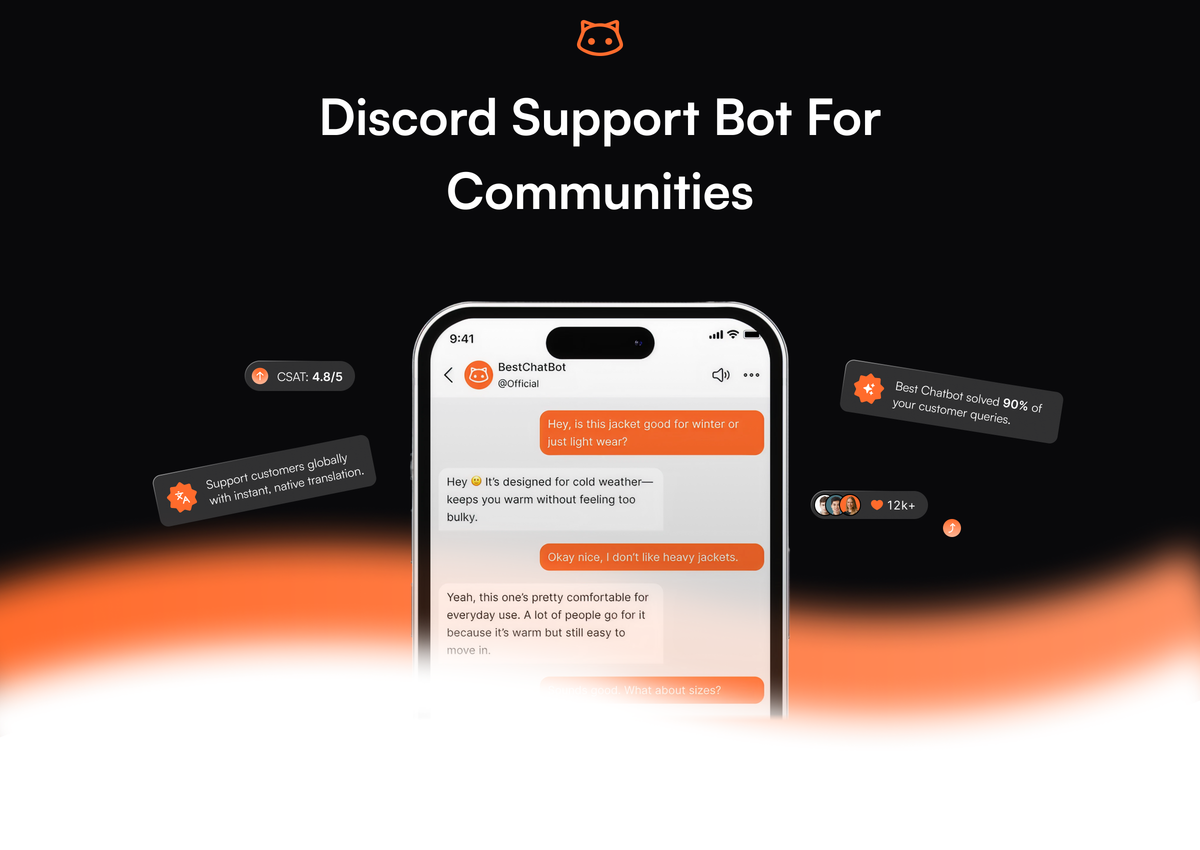
A Discord QA support bot is the answer to a specific kind of community problem: hundreds of people asking the same dozen questions across a dozen channels, and three exhausted moderators answering them at 11pm on a Tuesday. The bot reads your documentation, watches for those repeat questions, and replies with the right answer in the channel, with a link back to the source. The moderators get their evenings back. The community gets faster answers than any human team could deliver. This page covers what a real Discord support bot does, what separates it from the generic mod bots, and where it fits in a modern community support stack.
What a Discord support bot actually does
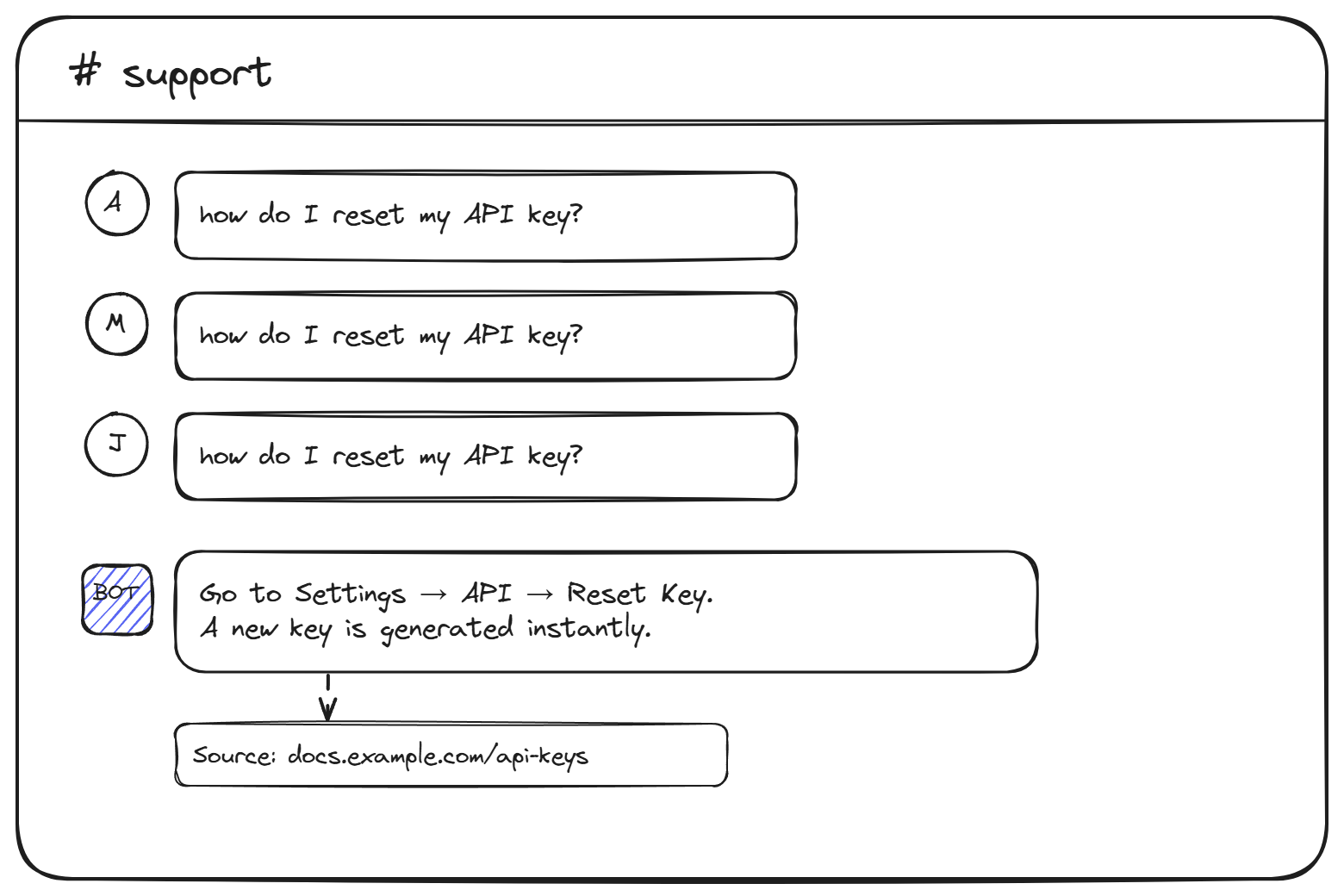
A Discord support bot is an application installed on your server that reads messages, recognizes support questions, and responds with answers grounded in your knowledge base. The knowledge base is whatever content you point it at: product documentation, FAQ pages, scraped help center articles, uploaded PDFs, or whitepapers. When a member asks "how does billing work?", the bot retrieves the relevant passage from the docs and replies in the channel with the answer and a link to the source.
Three things distinguish a real support bot from the generic Discord bots most communities started with. First, it answers from your content, not from generic training data, which means the answers are accurate to your product and not made up. Second, it cites the source under each reply, so the asker can verify the answer and dig deeper if they want. Third, it can be scoped to specific channels (a #support channel, an #api-help channel) so it does not interrupt casual conversation elsewhere on the server.
What it is not: a moderation bot, a music bot, a leveling bot, or a welcome bot with role assignment. Plenty of those exist already and they do their jobs. A support bot is a different category of tool, focused entirely on resolving repeat questions and freeing moderator time.
Why generic mod bots are not support bots
Discord communities have been using bots for a decade. MEE6, Dyno, and Carl-bot handle moderation, role management, welcome messages, and basic auto-responders. The auto-responder feature is what tempts people into thinking they have a support bot already. Set a trigger on the keyword "billing" and reply with a canned message; done.
This breaks the moment your community asks the same question in three different ways. "Billing question", "how do I cancel", "where do I update my card", and "I got charged twice" are all about billing, but only one of those will match a keyword trigger. The other three get no reply, or worse, the wrong reply.
An AI-powered Discord AI bot handles all four because it understands the question, not just the keyword. The retrieval layer matches the meaning of "I got charged twice" against the docs section about billing disputes, regardless of whether the word "billing" appears in the message. That single capability is what turns a 20% auto-resolution rate into a 70% one.
What separates a useful Discord support bot
Five features matter, in roughly this order:
- Knowledge base grounding. The bot answers from your documents and not from generic training data. Point it at your help center, your docs site, uploaded PDFs, and any URLs you want it to learn from. The answers stay accurate to your product instead of drifting into the model's general knowledge.
- Source citations under every answer. A community support bot needs to be auditable. When the bot says "API keys regenerate every 90 days," the message should include a link to the documentation passage that says so. Members can verify the answer and read further; moderators can spot when the bot is quoting outdated content.
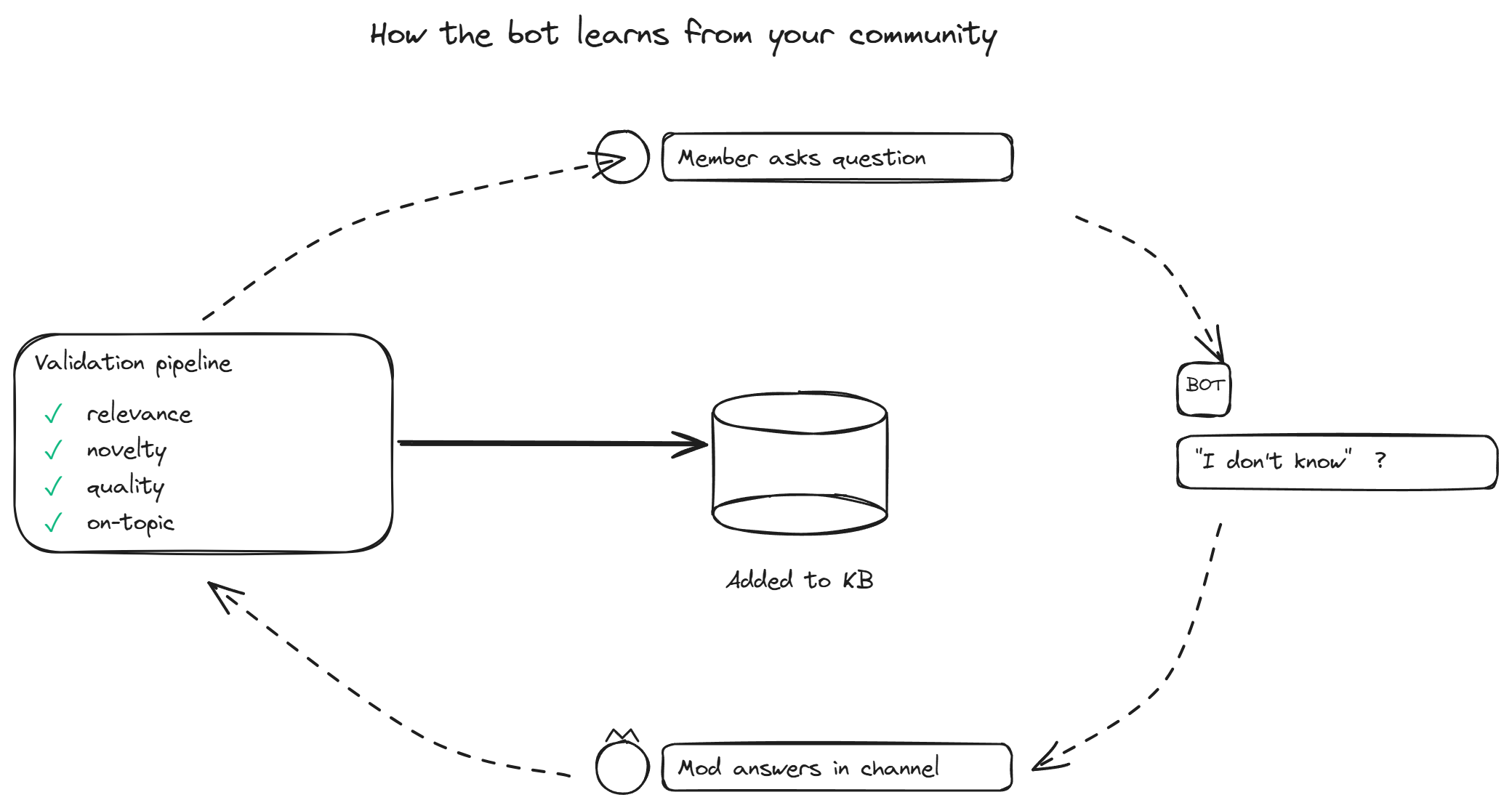
- Supervised autolearning. This is the differentiator that compounds over time. When a moderator answers a question the bot did not know, the system captures the Q-and-A pair, validates it against the existing knowledge base (relevance, novelty, quality, whether it is actual product info or casual chat), and adds it back to the bot automatically. The bot gets smarter every week without anyone running a manual training session.
- Per-server branding and scope. If you run the bot on multiple servers, each server can have its own knowledge base, name, avatar, and personality. A bot for an open source project and a bot for a Web3 community can run on the same infrastructure but feel like two different products.
- Channel-level configuration. The bot replies in the channels where it should and stays quiet in the ones where it should not. Auto-responses in a
#generalchat channel are annoying; in a#helpchannel they are exactly what people want. Good scoping is the difference.
For the practical side of answering the highest-volume repeat questions, the 24/7 Discord answers page covers the FAQ-specific use case in more detail.
Where a Discord support bot fits
The bot is the layer between "documentation exists somewhere" and "someone has to type the answer." Most communities sit in one of four shapes, and the bot works differently in each:
- SaaS product communities. Users ask about features, billing, integrations, common errors. The bot's docs are the product documentation. This is the cleanest fit because the questions are highly repetitive and the source content is already well-maintained.
- Web3 and crypto projects. Users ask about tokenomics, staking, contract addresses, roadmap. The bot's content is the whitepaper, the docs, and the FAQ. Citations matter more here than anywhere else because misinformation in crypto communities has financial consequences.
- Open source projects. Users ask about installation, configuration, error messages, contribution flow. The bot's content is the README, the docs site, and pinned messages from the maintainers. The autolearning loop is especially useful because the same questions repeat with every new release.
- Creator and gaming communities. Users ask about server rules, schedules, where to find specific content. The bot's content is whatever the creator or community manager has written down. Smaller content base, but high repetition, which is the right shape for a bot.
The right Discord integration takes about 15 minutes for a single server: install the app, grant permissions, point it at your knowledge sources, and pick which channels it responds in.
How a Discord support bot compares to alternatives
Communities looking at this category usually consider three alternatives: hiring more moderators, writing better pinned messages, or using a general-purpose AI tool. None of these is wrong, and none of these does the same job.
Hiring more moderators scales linearly with question volume and burns out volunteers. Pinned messages work for the first 10 members and break around member 1,000 because nobody reads them. General AI tools (ChatGPT in a bot wrapper) sound confident but invent answers because they have no grounding in your specific product.
A purpose-built support bot fills the gap: it has the moderator's knowledge of your product (through the docs), the pinned-message's persistence (it never forgets), and the AI tool's conversational ability (it understands varied phrasings), without inventing answers. For teams weighing options before committing, the best Discord support bots comparison covers the main vendors and their trade-offs.
BestChatBot is built specifically for this category: trained on your private knowledge base, cites every source, and gets better automatically as moderators answer the questions it could not. The Discord bot and the web widget share the same knowledge base, so a SaaS team can run support across both channels without maintaining two parallel content sets.
FAQ
- How is this different from MEE6 or Dyno? MEE6 and Dyno are general-purpose Discord bots focused on moderation, roles, leveling, and basic auto-responses. A Discord support bot is purpose-built for resolving support questions using AI and a custom knowledge base. The two categories complement each other; many communities run both.
- Does the bot answer in DMs or only in channels? Most modern Discord support bots can be configured for both. Channel replies are useful for community-wide answers (everyone sees the resolution). DM replies are useful for sensitive questions like billing or account issues that should not be public. The default is usually channel-only with DM as an opt-in feature.
- What happens when the bot does not know an answer? A well-built bot says so explicitly and either pings a moderator or stays silent and lets a human answer. When a moderator does answer, the supervised autolearning loop captures that exchange and adds it to the knowledge base after validation, so the bot will know it the next time.
- Can the same bot run on multiple Discord servers? Yes, with per-server configuration. Each server can have its own knowledge base, name, avatar, response channels, and tone. Useful for agencies managing multiple communities or for companies running separate servers for different products.
- How does the bot handle channels with mixed traffic? The bot only responds when it detects a support question. Casual conversation, memes, and off-topic chatter are ignored. The detection uses the language model's understanding of intent, not just keyword matching, so it stays quiet in noisy channels unless someone actually asks for help.
A working Discord support bot does what no number of pinned messages or volunteer moderators can do at scale: answers repeat questions instantly, in the channel, with sources, around the clock, and gets better at it every week. For communities past their first thousand members, it is one of the highest-leverage investments available. When you are ready to install the bot, see plans and pick the tier that fits your server size.