
Discord FAQ Bot for 24/7 Answers
A Discord FAQ bot reads your docs and answers repeat questions in your server 24/7. Cited sources, autolearning, and zero late-night mod work.
A Discord FAQ bot is the bot that answers the same 30 questions every active community gets, every day, in every time zone. "How do I install the SDK?" "Where is the roadmap?" "Why was my transaction pending for 20 minutes?" Members ask. Moderators answer. The same answers, in slightly different words, forever. A Discord FAQ bot reads your existing documentation and replies with the right answer the first time someone asks, with a link to the source, at any hour. This page covers what a real FAQ bot does, why pinned messages and !faq commands stopped scaling years ago, and how to set one up that earns its keep on day one.
What a Discord FAQ bot is
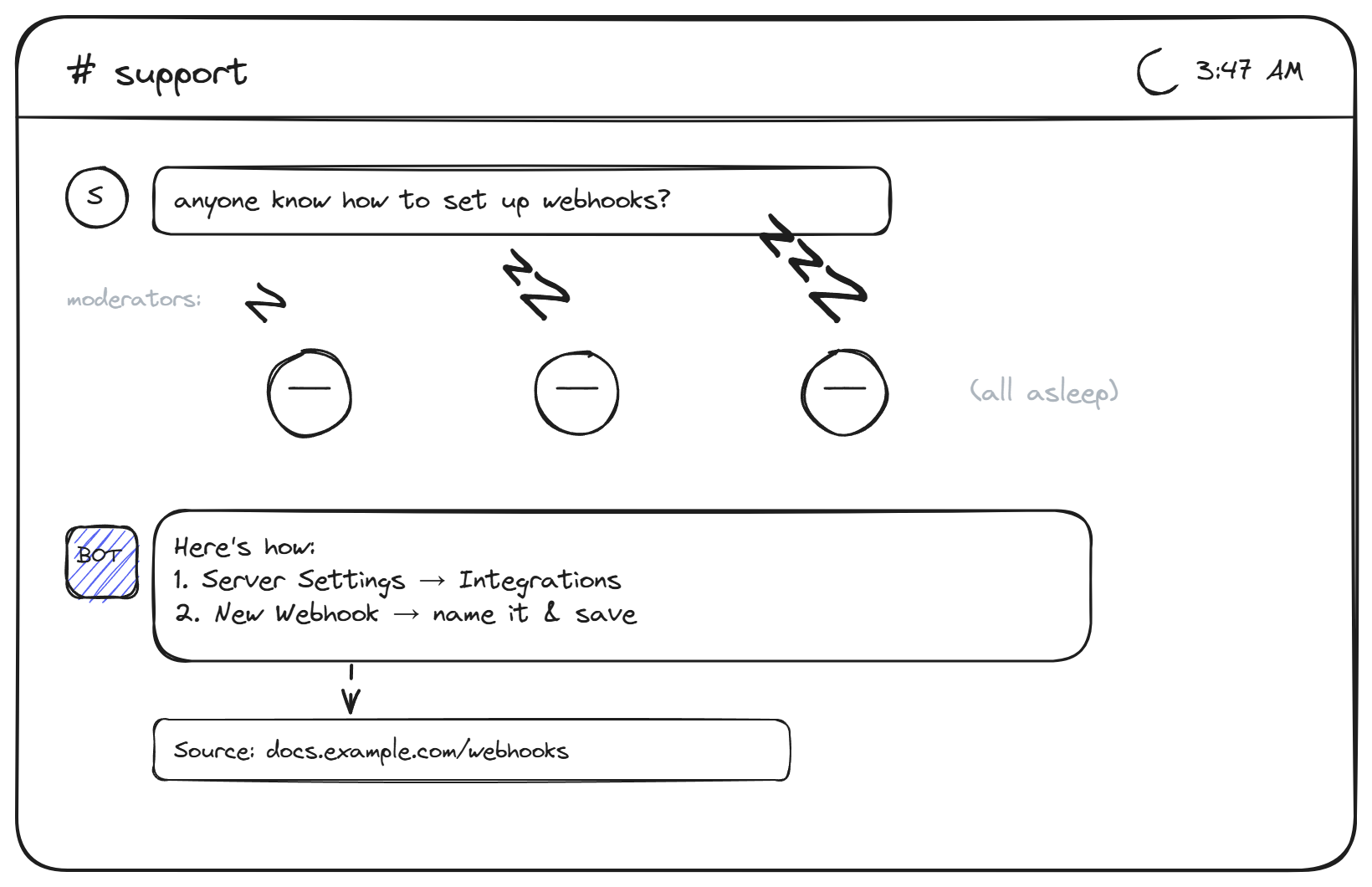
A Discord FAQ bot is a specialized member of the support bot category: scoped specifically to answering recurring informational questions in a Discord server. It reads from a knowledge base you control (uploaded docs, scraped pages, manually edited FAQ entries), recognizes when a member asks a question covered by that content, and replies in the channel with the answer.
The architecture is the same as any retrieval-augmented chatbot. The difference is the deployment context: instead of a widget on a website, the bot is a Discord application installed on your server. It sees messages in the channels it has access to, decides whether each message is a question worth answering, and replies inline if it is.
Three things make this different from a general support bot. The bot lives where the conversation already happens, so members do not have to leave Discord to get answers. The replies are public by default, so the next person with the same question sees the answer in the channel history (which means the question often does not get asked a third time). And the bot's tone fits Discord's conversational style, not the formal voice of a help center widget.
Why static FAQ messages stopped working
Every Discord community has tried the static approach. A pinned message at the top of #support with a numbered list of common questions. A !faq slash command that lists the same content. A dedicated #read-this-first channel. These work for the first dozen members. They stop working around member 500 for three reasons.
Nobody reads pinned messages. Discord's UI puts pins behind two clicks, and most members never look at them. The community grows past the point where the "read the FAQ" culture sticks. Even members who do read the FAQ ask the question anyway because they cannot find the specific phrasing for their case.
Slash commands like !faq work better but only if members know the command exists and remember to use it. They mostly do not. And static FAQ lists do not match varied phrasing: "how do I cancel" and "where do I unsubscribe" are the same question, but a static FAQ only matches one of them.
An AI-powered server FAQ bot solves all three by reading the question and matching against the content semantically, regardless of phrasing. The member does not need to remember a command or read a pinned message; they just ask.
How a Discord FAQ bot earns its place
A good FAQ bot does five things well:
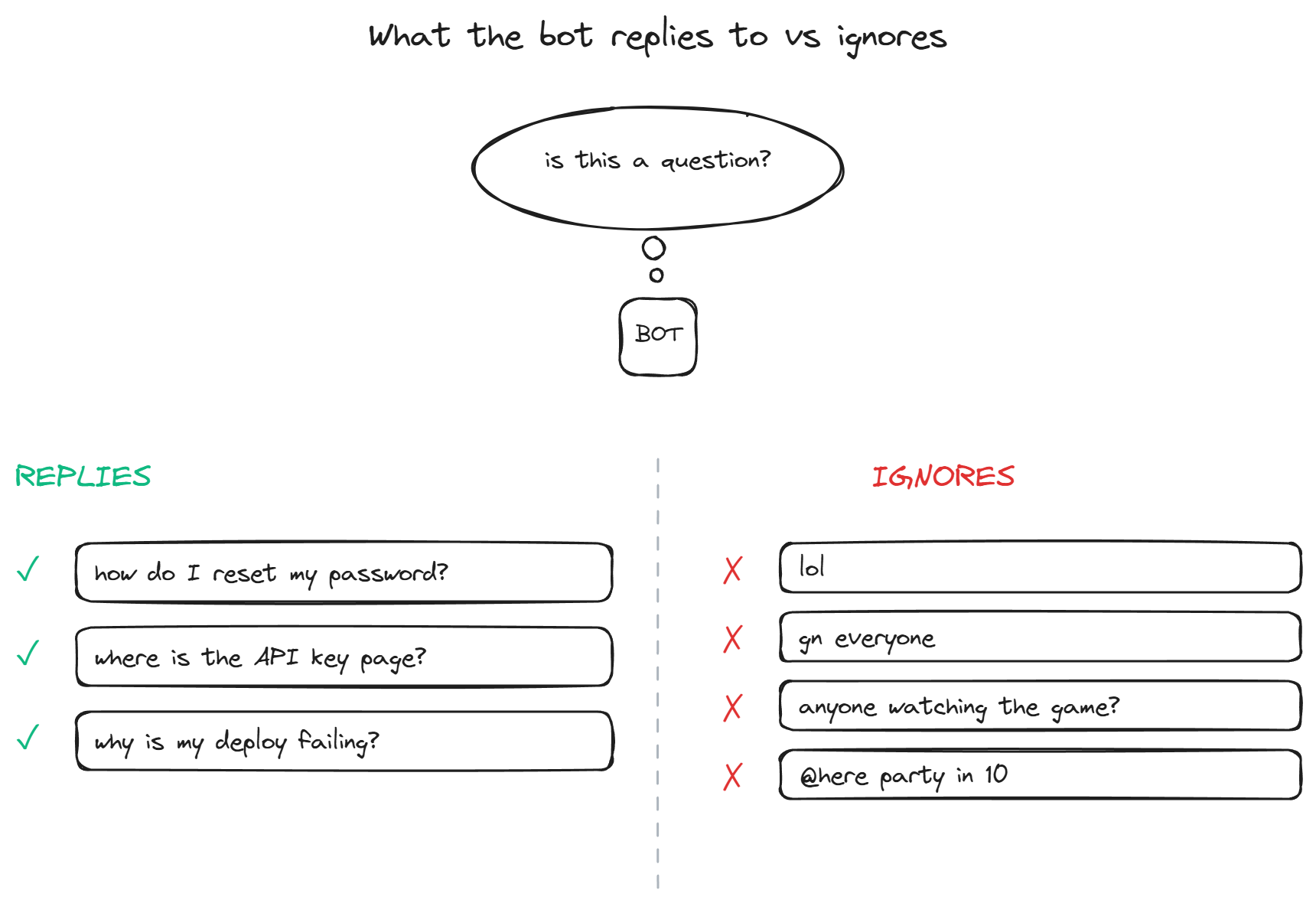
- Recognizes questions, ignores chatter. Discord channels mix support questions with casual conversation, memes, and announcements. The bot only replies when a message is genuinely a support question. Replying to "lol nice" or "gn everyone" is the fastest way to get the bot kicked from a server.
- Answers from cited sources. Every reply includes a link or reference to where the answer came from in your knowledge base. Members can verify the answer, dig deeper, or share the link with someone else. Moderators can spot when the bot is quoting an outdated doc and update it.
- Knows what it does not know. Questions outside the bot's knowledge base get an honest "I do not have that information" instead of a guess. This keeps trust high and prevents the bot from inventing answers, especially in technical or financial contexts where wrong answers create real damage.
- Stays scoped to specific channels. A FAQ bot in
#generalis noise. A FAQ bot in#support,#help, or#api-questionsis the whole point. Channel-level configuration lets the bot live exactly where it adds value and stay invisible everywhere else. - Improves automatically. When a moderator answers a question the bot could not, the autolearning loop captures the answer, validates it (relevance, novelty, quality, on-topic), and adds it to the knowledge base. The bot knows the answer the next time without anyone running a training session.
For the deeper version of how this content side works, the connect your docs page covers the documentation grounding mechanism in detail.
Setting up a Discord FAQ bot
The Discord-specific parts of the setup are usually faster than the content prep. Four decisions to make at install:
- Which channels. Pick the channels where members actually ask support questions. Usually a
#supportchannel, sometimes a#helpor#apichannel, occasionally a#generalif your server is small enough that general chat and support overlap. - Which knowledge sources. Upload your docs, scrape your help center URL or sitemap, paste in any whitepapers, and manually add FAQ entries that do not live anywhere else yet. The knowledge base is what the bot will quote, so this is the most important step.
- Tone and length. Discord favors short, conversational replies over wall-of-text help center prose. Configure the bot to summarize and link, not to dump three paragraphs. Members can click through to the full doc if they want depth.
- Permissions. The bot needs permission to read messages in the support channels and post replies. It does not need administrator permissions or message management. Grant the minimum required; Discord's permission system is granular for a reason.
A typical setup for a community of 1,000-10,000 members takes about an hour, most of it deciding which content to point the bot at. Bigger servers with multiple language communities or product lines take longer, but the technical install is still 15 minutes.
BestChatBot's Discord bot includes per-server knowledge bases, citations on every reply, the supervised autolearning loop, and scoped channel configuration as standard. Setup happens through a web dashboard that walks through each decision above.
FAQ
- How is a Discord FAQ bot different from a general support bot? A general support bot may also handle ticketing, escalation, and integrations with external systems. A FAQ bot is scoped to one specific job: answering recurring informational questions from your knowledge base. Simpler, cheaper, and covers the highest-volume class of community questions.
- Will the bot answer questions in DMs? Most Discord FAQ bots can be configured to answer in either channels, DMs, or both. Channels are better for community-wide visibility (the answer is then searchable in history). DMs are better for sensitive questions like billing or account specifics that should not be public.
- Can the bot recognize questions in multiple languages? Modern FAQ bots based on language models handle 50+ languages out of the box. If your community spans multiple regions, the bot detects the question's language and replies in kind, drawing answers from the same source content.
- What happens when the docs change? Re-index the content when it changes. Most platforms support scheduled re-indexing (daily or weekly) so updates propagate automatically. Manual re-indexing is also usually available for urgent changes.
- Does the bot reply to every message in the channel? No, and it should not. A good FAQ bot only replies when it detects a genuine support question. Casual chat, memes, off-topic conversation, and short reactions are ignored. The detection uses the language model's intent recognition, not just keyword matching.
A working Discord FAQ bot does the most repetitive moderator work for free, around the clock, in every time zone where members are awake. For active communities, the math is overwhelming: a few hundred resolved questions a week, every week, without anyone typing the same answer twice. When you are ready to install one, see plans and pick the tier that matches your server activity.